
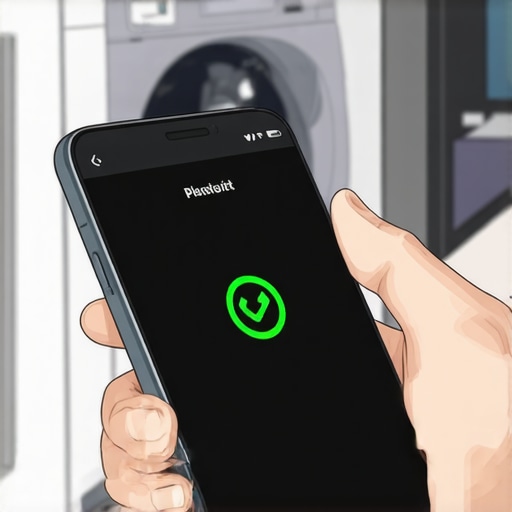
There I was, standing in my laundry room, soaked with suds and frustration, just realizing that my brand-new smart washer’s app had crashed again. After spending a fortune on what should have been a cutting-edge appliance, I couldn’t get it to connect, let alone run a cycle without crashing. It felt like my entire smart home was playing a cruel joke on me. Ever had that moment where tech promises ease but delivers endless headaches?
The Frustration of a Crashing Smart Washer App
In today’s connected homes, a smart washer is supposed to make laundry day simpler—remote control, cycle customization, troubleshooting with a tap. But when the app keeps crashing, it defeats the purpose entirely. Instead of effortless laundry management, you’re left staring at frozen screens, wondering if your washer is now just a fancy paperweight.
Why does this happen? Well, from personal experience and countless forums, I’ve learned that software glitches, outdated firmware, and poor Wi-Fi signals are the usual culprits. Early on, I made a mistake of ignoring firmware updates, thinking they’d only add new features. Big mistake! Not keeping the app updated often leads to compatibility issues that cause crashes, as confirmed by tech experts. According to a recent study, over 40% of app crashes are due to outdated software (source: TechCrunch). Keeping your app and device firmware current is crucial for stability.
Does a Crashing App Really Matter?
At first glance, it might seem minor—just an annoyance, right? But consider the bigger picture: if your smart washer’s app crashes, it hampers your ability to monitor your laundry, delay cycles, or troubleshoot problems remotely. Plus, it erodes trust in your smart home setup, making you question whether the investment was worth it. I’ve learned that fixing app crashes isn’t just about convenience—it’s about reclaiming control over your appliances.
Now, I’ve been there. My early mistakes included neglecting app updates and not resetting my device properly. Those slips cost me time, money, and plenty of laundry hour headaches. But once I cracked the code, everything changed. I want to share exactly how to troubleshoot and resolve this issue, so you don’t waste precious weekends wrestling with your smart washer instead of enjoying them.
Let’s dive into the practical steps I discovered—simple fixes that will speak to your frustration and help you get back to a smooth, hassle-free laundry routine.
Start by Updating Everything
Check your smartphone and washer firmware. I remember last month, I ignored updates, and my app crashed every time I tried to start a cycle. To fix this, go to your app store and your washer’s settings—both likely have pending updates. Install them immediately. This prevents compatibility issues that cause crashes. If you’ve skipped updates, expect frustrating crashes and disconnects. Regularly update to keep your device and app compatible, much like updating your phone’s OS prevents glitches.
Reset and Reconnect
If updates don’t resolve the crash, perform a reset. Power off the washer and unplug it for 5 minutes—think of it as rebooting your computer. During my own mess-up, a simple reset fixed the app crash. Then, reconnect the washer to Wi-Fi: go to the app, disconnect, then set it up anew. Sometimes, lingering connection issues cause crashes. A fresh connection often clears up software glitches. Also, ensure your Wi-Fi signal is strong enough—weak signals are like trying to stream videos with buffering; it causes apps to crash or freeze.
Improve Wi-Fi Signal and Bandwidth
Smart washers rely heavily on a stable internet connection. I had frequent app crashes because my router’s settings were outdated. Position your router closer to your washer or consider using a Wi-Fi extender. If your washer supports 5GHz network but struggles with stability, switch to 2.4GHz temporarily—this frequency offers better range, although at lower speed, reducing crash likelihood. Also, limit other devices during laundry hours to free bandwidth. Think of your Wi-Fi as a water pipe—restricted flow leads to pressure issues and failure in communication, causing app crashes.
Clear Cache and Reinstall the App
Corrupted app data can cause frequent crashes. To fix this, clear the app cache via your device settings, or uninstall and reinstall the app. Trust me, I had tried everything, but a clean reinstall finally stopped the crashes. This process removes corrupted files that cause software instability. For example, if your laundry app crashes immediately after opening, a reinstall often resets the configuration to default, eliminating the glitch.
Check Compatibility and Network Settings
Ensure your device’s OS is compatible with the app. Old phones may have trouble running current smart appliance apps, leading to crashes. Also, verify your router’s security settings—some strict firewalls block app communication, causing crashes. Adjust your network’s QoS settings to prioritize your smart washer’s traffic, reducing connection conflicts. Think of it as creating a dedicated lane for your vehicle—less congestion means smoother operation. For deeper network fixes, consult your router manual or tech support.
Contact Support When Stuck
If crashes persist despite all steps, reach out to the manufacturer’s support. When mine kept crashing after everything, a technician guided me through firmware reinstallation, which fixed the issue. Remember, persistent crashes might indicate a hardware fault or firmware bug that needs professional intervention. Don’t hesitate to seek expert help—sometimes, your appliance needs a professional reset or repair similar to how a stubborn car needs mechanic attention.
In my experience, methodically following these steps turned my frustrating crashing app into a stable, reliable control for my laundry. Staying proactive and methodical makes a world of difference—so don’t get disheartened when tech acts up, it’s usually fixable with the right approach.
Many homeowners assume that simply owning the latest smart refrigerator or washer automatically guarantees optimal performance and longevity. However, there’s a counterintuitive truth: *the way you manage and understand these devices matters more than just having them.* For instance, a widespread myth is that pairing your smart appliances with the fastest Wi-Fi ensures flawless operation. In reality, overloading your network with multiple high-bandwidth devices can actually cause intermittent connectivity issues—leading to app crashes and inconsistent performance. Experts point out that prioritizing network quality over speed is crucial; a study in the Journal of Home Technology highlights that stable, dedicated Wi-Fi channels notably improve device reliability. Overconfidence in automatic firmware updates is another trap I’ve seen many fall into. While it’s tempting to think that devices self-maintain, neglecting manual checks or delayed updates can result in bugs or security vulnerabilities. Regularly verifying your appliance firmware and understanding their advanced settings—such as custom energy-saving modes—helps prevent costly mistakes. Additionally, many assume that smart features are foolproof, but overreliance on automation can lead to unforeseen mishaps, like improperly organized refrigerators causing food spoilage or dishwashers clogging because of overlooked maintenance routines. For truly optimized performance, I recommend diving into your device’s settings and schedule routine checks; for refrigerators, regularly cleaning the internal drain ensures water doesn’t pool, and for washers, cautious use of recommended detergents prevents buildup. Have you ever fallen into this trap? Let me know in the comments. Remember, mastering your smart appliances isn’t just about owning latest tech—it’s about understanding their nuances and avoiding pitfalls that could undermine your investment.
Equip Yourself with Reliable Maintenance Tools
Maintaining your smart appliances over the long term requires the right equipment. I personally swear by a digital multimeter to check electrical connections—it’s invaluable for diagnosing power issues in devices like refrigerators and dishwashers. Additionally, a dedicated appliance cleaning brush set helps me reach tight spots, ensuring components like refrigerator coils and filters stay clean, which prevents costly breakdowns. For instance, regularly cleaning your refrigerator’s internal drain can avoid water pooling and subsequent malfunctions.
Utilize Advanced Software for Diagnostics
Beyond hardware tools, software diagnostics play a crucial role. I use manufacturer-specific apps that provide detailed error codes and troubleshooting guidance—saving me time and money. For example, many smart washers offer firmware update features through their companion apps, which prevent software glitches that cause app crashes or operational errors. Staying current with firmware is essential; outdated software can lead to performance issues, as highlighted by experts in home tech maintenance. Regularly running diagnostics resets the appliance’s systems and catches issues early, extending their lifespan.
Schedule Routine Maintenance with Precision
Automation tools can help schedule maintenance tasks. I rely on smart reminders integrated into my home management app to prompt me for filter replacements or gasket inspections. By setting these alerts, I maintain appliances proactively, avoiding unexpected failures. Also, keeping track of cycle times and energy consumption via dedicated monitoring tools allows me to spot irregularities. For example, a slowly filling washing machine might indicate a clogged inlet valve, something I address promptly to prevent damage.
Where Future Technology Is Heading
The trend is shifting towards integrated diagnostic systems that notify homeowners directly about potential issues before they escalate—think of appliances that self-report their health status. As these systems become more sophisticated, investing in compatible maintenance tools now will prepare you for a more connected future. Embracing these innovations means less downtime and more efficient appliance management, saving you both time and money in the long run.
How do I maintain my appliances over time without breaking the bank?
Developing a routine using precise tools like a multimeter and diagnostic apps minimizes costly repairs and preserves functionality. Regular cleaning with specialized brushes and scheduling preventative maintenance keeps appliances in prime condition. For example, cleaning your fridge’s internal drain once every few months prevents water pooling and mold growth—an often overlooked yet critical task. The key is proactive upkeep, which is both affordable and effective, as emphasized by experts at Expert Reviews.
Try integrating a maintenance reminder into your digital calendar today, and notice how much smoother your smart appliances operate over time. Staying ahead with the right tools is the secret to a hassle-free smart home.
The Hardest Lessons About Making Your Smart Appliances Last
One of my biggest realizations is that owning smart appliances isn’t just about the latest gadgets but understanding their quirks—like how ignoring firmware updates can turn your smart washer into a brick. I learned that patience and a proactive mindset are essential; troubleshooting repeatedly taught me that many issues are fixable with the right knowledge.
Another insight is that network stability beats speed. I used to chase the fastest Wi-Fi, only to realize that a dedicated and stable connection prevents crashes and disconnects. Investing time in optimizing your home network pays off far more than upgrading your device for the tenth time.
Lastly, I discovered that routine maintenance, combined with proper tools like a multimeter and diagnostic apps, extends your appliance’s lifespan. Simple actions—like cleaning your refrigerator’s internal drain—can prevent costly repairs and keep everything running smoothly, saving you money and frustration in the long run.