
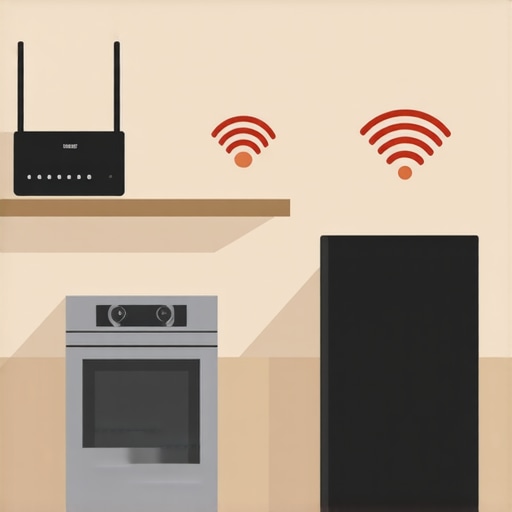
Ever opened the basement door only to find your smart fridge or washing machine blinking away in frustration, unreachable and unresponsive? I remember the lightbulb moment when my new smart dishwasher refused to connect after a weekend renovation. It was maddening to realize that my investment in modern convenience was limited by something as simple—and yet as tricky—as Wi-Fi connectivity. That frustrating experience made me realize I wasn’t alone. Many homeowners face the same invisible barrier: the Wi-Fi gap that leaves their smart appliances stranded in the basement or far corners of the house.
Why Ensuring Smart Appliances Stay Connected Matters More Than Ever
In today’s connected homes, our appliances aren’t just machines—they’re integral parts of our daily routine, from preheating the oven to monitoring your fridge’s temperature remotely. When these devices can’t reliably communicate with your Wi-Fi, it not only disrupts convenience but can also lead to appliance malfunctions or even early breakdowns.
Recently, a study from the Department of Energy revealed that smart home devices can account for up to 30% of household energy use, largely due to inefficiencies caused by poor connectivity. I’ve learned from personal experience that a weak Wi-Fi signal in the basement can cause smart appliances to lose connection, leading to operation errors, or in worst cases, complete non-functionality.
What Can Go Wrong Without Proper Wi-Fi Coverage?
Imagine your dishwasher not turning on because it can’t confirm it’s connected, or your smart refrigerator failing to display the grocery list you just added remotely. These issues are more common than you might think—especially in homes with thick basement walls or multiple floors—yet many overlook the importance of a robust Wi-Fi network tailored for every corner of the house.
Early on, I made the mistake of relying solely on my main router’s default placement, assuming it would reach everywhere. That resulted in numerous connection drops and even some freezes in my appliances’ screens. A quick glance at [smart appliance troubleshooting](https://smartappliancereview.com/why-your-smart-fridges-grocery-list-is-always-out-of-sync) taught me how critical proper coverage is—and how solutions like mesh networks can transform your setup.
In this guide, I’ll walk you through practical, proven steps to bridge that Wi-Fi gap, ensuring your smart appliances stay connected, responsive, and efficient. Ready to take your smart home to the next level? Let’s get started.
,
Position Your Router Strategically for Better Coverage
Think of your Wi-Fi router as the brain of your smart home. I once placed my router in a closet, assuming proximity to the cable outlet was enough. However, that caused my smart fridge and washing machine to frequently disconnect. Moving the router to a central, elevated location dramatically improved the signal strength—comparable to giving your appliances a clear, unobstructed highway to communicate. Use a simple compass app or a measurement app to identify the center of your house for optimal placement.
Enhance Signal Strength with Mesh Networks
Mesh Wi-Fi systems act like a team of messengers, relaying data seamlessly across your home. I installed a mesh network after persistent drops on my second floor. It was straightforward: just follow the setup instructions, place the nodes strategically—one near the router and others in problem zones—and connect everything via the app. Not only did my smart appliances regain stability, but my whole network became faster. To find a system that suits your space, read reviews on smart appliances for inspiration.
Update Firmware and Adjust Settings for Reliability
Manufacturers often release firmware updates that fix bugs and improve connectivity. I manually checked my appliances’ settings interface and confirmed I had the latest firmware, which enhanced stability. Also, disable unnecessary features like QoS (Quality of Service) that prioritize certain devices over others—over-prioritization can inadvertently throttle smart appliances. Consult your appliance’s manual or support site for specific update steps, or refer to reliable guides such as touchscreen freezing fixes for detailed procedures.
Use Range Extenders as Temporary Boosters
If you have a large home or thick walls, a Wi-Fi extender can act as a short-term bridge. I placed an extender halfway between my router and the basement where my smart dishwasher was located. Configure it using your extender’s setup process, typically via a smartphone app or web interface. This is a quick fix, but it’s best used temporarily until you can optimize your entire network. These devices are comparable to adding a second highway lane to ease congestion—helpful but not a permanent fix for widespread issues.
Limit Interference and Manage Band Frequencies
Devices like microwaves and cordless phones can interfere with Wi-Fi signals. I moved my microwave away from my router and ensured that my appliances connected to the 2.4 GHz band, which offers better penetration through walls. Many modern routers let you assign devices to specific bands—refer to your router’s manual or settings menu to do so. Think of it as creating dedicated lanes on a highway—less interference means faster, more reliable trips for your data.
Regularly Reboot Your Network and Appliances
Rebooting clears temporary bugs. I schedule weekly restarts for my router and smart appliances—it’s like giving your home’s tech a quick nap, restoring optimal performance. This simple step can prevent connection drops and improve responsiveness without costly upgrades.
By systematically applying these practical adjustments—repositioning your router, deploying mesh networks, updating firmware, managing interference, and rebooting regularly—you can transform a stubborn Wi-Fi setup into a reliable backbone for your smart appliances. Remember, a well-connected home isn’t just about convenience; it’s about ensuring everything works seamlessly when you need it most.
While many homeowners believe they understand the basics of maintaining their smart refrigerators, washers, and dishwashers, there are subtle complexities that often go unnoticed. A prevalent myth is that newer models are inherently better at detecting issues or optimizing performance. In reality, some advanced features can mislead users into complacency, causing them to ignore necessary manual interventions. For instance, many assume that setting a smart appliance to auto mode guarantees optimal operation, but fail to realize that improper installation or outdated firmware can still impair functionality, leading to issues like inconsistent cleaning or temperature regulation. Manufacturers often release firmware updates that fix latent bugs; neglecting these can result in persistent problems that seem like hardware failures rather than software glitches.
Are All Smart Features Truly Helpful or Just a Fancy Gimmick?
Many users are seduced by elaborate features like app notifications or voice command integration without understanding their limitations. For example, smart water dispensers may claim to provide precise measurements, but due to sensor calibration errors or environmental factors, they might dispense inconsistent amounts, causing frustration. Recognizing these nuances helps prevent premature replacement or costly repairs. Additionally, over-relying on smart diagnostics can be misleading. A common trap occurs when homeowners misinterpret alerts or think that a simple restart fixes deep-seated problems, ignoring the need for professional servicing or detailed troubleshooting. Experts warn that some issues, like coolant leaks or motor wear, can’t be diagnosed accurately through app notifications alone—they require physical inspection. For further insights into intelligent troubleshooting, consider exploring this comprehensive guide.
Another pitfall is neglecting the environmental impact of certain routines. For example, running dishwashers or washing machines at full capacity maximizes efficiency but can strain components if not properly maintained. Regularly cleaning spray arms or lint filters prevents issues like residue buildup and mechanical fatigue, which can arise from overlooked maintenance tasks. This is especially crucial in smart appliances where accumulated dirt may cause sensor inaccuracies, leading to miscommunication with your home network. Keep in mind, listening for unusual sounds and performing routine inspections extends the lifespan of your devices far more effectively than relying solely on automation.
Ultimately, understanding the hidden intricacies—such as firmware updates, sensor calibration, and maintenance routines—empowers you to optimize your appliances’ performance and avoid costly mistakes. Instead of accepting the marketed convenience at face value, it’s wise to dig deeper and approach your smart home devices as advanced tools that require active management. Have you ever fallen into this trap? Let me know in the comments and share your experiences so we can learn together.Maintaining your smart appliances over time isn’t just about routine resets; it requires specific tools, techniques, and a proactive mindset. One of my favorite tools is a high-quality digital multimeter, which I use to verify the power supply and check for voltage consistency at outlets and appliance connections. This helps me diagnose power issues that could lead to intermittent connectivity or hardware failures, especially in appliances like smart fridges or washing machines where sensor accuracy depends heavily on stable voltage. I also rely heavily on manufacturer-specific diagnostic apps, such as Samsung’s SmartThings or LG ThinQ, which provide detailed error logs and firmware update prompts—saving me hours of manual troubleshooting and ensuring my devices are always up-to-date, reducing the risk of software bugs disrupting long-term functionality. For cleaning and maintenance, I recommend investing in precision tools like [a small brush kit designed explicitly for spray arms](https://smartappliancereview.com/how-to-clean-gunk-out-of-your-dishwashers-spray-arms) or gasket scrapers, which enable you to remove stubborn debris or mold that can impair performance and sensor readings over years. Regularly updating firmware is another crucial step—manufacturers often release patches that fix bugs and improve connectivity—so schedule quarterly checks to stay current. As smart appliances evolve, I predict the integration of artificial intelligence will enhance self-diagnostic capabilities, alerting us proactively to maintenance needs before failures occur. To get started today, try applying a multimeter check on your refrigerator’s power outlet or updating your appliance firmware—these simple steps can extend your device’s lifespan significantly. Remember, a well-maintained smart home is a reliable one, so invest time in the right tools and practices for ongoing success.
What I Wish I Knew When I Started Reinventing My Kitchen
- Always test firmware updates immediately—sometimes, they fix more than just bugs; they upgrade your entire experience and can solve persistent connectivity issues that most overlook.
- Placement of your router isn’t just about proximity; think about the surrounding walls, furniture, and interference sources—these can dramatically reduce the signal strength your smart appliances rely on.
- Mesh networks aren’t just trendy—they’re a game-changer, providing consistent coverage and preventing those embarrassing disconnects during dinner parties or busy mornings.
- Maintenance routines like cleaning filters and checking power supplies are often underestimated, but they form the foundation that keeps your entire smart appliances ecosystem running smoothly.
- Understanding your appliances’ network settings and firmware status is empowering; don’t just set and forget—be proactive, and you’ll enjoy reliability that feels almost automatic.
My Arsenal of Tools for a Smarter Kitchen
- The latest firmware update guides from trusted manufacturers—staying current with these ensures your appliances perform optimally and resist connectivity bugs. Check out this resource for detailed update procedures.
- A quality digital multimeter—I’m often surprised how voltage fluctuations can affect smart appliance performance. Verifying stable power at outlets helps diagnose unseen power stability issues.
- Strategic placement accessories like Wi-Fi extenders and mesh nodes—these are the unsung heroes that fill coverage gaps, especially in larger or older homes.
- Cleaning and maintenance supplies tailored for smart appliance gaskets, filters, and spray arms—keeping components clean supports reliable sensor readings and prevents communication hiccups.
- Diagnostic apps provided by manufacturers like LG ThinQ or Samsung SmartThings—these tools give me peace of mind and detailed insights at my fingertips, often resolving issues before they escalate.
Your Path to a More Connected Kitchen Starts Today
Transforming your smart home into an effortlessly connected space isn’t just about hardware—it’s about proactive care, strategic placement, and continuous learning. Every small step, from firmware updates to routine maintenance, paves the way for appliances that serve you seamlessly. Remember, a well-maintained, thoughtfully organized network makes your kitchen not just smarter, but truly intuitive.
What’s one connectivity improvement you plan to implement first? Drop your plans below and let’s cheer each other on towards smarter living!
} }#END#