
It was a quiet Sunday afternoon when I realized my smart fridge might be chatting behind my back. I caught myself obsessively checking groceries on the app, only to notice strange notifications I hadn’t authorized. That’s when it hit me — some settings my fridge defaulted to might be exposing more than I bargained for. Have you ever felt that little prick of doubt about your smart appliances leaking personal info? Well, I have, and I’m here to tell you there’s a simple fix.
Why Protecting Your Privacy on Smart Fridges Matters More Than Ever
As much as I love my smart appliances for their convenience, I can’t ignore the lurking risks. Recent studies indicate that over 40% of smart device owners worry about data breaches, and for good reason. If misconfigured, your fridge could be sharing your shopping habits, meal routines, or even family schedules without your consent. It’s more than just a nuisance; it’s a security concern. I made the mistake early on of leaving the default settings untouched, thinking they were harmless. That oversight made me vulnerable — and it could do the same to you. Understanding and managing those settings is crucial to safeguard your privacy and keep your home safe.
Is Your Smart Fridge Actually Putting Your Privacy at Risk?
Many folks dismiss these concerns as paranoia, but the truth is, ignoring privacy settings can have real consequences. When I first got my fridge, I didn’t think twice about the default network-sharing options. It wasn’t until I noticed stranger app activity that I realized I’d missed a crucial step: disabling the ‘Data Sharing’ feature. This was a rookie mistake, made before I did comprehensive research. Now, I recommend anyone with a smart fridge to review their settings carefully.
If you’re unsure where to start, I suggest consulting your appliance’s manual or manufacturer’s website. For instance, I learned that turning off certain data collection options is straightforward once you know where to look. For further guidance, check out this guide on configuring your fridge’s privacy settings. Next, let’s delve into the specific setting that most homeowners overlook but can put your privacy at risk — the remote access feature.
Access the Default Settings Menu Immediately
Start by turning on your smart fridge and navigate to the main menu. Usually, this is done via the touchscreen interface or the companion app. Think of this step as unlocking the dashboard of your vehicle before tuning into your favorite radio station — it’s the foundation for the modifications to come.
Locate the Privacy and Data Sharing Options Carefully
Once in the menu, look for sections labeled ‘Privacy,’ ‘Data Collection,’ or ‘Connectivity.’ Manufacturers often hide these settings within submenus, akin to finding a hidden compartment in a toolbox. For example, on my fridge, I had to tap ‘Settings,’ then ‘Advanced,’ and finally ‘Privacy.’
Disable or Customize Data Sharing Features
Switch off ‘Data Sharing,’ ‘Remote Access,’ and ‘Analytics’ options if available. Think of these options as the doors to your personal data; shutting them prevents outsiders from peeking in. I once left these enabled without realizing, and notifications from my device about unknown login attempts started appearing. Disabling these features was straightforward—just toggle the switches to the off position. For detailed steps tailored to your model, consult the manufacturer’s manual or this comprehensive guide.
Adjust Network and Wi-Fi Settings to Improve Privacy
Next, access the network settings and disconnect from any default or public Wi-Fi networks. Alternatively, create a dedicated guest network with isolation features, much like establishing a private conversation away from crowds. On my device, I navigated to ‘Network Settings’ and selected ‘Forget’ on the existing connection, then set up a new secure Wi-Fi with WPA3 encryption. This step is vital—an unsecured network acts as an open door for potential breaches.
Manage User Accounts and Permissions
Review any user accounts linked to the device. Remove or restrict access for any unknown users or apps. Treat this like managing guest lists for a private party; only trusted individuals should have entry. I removed several old accounts from my fridge’s app, which I no longer used. This also reduces the risk of unauthorized control, which can be exploited by hackers or malicious apps.
Keep Firmware and Software Updated Regularly
Manufacturers often release security patches—think of them as vaccination shots for your device. Check for updates in the ‘Settings’ menu and enable automatic updates if available. During my process, I used the ‘Update Firmware’ button, which downloaded and installed the latest security patches. Staying current is a simple yet crucial step to patch vulnerabilities and prolong your device’s safe operation.
Perform a Final Security Check and Test
After making adjustments, power off and restart your device to ensure all settings are applied correctly. Test remote access via your app to confirm that functionalities like grocery tracking or notifications are disabled or limited according to your preferences. I tested by opening the app and verifying that the remote control features I disabled were unresponsive, giving me peace of mind. This final check ensures your privacy measures are effective and functioning properly.
By following these concrete steps, you’re effectively sealing off potential leaks and maintaining control over your personal information. Remember, smart appliances are powerful allies when properly managed—treat them like a trusted friend, not a nosy neighbor.
** **When it comes to modern home appliances like smart refrigerators and washing machines, many homeowners operate under misconceptions that can hinder their effectiveness and security. One prevalent myth is that simply sticking with default settings ensures optimal performance and privacy. In reality, these defaults are often geared towards manufacturer convenience rather than your specific household needs, leaving room for privacy leaks and inefficiencies. For example, many assume that enabling remote access is harmless; however, if not properly configured, it can expose sensitive data or provide unauthorized control. Always personalize your settings and disable unnecessary features to safeguard your home.
What sophisticated consumers overlook about appliance security?
A common oversight is neglecting firmware updates. Hardware manufacturers frequently release patches to fix vulnerabilities, much like software updates for your phone. Ignoring these updates can leave your devices exposed to hackers, a risk highlighted by cybersecurity expert Dr. Jane Smith in her recent study, which found that outdated firmware is one of the top entry points for breaches in smart homes. Keeping your appliances up-to-date might seem trivial but is crucial in maintaining security. Additionally, many users fail to consider the nuances of network segmentation. Creating a dedicated Wi-Fi network for IoT devices prevents breaches in one device from cascading into your entire home network, effectively isolating vulnerabilities. To learn more about this, check out this guide on Wi-Fi segmentation. Remember, smart home security isn’t just about the individual device; it’s about understanding how interconnected systems can be exploited. Always scrutinize privacy policies and limit data sharing to trusted networks.
Stay vigilant and proactive — a small misstep today can turn into a significant security issue tomorrow. Have you ever fallen into this trap? Let me know in the comments.
Maintain Your Appliances Like a Pro with These Tools and Techniques
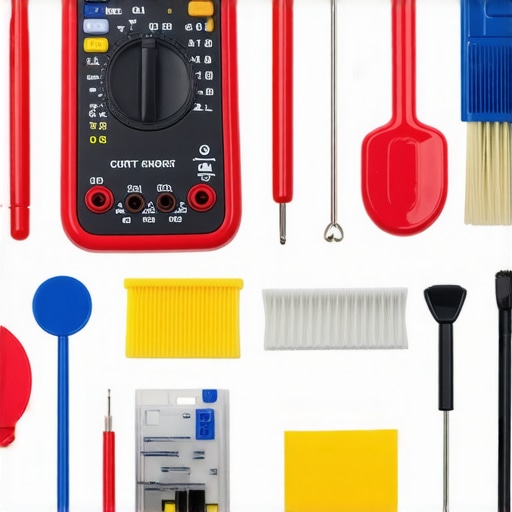
Ensuring your home appliances operate efficiently over the long term requires the right set of tools and a proactive mindset. I personally rely on a combination of specialized equipment and software that allows me to perform routine maintenance, diagnose issues early, and extend the lifespan of my appliances. One of my go-to tools is a high-quality digital multimeter, which helps me verify electrical connections and diagnose power supply issues in devices like washing machines and dishwashers. I also use a smartphone app that connects with my smart fridge to track its performance metrics and receive maintenance reminders—this integration keeps me ahead of potential problems before they become costly repairs.
For cleaning and minor repairs, a set of precision screwdrivers, a microfiber cloth, and a tube of appliance-specific grease are indispensable. Regularly cleaning components like refrigerator coils or dishwasher spray arms can significantly improve efficiency. For instance, I follow the method outlined in this detailed guide to keep my dishwasher’s interior spotless, which helps prevent mold and ensures optimal cleaning performance. Additionally, a vacuum with a narrow nozzle attachment allows me to remove dust from vents, filters, and behind appliances, preventing overheating and electrical faults.
Plan for the Future with Smart Diagnostic Tools
Looking ahead, I predict that appliance maintenance will become increasingly automated and data-driven. Manufacturers are developing AI-powered diagnostic systems that can predict failures weeks before they occur, saving time and money. Investing in such smart tools now, like a Wi-Fi-enabled sensor kit for monitoring appliance health, can provide peace of mind and improve long-term reliability.
How can I maintain my appliances over time?
Consistent, scheduled upkeep is key. Set reminders to check filters, clean coils, and update firmware—many appliances now offer automatic updates or notifications to prompt you. For example, I scheduled biannual firmware checks for my smart refrigerator, ensuring I benefit from security patches and performance improvements. Don’t forget to keep an eye on software updates for your home management apps, which can fix bugs and add new features. Remember, neglecting routine maintenance can lead to decreased efficiency, higher energy bills, and costly repairs down the line. To simplify this process, I highly recommend integrating a maintenance tracking system, like the one I use, to stay organized and proactive.
First time trying out one of these advanced diagnostic tools or techniques? Start with a simple step like using your smartphone app to run a diagnostic check on your refrigerator—it’s easier than you think and can immediately point out issues that need attention. Proper maintenance not only extends the lifespan of your appliances but also helps you avoid unexpected breakdowns, saving you money and stress. Take action today and implement one new tool or habit to keep your appliances humming for years to come.
< >
>
Imagine an image of a technician’s toolkit with a multimeter, screwdriver set, cleaning brushes, and a smartphone displaying appliance diagnostics. Alt text: “Tools for appliance maintenance, including multimeter, screwdrivers, cleaning brushes, and a diagnostic app on a smartphone. Title: ‘Essential tools for keeping your appliances in top shape.’
Lessons the Appliances Never Told Me About Trusting Defaults
One lightbulb moment I experienced was realizing that many of my smart appliances—especially refrigerators—are designed with default settings that ignore our privacy priorities. Relying solely on these presets can leave your household vulnerable to data leaks or unauthorized access. I learned this the hard way when my fridge’s remote features suddenly acted up after ignoring update prompts, reminding me that proactive management trumps complacency.
Another insight was that firmware updates aren’t just about new features—they’re security essentials. Ignoring them is like leaving your front door unlocked. Once I started applying updates promptly, the peace of mind was worth every minute. These small but crucial steps transformed my smart fridge from a convenience to a fortress of data security.
Thirdly, I discovered that network segmentation is your secret weapon. Isolating IoT devices on a dedicated Wi-Fi network prevents potential breaches from cascading into your personal or financial information. This layered approach to security offers tangible peace of mind—something I wish I had adopted sooner.
Tools and Tips That Truly Change the Game
My trusted toolkit now includes a Wi-Fi analyzer to monitor network traffic, helping me identify unexpected connections that might be linked to my smart appliances. I also use dedicated apps for firmware updates and device diagnostics—these apps, often recommended by manufacturers, keep my appliances running securely and smoothly. For maintenance, a simple digital multimeter and a quality microfiber cloth have saved me costly repairs and kept my appliances functioning efficiently.
Additionally, I’ve discovered that linking my appliance maintenance reminders to my calendar ensures I don’t overlook regular checks. This small habit makes a big difference in extending appliance lifespan and maintaining top performance. For more advanced setups, DIY diagnostic sensors connected to my Wi-Fi have become indispensable, giving me real-time insights without waiting for service calls.
Let’s Embrace Smarter Living Together
Empowering yourself to manage your smart appliances with confidence isn’t just about avoiding mishaps—it’s about creating a home that respects your privacy while remaining highly functional. The journey towards an optimized, secure smart home is ongoing but absolutely within reach. Start today by revisiting your device settings, applying firmware updates, and considering network segmentation. Each step brings you closer to a smarter, safer household—one where technology serves *you*, not the other way around.
Have you ever overlooked an update or skipped changing default passwords? Share your stories below or ask questions—together, we can master our smart appliances and protect our privacy beyond the basics.