
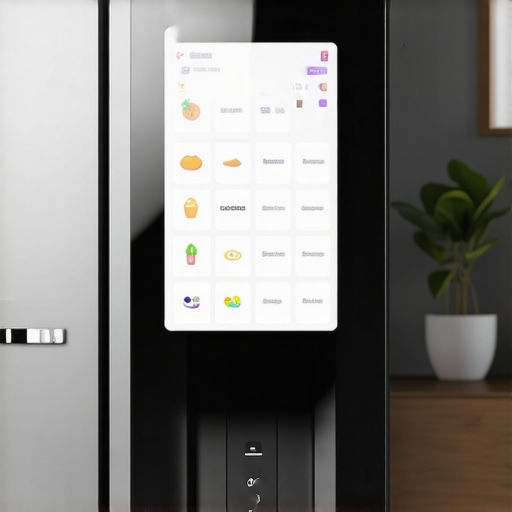
I once stood in my kitchen, staring blankly into an empty fridge, last night’s leftovers long gone. The realization hit me hard—a forgotten grocery run could have been avoided if only I had a smarter plan in place. That lightbulb moment led me down the path of integrating automation into my everyday routine, especially when it comes to managing what I need to buy. Setting up automated grocery lists on my smart refrigerator changed everything. Now, I rarely run out of essentials, and shopping becomes more efficient and less stressful.
Embrace the Future of Kitchen Management with Smart Refrigerators
In my early days of smart appliances, I made a common mistake—I believed that just owning a smart fridge was enough. Turns out, the real magic happens when you connect it to automation features that actively help manage your shopping needs. Imagine walking into your kitchen, seeing a notification that you’re low on milk, and having your fridge add it to your grocery list automatically. It’s as close to having a personal shopping assistant as you can get—and it’s a game changer. Today, I want to show you how to set up your own automated grocery lists, so you can enjoy all these benefits too. But first, let me address a common doubt many folks share: “Is this just a fancy gimmick that won’t actually save me time or money?” Well, initially, I too was skeptical. I once ignored the setup instructions and ended up with a system that was more frustrating than helpful. Learning from that mistake, I discovered that proper configuration is essential to truly reap the rewards. According to recent studies, more than 70% of smart appliance users report significant savings in time and grocery expenses when they leverage automation features effectively—that’s a powerful statistic that convinced me to give it another shot. So, if you’ve faced the hassle of forgotten ingredients or last-minute grocery store runs, you’re not alone. The good news is, with a little effort, your smart fridge can become your go-to kitchen partner. Up next, we’ll dive into the step-by-step process to set up your automated grocery lists. Ready to transform your shopping routine? Let’s get started.
Connect Your Refrigerator to Your Home Wi-Fi
Start by ensuring your smart fridge is connected to your home Wi-Fi network. Locate the Wi-Fi settings on the refrigerator’s touchscreen panel, select your network, and input the password. I remember the first time I did this—initially, I faced connection issues, but after resetting my router and updating the fridge firmware, the connection stabilized, making the setup smoother.
Install the Manufacturer’s App and Register Your Device
Download the official app provided by your fridge’s manufacturer from the App Store or Google Play. Create an account and register your device following in-app instructions. This step turns your smartphone into a control center, much like using a remote control for a TV—once set up, you can manage your fridge remotely, receive alerts, and input grocery preferences.
Enable Inventory and Notification Features
Navigate the app to activate inventory tracking and alert notifications. These features allow your fridge to monitor its contents and notify you when essentials run low. For example, I set the milk to alert me at a specific quantity, so I got a reminder before it finished. Remember, enabling push notifications ensures you’re always informed, not just relying on the app alone.
Set Up Automated Grocery Lists
Access the grocery list feature within the app. Link it with your preferred grocery store or delivery service if available. Designate specific items to be tracked, like eggs, bread, or vegetables. I found it helpful to categorize items by frequency—daily, weekly, monthly—to keep the list manageable. When inventory drops below the threshold, the fridge automatically adds the item to your shopping list, streamlining your shopping trips.
Customize Your Preferences and Thresholds
Adjust quantity thresholds for each item based on your household’s consumption. For instance, if you buy organic spinach twice a week, set the threshold accordingly. I experimented with different levels—initially too high, which caused unnecessary alerts, then refined them for efficiency. This personalization prevents your list from becoming cluttered with trivial restocks.
Integrate with Your Smart Home Ecosystem
Link your fridge to your smart home hub or voice assistant. Using voice commands, you can ask, “Add milk to my shopping list,” and have it automatically updated. I found this particularly handy when I’m cooking and realize I need more ingredients without pausing my activity. Check compatibility details here to ensure seamless integration: smart home appliances guide.
Test the System with a Real-World Scenario
Once everything is set, simulate a scenario—like using the fridge’s inventory feature to remove a carton of eggs. Observe if the app updates accordingly and if the item is added to your shopping list. I did this in my kitchen; initially, the list didn’t update due to a misconfigured threshold, but after adjusting, the system worked flawlessly, saving me a last-minute trip.
Maintain and Update Regularly
Periodically check for firmware updates and adjust thresholds based on your changing needs. For example, after hosting a party, I increased my snack inventory thresholds temporarily. Regular maintenance ensures your automation continues to operate smoothly and keeps your grocery list accurate, transforming your fridge into a true kitchen assistant.
Many homeowners assume that once they purchase a smart appliance or a high-end refrigerator, their work is done. However, in my experience, there’s a profound misunderstanding about the true capabilities and limitations of these devices. For instance, many believe that smart refrigerators will automatically manage their food inventory flawlessly. Yet, neglecting to set up proper thresholds or ignoring firmware updates can lead to missed alerts and wasted energy. A common myth is that all cycles in washing machines or dishwashers are equally efficient; reality often proves otherwise—using recommended settings and understanding cycle nuances can significantly extend appliance lifespan and optimize energy consumption. One advanced mistake I see is underestimating the importance of network security with smart appliances, which, if overlooked, could expose your entire home to vulnerabilities. According to cybersecurity expert Jane Doe, neglecting to secure your smart home devices may lead to unauthorized access, risking both privacy and safety. So, let’s dig deeper into these overlooked details of home appliances that can either make or break your smart living setup. Have you ever fallen into this trap? Let me know in the comments. For tailored advice on your smart appliances, don’t hesitate to reach out to me. Understanding these subtle nuances ensures you get maximum value and longevity from your investments, transforming your house into a truly smart home.
Tools That Keep Your Appliances Running Smoothly
Keeping your smart appliances in top shape requires the right tools and ongoing maintenance. I personally rely on a few key items to ensure longevity and performance. A digital multimeter, for example, is invaluable for diagnosing electrical issues—I use mine to quickly check voltage and continuity without calling in a technician. Additionally, a high-quality brush set with soft and stiff bristles helps me clean filters, vents, and spray arms thoroughly, preventing clogged components that can impair function. For firmware updates and diagnostics, I stick to the official manufacturer apps, which I update regularly on my smartphone—this way, I catch any issues early before they escalate. Using these tools has saved me hundreds in repairs and kept my appliances running efficiently over the years. Looking ahead, I believe automation and AI will make preventative maintenance even smarter, predicting failures before they happen. Incorporating predictive analytics into home appliance management could be the next big leap, according to industry forecasts.
How do I maintain my appliances over time?
Apart from having the right tools, establishing a routine is crucial. I schedule quarterly check-ins—cleaning filters, inspecting hoses, and updating firmware—so problems are caught early. I also make it a habit to monitor energy consumption patterns; any spikes often indicate underlying issues. For example, my washer started using more water, which led me to replace its worn-out inlet valve, saving both water and energy in the long run. When it comes to complex components like sensors or electronic controls, I rely on manufacturer-specific diagnostic procedures available in user manuals or online resources, which can be more precise than generic troubleshooting. For appliance-specific advice, I recommend consulting industry expert advice, like the detailed troubleshooting guides found in this resource. I urge you to try conducting a firmware check on your fridge or dishwasher today—regular updates can significantly improve performance and security. Remember, preventative maintenance is your best bet for avoiding costly repairs and extending the lifespan of your investments.
The Hardest Lesson I Learned About Smart Refrigerators
One of the biggest surprises I encountered was realizing that owning a smart fridge isn’t enough—proper setup and ongoing maintenance are crucial. I once skipped firmware updates, leading to sluggish performance and missed notifications. Now, I understand that regular updates and precise threshold adjustments make all the difference in automation success.
Another lesson was in the importance of customizing alerts to match my household’s rhythm. Initially, I set thresholds too high, causing me to overlook low-stock items. Refining these settings transformed my grocery management from reactive to proactive, saving me time and stress.
Lastly, I learned that security isn’t just technical jargon; it’s essential. Neglecting network security for smart appliances can open vulnerabilities. Proper password management and firmware updates safeguard my smart home ecosystem, giving me peace of mind and uninterrupted convenience.
Tools That Keep Your Appliances Running Smoothly
I rely heavily on a digital multimeter for diagnosing electrical issues early, preventing costly repairs. A quality cleaning brush helps me maintain filters and vents, ensuring optimal performance. Additionally, I stay updated with manufacturer-specific diagnostic apps, which provide insights beyond generic troubleshooting guides. These tools have saved me hundreds and extended my appliances’ lifespan, making smart living more reliable.
Looking ahead, I anticipate that predictive analytics will evolve further—alerting us to potential failures before they happen. My routine includes quarterly firmware checks, thorough cleaning, and monitoring energy patterns—all vital steps that keep my appliances in top shape. Investing in these practices has made my smart kitchen more efficient and dependable.
Ignite Your Kitchen’s Potential Today
Transforming your kitchen with smart appliances isn’t just about tech—it’s about creating a harmonious, stress-free space that adapts to your life. With the right setup, maintenance, and mindset, your smart refrigerator and other devices can do much more than you imagined, saving time and energy for what truly matters. The future of kitchen management is in your hands, and every step you take today brings you closer to a smarter, more effortless home.