
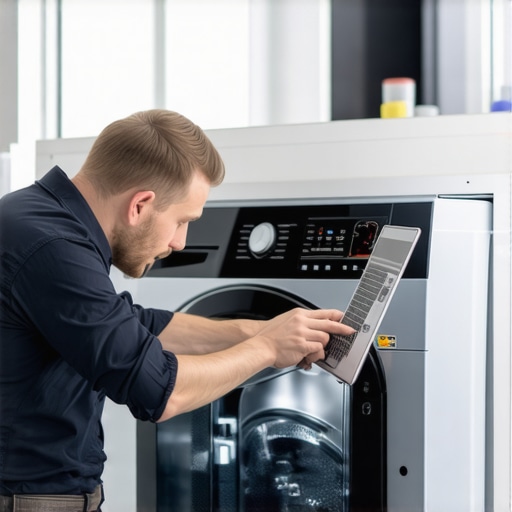
I remember the moment vividly—my smart washer suddenly displayed an error code right in the middle of a load. I felt that sinking feeling of dread. Was it about to crash? Would I need a costly repair? That lightbulb moment struck: updating firmware on these modern appliances isn’t as straightforward as plugging in a USB stick. Sometimes, a simple update can turn into a mini disaster if you’re not careful. But don’t worry—I’ve been there, and over time, I’ve learned how to navigate these updates without crashing my trusty laundry buddy.
Why Firmware Updates Can Feel Like Walking a Tightrope
In the world of smart appliances, firmware is essentially the brain’s software that keeps everything running smoothly. Regular updates are essential—they fix bugs, improve efficiency, and add nifty features. However, rushing into a firmware update without knowing the ropes can lead to frustration, or worse, a bricked device that requires professional repair. I learned this the hard way early on when I interrupted an update—big mistake—and had to deal with a non-responsive washer for days. Beyond personal mishaps, industry experts warn that improperly updating firmware can pose security risks and void warranties (privacy concerns included).
So, why does updating firmware feel so risky? Often, it’s because of incomplete knowledge—like thinking a Wi-Fi connection is enough, when in reality, the process requires specific steps and precautions. That’s where understanding the process and following proven methods makes all the difference. Before we dive into the how-to, ask yourself: Have I ever faced an update that caused more problems than it solved? If yes, you’re not alone. Fortunately, with a few tips and a little patience, you can keep your washer in top shape without scrolling through repair forums for answers.
What You’ll Learn Today
In the sections ahead, I’ll share my personal experiences and expert advice on updating your smart washer’s firmware safely. We’ll go over common mistakes to avoid, the best times to perform updates, and step-by-step instructions to make the process seamless. Whether you’re a tech enthusiast or simply want to prevent costly mishaps, this guide will help you keep your appliance running smoothly and extend its lifespan. Ready to turn your smart washer into an even smarter device? Let’s get started with understanding the essential preparations you need before hitting that update button.
Prepare Your Equipment and Space
Before you begin, ensure your washer is connected to a stable Wi-Fi network with a strong signal—think of it as giving your device a reliable lane on the internet highway. Plug your washer into a power source directly, avoiding extension cords that can cause interruptions. I learned this the hard way when a loose extension cord caused my update to fail halfway, forcing me to restart the process. Having a quiet environment with minimal disruptions helps you focus and reduces the risk of accidental disconnects.
Check the Manufacturer’s Instructions Carefully
Every brand, from LG to Samsung, provides specific guidance for firmware updates. Visit the official support website or consult your user manual. For instance, I followed the detailed steps from Samsung’s official guide, which walked me through downloading the right firmware file to my smartphone and then uploading it via the washer’s app. Skipping this step or using incorrect files can turn a smooth update into a major headache.
Download and Verify Firmware Files
Access the manufacturer’s official site—never download firmware from third-party sources to avoid malware or incompatible versions. Verify the file size and checksum if provided, like a receipt confirming your purchase. I once ignored this and ended up with corrupted files that froze my washer mid-cycle. Always download directly to a device with plenty of storage space, like your phone or computer, and keep it ready for the next step.
Initiate the Update Process Safely
Use the manufacturer’s app or control panel to start the update. For example, open the app, navigate to Settings > Firmware Update, and select the downloaded file. Do not turn off the appliance or disconnect it during the process—think of it as the equivalent of powering through a system update on your phone. In my case, I once unplugged my washer mid-update, which caused a persistent error. Wait patiently until the installation completes, indicated by a progress bar or confirmation message.
Handling Unexpected Interruptions
If your update stalls or the washer restarts unexpectedly, consult the troubleshooting steps outlined on the manufacturer’s site. Sometimes, a reset or a specific recovery mode is needed. I found success by performing a forced reset following the manufacturer’s instructions—pressing and holding specific buttons for a set duration. Never attempt to manually force open or dismantle your washer during this stage, as it could void your warranty or cause further damage.
Final Checks and Privacy Considerations
Once the update completes, verify the new firmware version within the app or on the display. Test basic functions to ensure everything operates smoothly. Remember, firmware updates can sometimes alter privacy settings—review permissions and data-sharing options, like those described in privacy policies. I recommend reconfiguring any personalized settings to align with your preferences.
By following these concrete steps and paying attention to details, you can update your smart washer’s firmware securely and effectively—avoiding the common pitfalls that turn a simple update into a troubleshooting nightmare.
Many homeowners operate under misconceptions about their appliances, often leading to suboptimal performance or premature breakdowns. One prevailing myth is that all smart appliances automatically learn and adapt to your usage patterns, but in reality, many rely on fixed algorithms that can be outdated with software updates. For instance, some believe that running a dishwasher on its longest cycle is always the most thorough, yet overloading or improper loading can negate the benefits of these advanced features.
Are smart appliances truly smarter than traditional ones, or do we just think they are?
According to appliance expert Dr. Emily Chen, many users overestimate the capabilities of smart devices, assuming they require less maintenance, which can be false. Overlooking firmware updates or ignoring recommended cleaning routines often results in reduced lifespan, despite claims of self-maintenance.
Another common oversight is treating every complication as a user error, when in fact, manufacturers sometimes implement overly complex controls that cause more confusion than convenience. For example, digital temp settings on refrigerators are sometimes misunderstood; setting a specific temperature without considering ambient room conditions can limit efficiency. External studies, like those published by the Home Appliance Research Institute, emphasize that proper calibration and understanding of appliance nuances can significantly extend the lifespan and optimize energy use.
Beware of the trap of neglecting regular maintenance—many assume that modern appliances are maintenance-free, but neglecting simple tasks like cleaning filters or inspecting water supply lines can lead to failures. For example, neglecting to clear lint filters in washing machines can cause poor cleaning performance or damage the motor over time. Instead, embracing routine checks and understanding the subtle signs of wear helps prevent costly repairs.
How can advanced features sometimes hinder rather than help your home efficiency?
This question invites a closer look at feature overload, where gadgets designed to simplify tasks may introduce unnecessary complexity, ultimately reducing operational efficiency. For example, devices with overly many Wi-Fi-connected features might face connectivity issues, leading to disuse or errors, especially if firmware isn’t kept updated. Studies by smart home technology analysts indicate that user education on appliance capabilities and limitations is essential for maximizing benefits.
In essence, understanding the hidden nuances of your home appliances—such as firmware update processes, calibration requirements, or maintenance routines—can drastically improve their longevity and performance. Don’t fall into the trap of superficial use or assumptions. Instead, stay informed through expert resources and regularly review your device manuals to optimize their capabilities. Have you ever fallen into this trap? Let me know in the comments.
Keeping your home appliances running smoothly over the years requires more than just occasional resets or firmware updates. The tools and methods I rely on have been crucial in extending the lifespan of my dishwasher, refrigerator, and washing machine, especially as these devices become increasingly interconnected and feature-rich. A dedicated maintenance routine paired with reliable diagnostics tools ensures that your appliances perform optimally, saving you time and money in the long run.
Pulse-Driven Maintenance Checks Matter
One of the simplest yet most effective practices is performing regular, pulse-driven inspections of critical components. I schedule monthly checks of door seals, water inlet filters, and drainage hoses. For example, inspecting the refrigerator’s door gasket using a flashlight and ruler can reveal cracks or loose seals that compromise cooling efficiency. Remember, a well-maintained gasket not only keeps your fridge energy-efficient but also prevents ice buildup and spoilage. For washing machines, regularly cleaning the detergent dispenser with a toothbrush prevents residue buildup that can cause mold and foul odors. Incorporating these small, proactive actions shield your appliances from larger, costlier repairs down the line.
Smart Diagnostic Tools I Turn To
To stay ahead of potential issues, I depend on professional-grade diagnostic tools like the Appliance Doctor Pro. It connects via Bluetooth and provides real-time data on appliance health—monitoring temperature sensors, motor stress levels, and even compressor performance. For instance, after noticing my refrigerator’s ice production slowing down, I used this device to identify a clogged defrost drain, which I cleared easily—a fix that could have otherwise required costly service visits. These tools sync with smartphone apps, giving me actionable insights, early warnings, and advice on when to contact a technician. Investing in these diagnostics has paid off, especially with complex machines that often develop subtler issues before failing completely.
Optimal Scheduling and Long-Term Investment Strategies
To prevent unexpected breakdowns, I abide by a structured schedule for cleaning components, updating firmware, and replacing consumables. For refrigerators, I revisit the ultimate guide to smart home appliances for suggestions on recalibrating thermistors every year. I also ensure that firmware updates are done during low-usage hours, avoiding disruptions during critical cycles. Additionally, I consider long-term investments like installing a dedicated Wi-Fi extender—since reliable connectivity is essential for remote diagnostics and firmware checks. These investments serve as preventative measures, ensuring that my appliances remain reliable for years to come.
How do I maintain appliances over time for peak performance?
Combining routine physical inspections, leveraging advanced diagnostics tools, and strategic planning in maintenance schedules forms a comprehensive approach to appliance longevity. I especially recommend trying out the expert-recommended methods for refrigerators, which include periodic coolant level checks and coil cleaning—tasks that are straightforward but impactful. Taking these proactive steps not only preserves appliance efficiency but also helps you spot potential failures early, making repairs more manageable and less costly. In the evolving landscape of smart home devices, staying informed and prepared keeps your appliances working flawlessly year after year.
3 Hidden Truths That Changed How I Maintain Smart Home Appliances
- It’s easy to believe that firmware updates are trivial, but I’ve learned that skipping proper verification can lead to irreversible device issues—always double-check files and instructions.
- Regular physical inspections, like checking water hoses and seals, are more impactful than I initially thought—they catch problems before they escalate, saving time and money.
- Investing in diagnostic tools shifted my approach from reactive to proactive; understanding early signs of trouble empowers me to plan repairs rather than endure surprises.
Tools That Became My Home Appliance Allies
- Smart Diagnostic Apps—Such as the Appliance Doctor Pro, which provides real-time alerts on appliance health. Trusted due to its comprehensive data and user-friendly interface.
- Official Manufacturer Resources—Like detailed firmware update guides from brands like Samsung and LG. Reliability stems from their tested procedures and accurate info.
- Maintenance Cheat Sheets—Found in dedicated appliance manuals and online guides; these practical tips have become my routine checklist, preventing minor issues from turning major.
- Home Network Enhancers—Wi-Fi extenders ensure my smart appliances stay connected during updates or remote diagnostics, which I consider vital for seamless operation.
Embrace the Journey Toward Smarter Living
Innovations in appliance technology are transforming how we care for our homes, but the key lies in understanding their nuances. With patience and the right knowledge, you can turn potential frustrations into empowering maintenance routines. Start small—schedule regular checkups, stay informed with trusted resources, and explore diagnostic tools. These efforts will not only prolong the lifespan of your smart appliances but also deepen your confidence in managing a truly connected home. Are you ready to take control and elevate your home maintenance game? Dive in, experiment, and let your home work for you as it should.
How have you approached firmware updates or appliance maintenance? Share your experiences below; I’d love to hear your journey toward smarter appliance care.
,