
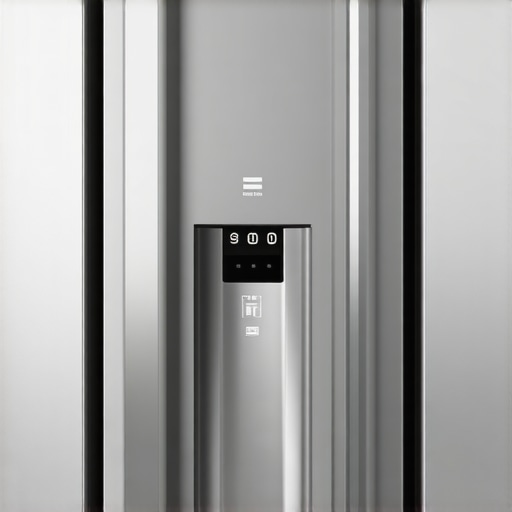
Ever stood in your kitchen, reaching for a glass of milk, only to be greeted by a blurry, frozen, or totally blank screen from your smart fridge’s camera? Trust me, I’ve been there—frustrated, staring at a pixelated mess instead of that fresh carton I know is hiding in the back. It’s one of those small but maddening home tech mishaps that can spoil your day faster than a spoiled dairy product.
Getting to the Heart of the Blurry Camera Issue
Are You Falling for the Hype or Facing a Real Problem?
At first, I thought my smart fridge’s camera was just playing a cruel joke on me. I’d flick the app open, expecting a quick peek, only to be met with a grainy, distorted image or no image at all. It made me wonder: is this camera malfunctioning, or am I missing something? Well, it turns out many homeowners encounter similar frustrations, and the problem is often simpler than we think—yet surprisingly common.
One mistake I made early on was assuming the issue was hardware failure. Instead, it was actually a connectivity glitch or a simple dust build-up blocking the sensor. According to experts, regular cleaning and firmware updates can make a world of difference. In fact, maintaining your smart appliances properly is so essential that ignoring these simple steps can render their features useless—like having a fancy GPS that never locks onto satellites. For more on this, check out this comprehensive guide.
It’s not just about the camera’s clarity, either. Blackouts could mean outdated software or poor Wi-Fi signals that disrupt the data transmission. But don’t worry. Today, I’ll walk you through the common causes and practical fixes that can restore your fridge’s sight—and your peace of mind.
Check and Clean the Camera Lens
Start by locating your refrigerator’s camera—usually inside the door or in the display panel. Use a soft microfiber cloth to gently wipe the lens, removing dust, fingerprints, or smudges that can cause blurry images. Think of it like cleaning your glasses; clarity depends on a spotless lens. I remember once cleaning mine with a bit of window cleaner and a lint-free cloth, which immediately improved the picture quality. Be cautious not to scratch the lens or use harsh chemicals that could damage it.
Ensure Strong Wi-Fi Signal
A weak internet connection is often the culprit behind frozen or pixelated images. Place your fridge closer to your Wi-Fi router or use a Wi-Fi extender to boost signal strength. Imagine the camera’s data stream as a water pipe; if the pipe is clogged or narrow, the water flow slows down. I had a similar issue when my fridge was in a corner with poor signal; installing a mesh Wi-Fi system brought a dramatic improvement, making the camera feed sharp and real-time.
Update Firmware and Apps
Check for firmware updates for your smart fridge through the manufacturer’s app or website. Outdated software can cause compatibility issues or bugs affecting camera quality. For example, I once neglected to update my fridge’s firmware, and the camera remained blurry until a software patch fixed the glitch. Regularly visiting the support page or enabling automatic updates ensures your device runs smoothly. Also, update the app you use to monitor your fridge on your phone—sometimes, an app update is all it takes to fix persistent image issues.
Restart or Reset the Device
Power cycle the refrigerator by unplugging it for 5-10 minutes, then plugging it back in. This reset clears temporary glitches that may be affecting the camera feed. Think of it as rebooting a computer—it often resolves minor software hiccups. During one occasion, I did this simple restart and immediately saw a clearer, stable image from the fridge camera. If problems persist, perform a factory reset following the manufacturer’s instructions, but remember this will erase personalized settings. Consult your user manual or support resources to proceed safely.
Confirm Camera Settings and Permissions
Open the app controlling your smart fridge and verify camera settings—ensure the camera is enabled, resolution is set high, and permissions are granted on your mobile device. Sometimes, privacy settings or low-resolution modes can cause poor image quality. I once discovered that my phone’s app had limited permissions which hampered the camera feed; granting full access restored clarity. Adjust these settings cautiously, and always review privacy policies here.
Contact Support for Hardware Inspection
If none of the above steps help, your camera may have a hardware defect or damage. Contact the manufacturer or authorized service provider for a professional inspection or repair. Think of this like visiting a mechanic when your car’s engine isn’t performing; sometimes, only a specialist can pinpoint and fix hardware failures. Early intervention can extend the lifespan of your smart fridge and ensure ongoing camera functionality.
Many homeowners operate under misconceptions about their smart appliances, often leading to inefficiency or premature malfunctions. While it’s tempting to follow common advice, understanding the hidden nuances can save time, money, and frustration. One prevalent myth is that high-tech appliances require minimal maintenance; in reality, regular care—like cleaning filters and updating firmware—is essential for optimal performance. Overlooking these details is a common trap that can cause devices to underperform or break down prematurely.
For example, many assume that a dishwasher automatically cleans itself, but detergent buildup in spray arms or clogged filters can drastically reduce cleaning power. This ‘set and forget’ mentality can lead to dirty dishes and costly repairs. To avoid this, consult expert guides on maintaining your appliances, such as the ultimate maintenance strategies.
Advanced users often focus on software updates, believing hardware longevity absolves them from physical upkeep. However, neglecting the cleaning of condenser coils or door seals can diminish efficiency and even void warranties. Take washing machines, for instance: many don’t realize that mold and mineral deposits develop in hidden areas, leading to unpleasant odors and decreased washing quality. Regularly inspecting and cleaning these components is crucial—more than just running a cleaning cycle on occasion.
Another misunderstood aspect is the energy savings advertised with smart features. While smart thermostats or refrigerators claim to cut bills, improperly configured settings or misused features can negate these benefits. Knowing how to optimize device settings—like setting the refrigerator at the right temperature or scheduling wash cycles during off-peak hours—makes a significant difference. You can find detailed tips on this in expert-recommended configurations.
An often overlooked nuance involves understanding appliance cycles and diagnostics. Modern machines can self-diagnose issues but interpreting error codes correctly requires familiarity. Misdiagnosing problems can lead to unnecessary replacements or costly service calls. For example, a washer displaying a code like E03 might be due to a drainage issue—not necessarily a failed pump. Learning to read these signals saves both time and money.
Finally, be wary of the trap of over-relying on automation. Smart appliances are designed to make life easier but can cause complacency. Routine manual checks, like verifying door seals, power cords, and water supplies, remain vital. Remember, technology complements but doesn’t fully replace vigilant maintenance. For a comprehensive approach to keeping your appliances running smoothly, explore future trends and expert tips.
Have you ever fallen into this trap? Let me know in the comments.Maintaining your smart appliances over time requires more than just occasional cleaning; it involves using the right tools and adopting systematic practices that ensure long-term reliability. One essential tool I personally rely on is a digital infrared thermometer—like the FLIR TG165—which allows me to quickly check the operating temperature of components such as refrigerator coils and washing machine motors. Regular temperature checks help identify potential issues before they become costly repairs, saving time and money in the long run. Additionally, a multimeter, such as the Fluke 115, is invaluable for testing electrical connections, fuse integrity, and continuity within appliance circuits, ensuring everything functions efficiently and safely.
In my experience, keeping detailed maintenance logs has significantly improved my appliances’ longevity. Digitally tracking service dates, part replacements, and firmware updates helps me stay proactive. For example, I schedule firmware updates for my smart fridge and washing machine via their dedicated apps, which often release patches addressing bugs like connectivity or performance glitches—keeping your devices up-to-date is crucial for optimal operation.
The future of appliance maintenance predicts an even greater reliance on IoT diagnostics, where devices will self-report issues and schedule repairs automatically. Companies are developing AI-powered diagnostic tools that analyze appliance performance data in real-time, alerting homeowners of impending failures before they occur. For instance, smart diagnostic systems integrated with platforms like Samsung’s SmartThings can predict gasket wear in refrigerators or belt degradation in washers—allowing preventative maintenance.
How do I maintain my appliances over time? I recommend combining manual checks with technological tools. Start with regular physical inspections, such as cleaning filters and coils, and supplement those with digital diagnostics—many appliances now support remote monitoring through apps. Don’t forget firmware updates; they often include fixes for issues like sluggish response or connectivity problems, which I’ve seen improve performance remarkably.
For ongoing cleaning and calibration, I use a high-quality microfiber cloth and the manufacturer’s recommended cleaning solutions—avoiding abrasive materials that can scratch surfaces. To ensure optimal performance of your refrigerant system, for example, regularly check the compressor’s temperature and pressure readings, as advised in expert technical documentation like the [HVAC Diagnostic Procedures](https://www.hvaccomputing.com/diagnostics). These small, consistent efforts build a resilient appliance environment.
Embrace smart diagnostics by setting up alerts for abnormal readings—many apps now offer customizable notifications for temperature fluctuations or cycle irregularities. By integrating these tools into your routine, you’ll catch issues early, preventing expensive repairs and extending your appliances’ lifespan. Why wait for a breakdown when preventive maintenance can save you time and money? Try scheduling a temperature check on your refrigerator today and see the difference proactive care makes!
The Hidden Lessons I Wish I Knew Sooner
- One of the most eye-opening lessons was realizing that technology isn’t infallible; sometimes, a simple cleaning or update can resolve issues that seem complex at first.
- I learned to trust my instincts—if a device isn’t performing as expected, odds are there’s a straightforward fix I haven’t tried yet, rather than rushing to replace it.
- Understanding that routine maintenance is an investment, not a chore, changed my perspective; it saved me money and frustration over time.
- The importance of staying updated with manufacturer firmware and app versions became clear—it’s an easy step that can prevent many common problems.
My Favorite Tools for Smart Appliance Care
- Infrared thermometers like the FLIR TG165 have helped me spot overheating issues early, preventing major repairs.
- A quality multimeter (my go-to is Fluke 115) is essential for testing connections, ensuring my appliances operate safely and efficiently.
- Regularly reviewing the manufacturer’s support resources, such as the troubleshooting guides on their privacy policy page, keeps me informed about updates and known issues.
- I also swear by maintenance logs, which keep track of firmware updates, cleaning schedules, and minor repairs—saving me time when issues crop up.
Your Next Step Starts Today
Taking proactive care of your smart appliances doesn’t require technical expertise—just a willingness to learn and a little regular effort. The more you understand their needs, the longer they’ll serve you well. Remember, the key isn’t perfection but consistent, attentiveness that prevents small problems from becoming costly ones. So, why not start with a quick check of your fridge’s camera lens today? Your appliances—and your wallet—will thank you.