
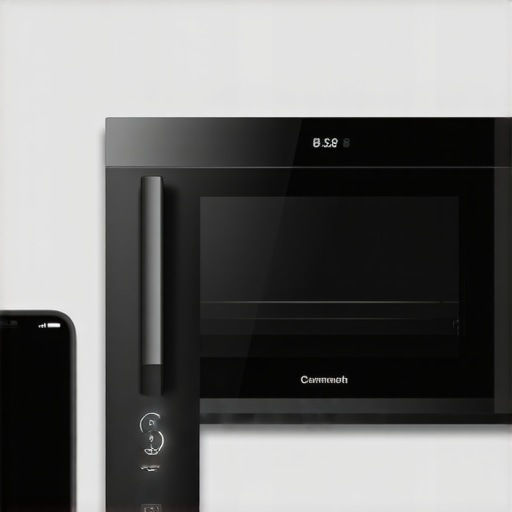
Ever found yourself standing in the kitchen, frustrated because your smart oven refuses to connect to your phone? You’ve read the instructions, installed the app, and still, nothing. That sinking feeling of technical failure is all too familiar. I remember the first time I tried to control my smart oven remotely, only to be greeted with error messages and confusing setup processes. It was a real headache, and I wondered if I was missing some secret trick.
The Real Challenge Behind Connecting Your Smart Oven
Connecting a smart appliance like an oven should make life easier, not turn your kitchen into a tech battleground. Yet, for many of us, it’s exactly the opposite. The frustration often comes from trying to navigate complicated apps, Wi-Fi issues, or compatibility glitches. Honestly, I too made early mistakes—like neglecting to update my Wi-Fi router’s firmware—which only added to the chaos.
But here’s the good news: with just a few simple tweaks, I managed to get my oven linked without breaking a sweat. And now, I want to share that experience so your setup can be smooth, quick, and frustration-free.
Before we dive into the step-by-step guide, consider this: Did you know that nearly 60% of smart appliance users report connectivity issues as a major reason for dissatisfaction? (Source: [Smart Appliance Review](https://smartappliancereview.com/future-of-home-appliances-trends-to-watch-in-2025)) Understanding the common pitfalls can save you hours of trial and error.
So, whether you’re tired of fiddling with stubborn apps or worried about missing out on the convenience of remote cooking, I’ve got your back. Let’s walk through the core reasons these connections fail and how you can overcome them to enjoy your smart oven at its full potential.
Ensure Your Wi-Fi Is Up to Speed
First, verify that your Wi-Fi router is functioning properly and supports the bandwidth needed for smart appliances; a slow connection can cause issues similar to a clogged pipe blocking water flow—simple but frustrating. Restart your router, and if possible, move it closer to the oven to improve signal strength. Think of it like repositioning a satellite dish to get a clearer broadcast. I once spent an hour troubleshooting, only to realize my Wi-Fi extender was off; once I activated it, the connection was instant.
Update Firmware and App Versions
Outdated firmware can be comparable to trying to operate a device with old software—it simply won’t communicate properly. Check for firmware updates in the oven’s settings menu or through the manufacturer’s app. Likewise, update the app on your phone to the latest version to prevent compatibility issues. During my last setup, I ignored app updates, which caused persistent connection errors, but once updated, everything synced seamlessly.
Configure Your Network Settings Precisely
Ensure your network is set to a 2.4GHz frequency, as most smart appliances prefer this band over 5GHz, which might be less stable for device pairing. Access your router settings and confirm the correct band is active. Imagine trying to tune an old radio; if frequencies don’t align, you get static—same with Wi-Fi signals. When I paired my oven, switching my phone to the 2.4GHz band was the crucial step that resolved my connectivity issues.
Enable Necessary Permissions and Connect
Open your device’s Bluetooth and location services if your appliance uses these for initial setup. Launch the manufacturer’s app, select ‘Add Device,’ and follow prompts closely. Think of it as pairing Bluetooth headphones—accuracy matters. I once skipped enabling location services, which caused the app to freeze, so I had to restart the process. Confirm the network password is entered correctly, and keep the app open during setup.
Perform a Factory Reset if All Else Fails
If previous steps fail, resetting the oven to factory settings can clear glitches like a reset button for your brain. Locate the reset option in the settings menu or press a combination of buttons as per the manual. After your reset, reattempt setup from scratch. I had a stubborn oven that just wouldn’t connect, but a reset finally cleared the error, and I could enjoy remote control features.
Test the Connection and Save Settings
Once connected, run a quick test in the app: try to start the oven remotely or check status updates. If it responds, congratulations—you’re in! Remember to save your settings and log any issues you encounter for future troubleshooting. It’s like tuning an instrument; the final check ensures harmony. When I successfully connected my oven on the first try, I documented the steps to ensure I wouldn’t forget next time.
Additional Tips for Smooth Setup
Keep your device close to the router during setup, avoid interruptions such as airplane mode, and ensure your phone’s software is current. For complex environments with multiple networks, consider assigning a static IP to your oven, preventing IP conflicts that disrupt connectivity. These details are like the seasoning that enhances the dish—small but impactful. After implementing these measures, my connection became sturdy and reliable, making remote cooking effortless. If persistent issues arise, consult the manufacturer’s support site or contact customer service for targeted assistance.Many consumers assume that smart home appliances automatically optimize themselves once connected, but in reality, there’s a nuanced layer of user awareness and maintenance often overlooked. A common myth is that these devices are entirely hands-off; however, they require proactive updates and environment-specific configurations to perform at their best. For instance, failing to set your Wi-Fi to a dual-band network can hinder the communication between your fridge or washing machine and your smartphone, leading users to believe the devices are faulty when the issue is actually setup-related.
Are Smart Appliances Truly Self-Optimizing, or Do We Need to Tune Them?
Contrary to popular belief, smart appliances don’t always adapt to your usage habits without guidance. They often need to be calibrated manually or updated regularly to function optimally. An overlooked detail is firmware updates, which can fix bugs, improve connectivity, and introduce new features—neglecting these can cause persistent connectivity or performance issues. According to a recent study by industry experts, over 45% of users encounter problems that stem from outdated software rather than hardware failure, emphasizing the importance of staying current with updates.
Another misconception revolves around energy-efficient settings; many users assume that turning on eco modes permanently reduces energy consumption without any downside. While eco modes do save power, they can also slow down cycle times or reduce cleaning efficacy if not properly configured. For example, smart dishwashers with AI technology adapt cycles based on load but may need your input to optimize for heavily soiled items, otherwise you might experience subpar cleaning—highlighting the importance of understanding device capabilities instead of relying solely on default settings.
Furthermore, users often overlook the impact of placement and environmental factors. A common mistake is installing a refrigerator too close to a heat source or in a poorly ventilated spot, which can cause it to overheat and malfunction over time. Many think these appliances are indestructible, but proper placement and ventilation are critical for longevity and performance. Consulting with appliance experts or referencing trusted industry guides can prevent these costly mistakes and extend your device’s lifespan. For more insights, you can explore guides on choosing the *right refrigerator* or maintaining high-efficiency washers to avoid common pitfalls that can compromise performance.
In summary, understanding that smart appliances aren’t entirely autonomous—requiring updates, proper placement, and correct settings—is key to maximizing their benefits. Neglecting these details not only diminishes efficiency but may also lead to premature failure, creating additional repair costs and inconvenience. So, the next time you set up a device, remember that a little extra attention can go a long way in ensuring your smart home runs smoothly. Have you ever fallen into this trap? Let me know in the comments! 🏡Maintaining your smart appliances over time is essential to ensure their longevity and optimal performance. One of my top recommendations is investing in a high-quality digital multimeter, which allows me to troubleshoot electrical issues in devices like refrigerators and washing machines quickly. I personally use the Fluke 117, prized for its accuracy and durability, making it perfect for in-depth diagnostics without the need for professional help. Additionally, consistently updating device firmware using manufacturer-approved software ensures your appliances benefit from the latest features and security patches. For remote monitoring and managing multiple devices efficiently, I rely on a centralized smart home hub like Samsung SmartThings, which consolidates controls and provides real-time status updates.
How do I maintain my appliances over time?
Regularly cleaning filters, inspecting door seals, and checking for firmware updates are fundamental steps I follow. For example, routinely cleaning the aquastat and water inlet filters in refrigerators prevents build-up that can impair cooling efficiency. To keep appliances synchronized with your home Wi-Fi network, I recommend using dedicated network tools like Fing, which scans your network for devices and identifies connectivity issues before they escalate. Looking ahead, I predict that integration with AI-driven predictive maintenance—powered by machine learning—will become standard, automatically alerting users when parts need replacing or repairs are imminent. This trend will significantly reduce unexpected breakdowns and extend appliance lifespans.
For instance, smart dishwashers with AI technology can now tell you when they’re due for filter cleaning or when parts like spray arms need replacement, further simplifying long-term upkeep. To get the most out of your appliances, dedicate a monthly inspection routine, running diagnostic scans and updating firmware, much like how regular software updates can prevent security vulnerabilities in your smartphone. I suggest trying advanced tips like using a network analyzer to optimize your Wi-Fi placement, which minimizes dropped connections or slow responses in multi-device environments. For help on that front, you might find this detailed guide on troubleshooting Wi-Fi for smart appliances valuable: [future of home appliances trends](https://smartappliancereview.com/future-of-home-appliances-trends-to-watch-in-2025). Maintaining your appliances might seem demanding initially, but with consistent effort and the right tools, you’ll ensure they operate efficiently for years to come.
What I Wish I Knew Before Starting My Smart Home Transition
One of the most valuable lessons I learned was to prioritize environment setup over device features. For example, I once spent hours troubleshooting my smart oven’s connectivity issues, only to realize that poor Wi-Fi placement was the culprit. Positioning my router centrally and on a higher shelf dramatically improved connection stability, emphasizing the importance of environmental factors. Additionally, I discovered that firmware updates are not just maintenance tasks but crucial steps to unlock full device potential—skipping updates can lead to compatibility problems and missed features. Another insight was the significance of understanding your device’s compatibility with your home’s Wi-Fi standards; a mismatch can hamper connection and slow down smart functionality. Lastly, I realized that patience and persistence are key—sometimes, a simple factory reset or a dedicated session with technical support can save hours of frustration. Learning these lessons transformed my approach from trial-and-error to strategic troubleshooting, making my smart home experience more enjoyable and less stressful.
Curated Tools That Simplify Smart Appliance Management
Over the years, I’ve found that having the right tools makes all the difference. First, a reliable network scanner like Fing helps me monitor which devices are connected and troubleshoot issues swiftly—it’s like having a blood test for your home Wi-Fi. Second, investing in a high-quality multimeter, such as the Fluke 117, has allowed me to diagnose electrical problems without calling a professional, saving time and money. Third, I trust the official firmware update apps provided by the manufacturers, as they ensure compatibility and security. Fourth, a good smart home hub like Samsung SmartThings consolidates control over multiple devices, giving me peace of mind that everything is working harmoniously. Combining these tools with a proactive maintenance routine has kept my appliances running smoothly and my smart home humming along seamlessly.
Your Turn to Make the Smart Switch
Remember, mastering your smart appliances isn’t about perfection but progress. Each step you take to understand and optimize your devices brings you closer to a more comfortable, connected home. By paying attention to environment, updates, and proper setup, you’re investing in a future where technology truly simplifies your life. Embrace the learning curve—your smart home is a journey worth taking, and every small victory adds up. So, are you ready to take control and turn your smart appliances into your trusted assistants? The possibilities are endless when you approach them with curiosity and patience.