
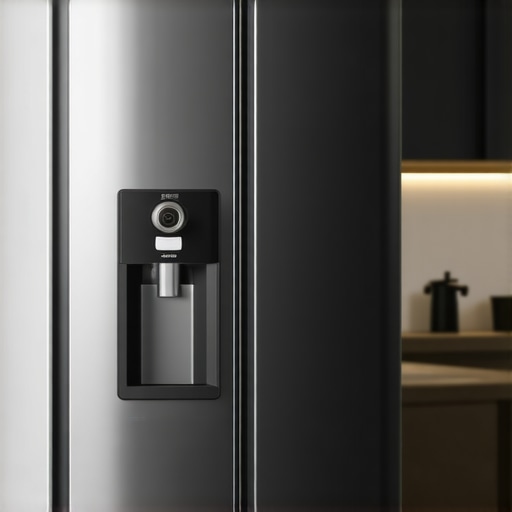
Ever stood in front of your smart fridge, expecting to peek inside with a quick tap on your phone, only to be met with a blank screen or a frozen image? I’ve been there too. One morning, I opened my fridge, craving some leftover pizza, and instead of the familiar view, all I saw was a stubborn black screen. That moment of disappointment hit hard, especially when the app kept telling me the camera was online but refused to cooperate. It’s frustrating, isn’t it? You invest in these “smart” appliances to make life easier, yet sometimes they seem to complicate things more.
Let’s be honest—these cameras are supposed to be your eyes when you’re away. They promise convenience: check the freshness of your produce, see if you need more eggs, or even verify if the kids remembered to close the door. But when the feed disappears or becomes unreliable, it feels like a letdown. Today, I’ll walk you through why this happens and, more importantly, what you can do to reclaim your fridge’s vision. Think of it as restoring your kitchen’s AI gaze, ensuring your smart fridge stays the helpful device it was meant to be.
Why Your Smart Fridge Camera Won’t Show Your Groceries and Why It Matters
The core issue often boils down to a simple glitch or connectivity hiccup, but it’s worth understanding the bigger picture. These cameras are part of a broader IoT ecosystem that depends heavily on a stable Wi-Fi connection, firmware updates, and correct settings. When any of these elements misfire, the camera’s feed may freeze, disconnect, or just outright refuse to display.
Early on, I made the mistake of thinking the camera hardware was faulty and immediately called support—only to find out I had an outdated app version. That’s a common blunder many of us make. There’s a surprising fact I discovered from industry experts: Firmware updates for smart appliances can improve security, fix bugs, and even enhance functionalities like camera stability. Ignoring these updates can leave you with persistent issues.
But before jumping into updates or resets, it’s crucial to identify whether the problem stems from Wi-Fi interference, power fluctuations, or simply outdated firmware. Troubleshooting these basics can save you hours of frustration. If your smart fridge’s camera has become a black mirror instead of an eye on your groceries, you’re not alone. Many owners face this hurdle, and there are practical steps to fix it.
Now that we’ve established why this problem occurs and why it’s so relevant, let’s explore how you can troubleshoot, fix, and even optimize your smart fridge camera for the long haul. Ready to regain control of your kitchen’s digital eye? Keep reading to discover the solutions that have worked wonders for me and countless others.
Check Your Wi-Fi Connection
Start by ensuring your smart fridge has a stable internet connection. Think of your Wi-Fi like a water pipe—if there’s a clog or leak, water (data) can’t flow properly. I once experienced a frozen camera feed because my router was overloaded with devices. To fix this, I rebooted my router, moved it closer to the fridge, and eliminated unnecessary connected gadgets. Afterward, the camera feed refreshed, and I accessed my groceries with ease. To prevent recurrence, consider upgrading your router or using a Wi-Fi extender for better coverage.
Update Firmware and App Software
Firmware updates fix bugs and improve stability—akin to tuning up a car for better performance. I once noticed my camera feed kept disconnecting; updating the fridge’s firmware through the app immediately resolved the issue. To do this, open the manufacturer’s app, navigate to settings, and manually check for updates. If your device gets stuck, force an update via step-by-step guide. Ensure your smartphone app is the latest version as well, which can be checked in your device’s app store.
Reset Your Smart Fridge
If updates don’t work, a reset often clears stubborn glitches. Think of resetting like rebooting a tired brain—sometimes it’s the simplest fix. My experience involved unplugging the fridge for 10 seconds, then plugging it back in. This simple act cleared temporary memory issues that caused the black screen. For a more thorough reset, locate the reset button (often inside the control panel) or consult your model’s manual. Remember, a reset may temporarily disrupt functions, so plan accordingly.
Examine Power and Cabling
Power supply issues can mimic connection problems. Picture your appliance like a lamp—without proper power, it stays dark. I once had a black feed because a loose power wire caused intermittent contact. Check all cords and plugs relating to your fridge, ensuring they’re snug and undamaged. If you spot frayed wiring or a loose socket, replace or repair immediately. Also, avoid using extension cords or power strips, which can cause voltage drops affecting your device’s operation.
Optimize Network Settings for IoT Devices
Smart appliances communicate best when connected to a dedicated frequency—usually 2.4 GHz. I noticed my fridge’s camera lagged when my Wi-Fi was crowded with streaming devices. Switching my router to prioritize IoT traffic or creating a separate network for smart gadgets significantly improved stability. Check your router’s QoS settings and assign lower priority to high-bandwidth devices. This ensures your fridge’s camera gets the bandwidth it needs for a clear feed.
Consult Manufacturer Support if Issues Persist
If all else fails, professional help is essential. Think of customer support as a mechanic for your appliance. I used the contact page to reach my manufacturer when persistent glitches remained. Prepare your model number, firmware version, and a detailed description of the problem before reaching out. Support teams can guide you through complex troubleshooting steps or arrange repairs if necessary.
When it comes to purchasing and maintaining appliances like washing machines, refrigerators, or smart gadgets, many homeowners operate based on misconceptions that can lead to increased costs or suboptimal performance. One widespread myth is that newer models always perform better and last longer, but in reality, some older appliances, if well-maintained, can be just as reliable and may offer better value. For example, certain high-efficiency washers are praised for conserving water but may require more maintenance to prevent mold buildup, a nuance often overlooked by consumers seeking eco-friendly options. Additionally, many believe that calibrating their fridge’s temperature settings is a simple task, but incorrect calibration can lead to food spoilage or energy waste. Advanced features in smart appliances, such as automatic ordering or energy monitoring, are frequently assumed to be essential; however, these can sometimes introduce privacy concerns or compatibility issues if not properly configured. A particularly tricky trap is underestimating the importance of regular maintenance, like cleaning condenser coils or inspecting door seals, which can significantly extend appliance lifespan and efficiency. Experts like those at industry-leading appliance brands emphasize that understanding the complex inner workings—such as inverter compressors in modern refrigerators—can help users optimize performance and avoid costly repairs. For instance, an inverter compressor maintains temperature more efficiently but requires understanding its operation to prevent premature wear. Have you ever fallen into this trap, relying on assumptions rather than expert advice? Let me know in the comments. For deeper insights, explore our ultimate guide to smart home appliances, which covers common pitfalls and how to avoid them, ensuring your investments truly pay off.
Maintaining your smart appliances and home gadgets requires more than just occasional cleaning. Investing in the right tools and adopting systematic methods can extend their lifespan, improve performance, and simplify troubleshooting. One of my go-to tools is the Infrared Thermometer. I use this device regularly to check the temperature of my refrigerator’s evaporator coil, ensuring optimal cooling without overworking the compressor, which can lead to premature failure. This tool is cost-effective and provides instant, non-contact readings, allowing me to identify temperature inconsistencies before they turn into costly repairs.
Another indispensable piece of equipment is a multimeter. I personally favor the Klein Tools Digital Multimeter because of its durability and precise readings. It helps me troubleshoot electrical issues—like determining if a faulty power supply is causing a smart dishwasher to malfunction—saving me the expense of unnecessary professional visits. To keep up with firmware updates—crucial for security and stability—I use dedicated software management tools such as the manufacturer’s update apps. Regularly checking for updates can fix bugs that cause appliances to become unresponsive or inefficient.
I also rely heavily on cleaning and diagnostic brushes designed specifically for appliances. For instance, a small, angled brush helps me clean condenser coils in refrigerators, which is essential to prevent excess energy consumption and overheating. Regular maintenance with these tools ensures that components like door seals remain effective—helping to prevent cool air leaks and reducing energy bills.
Looking into the future, I predict that smart diagnostics will become more integrated, reducing the need for external tools. Devices will routinely self-assess and notify users about potential issues via apps, making maintenance even more proactive.
How do I keep my appliances working smoothly over time?
The secret is setting a maintenance schedule and sticking to it. For example, I perform coil cleaning every six months, firmware checks monthly, and use a multimeter for electrical inspections quarterly. Maintaining a log with apps like automation logging tools helps track troubleshooting history and plan future upkeep efficiently. Adopt these practices, and your appliances will reward you with consistent performance and fewer unexpected breakdowns. Feel empowered to try out the infrared thermometer or set up firmware auto-updates today to see immediate improvements in your appliance reliability.
The Hardest Lesson I Learned About Smart Appliances
One of the toughest lessons I discovered was that frequent firmware updates are not just optional; they’re essential. Ignoring them can lead to unseen bugs that cripple features like your fridge’s camera, making troubleshooting a nightmare. Staying proactive with updates transformed my experience from frustration to confidence.
The Myths About Appliance Maintenance That Held Me Back
Believing that cleaning condenser coils is unnecessary was a misconception that cost me energy efficiency and increased bills. Regular maintenance, especially in smart appliances, is a small effort with huge payoff, ensuring your tech stays responsive and reliable.
How I Learned to Trust Expert Advice Over Zoning Out
Initially, I thought DIY fixes would suffice, but consulting manufacturer support and industry insights helped me avoid costly mistakes. Recognizing that expert guidance is invaluable, especially with complex features like IoT connectivity, saved me time and trouble.
Seek Out Resources That Go Deep
For anyone eager to get serious about smart appliance longevity, I recommend exploring comprehensive guides like the ultimate guide to smart home appliances. These resources offer insights that go beyond surface-level tips and can truly elevate your maintenance game.