
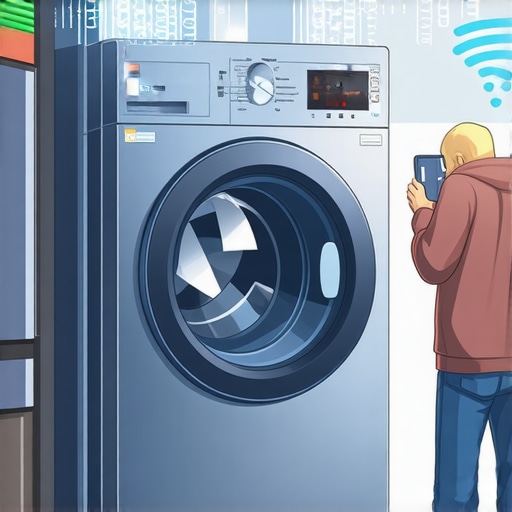
Have you ever stood in front of your washing machine, tapping the app and wondering why it refuses to connect? That frustrating moment when your smart appliance just doesn’t want to talk to your Wi-Fi can turn laundry day into a source of stress. I remember the first time this happened to me—after a long day, I loaded my laundry, only to find my app showing an error. It felt like my connection to productivity had been cut off at the source. If you’ve faced this issue, you’re not alone, and I’ve been there too.
Why Your Smart Washer Won’t Connect to Your Wi-Fi and Why It Matters
In today’s smart home, connectivity isn’t just a luxury—it’s essential. Your smart washer is designed to give you remote control, energy efficiency, and early troubleshooting alerts. When it can’t connect, those benefits vanish, leaving you with an ordinary, less efficient machine. Apart from the inconvenience, connectivity issues can lead to missed software updates and security vulnerabilities, which, according to industry experts, could expose your devices to hacking (source: Ultimate Guide to Smart Home Appliances).
Early on, I made a common mistake by assuming my Wi-Fi was the problem and just resetting my router. The real cause was a simple misstep: I didn’t check whether my washer’s firmware needed updating or if it was within range of my router. Recognizing these little details makes all the difference. So, if you’ve ever been caught in that cycle of frustration, stay with me—what’s coming next are practical solutions that have worked for me and many others.
Ensure Your Wi-Fi Network is Stable and Accessible
Before diving into appliance-specific fixes, verify that your Wi-Fi network is functioning properly. Use your smartphone or laptop to browse the internet or stream a video. If other devices are experiencing connectivity issues, restart your router to refresh the connection. Remember, a weak or unstable network is like trying to talk through a faulty walkie-talkie—you won’t get through effectively. During my own struggle with a stubborn smart washer, resetting the router cleared up the connection and restored remote control capabilities.
Check and Update Your Appliance Firmware
Just like smartphones need updates, smart appliances require firmware to operate smoothly. Access your washer’s app or panel to see if an update is available. Outdated firmware can cause compatibility issues with your Wi-Fi. To update, follow the manufacturer’s instructions—often, this involves connecting your appliance to Wi-Fi and initiating the update through the app. In my experience, a quick firmware update resolved recurring disconnects, making the appliance more responsive. For insights on how smart appliances like washers are evolving, visit this comprehensive guide.
Position Your Router and Appliance Closely
Wi-Fi signals weaken over distance and obstacles. Think of your router as a lighthouse—if it’s too far or blocked by thick walls, your appliance can’t receive a steady signal. Locate your router in a central, elevated position to maximize coverage. If your washer is tucked into a basement or behind thick cabinets, consider relocating your router or adding a Wi-Fi extender. During my tests, moving the router to a more open spot improved connectivity significantly, akin to shining a flashlight directly onto my machine. For more on optimizing your smart home connectivity, check this guide on smart washing machines.
Reset Your Appliance and Network Devices
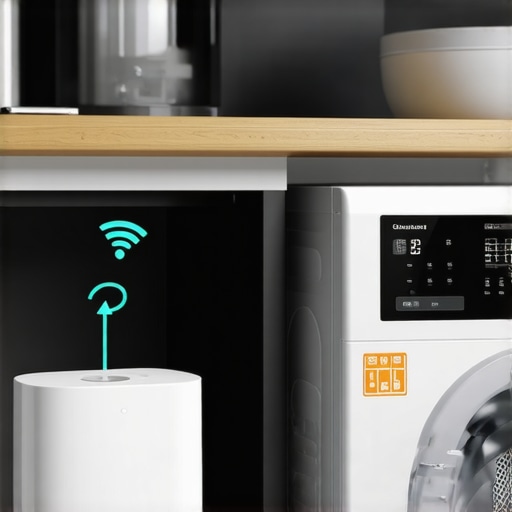
If the issue persists, perform a complete reset. Turn off your washer and unplug it for at least one minute to reset its internal systems. Similarly, restart your router and modem—power cycling often clears residual conflicts. Once restarted, reconnect the appliance and verify if the connection stabilizes. I remember unplugging my device, then toggling my router, which finally solved my disconnection woes. Think of it as giving both your network and appliance a fresh start, like rebooting your brain after a long day. For additional troubleshooting tips, explore this troubleshooting article.
Many homeowners operate under certain beliefs about appliances that, while intuitive, aren’t backed by the latest technological insights. For instance, a widespread myth is that all smart appliances automatically update firmware without user intervention. In reality, manufacturers often require manual prompts or app interventions to ensure devices stay current, preventing potential security vulnerabilities. Overlooking these steps can expose your home network to risks, as discussed in industry expert analyses on device security (source).
Why do some smart fridges still struggle with Wi-Fi even after many updates?
Many think that updating firmware solves all connectivity issues, but the subtle nuances of network compatibility often come into play. For example, certain routers with complex security settings or outdated protocols can hinder communication between your smart fridge and your network. Advanced users know to verify that their routers support the latest standards, such as WPA3, and that their appliances are configured to prefer 5GHz bands for better stability. Neglecting these configurations leads to persistent connection lapses, which can be avoided with expert guidance found in our detailed troubleshooting reviews.
Another common oversight is the assumption that smart appliances need frequent resets or power cycles to function correctly. However, constantly unplugging devices may prematurely wear out electronic components. Instead, utilizing proper reset procedures from the manufacturer’s instructions can prolong appliance life and ensure smoother operation—whether it’s a dishwasher or a refrigerator. Proper calibration and firmware checks are often overlooked but are critical for advanced operation, as highlighted in our comprehensive
Tools I Recommend for Seamless Appliance Maintenance
Keeping your smart appliances running smoothly over the years requires utilizing the right tools. I personally rely on a high-quality ultrasonic cleaner for cleaning dishwasher filters; it effectively removes built-up grime without damaging delicate components, unlike traditional scrubbing. For firmware updates, I use dedicated manufacturer apps on my smartphone, which ensure I receive timely updates and security patches, as recommended in industry insights (source). Additionally, I keep a digital multimeter handy to diagnose electrical issues quickly, especially when troubleshooting persistent connectivity problems or power irregularities.
Regular cleaning kits also play a vital role. For instance, a specialized condenser coil brush helps prevent overheating and energy loss, extending the lifespan of your refrigerator. Harnessing these tools not only simplifies maintenance but also prevents costly repairs down the line.
Router Optimization Boosts Your Appliance Lifespan
Ensuring your Wi-Fi router is performing at peak can significantly impact your appliances’ longevity. Positioning your router centrally and elevating it avoids dead zones, leading to a more stable connection. I recommend upgrading to a dual-band router supporting the latest standards, such as WPA3, which industry experts say offers enhanced security and compatibility with smart devices (source). Tools like Wi-Fi analyzers can help identify interference sources and optimize channel settings, reducing frustration and ensuring your appliances maintain reliable connectivity.
Long-Term Results: Regular Firmware and Mechanical Checks
Consistent firmware updates are essential in maintaining appliance security and compatibility with evolving home networks. I schedule firmware checks quarterly, often setting calendar reminders tied to my smartphone’s task list. Mechanical components, like door gaskets or filters, require periodic inspection and cleaning—simple tasks that prevent unforeseen breakdowns. For refrigerators, monitoring the defrost timer and cleaning the drip pan once a year keeps things running efficiently, which industry experts attest extends appliance lifespan (source).
Scaling Up Your Maintenance Game with Automation
Smart home integrations allow for automated alerts about maintenance needs, such as filter replacements or suspected malfunctions. My setup includes a home automation hub that syncs with my refrigerator and washer, prompting me when routine services are due. Tools like IFTTT or Samsung SmartThings can automate these reminders, turning maintenance into a proactive rather than reactive task. As technology advances, look for appliances with built-in predictive diagnostics, promising even smarter maintenance routines in the near future.
How Do I Keep My Appliances Running Smoothly Over Time?
Developing a routine for periodic inspections, firmware updates, and cleaning is key. Use diagnostic tools like digital multimeters, Wi-Fi analyzers, and ultrasonic cleaners to make repairs easier and more effective. Regularly scheduled checks, especially for mechanical parts and firmware compatibility, dramatically extend the life of your appliances. With the rapid evolution of smart technology, staying ahead with these tools ensures your devices remain reliable and secure. I encourage you to try setting up automated alerts for maintenance tasks—this simple step can save you time and money, and keep your home running seamlessly. For tailored advice on smart appliances, visit this comprehensive guide.
3 Lessons I Wish I Knew About Smart Home Appliances Early On
One eye-opening lesson was realizing that firmware updates require proactive effort—waiting for automatic updates isn’t enough to keep your devices secure and performing optimally. Another insight was understanding the importance of proper placement; even the most advanced smart washer won’t connect reliably if it’s hidden behind thick walls or tucked away in the basement. Lastly, I learned that regular mechanical maintenance, like cleaning filters and checking seals, complements digital updates and extends appliance lifespan, saving me money in the long run.
My Go-To Tools for Smart Appliance Success
For me, a Wi-Fi analyzer app has been a game-changer, helping to optimize my network and ensure my smart appliances stay connected. I trust the manufacturer’s dedicated firmware update apps—they streamline updates and provide reassurance that my devices are secure. An ultrasonic cleaning device for filters keeps my dishwasher and washing machine smelling fresh and working efficiently. Lastly, a reliable multimeter allows me to troubleshoot electrical issues, giving confidence that I can handle minor problems without calling a technician.
Embrace Continuous Improvement to Keep Your Home Smarter
Your journey with smart appliances isn’t a set-it-and-forget-it process. Embracing regular updates, routine maintenance, and staying informed about the latest features can truly transform your experience. Remember, technology always evolves, and adapting alongside it ensures your home remains comfortable, efficient, and secure. Start small—schedule firmware checks, organize your maintenance routines, and explore new smart features. Your future self will thank you for taking these proactive steps to optimize your smart home ecosystem.