
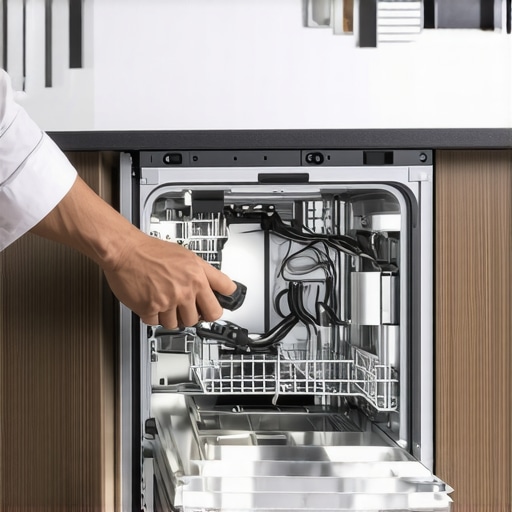
It was Tuesday night, and a sudden summer storm knocked our power out for exactly three seconds. The lights flickered, the microwave beeped, and everything went dark before humming back to life. I didn’t think twice about it until the next morning. I walked into the kitchen, loaded my coffee mug, and pressed start on my dishwasher. Nothing. No lights, no friendly chime, just a cold, dead control panel. My heart sank because I immediately envisioned a hefty $300 appliance repair bill for a machine that was barely two years old.
The Day My Kitchen Went Silent
We rely so heavily on our modern conveniences, but when they stop working, we realize how fragile they can be. I spent the next two hours frantically pressing buttons, searching for tripped breakers, and regretting my life choices. I actually thought my entire control board was fried. It is incredibly frustrating when smart appliances simply refuse to cooperate after a minor grid flicker. However, after some trial and error, I discovered that these machines are more stubborn than broken.
Today, I am going to show you exactly how to wake your sleeping kitchen helper up without spending a dime. We will cover the quick reset sequences, the hidden safety locks that trigger during surges, and how to verify if you need to take deeper action. If you have ever stared at a lifeless appliance after a storm, you are definitely not alone. Have you ever faced this frustrating scenario yourself?
Is my expensive appliance actually fried forever?
This is the exact panic-inducing question that kept looping in my head. According to safety data from the Electrical Safety First organization, power surges during outages are the leading cause of sudden appliance control board failures. But here is the good news: most modern manufacturers build temporary shut-off safety measures directly into the system to prevent actual electrical fires. The trick is knowing how to bypass these safety states and force a hard reboot.
Years ago, during my first encounter with this issue, I made the amateur mistake of calling a technician immediately. He walked in, flipped a switch, held down two buttons, and charged me $120 for a five-minute visit. That was the day I vowed to learn how to troubleshoot these issues myself. If your system is throwing weird errors instead of staying completely dead, you might also want to look into why your smart dishwasher app keeps giving you phantom errors, which is another common post-power-surge symptom.
Before we panic and assume we need to buy a brand new machine, we need to try a few physical resets. Let’s walk through the exact steps I used to resurrect my dishwasher, starting with the simplest power cycle tricks that work on almost every major brand.
Step-by-Step Recovery Checklist
When a power surge hits, your home appliances act like computer systems. They do not just lose power; their digital brains freeze up in a defensive posture. Think of it like your computer showing a blue screen after a sudden crash. The very first thing you must do is perform a clean power drain. Unplugging the machine or flipping the breaker for just ten seconds is often not enough because the capacitors inside the control board can hold residual electricity for several minutes, keeping the frozen memory active.
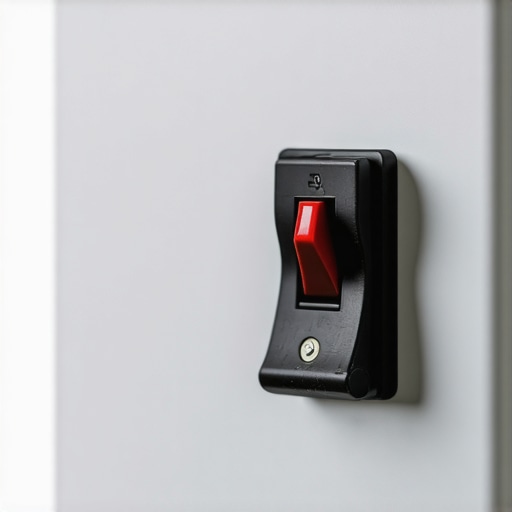
Last summer, my smart washing machine completely locked up after a lightning storm. The door was sealed shut with a wet load of clothes inside. Instead of forcing the door open and risking a broken latch, I followed this exact sequence. I switched off the dedicated breaker in my basement and went to make a cup of coffee. By leaving the power off for a full fifteen minutes, the residual charge completely dissipated, and the internal memory cleared. When I flipped the switch back on, the system rebooted perfectly and let me drain the water safely.
Mastering the Button Sequence Reset
If a simple power drain does not bring your control panel back to life, you need to trigger a manual system reset. Appliance manufacturers do not usually put a dedicated ‘reset’ button on the front panel because they do not want kids accidentally wiping the settings. Instead, they hide these commands behind specific button combinations. If you are dealing with modern kitchen gear, knowing how to bypass the smart features on your appliance for manual use is incredibly helpful during this recovery phase.
For most modern dishwashers, holding down the ‘Start’ or ‘Cancel’ button for exactly three to five seconds forces the drain pump to run and clears the active error memory. On refrigerators, pressing the ‘Energy Saver’ and ‘Lighting’ buttons simultaneously for ten seconds will force a control board reboot. If your laundry units are the issue, you can learn how to fix a smart washer that refuses to start from the app by using physical button overrides to clear the communication blockages caused by the surge.
Why You Must Clear the Local Wi-Fi Cache First
Sometimes the appliance itself is running fine, but its network card is stuck in a loop trying to reconnect to your router. This constant digital searching can freeze the physical display screen. I once spent an hour diagnosing what I thought was a broken control board on my oven, only to realize the appliance was simply locked up trying to ping a router that was still rebooting. If you notice your kitchen tech behaving sluggishly after a storm, you should know how to reset your smart appliance after a major power surge by disconnecting its network connection entirely, allowing the local hardware to boot up in offline mode first before you try reconnecting it to your smart home hub.
When discussing smart home hardware, the default advice is always to reboot the device or check the fuse box. However, looking at the problem this way misses a fundamental mechanical reality. In my years of troubleshooting modern kitchen gear, I have noticed that the biggest mistake homeowners make is treating smart appliances like standard electrical appliances that simply have an app attached to them. They are not. They are complex computers connected to mechanical valves, and treating them with basic old-school fixes can actually do more harm than good.
Why is my smart dishwasher still behaving strangely even after a full hardware reboot?
Many homeowners believe that a hard reset fixes everything, but they overlook the physical status of the internal sensors. According to research published by the Electrical Safety First organization, power spikes do not just freeze the central microprocessor; they frequently disrupt calibrated analog-to-digital sensors, such as turbidity sensors or pressure valves. If you reboot your machine while a physical sensor is still holding a false reading from the surge, the computer will reboot directly back into a locked safe-mode cycle. This explains why your smart dishwasher app keeps giving you phantom errors long after the electricity grid stabilizes.
The ultimate rookie mistake is trying to bypass these digital glitches by repeatedly forcing active cycles to run. For example, if you run multiple quick cycles back-to-back trying to force a frozen drain pump to engage, you run a massive risk of overheating the main motor coil. This turns a simple sensor calibration glitch into a genuine, expensive hardware replacement. If you find yourself in a situation where the digital brain refuses to sync with the mechanical components, you might need to temporarily switch to physical overrides. Learning how to bypass the smart features on your appliance for manual use is an essential survival skill that keeps your kitchen running while you wait for the digital communication boards to stabilize.
Furthermore, never underestimate how much a simple home network lag can mimic a dead appliance control board. If your router is struggling to recover from the power surge, your appliance might boot up, detect a weak or corrupted connection, and freeze during its initial startup handshake. Knowing how to reset your smart appliance after a major power surge by stripping away its digital connections and forcing it to boot offline is the most reliable way to separate a real hardware failure from a standard network bottleneck. Have you ever fallen into this trap and assumed your appliance was broken when it was actually just waiting for a slow router? Let me know in the comments below!
When it comes to keeping these high-tech systems running smoothly over the long term, we have to look past the occasional emergency reboot. I used to think that as long as my kitchen machines turned on, everything was fine. That was until I noticed a gradual decline in how well my washer and dishwasher performed. To protect my investment, I had to stop reacting to failures and start practicing proactive maintenance. In my experience, relying on a high-quality physical surge protector specifically rated for major home appliances is the single most important step you can take. I personally install dedicated single-outlet surge protectors behind my refrigerator and washing machine to absorb those micro-fluctuations that occur during minor grid adjustments.
How do I maintain smart home appliances over time?
Maintaining modern digital appliances requires a dual approach: you must care for both the mechanical hardware and the digital software. On the hardware side, keeping sensors clean is paramount. For example, mineral buildup on internal sensors can mimic electrical failure. On the software side, ensuring your devices run on stable network bands prevents constant reboot cycles. If you want to dive deeper into optimizing your kitchen ecosystem, I highly recommend reading my guide on ultimate guide to smart home appliances for a modern living. It covers the exact preventative maintenance schedule I use to keep my entire home synchronized and safe from sudden digital degradation.
According to technical specifications published in the IEEE Standards Association reports, micro-surges degrade the delicate silicon chips inside modern control boards over a multi-year period, leading to premature hardware death. This is why I am incredibly strict about my power protection setup. I also recommend checking your manufacturer’s app weekly to ensure your devices are running the latest firmware patches, which often contain bug fixes designed to make your appliances more resilient against sudden power losses. If you are currently dealing with a sluggish setup, you can learn how to update your smart fridge software without crashing the system to ensure your kitchen’s central hub remains stable.
Looking ahead, the future of smart appliances is moving toward predictive self-healing. Within the next few years, manufacturers will integrate local AI models directly into the control boards. Instead of freezing or displaying confusing error codes after a power flicker, these future systems will automatically run diagnostic subroutines, isolate corrupted memory sectors, and recalibrate their own sensors without requiring any user intervention. For now, however, we must manage these systems ourselves. I strongly encourage you to go to your kitchen right now, identify your most expensive smart appliance, and find its specific manual button reset sequence today so you are fully prepared before the next storm rolls through.
What Smart Home Experts Won’t Tell You About Power Outage Recovery
When the electricity grid flickers, standard advice tells you to check the breaker panel and move on. However, dealing with modern smart appliances requires a completely different perspective. Over years of dealing with sudden kitchen lockouts, I have uncovered several vital truths that manufacturers often leave out of the standard user manuals:
- The Network Card Trap: A smart appliance will often refuse to boot its mechanical components if its built-in Wi-Fi card is stuck trying to ping a recovering router. Removing the network connection entirely and forcing an offline boot is usually the fastest fix.
- Dual Power Drain Requirements: High-efficiency control boards store residual charge in their capacitors for far longer than older, simpler models. A quick ten-second unplug will not clear the memory; you truly need a full fifteen-minute total power disconnect.
- Sensor Overrides Save Motors: Repeatedly forcing start commands during a digital glitch can physically overheat your motor coils. Learning how to bypass the smart features on your appliance for manual use is often the safest path to clear stuck pressure sensors.
My Essential Troubleshooting Toolkit for High-Tech Kitchens
When my kitchen tech acts up, I do not just grab a standard screwdriver. Over the years, I have curated a specific mental toolkit and collection of resources that help me diagnose problems before I ever consider calling a technician:
- The IEEE Standards Directory: When I need to understand how micro-surges degrade delicate silicon chips over time, I turn to technical papers from the IEEE Standards Association. It helps me choose the right single-outlet surge protectors for my heavy-duty gear.
- Network Analyzer Apps: If you find your smart kitchen setup lagging, use a free phone app like Wi-Fi Analyzer to see if your refrigerator or stove is competing for signals. Learning how to connect your smart washer to your home network without the lag can solve phantom communication freezes instantly.
- Dedicated Hardware Overrides: I keep a physical copy of the factory reset button sequences laminated and taped inside my pantry. This includes the manual steps to reboot the display and clear localized Wi-Fi cache errors.
Take Back Control of Your Digital Kitchen
It is incredibly easy to feel helpless when a sudden power surge leaves you staring at a dead control panel. But remember: you do not need to be a certified technician or computer engineer to handle these digital hiccups. By treating your home appliances like the sophisticated computers they are, you can safely reset, recalibrate, and restore your appliances to perfect working order without spending a dime on service calls. Don’t let a minor storm disrupt your household routine; take a deep breath, run through the physical button sequences, and let your smart home work for you again.
Have you ever struggled to get your smart kitchen gear back online after a sudden storm? Let me know in the comments below!