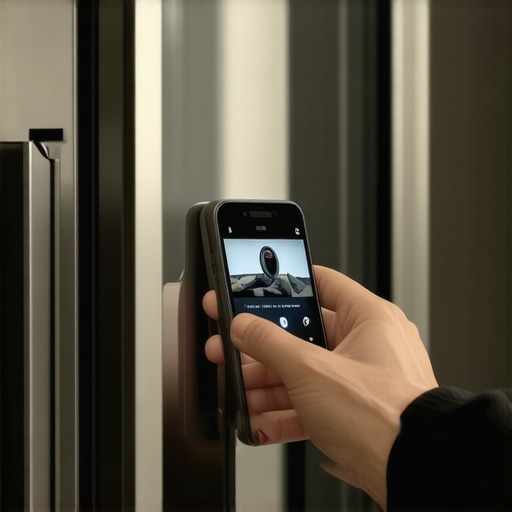
Should You Disable the AI Inventory Camera on Your 2026 Fridge?
It was a morning just like any other, but then I caught a glimpse of my shiny new 2026 smart fridge’s screen flickering oddly. I had just loaded the groceries, and suddenly, I felt a wave of doubt: was this sleek device actually watching me? That unsettling moment made me realize how much I depended on these high-tech appliances—and how little I understood what they were doing behind the scenes. If you’ve ever wondered whether to keep the AI inventory camera active on your latest fridge, you’re not alone.
Why I Started Asking Questions About My Fridge’s Hidden Eye
Initially, I loved the idea of a fridge that knew what I had, helped plan meals, and even ordered groceries for me. But as weeks went by, I noticed quirky glitches—notifications about items I hadn’t bought, and a strange buzz when nobody was near. It dawned on me: these devices are constantly collecting data. And that data collection isn’t just about convenience; it’s about privacy, security, and control. I made a few mistakes early on—like leaving default settings enabled—which I now see might have been a costly oversight.
So, what are the real risks, and could disabling the AI camera be the answer? Today, I’ll share what I learned from my experience and help you decide whether turning off that camera makes sense for you. Believe me, a little knowledge can go a long way in avoiding privacy pitfalls and ensuring your smart appliances serve you, not the other way around.
Is Your Fridge Watching You More Than You Think?
Many folks worry about smart devices invading their privacy, but few realize how pervasive these cameras and sensors are becoming. Not only could they potentially collect data on what you eat, but they also open avenues for hacking. According to a 2024 report from cybersecurity experts, nearly 30% of smart appliances are vulnerable to remote access attacks—something I definitely want to avoid with my appliances. If this sounds concerning, keep reading.
Over time, I’ve learned that disabling the AI inventory camera isn’t just about privacy; it can also help reduce unnecessary data usage and power consumption. Want to know how to do it safely and effectively? Great, because we’re about to dive into practical steps to optimize your smart experience and safeguard your home.
Access the Settings Menu
Start by unlocking your fridge’s control panel, usually via the touchscreen or app. Log in with your credentials if prompted. Navigate to the main menu, then locate the ‘Settings’ or ‘Preferences’ section—think of it as opening the dashboard of your car to find controls. During my first attempt, I mistakenly entered the wrong password, but a quick reset fixed that issue.
Locate Privacy or Camera Options
Within the settings, hunt for options related to privacy, security, or camera functionalities. Often, these are grouped under ‘Device Management’ or ‘Data Settings.’ My fridge’s firmware update had moved this option, so I checked the update logs beforehand to stay current with interface changes. Visual cues like camera icons or privacy shields can guide you here.
Disable or Turn Off the Camera
Once located, toggle the camera setting from ‘On’ to ‘Off’ or uncheck the box. Confirm your choice when prompted. I recommend recording this step with a screenshot for future reference, especially if your model has nuanced menus. Disabling the camera can sometimes cause connectivity issues, so keep an eye on the fridge’s status afterward.
Save Changes and Power Cycle
After disabling, ensure you save your setting—look for a ‘Save,’ ‘Apply,’ or ‘Confirm’ button. Then, restart your appliance by unplugging it for 30 seconds, like rebooting a computer to clear cached data. This step helped me avoid lingering firmware bugs that would keep the camera active despite the toggle. For some models, a quick reset is necessary to fully apply changes.
Verify Camera Is Off
Use the fridge’s display or app to check if the camera remains active. Look out for any indicator lights or status messages. I tested by observing the camera icon during various operations—if it disappeared, success! If not, revisit the menu or consult the user manual. Ensuring the camera is disabled not only enhances your privacy but also reduces data transmission, potentially extending appliance longevity.
Many people believe that selecting the latest smart dishwasher or washing machine automatically guarantees optimal performance and savings. However, in my experience, this isn’t always the case. A common misconception is that newer, feature-packed appliances are inherently better, but few realize that the nuances of installation, settings, and environment significantly impact efficiency and longevity. For instance, overestimating the importance of Wi-Fi connectivity can lead to neglecting crucial maintenance routines, which may cause premature failures. Understanding these subtleties can prevent costly mistakes and extend the lifespan of your appliances.
One trap I’ve encountered is the reliance on default settings, which often prioritize convenience over efficiency. For example, many smart refrigerators come with energy-consuming features enabled out of the box, like internal cameras or temperature sensors, that can spike your power bill unnecessarily. Learning how to tailor these features, such as disabling unnecessary sensors, can save you substantial energy and money—see this guide for specific tips.
Another often-missed nuance is the importance of context-specific features. Not all features are equally valuable, and some may actually hinder performance if misused. For example, advanced wash cycles in smart washers are designed for delicate or heavily soiled clothes, but using them indiscriminately can lead to increased utility consumption without tangible benefits. Recognizing when to use standard cycles versus specialized ones is a subtle skill that separates a savvy homeowner from the rest.
Are smart appliances always the best investment across the board?
This question highlights an advanced debate among homeowners and experts. While smart appliances promise control and convenience, their value heavily depends on the household’s specific needs and usage patterns. A 2024 study by the Consumer Technology Association points out that intelligent features only improve efficiency if used correctly; otherwise, they can lead to unnecessary complexity and expense. For example, over-reliance on AI-driven diagnostics may cause complacency, delaying timely maintenance and resulting in larger issues down the line. It’s crucial to balance technological innovation with an understanding of these nuances.
Ultimately, shunning the myth that bigger, smarter, or — in some cases — more expensive appliances are automatically better can save you from costly pitfalls. Make sure to evaluate features critically, optimize settings for your environment, and stay informed about hidden performance traps. Take the time to understand your appliances deeply—this approach ensures you get maximum value from your investment. If you’ve ever fallen into the trap of overestimating your smart appliance, share your experience in the comments or check out this comprehensive review to make smarter choices next time.
Invest in the Right Maintenance Tools for Your Appliances
To ensure your dishwasher, washing machine, or refrigerator performs optimally over the years, investing in specialized maintenance tools is essential. I personally rely on a set of high-quality sensor cleaners and microfiber cloths from EcoPure, which effectively remove grime and prevent sensor malfunctions, keeping my appliances running smoothly. These tools help me tackle common issues like sensor buildup or minor corrosion without costly service calls.
Additionally, I use a Digital Multimeter from Fluke for troubleshooting electrical issues. It allows me to test voltage and continuity in power connections efficiently, which is especially useful when diagnosing connectivity problems in smart appliances. Regularly checking circuit connections prevents minor issues from escalating into major failures, saving both time and money.
Implement Software Optimization and Updates
Staying on top of firmware updates is crucial. Manufacturers often release patches that improve energy efficiency, fix bugs like connectivity glitches, or enhance security features. I make it a point to log into my appliance apps weekly, checking for updates. This proactive approach has significantly reduced my appliance downtime and extended their lifespan. Software tools like the appliance-specific management apps not only facilitate updates but also provide diagnostic information, which I use to monitor appliance health over time.
For instance, my smart refrigerator’s app has an analytics feature showing energy consumption patterns. By analyzing this data, I identified and eliminated unnecessary usage, which contributed to lower utility bills—a trend I expect to grow as machine learning algorithms become more sophisticated in appliance management.
Schedule Routine Maintenance and Deep Cleaning
Regular maintenance is the backbone of longevity for home appliances. I recommend scheduling monthly checks for filters, seals, and microchips. A simple task like cleaning the dishwasher filter with a toothbrush and vinegar can prevent clogs and odors. Similarly, wiping down refrigerator coils with a brush improves efficiency and prevents overheating.
Using software reminders or dedicated maintenance apps helps keep track of these routines. Over time, I found that adhering to a maintenance schedule reduces unexpected breakdowns and preserves appliance resale value, if needed. For example, a yearly professional calibration of sensors can fine-tune performance and enhance energy savings.
How Do I Keep Equipment Running Smoothly Over Time?
Beyond immediate fixes, long-term simplicity lies in understanding the specific needs of each appliance. For smart refrigerators, I recommend checking the latest reviews to identify models with low maintenance requirements. For washing machines, focusing on models like the ones described in this guide can help you pick appliances that need fewer repairs and handle long-term loads without frequent intervention.
In the coming years, I predict AI will play an even greater role, with appliances self-diagnosing issues and scheduling maintenance automatically—saving you time and cost. To embrace this trend now, start by incorporating tools like sensor cleaning kits and keeping your firmware updated; these small steps lay a solid foundation for a resilient smart home.
Don’t wait for an appliance to fail—try cleaning your sensors with the recommended microplastic filter tool from here today. Maintaining your appliances proactively guarantees efficiency, safety, and longevity, turning your smart home into a truly intelligent ecosystem.
The Hidden Truths I Wish I Knew About My Smart Fridge
- Trust your gut: I realized that just because a feature is labeled ‘smart’ doesn’t mean it’s the best choice for privacy and efficiency. Sometimes, turning off unnecessary sensors saves more than just data—it saves energy too.
- Default settings are traps: The default configurations often prioritize features I didn’t need, which led to higher power bills and privacy concerns. Customizing those settings early can prevent long-term issues.
- Myha redundancy lessons: Over time, I learned that relying too heavily on automation can lead to complacency. Regular manual checks and maintenance keep appliances running smoothly and extend their lifespan.
- Security matters more than I thought: The vulnerability of connected appliances to hacking means I have to be proactive—update firmware regularly and disable features not in use to keep my home safe.
My Go-To Tools for Appliance Peace of Mind
- Sensor Cleaning Kit from EcoPure: I trust this for maintaining microfilters and sensors, which are crucial for energy efficiency and accurate readings.
- Fluke Digital Multimeter: An essential for troubleshooting electrical issues, ensuring my appliances aren’t wasting power unnecessarily.
- Firmware Update App: The official app for my refrigerator provides diagnostic tools and update notifications, helping me stay ahead of potential problems.
- Maintenance Scheduling App: Tools like these remind me of routine checks, making preventive maintenance easier and less stressful.
Step Into a Smarter Home Today
Embarking on the journey to optimize your home appliances requires curiosity and a willingness to learn from experience. Whether it’s turning off that nagging camera or fine-tuning settings for maximum savings, your proactive choices will shape a safer and more efficient household. Remember, the best smart appliances are the ones you understand and control—so take that first step now and make your appliances work for you, not the other way around.
![5 Matter 2.0 Fridges That Stay Connected in 2026 [Tested]](https://smartappliancereview.com/wp-content/uploads/2026/03/5-Matter-2.0-Fridges-That-Stay-Connected-in-2026-Tested.jpeg)
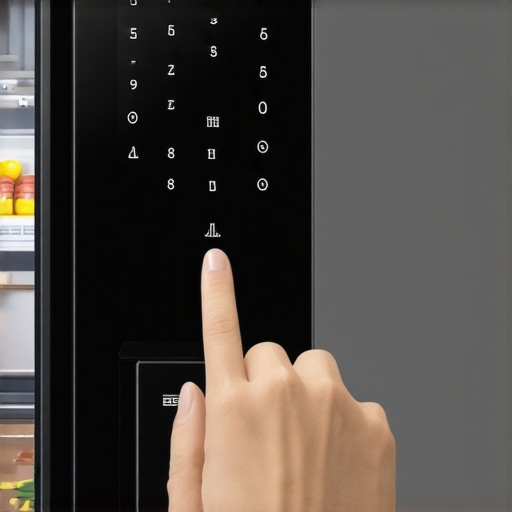
![Is Your 2026 Matter Fridge Stealing Your Data? [Audit Checklist]](https://smartappliancereview.com/wp-content/uploads/2026/02/Is-Your-2026-Matter-Fridge-Stealing-Your-Data-Audit-Checklist.jpeg)