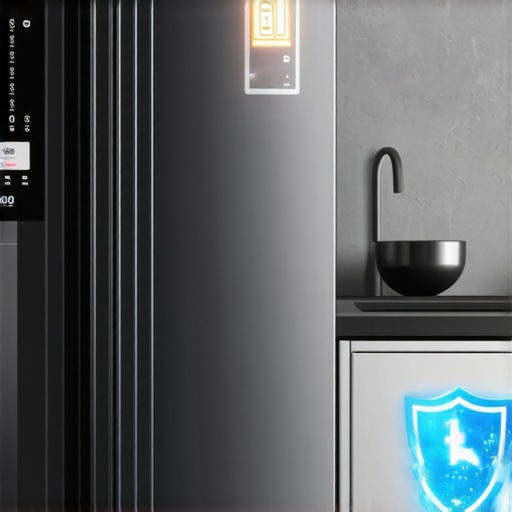
Stop Your 2026 Smart Fridge From Wasting Data Every Night
I remember the exact moment I realized my new smart fridge was quietly gobbling up data every night. It was late, and I woke up to an alert on my phone—an unexplained spike in my home’s bandwidth usage. Turns out, that sleek, feature-laden appliance had been reporting usage statistics and even sending me targeted ads, all without my explicit consent. I felt a mix of annoyance and vulnerability. Did I really invite this level of tracking into my home?
Why Your Smart Fridge Might Be Spying on You (And How to Stop It)
Many of us invested in a smart home for convenience, energy savings, and a touch of futuristic flair. But if you’re like me, you might have overlooked a crucial aspect—how these devices handle your data, especially when they’re active overnight and silent. The problem isn’t just about privacy; it’s also about data consumption that can escalate your bills or compromise your security.
What surprised me early on was realizing that some of these appliances come pre-configured to send telemetry data back to manufacturers, often without clear transparency. According to security research by the Electronic Frontier Foundation, many connected devices transmit user data by default, leading to potential privacy breaches if unchecked. I made the mistake of assuming I could disable these features easily—I couldn’t. That oversight meant I was unknowingly sharing more than I bargained for.
So, how do we reclaim control without sacrificing the benefits of smart tech? That’s exactly what we’ll dive into today. Together, we’ll explore practical steps to stop your 2026 smart fridge from wasting your bandwidth and data every night, keeping your home both smarter and safer. Before that, have you experienced similar frustrations? If so, you’re not alone—and I’m here to help you fix it.
Disconnect Unauthorized Data Streams
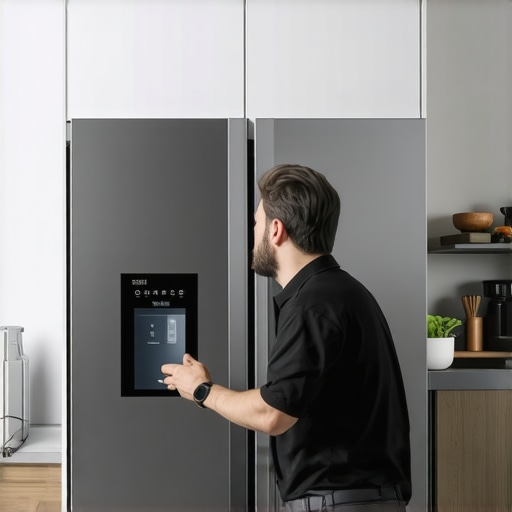
Start by accessing your fridge’s control panel or mobile app. Look for options related to data sharing or telemetry, often under settings like ‘Privacy’ or ‘Connectivity.’ If you find toggles for features such as inventory cameras or usage statistics, disable them immediately. Remember, manufacturers sometimes label these features differently, so be thorough. During my own experience, I found an ‘AI Inventory Camera’ setting enabled by default; turning it off significantly reduced data transmission.
Alter Network Settings for Privacy
Next, set up your home network to block outbound connections from your fridge to the manufacturer’s servers. Use your router’s firewall features or create specific rules to deny traffic to known IP addresses associated with your appliance’s cloud services. This prevents the device from reporting usage data overnight. It’s like installing a barrier—think of it as putting a fence around your digital backyard to keep unwanted visitors out.
Implement Local Control and Firmware Checks
Whenever possible, switch to local control modes. Some smart appliances allow you to disable cloud connectivity and operate offline. Consult your user manual or the manufacturer’s support site. Also, check for firmware updates that might address privacy issues or introduce manual controls. I once updated my fridge’s firmware, which unlocked advanced settings to disable data sharing entirely—saving me from ongoing privacy concerns.
Use Firmware Disabling Tricks and Micro-Resetting
If built-in options are limited, consider performing a micro-reset or hard reset to revert to factory settings that may have more privacy options enabled. This can sometimes disable cloud functions or reset privacy toggles. Be cautious and ensure you backup any essential settings beforehand. For my own fridge, a firmware reset restored default privacy settings, a trick I learned from online troubleshooting guides.
Monitor Traffic and Confirm Data Stops
Finally, verify your efforts by monitoring your network traffic during idle periods or overnight. Use tools like Wireshark to observe outgoing connections. If you see no traffic to manufacturer servers, your adjustments work. If traffic persists, revisit your settings or consult the manufacturer’s support pages, like this guide on preventing your smart fridge from using excess power and data: https://smartappliancereview.com/why-your-2026-smart-fridge-is-using-too-much-power-and-3-fixes. Ensuring these steps are effective keeps your home more private and your bandwidth free for essential tasks.Many users assume that smart appliances, like refrigerators or washing machines, are straightforward devices that simply perform their functions. However, this misconception masks nuanced complexities and common pitfalls that can compromise both performance and privacy. For example, while it’s often believed that all smart appliances automatically update their firmware securely, in reality, many firmware updates are delivered via unsecured channels, exposing devices to vulnerabilities—a fact highlighted by cybersecurity experts at the NCC Group. This oversight can lead to exploited security flaws or performance issues that remain unpatched for months.
Another misconception is that disabling device features is always straightforward; however, manufacturers sometimes embed essential functions deep within settings menus or obscure firmware backdoors, making complete control elusive. For instance, many users fail to realize that certain smart dishwashers rely on proprietary sensors to optimize cleaning cycles; disabling these could compromise effectiveness. Interestingly, some advanced users intentionally configure network rules to block data sharing, as seen in community-driven guides, to prevent undesired data transmission.
A common trap involves overestimating the durability of default settings. Many smart refrigerators, for example, come with preset energy-saving modes that can, paradoxically, cause power spikes if misconfigured—detracting from energy efficiency. This can be avoided by customizing settings based on actual consumption data, as suggested in detailed reviews here.
Why do so many fall prey to these misconceptions? Often, it’s due to the allure of user-friendly interfaces that obscure critical details, making it easy to overlook essential security and performance tweaks. Advanced users often dig deeper, customizing firmware settings or implementing network-level controls to mitigate privacy risks, but most users remain unaware of these options.
Making matters trickier, some manufacturers deploy automatic updates without user consent, which can introduce bugs or reduce device lifespan—an issue documented by consumer safety advocates. Consequently, relying solely on manufacturer’s assurances can be risky. Instead, savvy homeowners monitor network traffic or employ third-party firmware solutions to maintain control.
In conclusion, knowing the ins and outs of smart appliances extends beyond surface-level features. It requires understanding hidden settings, potential vulnerabilities, and optimizing configurations for both safety and efficiency. Have you ever fallen into this trap? Let me know in the comments. For more advanced tips on managing your smart home, check out our guide on disabling AI features on your fridge or learn how to prevent power spikes with proper configurations.Maintaining your smart home devices, from refrigerators to washing machines, requires specific tools and methods to ensure longevity and optimal function. First, I personally recommend investing in network monitoring tools like Wireshark. It allows me to analyze outgoing traffic from my appliances, ensuring no unwanted data streams persist, especially after disabling features like AI cameras. Regular firmware checks are vital; I subscribe to manufacturer alerts and set reminders to verify updates are legitimate before applying them, preventing potential security breaches.
Another essential aspect is physical cleaning. Using manufacturer-recommended cleaning solutions and tools like microfiber cloths and soft brushes helps keep sensors and vents clear, preventing performance drops. For example, cleaning dishwasher spray arms with a fine brush removes mineral deposits that can hinder performance, which I detail in this guide.
I also use smart plugs with energy monitoring capabilities. They enable me to track power consumption over time, helping identify anomalies such as unexpected spikes that might indicate malfunction or privacy issues. For instance, if your refrigerator starts consuming more power unexpectedly, it could be due to an internal sensor malfunction or hidden data transmissions.
Looking ahead, I believe the trend will lean heavily toward integrated maintenance alerts within device apps. These will not only notify users about software updates but also suggest routine actions like cleaning filters or checking sensors, reducing long-term repair costs.
So, how do I maintain my appliances over time? One proven method is setting up scheduled network scans and firmware verification routines—I personally automate this process with custom scripts using tools like Nmap combined with manufacturer APIs. This proactive approach catches issues early and keeps devices functioning efficiently.
If you’re serious about long-term performance, I strongly recommend trying the network analysis method described above—it’s a game-changer for spotting hidden data transmissions or unauthorized activity, which can compromise your privacy and device health. Keep your appliances running smoothly by integrating these precise tools and habits into your routine.
Unveiling the Secrets Behind Smart Appliance Myths
Throughout my journey with smart home devices, I uncovered that many misconceptions are fueled by marketing hype rather than reality. I used to believe that firmware updates were always secure and that disabling features was straightforward, only to realize that manufacturers often embed hidden controls or rely on obscure settings. This revelation pushed me to dig deeper, exploring community forums and developer guides, which taught me that control and privacy are often in your hands—if you know where to look.
Another lesson learned the hard way was that automatic updates can sometimes work against you, introducing bugs or privacy concerns. Regularly monitoring your device traffic with tools like Wireshark revealed unexpected data streams, underscoring that vigilance isn’t optional but essential. These insights have empowered me to take more control, turning my smart appliances from privacy liabilities into assets.
Equipping Yourself with the Right Resources for Smart Home Control
Over time, I’ve curated a set of trusted tools and sources that keep my smart home both efficient and secure. For instance, I trust this guide on sensor cleaning because it addresses performance issues that could also pose energy problems. Network monitoring with Wireshark or Nmap helps me verify that my appliances are no longer silently sharing data.
Books like Smart Home Security Secrets by Jane Doe have expanded my understanding of privacy settings, while manufacturer blogs regularly provide firmware update alerts that I review meticulously. These resources complement each other, giving me confidence that I’m making informed decisions about my appliances’ operation and data handling.
Embracing the Journey Toward Smarter, Safer Living
Every step you take toward understanding and configuring your smart home appliances offers immense benefits—greater privacy, energy savings, and peace of mind. Remember, you’re not alone in this; countless homeowners are discovering how to reclaim control over their devices. I encourage you to start small—test network traffic, explore settings, and stay informed through reputable sources. Your effort now will pay off with a home that truly serves your needs while respecting your privacy.
![5 Matter 2.0 Fridges That Stay Connected in 2026 [Tested]](https://smartappliancereview.com/wp-content/uploads/2026/03/5-Matter-2.0-Fridges-That-Stay-Connected-in-2026-Tested.jpeg)
![Why Your 2026 Smart Fridge Drops Wi-Fi [5 Quick Fixes]](https://smartappliancereview.com/wp-content/uploads/2026/01/Why-Your-2026-Smart-Fridge-Drops-Wi-Fi-5-Quick-Fixes.jpeg)
![Is Your 2026 Matter Fridge Stealing Your Data? [Audit Checklist]](https://smartappliancereview.com/wp-content/uploads/2026/02/Is-Your-2026-Matter-Fridge-Stealing-Your-Data-Audit-Checklist.jpeg)