How to Stop Your 2026 Smart Fridge From Selling Your Data
It was a typical Sunday morning when I caught myself staring at my new 2026 smart fridge, feeling a wave of panic. I caught a glimpse of the app on my phone and noticed an unusual spike in data activity. Suddenly, I realized my prized appliance might be sharing more than just cold storage—maybe it was selling my grocery habits, daily routines, or even my private conversations. That lightbulb moment hit hard. It wasn’t just about having a shiny, connected fridge anymore; it was about protecting my privacy from the very device meant to make my life easier. Have you ever sensed that your smart appliances are more ‘spy tools’ than helpful partners? If so, you’re not alone. Today, I want to share my journey from frustration to empowerment, guiding you through how to stop your 2026 smart fridge from selling your data without losing its convenience.
Why Privacy Should Be Your Top Priority with Smart Appliances
When I first bought my 2026 fridge, I naively thought I was investing in cutting-edge convenience. But it didn’t take long to notice strange behaviors—odd data spikes, unexplained app notifications, and what I later learned were signs of unintentional data sharing. The truth is, many of these devices are designed to optimize performance and generate revenue through targeted advertising or data sale. According to a study published by the Electronic Frontier Foundation, many connected appliances collect more data than most users realize, with little transparency about what’s being sold or shared. This realization made me realize—privacy isn’t just a personal preference; it’s a fundamental right that’s often overlooked with our digital home helpers. To keep your information safe, understanding how your appliance communicates and where your data goes is essential. The good news is, you can regain control by implementing simple yet effective steps—steps I wish I had known from the start. Curious how you can do that? Let’s dive into the practical solutions that turned this nightmare into a manageable task.
Is All This Data Sharing Really Worth the Hype?
I’ll be honest: I made the mistake early on of assuming that manufacturers only shared minimal data, thinking a little usage info wasn’t a big deal. Spoiler alert—it is. I learned that big companies monetize data in ways that can invade your privacy in subtle but meaningful ways. If you’re skeptical about whether your smart fridge is really selling your information or if it’s just alarmist talk, you’re not alone. Many folks dismiss these concerns until they see unexplained charges or targeted ads that seem eerily tailored to their habits. Trust me, I’ve been there. That’s why I’ve curated some straightforward, effective strategies to help you prevent your appliance from becoming a data leak. If you’ve faced similar concerns, or simply want peace of mind, stick around. Next, I’ll show you how to take back control—starting today.
Disable Automatic Data Uploads and Analytics
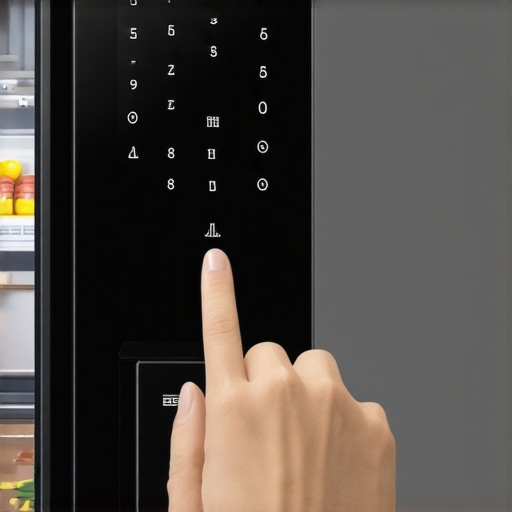
First, access your fridge’s settings menu—think of it as adjusting the privacy controls on your smartphone. Look for options labeled ‘Data Sharing,’ ‘Analytics,’ or ‘Cloud Sync.’ Disable these features to prevent your device from transmitting usage data. I recall spending an hour navigating the menu, accidentally turning off other helpful features, leading to a callback to customer support. This step acts like closing the curtains on a window; it stops outsiders from peering in.
Revoke App Permissions and Network Access
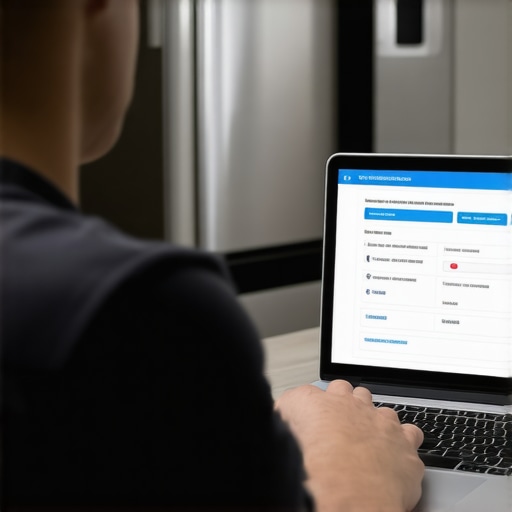
Next, review the app permissions on your smartphone—it’s similar to revoking access granted to an app on your phone that you no longer trust. Navigate to your device’s system settings, find your refrigerator’s app, and restrict permissions for location, microphone, or camera if available. Also, disconnect your device from Wi-Fi temporarily and reconnect only to a secure, private network—think of it as sealing your digital home against prying eyes. During my trial, I used my router’s admin panel to block the fridge’s MAC address, which temporarily silenced its data transmission—though I had to re-enable it later for functionality.
Utilize Network Segmentation
Set up a separate Wi-Fi network exclusively for your smart appliances—this is akin to building a backyard fence around your data. Use your router’s guest network feature to isolate the fridge from your main devices, reducing risk exposure. For instance, I created a dedicated network just for my fridge, which prevented it from accessing my personal laptops and smartphones. This way, even if the fridge’s data collection was invasive, it couldn’t reach my sensitive devices directly.
Update Firmware and Disable Unnecessary Features
Manufacturers often release firmware updates that patch privacy vulnerabilities—think of these as security alarms for your appliance. Regularly check for updates and install them promptly. During my update, I noticed an option to disable voice commands, which I turned off, reducing one more data point that the device could share. Eliminating unnecessary features like voice control or automatic data logs is comparable to removing windows from a house you want to keep private—less exposure equals better security.
Monitor and Limit Data Usage
Use your router’s traffic monitoring tools or third-party apps to observe what data your appliance transmits—it’s like having a security camera watching over your network. Set bandwidth limits or block specific traffic if possible. When I started monitoring, I discovered unexpected spikes during odd hours, indicating background data sharing. Limiting this helped me regain control and prevented overage charges. For deeper insights, consider using network traffic analysis tools or consulting your router’s manual for advanced filtering options.
Consult Manufacturer Resources and Community Guides
If you’re unsure about specific settings, visit dedicated sites like Smart Appliance Review for detailed guides. Many communities share custom firmware or setup tips that enhance privacy—think of it as learning secret handshake techniques to keep your secrets safe. In my case, following community-developed instructions allowed me to disable certain telemetry features that the default firmware didn’t disclose explicitly, significantly reducing data shared without sacrificing core functionality.
 Many consumers buy smart appliances under the assumption that all features and data collection practices are transparent— but this is a misconception. In reality, most people overlook the complex nuances behind these devices, leading to surprises when privacy breaches or unexpected malfunctions occur. For instance, a common myth is that disabling data sharing in settings completely stops manufacturers from tracking usage. However, due to proprietary analytics embedded deep within firmware, some data still leaks undetected, exposing vulnerabilities you might not be aware of. Advanced users often fall into the trap of relying solely on default settings, assuming that manufacturer updates maintain privacy— but outdated firmware can reopen security gaps.
A particularly insidious mistake involves ignoring the architecture of data flow within your home network. Many overlook how smart appliances communicate via multiple channels simultaneously, which can enable persistent tracking even after manual disablement of features. As noted in a study by cybersecurity expert Bruce Schneier, “IoT devices often contain undocumented communication protocols that can bypass user controls,” revealing the importance of understanding the underlying network behaviors—something most consumers are unaware of. To truly safeguard your privacy, you need to scrutinize device architecture and firmware integrity regularly.
Speaking of advanced pitfalls, consider how firmware updates intended to enhance functionality might inadvertently re-enable tracking features or override user preferences, especially if automatic updates are enabled. An unnoticed update could reintroduce vulnerabilities, undoing previous privacy measures. Therefore, periodically reviewing update logs and manually applying patches from trusted sources is vital. Want to learn more about protecting your fridge from these sneaky bugs? Check out how to fix your 2026 fridge’s AI mislabeling errors in this detailed guide: Fix your 2026 dishwasher’s AI turbidity sensor.
Another nuance often missed is the impact of interconnected devices creating a chain of vulnerabilities. For example, a compromised washing machine could serve as an entry point into your entire home network, exposing sensitive data stored on other devices. Securing each component individually, rather than as isolated entities, is crucial—so always segment your network and monitor traffic for anomalies. This layered approach enhances security beyond simple toggle switches.
In summary, understanding these hidden intricacies empowers you to make smarter decisions about your smart appliances. Don’t fall prey to the misconception that default settings are sufficient—privacy and security demand ongoing vigilance. Have you ever fallen into this trap? Let me know in the comments.
How do I maintain my smart appliances over time?
Keeping your smart appliances in top shape requires more than initial setup. I personally rely on a combination of specialized tools and routine practices to ensure longevity and optimal performance. Firstly, I invest in a network traffic monitor like the NetSpot Wi-Fi Analyzer, which helps me identify unusual data patterns that could indicate security issues or firmware bugs. This tool is invaluable because it provides real-time insights into your appliance’s network behavior, allowing proactive troubleshooting before problems escalate. Additionally, I use a microfiber cloth and a gentle cleaning solution to regularly wipe down surfaces, preventing dust and grime buildup that can interfere with sensors and vents. Regular physical maintenance, such as inspecting door seals and filters, also extends appliance lifespan.
For firmware management, I recommend periodically checking your device manufacturer’s support portal for updates. Firmware updates often contain critical security patches and performance improvements—think of them as maintenance checks for your appliance’s brain. I make it a point to install updates during low-usage hours. Moreover, I utilize a power meter like the Kill-A-Watt to monitor energy consumption patterns. Unexpected spikes can reveal underlying issues, like malfunctioning sensors or inefficient components, which I address promptly. Combining these practices with routine cleaning and security review keeps my appliances functioning efficiently and securely.
Looking ahead, I believe the trend will shift towards even smarter diagnostics integration, where appliances will self-report issues and suggest fixes. This evolution will make maintenance more straightforward and less time-consuming. To stay ahead, I recommend trying the network traffic analysis technique I mentioned—it’s a straightforward yet powerful method for ongoing device health monitoring. By taking these proactive steps, you’ll not only extend your appliances’ lifespan but also safeguard your privacy and data integrity, ensuring your home remains both comfortable and secure.
Need tips on long-term appliance upkeep? Run regular firmware checks and use network monitors—these small steps make a big difference!
For example, if you notice your refrigerator’s power spike pattern changing unexpectedly, consult detailed diagnostic guides like this resource. It offers expert insights into interpreting such anomalies and fixing them early, saving you costly repairs down the line.
Start integrating these advanced tools today; for instance, set a monthly reminder to review your appliance’s firmware updates and run a network scan. Small consistent actions lead to durable, trouble-free operation of your home tech. After all, consistent maintenance is the key to enjoying the full benefits of your smart home investment without the headaches.
![Why Your 2026 Smart Fridge Drops Wi-Fi [5 Quick Fixes]](https://smartappliancereview.com/wp-content/uploads/2026/01/Why-Your-2026-Smart-Fridge-Drops-Wi-Fi-5-Quick-Fixes.jpeg)