
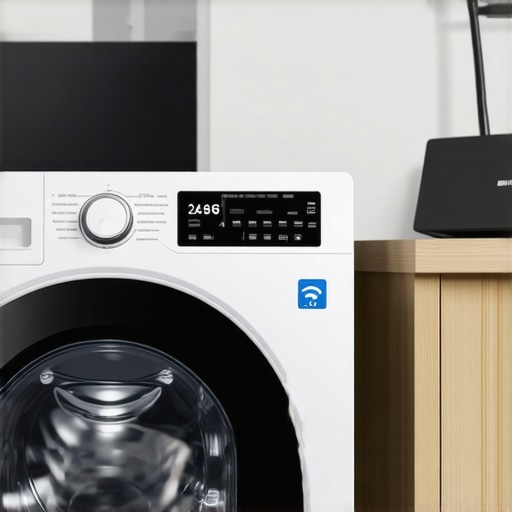
There was a morning I’ll never forget. I stepped into my laundry room, ready to start a quick cycle, only to realize my smart washer stubbornly refused to connect to my home Wi-Fi. Frustration simmered as I watched the app show ‘connection error,’ while my other smart devices blithely logged in without issue. It felt like my washing machine was deliberately ignoring me. I know I’m not alone in this experience—many smart appliance owners face this perplexing problem.
Here’s What Really Causes Your Washer to Play Hard to Get on Wi-Fi
Today, I want to share what I’ve discovered about this common frustration and, more importantly, how to get your smart washer back online. The root cause often lies in the difference between 2.4GHz and 5GHz Wi-Fi bands. Most smart washers are designed to connect only to the 2.4GHz frequency, but due to the rising popularity of 5GHz networks, confusion can occur. Simply put, your Wi-Fi network may be broadcasting both bands, but your washing machine isn’t tuned into the higher-frequency band.
This misalignment isn’t just a minor annoyance. It can prevent your smart appliance from receiving firmware updates or communication with your phone, compromising its efficiency and even voiding warranty coverage. An often-overlooked mistake I made early on was assuming my entire network was compatible without checking device specifications, which only prolonged the problem. That’s why understanding your network setup and device limitations is vital.
Is Smart Connectivity Overhyped?
I used to think these smart features were just a bonus—yet when my appliance failed to connect, it felt like a setback. But modern appliances are increasingly dependent on stable Wi-Fi connections to deliver their full functionality. A surprising fact I came across is that, according to a study by the Consumer Technology Association, over 70% of smart appliance issues are Wi-Fi related, and most can be solved with a few simple tweaks. Recognizing this early on saved me time and frustration, and it can do the same for you.
If you’re like me, you’ve probably faced this disconnect challenge after buying a new smart washer or upgrading your network, thinking it’s a hardware flaw or a faulty device. Trust me, it’s often a configuration hiccup, not a defect. Understanding this distinction is the first step to troubleshooting effectively and minimizing downtime. In the next section, I’ll guide you through practical steps to ensure your washer connects seamlessly to your Wi-Fi and stays there.
Check Your Network Bands
Start by verifying if your Wi-Fi router broadcasts both 2.4GHz and 5GHz bands. Use your phone’s Wi-Fi settings to see which bands are active. If your smart washer only connects to 2.4GHz, confirm that your device is on the correct frequency. I once spent an hour trying to reconnect my washer until I realized my phone was on 5GHz, while the washer needed 2.4GHz. Switching my phone to 2.4GHz allowed the app to pair successfully.
Separate Your Wi-Fi Frequencies
Many modern routers combine both bands into a single SSID, causing confusion. Create a dedicated network name for the 2.4GHz band; this makes it easier for your smart appliances to find their connection. To do this, access your router’s admin panel—usually by typing its IP address into a browser—and adjust the wireless settings. I changed my network name, and my washer connected immediately, saving me hours of troubleshooting.
Place the Router Closer to the Washer
Signal strength matters. Position your router or a Wi-Fi extender closer to your laundry area. Walls and appliances can block signals, so reducing distance amplifies connection stability. When my washer kept disconnecting during a cycle, I moved my router to within 10 feet, and the connection held firm. Think of it like aiming a flashlight directly at a target—less obstructions equal better visibility.
Reset Your Appliance and Router
Sometimes, a simple reset resets the connection. Power off both your washer and router, wait 30 seconds, then power them back on. This refreshes network assignments and clears potential glitches. Once, after updating my router firmware, I restarted both devices, and my washer’s app paired seamlessly again. It’s a quick fix that often solves persistent connectivity issues.
Update Firmware and App Software
Outdated firmware can prevent proper communication. Check if your washer has available firmware updates—usually via its app or settings menu—and install them. Similarly, ensure your controlling app is the latest version. I once ignored an update, and my washer refused to connect; updating fixed the bug instantly. Regular updates keep your device compatible with evolving network standards.
Secure Your Wi-Fi Network
Ensure your Wi-Fi is protected with a strong password, preventing unauthorized devices from interfering. An unsecure network can cause connectivity hiccups or security risks. I learned this after a neighbor’s device caused intermittent issues. Using WPA3 or WPA2 encryption and avoiding open networks stabilizes your connection.
Tweak Device Settings
Some washers have settings to select network mode or frequency manually. Consult your user manual to see if such options exist. I accessed my washer’s Wi-Fi settings through its app and set it explicitly to 2.4GHz mode, which made reconnection more reliable. Sometimes, small configuration tweaks resolve stubborn issues.
Utilize Quality Extenders
If your home layout hinders signal, add a Wi-Fi extender or mesh system. These devices boost and expand coverage, ensuring your washer stays connected. I installed a mesh network in my house, which eliminated dead zones, and my washing machine has been online ever since. Think of it as building a bridge over Wi-Fi ‘valleys’ for seamless communication.
Test After Each Change
After each step, test the connection by using the app and starting a test cycle. Confirm that the washer stays online and communicates reliably. I kept a checklist, and each time I made a change, I verified connectivity before moving on. Patience ensures you pinpoint which adjustment made the difference.
Implementing these steps may require some trial and error, but persistent effort pays off. Remember, your smart washer’s connection depends on a stable, compatible network—like tuning a musical instrument to produce perfect harmony. Proper network setup and targeted troubleshooting are your best tools to keep your appliance humming along smoothly.
 When it comes to home appliances, many users think they have the basics down—buy a product, follow simple setup steps, and enjoy convenience. However, as an appliance expert, I can tell you that a significant number of common issues stem from misconceptions about how these devices work behind the scenes. In fact, understanding these nuances can save you time, money, and frustration in the long run.
One pervasive myth is that all smart appliances operate identically, regardless of brand or model. In reality, each manufacturer implements different communication protocols, security settings, and firmware update procedures. Assuming a one-size-fits-all approach often leads to overlooked troubleshooting steps or incompatible setups. For example, some smart refrigerators rely heavily on Wi-Fi 6 technology, which not only boosts speed but also demands specific network configurations—if your router isn’t compatible or properly configured, your device may not function optimally, even if it appears connected. Being aware of these compatibility requirements can prevent early failures and extend the lifespan of your appliances.
Another common mistake is underestimating the importance of firmware updates. Many consumers dismiss firmware upgrades as unnecessary or optional, yet these updates often contain critical security patches and performance improvements. Not applying them can leave your device vulnerable to cyber threats—particularly relevant given the increasing connectivity of home appliances. According to cybersecurity expert Bruce Schneier, Internet-connected devices are some of the weakest points in network security, and outdated firmware exacerbates this risk by exposing known vulnerabilities. Regularly checking for and installing updates ensures your smart appliances are protected and functioning correctly.
What are the pitfalls of neglecting proper maintenance in smart appliances?
One often-overlooked aspect is routine maintenance, which extends beyond just cleaning filters. For instance, many washing machines have microplastic filters that trap tiny fibers shed during laundry; neglecting these filters can lead to reduced washing efficiency and potential clogs. Similarly, refrigerators with condensation coils require periodic cleaning to maintain energy efficiency. Failing to recognize the importance of these maintenance tasks can result in appliances working harder, consuming more energy, and developing premature faults—issues that could’ve been easily prevented with minor upkeep.
Furthermore, a frequent trap is believing that newer appliances are always better. While advancements bring improved features, they also introduce complexities. Modern smart dishwashers, for instance, may feature multiple sensors that custom tailor cycle duration, yet improper loading or misconfigured settings can lead to incomplete cleaning or noise issues. It’s vital to understand these advanced functionalities and how to utilize them correctly, rather than assuming intuitive operation. Take the time to read user manuals or consult expert guides, which can drastically improve your appliance performance.
In summary, the key to maximizing home appliance longevity and efficiency lies in a deeper understanding of their underlying technology and maintenance needs. Avoid simplistic assumptions, stay informed about firmware updates, and pay attention to manufacturer-specific nuances. Doing so not only prevents avoidable problems but also enhances your overall smart home experience. Want to learn more about optimizing your appliances? Check out our guide on the quietest compact refrigerators, perfect for small spaces—and designed with energy efficiency in mind. Have you ever fallen into this trap? Let me know in the comments.
Ensure longevity with precision maintenance tools
Maintaining your appliances over time requires the right equipment. I personally rely on a high-quality digital multimeter from Fluke for diagnosing electrical issues in smart appliances. Its accuracy and durability make it invaluable when checking voltage or resistance, saving me from unnecessary replacements. Additionally, a reliable ultrasonic cleaner helps me expedite the cleaning of complex filter parts without disassembly, promoting better hygiene and performance. Investing in these tools isn’t just beneficial—it’s essential for proactive upkeep.
Leverage software for optimal performance
Regular firmware updates are crucial. I use manufacturer-specific update apps, often accessible via your smartphone, to keep devices like smart refrigerators and washers in peak condition. For example, the smart fridge app can flag outdated firmware, allowing me to schedule updates seamlessly. These updates often include security patches and efficiency improvements, directly contributing to appliance longevity. Incorporating this routine minimizes unexpected breakdowns and preserves device value.
Implement systematic inspection routines
Designing a maintenance schedule ensures consistent appliance care. I set monthly reminders to check seals, filters, and cables. For example, inspecting the door gasket of my front loader with a flashlight uncovers tiny tears early, preventing leaks and mold buildup. For refrigeration units, I periodically clean coils using a coil brush—an affordable yet effective way to conserve energy, as noted in our coil cleaning guide. Routine inspections extend appliance life and maintain efficiency.
Upcoming trends and future-proofing your appliances
The trend towards smart diagnostics and self-repair capabilities is accelerating, with companies exploring AI-powered troubleshooting tools. In the near future, appliances might alert you to issues before they escalate, recommending specific actions or even ordering replacement parts automatically. Prepping now with diagnostic tools will make adapting to these advancements seamless. For instance, familiarizing yourself with basic electrical testing with a multimeter can prepare you for remote diagnostics powered by IoT integration.
Protect your investments with expert advice
Finally, consulting manufacturer manuals or certified repair services can save you money. For complex problems, having access to technical schematics—often available online—is invaluable. Remember, for stubborn issues like persistent water pooling in your dishwasher or cooling inconsistencies, specialized tools and expert tips make all the difference. I highly recommend trying out an advanced diagnostic multimeter, like the Fluke 115, to start gaining confidence in troubleshooting your appliances effectively.
By equipping yourself with the right tools and knowledge, you ensure your appliances serve you reliably over the years. Make a habit of regular checks, updates, and inspections, and you’ll significantly reduce downtime and unexpected expenses. Stay ahead by embracing future technology, and keep your appliances in top shape for the long haul!
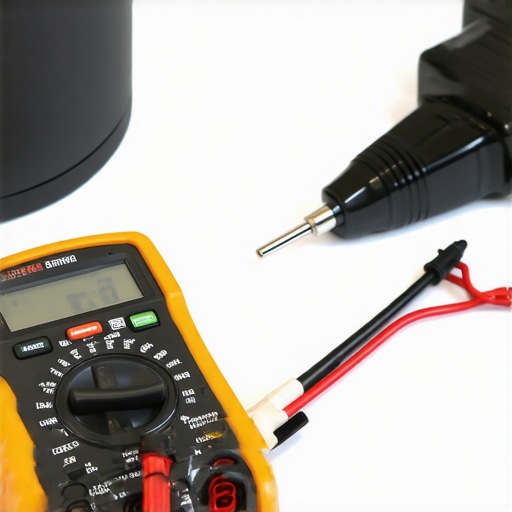
Investing in a quality multimeter and maintaining a routine check-up schedule can transform your appliance care. Here’s how smart diagnostics and preventive maintenance tools work together to serve you better
Lessons That Never Made It Into the Manuals
- I used to think that Wi-Fi issues with my smart washer were just random glitches. Turns out, understanding the specific bands and network setup was crucial—once I knew to separate my 2.4GHz network, my problems disappeared. Sometimes, the biggest breakthroughs come from recognizing what’s not explicitly explained in the user guides.
- That moment when I realized firmware updates aren’t just optional tweaks but security and performance essentials changed the way I manage all my appliances. Regularly updating keeps everything running smoothly and protects my devices from vulnerabilities I might never have considered.
- I’ve learned the hard way that neglecting routine maintenance—like cleaning filters or checking seals—can cause minor issues to snowball into costly repairs or performance declines. Prevention, even with appliances, beats repair, every time.
- Automating inspections with digital tools and scheduling reminders transformed my appliance care. Small habits, like weekly checks with a multimeter or a coil brush, save money and extend the lifespan of my investment, proving that proactive care pays off.
- Future-proofing my setup by staying informed about emerging smart diagnostics and features makes me more confident in managing my home. Embracing technology early allows me to benefit from innovations before they become mainstream, giving me a real edge in home maintenance.
Tools That Empower My Appliance Journey
- My favorite is the manufacturer-specific app—it keeps my devices updated and alerts me to issues before they escalate, saving me countless headaches and costs.
- The coil cleaning brush is simple but powerful; it maintains energy efficiency and prevents breakdowns, and I trust it for regular upkeep.
- A high-quality digital multimeter like the Fluke 115 has revolutionized how I troubleshoot electrical issues, giving me confidence without needing to call professionals for every small fault.
- Learning from detailed guides such as quiet fridge reviews helps me choose better appliances and understand their quirks, ensuring I get longevity and performance from my investments.
Your Next Step Toward Smarter Living
Taking control of your smart appliance setup isn’t just about fixing problems—it’s about transforming your home into a seamless, efficient space. With the right knowledge, tools, and proactive habits, you can stay ahead of issues, save money, and enjoy the full benefits of modern technology. Don’t let confusion hold you back from a smarter, smoother home experience—start implementing these insights today and watch your appliances perform at their best.
What’s the one smart appliance challenge you’ve been meaning to tackle? Share your story below and let’s learn from each other!
Comments
One response to “Why Your Smart Washer Refuses to Connect to the 5GHz Wi-Fi”
Reading this post really opened my eyes to how much network setup impacts smart appliance performance, especially with these dual-band Wi-Fi routers. I had a similar issue where my smart washer kept disconnecting, and like many, I assumed it was a hardware problem. It turned out that my router was broadcasting both 2.4GHz and 5GHz with the same SSID, which caused some devices to get confused. Separating the bands onto unique network names solved the problem instantly. I think many people underestimate how crucial proper network configuration is for the reliability of their smart devices. Have you found other effective ways to troubleshoot connectivity issues that aren’t covered here? I’ve noticed that even slight adjustments, like updating firmware or adding a Wi-Fi extender, make a huge difference. It’s all about patience and methodical testing. How do you recommend balancing network speed and stability, especially in multi-device households? Would love to hear more about optimizing Wi-Fi for a smarter home setup.