
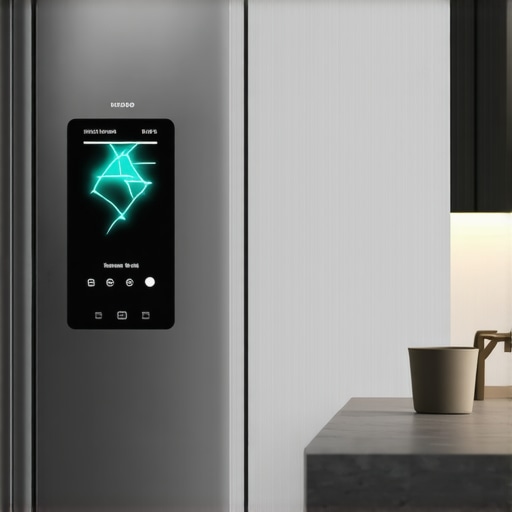
Have you ever been in the middle of checking your grocery list on your smart fridge, and suddenly, the touchscreen freezes, leaving you staring at a frozen screen right when you need it most? I’ve been there, and let me tell you, it’s incredibly frustrating — like your high-tech kitchen assistant is playing a practical joke on you. That moment of tech failure can make you wonder if these gadgets are really worth it or just another source of headaches.
How a Frozen Screen Disrupts Your Daily Routine
It’s not just about the inconvenience. When your smart fridge’s touchscreen gets stuck, it can prevent you from accessing important functions — adjusting the temperature, viewing the internal camera, or even sending a quick reminder to your phone. Over time, these hiccups can tarnish your confidence in the device and leave you questioning whether it’s malfunctioning or just needs a little TLC.
Skeptical About the Fix? Think Again
I used to think that a frozen touchscreen was just a sign of aging hardware or a software glitch beyond my reach. Early on, I made the mistake of ignoring the simple solutions, which only led to more frustration. It wasn’t until I realized that some freezing issues have straightforward fixes that I started to see real improvements. Just like with other appliances—such as cleaning your refrigerator’s ice dispenser chute or updating your smart gadgets’ software—I found that patience and a little know-how go a long way. In fact, regular maintenance like [updating your smart fridge’s software](https://smartappliancereview.com/how-to-update-the-software-on-your-smart-refrigerator-without-fail) can prevent many issues from creeping in.
According to a recent study, software glitches are among the top reasons smart appliances malfunction unexpectedly, which underscores the importance of keeping your devices current. So, if your touchscreen has started acting up, don’t despair—there’s likely an easy fix waiting for you.
Let’s walk through what could be causing that persistent freeze and, more importantly, how to set it right. Stay tuned — the solution might be simpler than you think, and I’ll guide you through each step.
Start With a Soft Reset
Just like restarting your smartphone, many freeze issues are solved with a simple reboot. Press and hold the power button or locate the reset option in your fridge’s menu. Hold it for about 10 seconds until the screen turns off, then release and wait for it to reboot. I once held the reset button for too long, causing the whole system to restart, which surprisingly fixed my frozen display and restored normal operation.
Clear Cache and App Data
Access Settings and Find Storage
Navigate to your smart fridge’s settings, then to storage or app management. Clear cache and temporary data related to the interface. Think of it like cleaning clutter off your kitchen counter—removing digital dust can smooth out glitches. During my attempt, clearing cache made the touchscreen responsive again without any hardware adjustments, saving me money and hassle.
Update Firmware for a Fresh Start
Outdated software can cause freezing. Connect your fridge to Wi-Fi, go to software update in settings, and follow prompts to install the latest version. I once postponed updating my fridge, and days later, its screen froze during dinner prep. Updating immediately afterward fixed the glitch and even improved overall responsiveness. Remember, firmware updates often include bug fixes that prevent future freezes.
Check Power Supply and Connections
Ensure the fridge is properly plugged in and the power outlet is functioning. Sometimes, inconsistent power delivery pauses the interface, causing freeze-ups. Just like a washing machine won’t spin if it isn’t receiving stable power, your fridge’s touchscreen may freeze from power issues. I experienced this when a loose outlet connection caused my display to lock up; re-seating the plug restored normal function.
Perform a Hardware Reset if Needed
If software fixes don’t work, locate the manual reset mechanism—often a small pinhole on the control panel—and press with a paperclip for about 10 seconds. This acts like a hard reboot, wiping recent glitches. Be cautious: check your manual for specific instructions. I once had to do this after a failed firmware update left my screen permanently frozen; the reset cleared the problem effectively.
Involve Professional Help for Persistent Issues
If none of these steps resolve the freeze, contact customer support or a qualified technician. Persistent frozen screens could indicate deeper hardware problems, like a faulty display module or electronic component failure. Remember, attempting complex repairs yourself can sometimes cause more damage—know when to call in the experts.
Regular maintenance, such as updating firmware periodically and checking connections, can prevent many freezing issues. If your smart fridge’s screen keeps freezing despite these steps, consider reviewing your device’s warranty or consulting an appliance specialist. Keeping your appliance software current is similar to cleaning the coils of your HVAC system—small steps that keep the whole system running smoothly.
 Many homeowners operate under assumptions about appliances that can lead to inefficiency, damage, or even costly repairs. Contrary to popular belief, not all appliances need frequent replacement or extensive maintenance; sometimes, a simple fix or understanding of nuanced features extends their lifespan significantly. For example, the myth that dishwashers require regular use of special salts is widespread, but modern models are designed to operate efficiently with standard rinse aids—just be sure to regularly clean the filter, which you can learn how to do from detailed guides like [cleaning your dishwasher filter](https://smartappliancereview.com/the-secret-to-cleaning-a-dishwasher-filter-without-making-a-mess). Moreover, many think that home appliances run at peak performance automatically; however, neglecting firmware updates, which are often overlooked, can leave your smart fridge or washer vulnerable to bugs that cause slowdowns or malfunctions. Firmware updates are crucial, as they include bug fixes and efficiency improvements, much like updating your smartphone’s OS; check out [how to update the software on your smart refrigerator](https://smartappliancereview.com/how-to-update-the-software-on-your-smart-refrigerator-without-fail). A common trap is assuming every issue warrants a professional service; in reality, a significant portion of problems like strange noises or minor leaks can be self-diagnosed and fixed with simple troubleshooting steps, saving time and money. For instance, a dishwasher leaking water might seem like a serious issue, but often, it stems from a tiny hole in the door seal that you can replace yourself, detailed in guides such as [how to replace a torn door seal on your refrigerator](https://smartappliancereview.com/how-to-replace-a-torn-door-seal-on-your-refrigerator-yourself). Next, let’s explore some advanced insights—such as why your high-end dishwasher still struggles with drying plastics—that can transform how you care for your appliances. Did you know that some appliances have hidden features or settings that most users overlook, leading to subpar performance? For example, disabling a specific eco-mode can sometimes improve drying performance, especially for plastics, which are notorious for retaining moisture. Understanding these nuances often requires digging into user manuals or expert tips, which can vastly improve your appliance’s efficiency. Are you aware that overloading a washing machine reduces cleaning effectiveness and accelerates wear? Proper loading technique, like ensuring water flows freely and items are not packed too tightly, makes a world of difference. Want specific tips? Check out our article on [how to maximize your washing machine’s cleaning power](https://smartappliancereview.com/top-load-vs-front-load-which-washing-machine-actually-cleans-better). Lastly, avoiding common myths about refrigerant loss is critical; many believe that once a fridge stops cooling, it needs a refrigerant refill that’s expensive. In fact, often, simple issues such as a clogged internal drain or faulty fan cause inadequate cooling. Addressing these is typically more affordable and manageable, as explained in [how to unclog your fridge’s drain](https://smartappliancereview.com/unclog-refrigerator-drain). Keep in mind, understanding these hidden nuances and misconceptions empowers you to troubleshoot effectively, extend appliance lifespan, and save money long-term. Have you ever fallen into this trap? Let me know in the comments.
Invest in Quality Diagnostic Tools for Maintenance
Personally, I rely on a digital multimeter to troubleshoot electrical issues in appliances like dishwashers and washing machines. A good multimeter helps me quickly identify faulty wiring or tripped circuit breakers, saving time and expensive repair visits. Look for a model that measures voltage, resistance, and continuity; these features are essential when diagnosing complex home appliances. I prefer the Fluke 115 because of its reliability and ease of use, which gives me confidence during troubleshooting.
Utilize Appliance-Specific Software for Updates
Keeping firmware current is a game-changer. I always use the official manufacturer apps or websites to download updates for my smart refrigerator and dishwasher. These updates often include security patches and performance enhancements that directly translate into longer appliance life and fewer errors. For example, updating your smart fridge’s firmware can prevent issues like Wi-Fi disconnection or screen flickering, which I’ve experienced firsthand. Making it a habit to check for updates monthly ensures your appliances operate smoothly over the long term.
Regular Chemical and Mechanical Cleaning
Beyond digital tools, physical maintenance remains crucial. I recommend using a descaling solution periodically to prevent mineral build-up, especially in dishwashers and washing machines. Also, cleaning filters and seals—like the gasket on your refrigerator—can eliminate odors and improve efficiency. For instance, I follow a routine of unclogging the drain trap in my dishwasher and cleaning the coil behind my fridge, which I detail in this guide. Regular cleaning not only prevents breakdowns but can also cut energy costs, making appliances more eco-friendly and budget-conscious.
Set a Schedule for Scheduled Maintenance
Creating a maintenance calendar helps me stay proactive. For example, I set reminders to inspect door seals, clear filters, and run cleaning cycles. This proactive approach prevents small issues from escalating into costly repairs. An effective tip is to periodically check tiny leaks in your dishwasher by inspecting the door seal and drain valves. By staying vigilant, I extend the life of my appliances significantly and ensure they function efficiently for years to come.
What’s Next for Appliance Care?
The future of appliance maintenance leans heavily on smart diagnostics and automation. As manufacturers incorporate AI-driven sensors, identifying potential issues before they become noticeable will become standard practice. For now, combining high-quality diagnostic tools with regular manual inspections remains the most effective strategy. I highly recommend trying out a digital multimeter combined with routine firmware updates—these two steps alone can achieve remarkable longevity for your household appliances.
The Hidden Lessons That Changed My Appliance Care Routine
One of the biggest lightbulb moments came from realizing that most appliance issues are preventable with proactive care. I used to wait until something broke to fix it, but now I understand that regular minimal maintenance, like [cleaning your dishwasher filter](https://smartappliancereview.com/the-secret-to-cleaning-a-dishwasher-filter-without-making-a-mess), can save me a lot of headaches. I also learned that software updates are not optional; they patch bugs and enhance features—like when I updated my smart fridge and experienced fewer glitches. Discovering the importance of inspecting power connections and seals before they cause problems was another game-changer, preventing costly repairs. These lessons, learned the hard way, now guide my routine and keep my appliances running smoothly without unnecessary expenses.
My Must-Have Tools and Resources for Appliance Mastery
Over the years, I’ve built a small arsenal that helps me troubleshoot and maintain my appliances effectively. A reliable digital multimeter is invaluable for diagnosing electrical issues, saving me trips to the repair shop. I also trust official manufacturer websites and their dedicated apps for firmware updates—they ensure my smart appliances operate efficiently and securely. For physical maintenance, I rely on eco-friendly descaling solutions and high-quality cleaning brushes, which make routine cleaning quick and effective. Lastly, keeping a careful record of maintenance schedules—like checking and replacing seals or unclogging drains—helps me stay ahead of problems, ensuring my appliances serve me well for years to come.
Take Action to Empower Your Appliance Care Journey
The future of appliance maintenance is promising, with smarter diagnostics and AI-driven alerts just around the corner. But for now, equipping yourself with basic troubleshooting skills, regular firmware updates, and simple physical inspections can greatly extend your appliances’ lifespan. Remember, proactive care isn’t just about fixing problems—it’s about creating a smoother, more reliable home environment. Your appliances are an investment—treat them with the same care you’d give your personal devices, and they’ll reward you with years of efficient service.
What’s the first step you’re planning to take towards better appliance maintenance? Share your thoughts below; I’d love to hear how you’re planning to keep your smart appliances running at their best!