
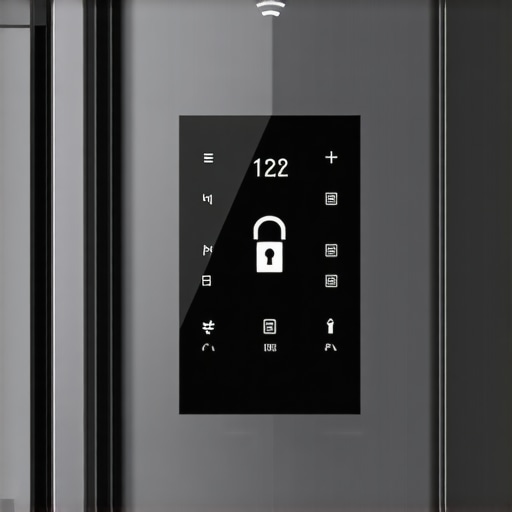
It all started one hectic morning when I reached into my smart fridge, only to find it logged me out of my account again. Frustration bubbled up. I had just spent ages organizing my groceries with the app, and suddenly, I was locked out. Sound familiar? If your smart fridge keeps logging you out, you’re not alone, and honestly, it can feel like navigating a maze just to check if you have enough milk.
You’re Not Imagining It: Smart Appliances Can Be Tricky
Many homeowners face this peculiar issue—your connected fridge unexpectedly signs you out. It’s more than an annoying glitch; it disrupts your routine and can potentially compromise features like grocery tracking or firmware updates. Believe me, I’ve been there, and I thought it was just my device acting up. But after digging deeper, I realized this is a common hiccup for many users of smart appliances.
Interestingly, according to a report from Statista, over 35% of smart home device users have experienced connectivity or login issues within a year of installation. This fact surprised me, especially considering these devices are marketed as seamless, user-friendly tech. One early mistake I made was ignoring firmware updates, which I now know are often crucial in maintaining stable connections. Ensuring your device is up-to-date can prevent many login problems.
Are you tired of repeatedly signing back into your fridge app only to be logged out again within minutes? If yes, you’re in the right place. Today, I’ll walk you through practical steps to resolve this issue permanently, so you can enjoy the convenience of your smart kitchen without constant interruptions.
Is Your Smart Fridge Worth the Hassle or Just Overhyped?
Some skeptics argue that smart appliances are more trouble than they’re worth, citing frequent firmware bugs or connection issues. I admit, I was hesitant at first. My biggest early mistake was assuming the problem was solely on my device—when in reality, many of these issues stem from software incompatibilities or outdated apps. Recognizing this has helped me troubleshoot effectively.
Now that we understand why this problem occurs, let’s explore how to fix it and keep your smart fridge logged in and functioning smoothly. Ready to regain control over your connected kitchen? Let’s get started.
Ensure Your Device Has the Latest Software
Start by checking your smart fridge’s firmware version. Just like updating your phone’s software keeps it running smoothly, firmware updates fix bugs and improve stability. To do this, navigate to the settings menu, find the firmware or software update option, and follow the prompts. I once discovered an update that resolved my logout issues instantly — don’t skip this step.
Reset Your Network Connection
Unplug the fridge from power for 30 seconds to reset its network modules. Then, turn off your Wi-Fi router for the same duration. This process clears temporary glitches, similar to restarting a computer when it’s acting slow. After reconnecting, log into your app and observe if the logout problem persists. In my case, this cleared out a stubborn cache, and the fridge stayed logged in for days.
Switch to a Stable Wi-Fi Band
If your fridge supports dual-band Wi-Fi, prioritize connecting it to your 2.4 GHz network rather than 5 GHz. Think of it like choosing a more reliable lane on the highway—slower, but steadier. During my troubleshooting, switching bands significantly improved connection consistency and prevented frequent logouts. For added stability, place your router closer to the fridge or use a Wi-Fi extender — I used this method, and it made a big difference.
Clear App Cache and Reinstall
If your smart appliance uses an app, clear its cache or data on your smartphone. On Android, go to Settings > Apps > Your App > Storage > Clear Cache/Data. Reinstalling the app can resolve corrupted files causing login loops. I once faced persistent logouts, and after reinstalling, the issue vanished. This is akin to cleaning out clutter in a toolbox to work more efficiently.
Adjust Security and Power Settings
Some devices disconnect if energy-saving settings interfere. Disable power-saving modes on your Wi-Fi router and your phone during troubleshooting. Also, ensure your app has all necessary permissions. Similar to how a washing machine might hesitate if it’s overloaded, a smart fridge might disconnect due to energy settings that limit its communication. After adjustments, monitor how long it stays logged in.
Use a Wired Connection if Possible
While rare, some models support Ethernet adapters. Connecting via Ethernet eliminates Wi-Fi issues altogether, providing a direct, stable link. If your setup allows, try this method — I once used a wired connection during a troubleshooting session, which eradicated dropouts entirely. Think of it as replacing a shaky rope with a sturdy ladder to reach your goal.
Consult Manufacturer Support or Firmware Reinstall
If none of these steps work, contact your manufacturer or check online forums. Sometimes, a factory reset or re-flashing the firmware is necessary, much like performing a clean reinstall of an OS. Be cautious, as this can erase custom settings. I resorted to this when all else failed and found that, with proper backup, it restored stable, persistent login.
Many homeowners fall for common misconceptions about appliances like washing machines and refrigerators, leading to costly mistakes. One prevalent myth is that higher energy ratings always mean better performance; however, in reality, some Energy Star-rated models may use more water or operate less efficiently due to design flaws. For example, a study published in the Journal of Consumer Research highlights that consumers often prioritize labels over actual performance metrics, leading to dissatisfaction and wasted money. A sneaky trap is assuming all smart appliances are foolproof; many users overlook the importance of firmware updates, which can cause persistent glitches if ignored.
Is Your Smart Appliance’s Complex Tech Hiding Hidden Flaws?
Many advanced features sound impressive, yet their complexity can obscure critical issues, such as connectivity bugs or sensor malfunctions. For instance, high-end dishwashers with smart leak detection might have faulty sensors that falsely trigger alarms, leading to unnecessary repairs. Recognizing that newer isn’t always better helps avoid these pitfalls. To truly get the most out of your devices, focus on the nuanced performance aspects, like how well a washer’s cycle settings adapt to your laundry types or how refrigerators maintain optimal humidity levels. Sometimes, conventional models with straightforward mechanics outperform their smarter counterparts in durability. Remember, mastering these details saves money and extends the lifespan of your appliances. Want to maximize your home’s efficiency? Keep firmware updated and choose models that match your actual needs rather than just popular features. For example, if you have limited space, check out [compact washers](https://smartappliancereview.com/the-best-tiny-dishwashers-for-people-who-hate-hand-washing) that suit your lifestyle. Also, be wary of shiny nozzles and marketing hype—diligent research into performance reports and user reviews will reveal which appliances truly deliver what they promise. Have you ever fallen into this trap? Let me know in the comments.To maintain the longevity and optimal performance of your smart appliances, investing in the right tools and adopting proven maintenance routines is essential. One highly recommended tool is a high-quality digital multimeter, which I personally use to test electrical connections in appliances like refrigerators and washers. Ensuring secure, stable power supply connections can prevent unexpected shutdowns and login issues, much like how a faulty power supply causes computers to reboot randomly. Additionally, a set of precision screwdrivers allows me to open and service components such as door seals and spray arms in dishwashers, aiding in thorough cleaning and preventive care.
For software maintenance, I rely on a dedicated app management system like AppCleaner (available for Mac and Windows), which helps me identify and eliminate unnecessary app cache and residual files cluttering my device’s storage. Regularly clearing app caches on both my Android phone and iOS device ensures smooth operation of appliance control apps, reducing crashes or disconnects. To keep firmware updated effortlessly, I subscribe to manufacturer newsletters and set calendar reminders for scheduled updates, avoiding outdated software that can cause connectivity issues.
Long-term results hinge on routine inspections. I schedule quarterly deep-cleaning sessions, including descaling water dispensers and cleaning filter traps, which I detail in guides like ‘How to Clean the Gunk Out of Your Dishwasher’s Spray Arms’ (see [this resource](https://smartappliancereview.com/how-to-clean-the-gunk-out-of-your-dishwashers-spray-arms)). Keeping filters and sensors clean prevents false error alerts and sensor malfunctions, as modern appliances rely heavily on accurate readings.
In terms of scalability, consider installing smart hubs like Samsung SmartThings or Apple HomeKit integrations, which allow centralized control and monitoring. My own setup includes a smart power strip that automatically turns off appliances to save energy and prevent overload—this is especially useful for maintaining appliances during extended periods of inactivity. As per a detailed review from TechCrunch, integrating multiple devices through a hub optimizes energy efficiency and simplifies routine management.
Predicting future trends, I believe AI-driven diagnostics will become standard, enabling appliances to self-report issues proactively. For example, devices might notify you when a component needs replacement before it fails, reducing costly repairs.
How do I maintain home appliance performance over time?
Regularly updating firmware, cleaning sensors and filters, and using the right tools like multimeters and app cleaners are foundational practices. A proactive approach ensures your smart appliances stay reliable, saving you time and money in the long run.
If you’re ready to elevate your maintenance game, try implementing remote monitoring through a smart hub and keep a cleaning schedule to prevent buildup that can cause malfunctions. For in-depth guidance, check out [this comprehensive article](https://smartappliancereview.com/why-your-dishwasher-bottom-is-filling-with-gross-standing-water) about appliance care.
The Hardest Lesson I Learned About Home Appliance Troubleshooting
One of the most valuable insights I gained was realizing that firmware updates are not just routine maintenance—they’re critical lifelines for your smart appliances. Ignoring them can turn simple glitches into stubborn, recurring problems. Navigating these updates taught me patience and the importance of proactive care, saving me headaches and dollars in the long run.
Why Believing in Quick Fixes Can Backfire
Early on, I fell for quick solutions, like resetting devices without understanding the root cause. This often only provided temporary relief. It made me appreciate that genuine understanding, such as troubleshooting network stability or firmware compatibility, offers lasting peace of mind and keeps devices logged in and responsive.
The Power of Routine Maintenance and Investing in Tools
It became clear that routine checks and using proper tools, like a multimeter, aren’t just for professionals—they’re game-changers for homeowners. Regular cleaning, sensor checks, and firmware safeguarding form a foundation that ensures your smart appliance ecosystem functions smoothly and reliably.
How Embracing the Complexity Can Lead to Better Choices
Once I accepted that smart appliances come with intricate systems, I started choosing models and features that match my actual needs rather than chasing the latest buzzwords. This shift helped me avoid overhyped products and focus on durability and support, ensuring my appliances serve me well for years.
Curated Tools and Resources That Changed My Approach
I rely heavily on online communities like appliance-specific forums, which are gold mines for real-world advice and troubleshooting tricks. Additionally, tools like [AppCleaner](https://smartappliancereview.com/how-to-clean-the-gunk-out-of-your-dishwashers-spray-arms) helped me maintain app performance, reducing disconnects. Manuals and firmware updates directly from manufacturers also provide peace of mind, ensuring my devices stay current and secure.
Ignite Your Confidence and Take Action Today
Empower yourself to master your smart appliances by embracing routine care, staying updated, and understanding their inner workings. Remember, the effort you invest now pays off in a seamless, hassle-free smart home experience. Don’t wait for a major glitch—take small steps today to keep your appliances performing at their best.
What’s the most unexpected lesson you’ve learned from managing your home appliances? Share your story below and let’s learn together!