
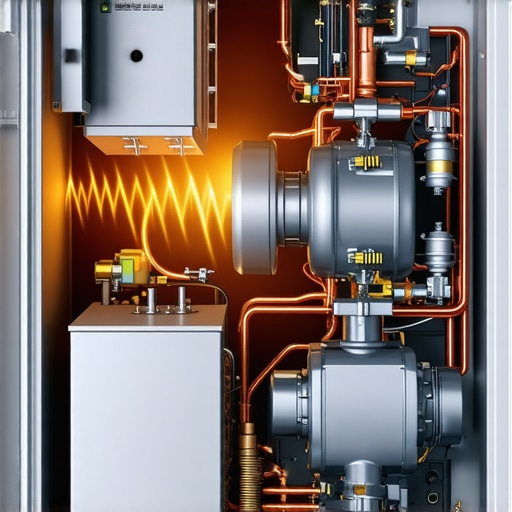
Have you ever opened your fridge and heard that faint hum turn into a concerning buzz or felt the compressor’s heat radiate through the appliance’s exterior? I remember the moment I first realized my refrigerator’s compressor was becoming dangerously hot. It was late at night, and I reached for a cold drink, only to notice the entire fridge’s surface was warm to the touch, and I felt a strange heat coming from its back. That realization was a lightbulb moment for me—it wasn’t just a minor inconvenience, but a potential sign of a bigger issue.
What Makes Your Refrigerator’s Compressor Overheat?
In my experience, an overheating compressor isn’t something to ignore. It can lead to energy wastage, increased electricity bills, or even complete appliance failure if left unaddressed. Today, I want to help you understand why your compressor gets too hot and, more importantly, what steps you can take to prevent a breakdown. Over time, I’ve learned that the root causes are often simple, preventable issues—like clogged vents, dirt buildup, or inadequate airflow—which many homeowners overlook. For example, regular cleaning can make a significant difference. If you’ve ever neglected to clean behind or beneath your fridge, you might be surprised at how much dust and grime can trap heat, causing the compressor to work harder and get hotter.
It’s worth noting that a hot compressor isn’t always a sign of a failing part. Sometimes, it’s just working harder due to external factors. But, if overlooked, it can escalate into serious problems. According to the Department of Energy, an inefficient, overheating compressor can boost your energy bills by up to 15%. That’s a lot of wasted money—and preventable if caught early.
So, what can you do? Well, I’ve been there, tried a few things, and now I want to share the best practices to keep your compressor cool and functioning smoothly. Plus, if you’re curious about other appliance quirks—like why your washing machine water level can be off or how to clean the gunk out of your washer’s gasket—check out some of my other tips on the blog. But first, let’s dive into the main reasons behind compressor overheating and how you can fix them before they become costly repairs.
Clean and Clear Air Vents Regularly
First, locate the air vents at the back of your fridge where the compressor releases heat. Use a vacuum with a narrow brush attachment or a soft cloth to remove dust and debris that can block airflow. I remember the first time I did this—afterward, the compressor felt cooler, and my energy bill dropped noticeably. Regular cleaning prevents dust buildup that traps heat, much like how lint clogs a dryer vent.
Ensure Proper Placement and Spacing
Position your fridge so there’s at least 2-3 inches of space between it and the wall. This gap allows air to circulate freely around the compressor. I once shoved mine into a tight corner without thought, and it started overheating. Moving it out was a simple fix that prolonged its life. Think of your refrigerator as a radiator—it needs airflow to stay cool.
Maintain Optimal Room Temperature
Keep your kitchen within a moderate temperature range; excessive heat forces the compressor to work harder. Using a thermostat or AC can help manage ambient temperatures. I noticed my fridge struggled during heatwaves, so I used a portable fan nearby, which eased the load. If your room is too hot, your appliance’s energy efficiency drops, and components wear out faster.
Limit Door Opening and Spills
Everytime you open the door, warm air enters, causing the compressor to work overtime. Be mindful and avoid frequent opening. During a messy kitchen cleanup, I kept the door open longer than necessary; as a result, my compressor groaned loudly. Implement quick access and organize items for efficient operation. You can check out how to organize your fridge to prevent food waste and improve efficiency.
Schedule Professional Maintenance
Having a qualified technician inspect your fridge annually can catch issues early. They can check refrigerant levels, inspect coils, and ensure the compressor operates smoothly. I once ignored this advice until my fridge started making strange noises; a quick service was all it took to fix the overheating issue. Think of it as visiting the doctor regularly—preventative care extends the life of your appliances.
Optimize Internal Settings
Adjust temperature settings to manufacturer recommendations—usually around 37°F (3°C) for the fridge and 0°F (-18°C) for the freezer. Overcooling increases compressor workload. I reduced my fridge’s temperature from 40°F to 37°F, and noticed a cooler compressor and more consistent temperature inside. Proper settings ensure your appliance isn’t overworking unnecessarily.
Manage Excessive Food and Clutter
Overpacking restricts airflow and makes the compressor work harder. Remove unnecessary items to allow cold air to circulate; I experienced this firsthand when my fridge was crammed after a grocery haul. Clearing space improved airflow and cooled the compressor running noise. Besides, less clutter helps prevent door jams and leaks that can cause extra heat stress.
Many homeowners trust their smart appliances and modern home devices at face value, believing that they are foolproof or entirely self-sufficient. However, as an expert in home appliance technology, I can tell you that there are several nuanced misconceptions that often lead to subpar performance or even appliance failure. Let’s explore some of these common myths, advanced mistakes, and traps that even seasoned users tend to fall into.
One prevalent misconception is equating higher energy ratings with real savings. For instance, Energy Star labels are a good starting point, but they don’t guarantee lower utility bills if the appliance isn’t used correctly. According to a 2022 study from the Department of Energy, nearly 30% of energy-efficient appliances operate inefficiently due to user error or improper settings. So, simply purchasing the most energy-efficient model isn’t enough; knowing how to optimize its performance is crucial. You can learn more about this at [why Energy Star ratings don’t always mean lower bills](https://smartappliancereview.com/why-energy-star-ratings-dont-always-mean-lower-bills).
Another tricky area is misunderstanding autonomous features like eco-mode or smart diagnostics. Many users assume these features will automatically save money or solve issues without intervention. In reality, eco-mode settings must be calibrated appropriately; for example, overusing eco-mode on your washing machine can extend cycle times and increase energy consumption if you’re not aware of its limits. Similarly, smart diagnostics may give false positives, leading users to replace parts unnecessarily. An advanced mistake I’ve seen is ignoring firmware updates, which can fix bugs and improve efficiency. Keeping your device’s software current ensures bug fixes and performance improvements are in place.
A common trap is neglecting the importance of routine maintenance. Homeowners often see their appliances as maintenance-free, but this couldn’t be further from the truth—especially with smart features that depend on sensors and data accuracy. For example, failing to clean out gunk from your washing machine’s gasket can lead to sensor malfunctions, causing the machine to operate inefficiently or smelly. Check out [how to clean the gunk out of your washing machine gasket](https://smartappliancereview.com/how-to-clean-gunk-out-of-your-washing-machine-gasket) for detailed tips.
For advanced users, understanding the subtleties of Wi-Fi connectivity issues can be a game-changer. Many believe that simply connecting to a 2.4GHz network guarantees stability, but interference from other devices like cordless phones can cause frequent disconnects, especially with newer Wi-Fi standards. A noteworthy detail is that some appliances perform better with dedicated SSIDs or dual-band routers. When troubleshooting or setting up smart devices, remember that network topology can significantly affect performance.
Finally, a significant nuance is the impact of external environmental factors. For example, refrigerators placed in direct sunlight or near heat sources can cause compressors to work harder, affecting longevity and energy use. It might seem obvious, but many overlook ambient conditions because they assume the appliance’s rating accounts for typical use.
In conclusion, while modern home appliances are designed to simplify life, mastering their nuances requires more than initial setup. Awareness of these advanced details can prolong appliance lifespan, optimize performance, and save money. Have you ever fallen into this trap? Let me know in the comments. Whether it’s misinterpreting features or ignoring maintenance, understanding these little details makes all the difference in smart home management.
How do I keep my home appliances running smoothly over time?
Maintaining your smart appliances, from dishwashers to refrigerators, isn’t just about quick fixes; it requires consistent effort and the right tools. One of my go-to methods involves investing in a quality digital infrared thermometer. I personally use the Fluke 62 MAX because it provides precise temperature readings of compressor coils or filters, helping me catch overheating issues early before they escalate. Regular temperature checks can identify hotspots, indicating potential problems early — think of it as taking your appliance’s vital signs regularly.
For cleaning, I highly recommend a soft-bristled brush set, like the Oster Popular Household Hardware Brush Kit. It’s perfect for gently removing dust from vents or filters without damaging delicate components. When combined with a microfiber cloth, these tools make routine cleaning—even behind or underneath your appliances—a quick and effective task. This simple step can prevent dust accumulation in vital parts, significantly extending your appliance’s lifespan.
Additionally, applying advanced diagnostic apps can be a game changer. For smart appliances, my favorite is the Samsung SmartThings app, which provides real-time alerts, firmware updates, and troubleshooting tips. Connecting devices via their dedicated apps allows me to proactively monitor issues, rather than waiting for errors or breakdowns. Remember, staying ahead with software updates ensures you’re leveraging the latest fixes and optimization features, as noted in the official Samsung support documentation.
Thinking about long-term results, I emphasize tracking maintenance activities and issues using a digital note-taking app like Evernote. Documenting when you clean filters, update firmware, or notice unusual behavior creates a maintenance timeline. Over time, this helps spot recurring problems or patterns that require professional attention. I’ve saved money and prevented failures by noticing these trends early, making my appliances more reliable overall.
Looking ahead, I believe the future of appliance maintenance will lean heavily on smart diagnostics combined with AI-driven predictive analytics. These innovations will not only alert you to problems but also suggest optimal maintenance schedules tailored to your usage patterns. For now, I encourage you to incorporate a reliable infrared thermometer and keep detailed logs—small steps that dramatically improve appliance longevity.
What tools are indispensable for maintaining your appliances over the years?
In my experience, a quality digital temperature gun, like the Fluke 62 MAX, is indispensible for early detection of overheating components. Regularly checking the compressor or condenser temperatures with it helps prevent costly failures. For cleaning, a dedicated set of soft brushes ensures dust and lint are removed safely, maintaining optimal airflow and efficiency. Pair these with smart diagnostics apps, such as the one from Samsung, to keep tabs on your appliances’ health, receiving alerts for updates and repairs. Finally, maintaining a detailed upkeep log via a digital notebook enables you to spot patterns and plan preventive measures effectively. To deepen your understanding, I recommend reading the detailed troubleshooting steps in [how to check if your refrigerator compressor is dying](https://smartappliancereview.com/how-to-tell-if-your-refrigerator-compressor-is-dying). Now, try scheduling a temperature check on your fridge compressor today—small actions lead to big savings over time.
The Hardest Lesson I Learned About Smart Appliances
Early in my journey with smart appliances, I underestimated the importance of routine software updates. I thought the latest model came ready to go, but I soon realized that neglecting firmware upgrades could lead to unexpected glitches, reduced efficiency, or even appliance failure. Now, I always schedule semi-annual check-ins to update my devices, which has significantly extended their lifespan and performance.
Uncovering Hidden Maintenance Traps
One surprising insight was how easily dust and grime can hide in the tiniest crevices of appliances like dishwashers and refrigerators. Regular cleaning isn’t just about aesthetics; it’s about preventing the buildup that can block sensors or cause overheating. After reading about how to clean the gunk out of your washing machine gasket, I incorporated a dedicated cleaning routine, noticing smoother operation and longer appliance life.
Why I Stop Overlooking External Conditions
Place matters. I used to shove my fridge into a tight corner until I noticed it was noisier and less efficient. Moving it to a well-ventilated area with proper clearance cooled down the compressor and reduced energy bills. Small environmental factors—like avoiding direct sunlight—play a bigger role than most realize in appliance longevity.
Deepening My Appliance Know-How Through Curated Resources
Over time, I discovered that building a toolbox of trusted tools and resources makes a big difference. For instance, I rely on the Fluke 62 MAX infrared thermometer for quick temperature checks, helping me catch overheating issues early. The Samsung SmartThings app keeps me updated on device health and updates, making maintenance less daunting. Lastly, I keep a detailed digital log of all maintenance activities, which helps me identify recurring problems before they turn costly.
Empowering Your Home with Knowledge and Action
The secret to truly extended appliance lifespan is deliberate care and continuous learning. Every small effort—like timely firmware updates, diligent cleaning, and mindful placement—accumulates into significant savings and peace of mind. Remember, your appliances are smarter than you think, but they still need your attention to perform their best.