
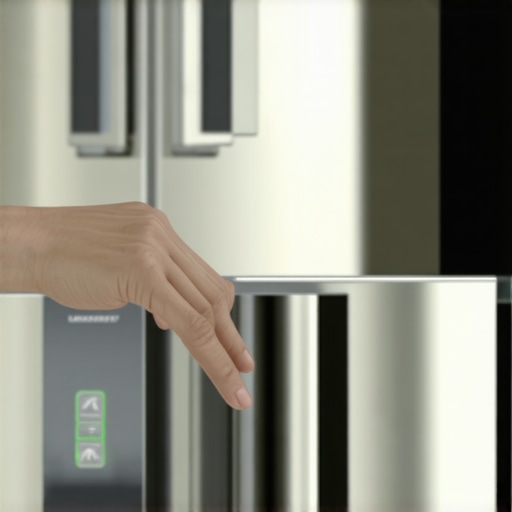
Walking into my kitchen one evening, I was greeted not by the usual hum of my fridge but by a loud, persistent beep. It was enough to make me jump, startling everyone in the house. At first, I thought it was a sign of some urgent malfunction, but after a quick inspection, I realized it was just my refrigerator’s way of nagging me. That beep had become a daily annoyance, turning a quiet home into a place of constant noise. Frustrating, isn’t it? That’s when I decided enough was enough—and I promised myself I’d find a way to turn it off.
Why Your Refrigerator Keeps Beeping and Why It’s Time to Silence It
That relentless beeping isn’t just an irritating background noise; it’s often a sign that your fridge is trying to communicate a problem or alert you to an issue. Sometimes, it’s a simple reminder that a door isn’t fully closed, or perhaps the temperature settings need adjustment. Other times, it might indicate more serious issues, like a malfunctioning sensor or a faulty component. According to appliance experts, these alerts are designed to prevent bigger problems, like food spoilage or electrical damage.
But, let’s be honest—most of us just want the noise to stop, especially when it interrupts work, sleep, or the peace of a lazy weekend.
Have you ever faced this constant chime and wished it would just shut up? I know I have. The good news is, there’s a way to silence it—whether it’s a quick fix or a more involved process, depending on your fridge model. And believe me, messing around with your appliance without understanding it can sometimes do more harm than good. For example, early in my troubleshooting, I made the mistake of thinking unplugging my fridge would solve the problem—and I ended up triggering more alarms.
Now, don’t worry. I’ve compiled some straightforward steps and tips, backed by experience and research, to help you turn off that annoying beep for good. Before we dive into the solutions, let’s clear up some common doubts and prepare you for what’s ahead.
And yes—if you’ve ever wondered whether the beeping is worth the hassle or if it signals a bigger problem, keep reading. We’ll cover everything from simple button presses to more technical fixes, ensuring your kitchen remains a peaceful haven rather than a source of constant noise.
Start with the Basic Checks
First, ensure your refrigerator door is fully closed; sometimes, a slightly ajar door triggers the alarm. Gently press the door until it clicks, then listen for the beep. If the alarm persists, check for any debris or obstructions around the door seal that might prevent it from sealing properly. Clean the gasket with a soft cloth and mild soap to ensure a snug fit. I recall the time I had a crumb lodged in the gasket, causing the beeping to continue—simply cleaning it fixed the issue.
Identify the Beep Source and Reset
Many smart refrigerators have a reset function accessible via the control panel. Locate the reset option in your user manual or on the display, then press and hold the corresponding button for 5-10 seconds. This often clears minor errors and silences alerts. For example, I once reset my fridge this way after a sudden power surge triggered a false alarm, and it worked like a charm. If your model doesn’t have a reset button, proceed to disable the alert via the settings menu by navigating to the alarms section and turning off notifications. Be cautious—disabling alerts may hide actual issues.
Adjust Temperature Settings
Incorrect temperature settings can cause sensors to misfire, prompting beeping. Use your control panel to verify that the fridge is set between 37°F and 40°F, and the freezer between 0°F and 5°F. Sometimes, a sudden change in ambient temperature or a power glitch throws these off, leading to constant alerts. I once noticed my fridge’s temperature was set too low after a power outage, causing incessant beeping until I manually adjusted it back to normal.
Check for Error Codes and Consult Your Manual
Modern fridges often display error codes when there’s a problem. Look at the display panel for any alphanumeric error and consult your user manual for its meaning. If your manual is missing, search online using your fridge’s model number. Recognizing specific errors helps in targeted troubleshooting. For instance, a ‘Sensor Fault’ code indicated a malfunctioning temperature sensor, which I replaced following the instructions found here.
Unplug and Power Cycle
If the above steps don’t resolve the beep, unplug your refrigerator from the power outlet. Wait 5 minutes—this allows internal electronics to reset—then plug it back in. This simple step often clears glitches causing false alarms. I remember doing this when my fridge’s alarm kept ringing after a power surge, and the restart silenced it immediately.
Inspect and Clean Components
Over time, dust or debris can cause sensors or fans to malfunction, leading to alerts. Carefully clean the condenser coils and vents with a vacuum or brush, reference this guide for detailed cleaning. Additionally, inspect the door gasket for cracks or tears, replacing it if necessary (see the replacement procedure for details). Proper maintenance ensures sensors operate correctly and reduces false beeps.
Disable the Alarm Manually
If your model allows, you can disable the beep alarm directly through the settings menu. Navigate to alarms or notifications and toggle the sound off. Be careful—this stops only the alarm, not underlying issues, so monitor the fridge for continued problems. Remember, occasional alarms are useful; disabling them permanently might hide real faults that need attention.
Contact Professional Support
If none of these steps work, it might be time to call a technician. Persistent beeping despite your efforts could indicate a faulty sensor, control board, or wiring issue. While DIY fixes are effective for minor problems, complex electrical faults require professional diagnosis. Experts can also help you determine if your fridge’s features are compatible with your home’s Wi-Fi, especially if you’re experiencing frequent disconnection issues (read more here).
While many homeowners believe they understand the basics of appliances like dishwashers and refrigerators, there are nuanced truths and often overlooked pitfalls that can significantly impact performance and longevity. For instance, a widespread misconception is that higher-end models automatically guarantee better efficiency or durability. However, expert insights suggest that user behavior, maintenance habits, and proper installation play crucial roles, sometimes more so than brand reputation. A common trap is neglecting regular cleaning of filters and gaskets, which can lead to premature wear or energy inefficiency. Moreover, many assume that all smart appliances are foolproof, but they often require firmware updates and secure network configurations to prevent glitches or security vulnerabilities. As detailed by appliance specialists, understanding the advanced features and limitations of your devices allows you to utilize them optimally, avoiding costly mistakes. For example, trying to force a dishwasher into rapid cycles without considering water temperature can damage components; instead, it’s better to follow manufacturer recommendations or consult guides like this for effective solutions. Additionally, many homeowners overlook the importance of correct load distribution in washing machines, which can cause vibration issues or uneven cleaning. Recognizing these nuances can save time and money while extending appliance lifespan. Do you fall into any of these misconceptions? Share your experiences in the comments.Maintaining your household appliances requires more than just occasional cleaning; it involves using the right tools and adopting systematic approaches for long-term performance and scalability. One of my go-to tools is a high-quality multimeter, which I use to diagnose electrical issues in refrigerators and washing machines. By measuring voltage and continuity, I can identify faulty wiring or sensors without unnecessary part replacements, saving time and money. Additionally, a reliable ultrasonic cleaner helps me maintain small components like water filters and sensors, ensuring they function optimally. For software-based appliances, I employ dedicated diagnostic apps compatible with smart appliances, such as manufacturer-specific applications, which provide real-time health reports and troubleshooting tips, making preventive maintenance straightforward and efficient. When it comes to long-term results, regular firmware updates are crucial. I schedule monthly checks for firmware updates through the appliance’s app or control panel, preventing bugs and security vulnerabilities that can impair performance. As appliances become more connected, managing this ecosystem becomes essential for scalability. In future, smart home integration will likely become even more seamless, with appliances communicating directly to optimize energy consumption and prevent breakdowns proactively. How do I maintain smart appliances over time? I recommend setting up recurring maintenance routines integrated within your smart home system, using notifications to prompt filter changes or diagnostic runs. This proactive approach reduces downtime and extends appliance life significantly. Remember, consistent tools and methods are the backbone of an efficient and scalable household. For instance, regularly cleaning your refrigerator’s coils with a specialized brush can prevent overheating and inefficiency, as detailed in manufacturer guidelines. Now, try scheduling a firmware check or calibration for your smart refrigerator this week—you’ll be surprised how much smoother it runs afterward. Keep your appliances humming with these expert techniques to enjoy trouble-free operation for years to come! 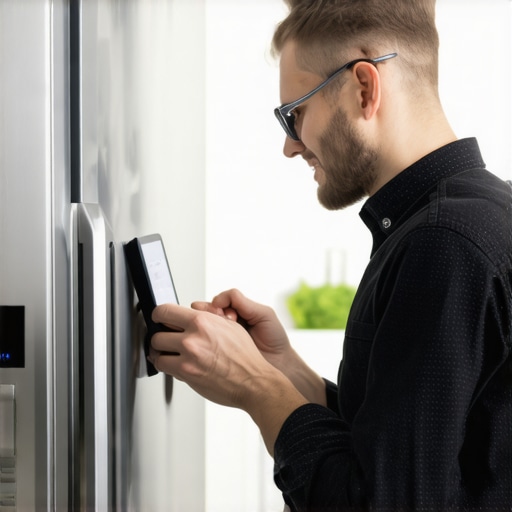 | An engineer examining a smart refrigerator’s diagnostic screen with repair tools, smiling confidently, emphasizing maintenance expertise.
The Hardest Lesson I Learned About home appliances, dishwashers, refrigerators, smart appliances, washing machines
Many homeowners assume that a beeping refrigerator signals only minor inconveniences, but I discovered it often hints at deeper issues that, if ignored, can lead to costly repairs or food spoilage. Realizing that each alert message or beep is a communication from your appliance has transformed my maintenance approach, reminding me to listen and act rather than dismiss.
3 Myths About home appliances, dishwashers, refrigerators, smart appliances, washing machines That Held Me Back
I once believed that all smart fridges were trouble-free and required no regular maintenance, only to face unexpected alarms. I also thought that resetting the appliance would fix any alert, which isn’t always true. Lastly, I assumed that keeping the door slightly open wouldn’t matter—until I learned it triggers persistent beeping. Busting these myths has saved me time and money.
What Experts Won’t Tell You About home appliances, dishwashers, refrigerators, smart appliances, washing machines
Many professionals emphasize checking basic issues like door seals and temperature settings before proceeding to complex repairs. What’s less known is that firmware updates and proper maintenance routines significantly extend appliance lifespan. Understanding these hidden tips has empowered me to prevent problems proactively, ensuring my appliances run smoothly and quietly.
My Essential Toolkit for smart appliances and dishwashers
I rely on a high-quality multimeter for diagnosing electrical faults within my smart appliances, saving me from unnecessary service calls. An ultrasonic cleaner helps me maintain sensors and filters, ensuring they function efficiently. These tools have become indispensable in my maintenance routine, providing peace of mind and extending appliance longevity.
Books That Changed How I View appliance care
“The Housekeeper’s Guide to Modern Kitchen Tech” offered invaluable insights and practical steps for troubleshooting common issues like persistent beeps. Its clear diagrams and step-by-step instructions made maintenance less daunting. Investing in knowledgeable resources has made me more confident in managing my home appliances effectively.
Where to Go from Here
If your refrigerator’s beeping persists despite following basic steps, consider exploring manufacturer-specific manuals or online forums for model-specific advice. Regularly updating firmware, cleaning components, and understanding error codes form the foundation of smart appliance mastery. Remember, proactive care prevents surprises and keeps your kitchen running peacefully.
Your Turn to Try
Now it’s your turn: Have you ever struggled with silencing a stubborn fridge alarm or diagnosing a recurring beep? Share your experiences below, and let’s learn from each other’s tips and tricks! Together, we can turn noisy appliances into silent, reliable partners in our homes.