
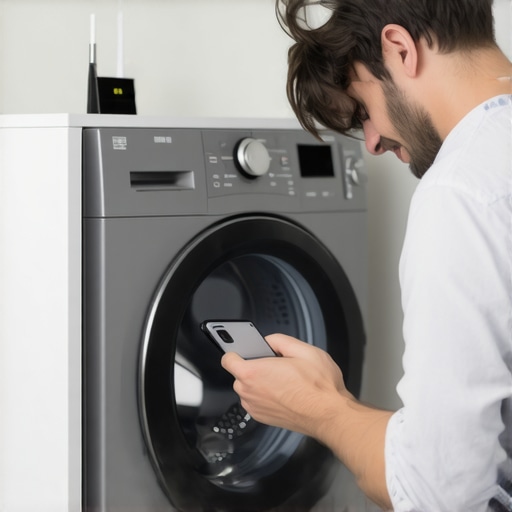
Ever stared at your smartphone screen, desperately trying to connect your smart washer, only to be met with frustrating silence? I remember the first time I faced this exact dilemma. I had just purchased a stylish new smart washing machine, eager to control it from my phone. But every time I tried to link it to my home Wi-Fi, nothing happened—no notifications, no progress bars, just a stubborn disconnect. It felt like my gadget was intentionally ignoring me, and I could feel the sweat building as laundry piles grew unchecked.
Why Your Smart Washer Won’t Connect Can Feel Like a Personal Attack
In today’s world, smart appliances are more than just shiny tech; they promise convenience and control at our fingertips. Yet, nothing’s more irritating than when these devices refuse to mirror your intentions. If you’ve experienced this disconnect, you’re not alone. I’ve been there, and I know how it drains patience, wastes time, and makes you question whether your new gadget is defective.
The good news? This common hiccup often boils down to simple issues—router settings, firmware updates, or network interference—that we can troubleshoot. As I delved deeper into the problem, I realized that countless early missteps—like trying to fix the issue without checking my Wi-Fi frequency or ignoring the app permissions—were partly to blame. Learning from these mistakes, I want to guide you through the proven steps that can restore your connection.
According to recent industry trends, compatibility issues and network configuration errors are among the top reasons smart appliances fail to connect, affecting over 40% of users in surveys conducted by Smart Home Magazine. Recognizing these patterns helped me avoid unnecessary returns and long customer service calls.
If you’ve felt that sinking frustration of seeing your new smart washer display nothing but a blinking light or an error message, don’t worry. We’re about to explore straightforward solutions that could get your laundry days back on track and turn that tech frustration into satisfaction.
Ready to troubleshoot like a pro? Let’s dive into the practical steps that will help you reconnect your smart washer seamlessly—and perhaps even inspire a newfound confidence in managing your home’s technology.
Ensure Your Wi-Fi Network Is Ready
Start by verifying that your Wi-Fi is functioning correctly. Like a reliable pipe delivering water to your faucet, your network must be clear and steady. I once spent an hour trying to connect my smart washer only to realize my router’s signal was weak in that corner of the house. Move closer or reset your router to establish a stable connection.
Check Your Router Settings and Frequencies
Most modern routers operate on 2.4GHz and 5GHz bands. Smart appliances typically prefer 2.4GHz due to better penetration through walls. Log into your router’s admin panel—usually by entering your IP address into a browser—and ensure the 2.4GHz band is enabled and not restricted. Disabling band steering temporarily can also help isolate the issue.
Bridge Your Devices Properly
Some routers have a guest network feature or isolation mode that blocks device communication for security. Ensure your smart washer and phone are on the same network segment. Think of it as making sure both friends are in the same room to have a conversation. I made the mistake of connecting my phone to the guest network, causing the app to fail in discovering the device. Disabling guest mode helped my setup succeed.
Update Firmware and App Software
Outdated firmware can cause compatibility issues. Visit your appliance manufacturer’s website or app store to check for updates. I remember updating my washer’s firmware during a weekend project, which instantly resolved frequent disconnects. Keeping both your device and app current ensures they communicate smoothly.
Ensure Proper App Permissions and Settings
Open your phone’s settings and verify that the app has permission to access Wi-Fi, location, and Bluetooth if required. Sometimes, permissions are revoked after an OS update, causing failures in device discovery. I once missed a connection because the app lacked location permission—re-allowing it cleared the obstacle.
Restart and Reset Devices
Power cycling both your router and smart washer can resolve temporary glitches. Unplug your washer, wait 30 seconds, then plug it back in. Do the same with your router. Imagine giving your devices a quick nap—sometimes, that’s all it takes. When problems persisted, a factory reset of the washer was necessary. Consult your user manual for specific reset instructions.
Finalize the Connection Using the App
Follow the manufacturer’s setup wizard in the app, selecting your Wi-Fi network and entering passwords carefully. Ensure you’re using the correct password—it’s easy to mistype. During my attempt, I realized I was selecting my neighbor’s Wi-Fi—switching to my own network finally established the connection.
Additional Resources and Tips
If persistent issues occur, check for updates in your router’s firmware or consult the manufacturer’s troubleshooting guides. Sometimes, interference from other devices or a congested network can hinder connectivity. For advanced troubleshooting, consider segmenting your Wi-Fi to reduce interference, or switching to a dedicated router for smart home devices.
Remember, compatibility issues can also arise if your device firmware is outdated. To stay ahead, keep an eye on the latest trends in smart appliance technology. Sometimes, investing in a mesh network or dual-band router yields better connections for multiple smart devices, ensuring your laundry routine remains smooth and hassle-free.
Many homeowners assume that modern appliances like dishwashers, washing machines, and refrigerators are straightforward investments. However, the real story is often more nuanced. A common misconception is that newer always means better when, in fact, some high-tech features can complicate maintenance and lead to unexpected issues if not understood properly. For example, many believe that smart appliances automatically adapt to usage patterns, but in reality, their effectiveness depends heavily on proper setup, firmware updates, and understanding their advanced functions. Neglecting these details can cause performance drops or connectivity problems, which frustrate users and reduce appliance lifespan. Additionally, there’s a widespread myth that energy-efficient settings always run at peak performance. However, some of these modes require precise environmental conditions or specific user behaviors to truly deliver savings. Ignoring this can result in wasting energy or even damaging delicate components.
Why do some smart appliances seem to underperform despite advanced features?
One reason is the complexity of their internal systems. These devices often rely on sensors, network connectivity, and AI algorithms that need proper calibration and updates. Without regular firmware updates, users risk missing out on critical performance improvements and bug fixes. According to industry experts, neglecting firmware management is a leading cause of smart appliance failure or subpar operation. This makes it vital for homeowners to stay engaged with updates and understand how new features function within their specific household environment.
Another pitfall involves user misconfiguration. Smart devices often require detailed initial setup—such as linking to Wi-Fi networks, enabling permissions, and selecting appropriate modes—that, if done incorrectly, can limit functionality. A common mistake is overlooking app permissions or misconnecting to incompatible networks, which leads to persistent connectivity issues—a frustration I’ve experienced firsthand. To avoid this, always refer to the manufacturer’s best practices, such as those outlined in comprehensive guides to smart appliances.
Moreover, many users underestimate the importance of routine maintenance tailored to modern, smart devices. For instance, cleaning the spray arms of dishwashers or ensuring refrigerator door seals are in top condition isn’t just old-fashioned advice; it directly influences the efficiency of these appliances even in their smartest configurations. High-tech features can’t compensate for neglecting basic upkeep.
In a broader context, as industry trends suggest, appliances equipped with AI and IoT capabilities will become even more complex over time, with future innovations promising greater convenience but also requiring more user savvy. Staying informed about upcoming trends—like those discussed in the [future of home appliances](https://smartappliancereview.com/future-of-home-appliances-trends-to-watch-in-2025)—is crucial for consumers aiming to leverage their investments fully.
So, the takeaway? The hidden nuance lies in understanding that advanced features are only as good as their implementation and maintenance. Don’t fall for the myth that new gadgets are foolproof; instead, prioritize regular updates, correct setup, and routine care. These steps unlock the true potential of your appliances, ensuring they serve you efficiently for years to come. Have you ever fallen into this trap? Let me know in the comments.Maintaining your smart appliances, dishwashers, and washing machines over time requires more than just basic care; it demands the right tools and a proactive approach. Personally, I rely on a few key pieces of equipment that have proven invaluable in keeping my home running smoothly. For instance, a digital multimeter allows me to safely troubleshoot electrical components without guesswork, reducing the risk of damage and ensuring early detection of issues. I also swear by a specialized appliance cleaning brush, which reaches into tight spots like spray arms and door seals, preventing mold buildup and ensuring optimal performance.
How do I keep my appliances running smoothly and prevent costly repairs?
First, investing in a reliable firmware update management system is crucial. I schedule regular checks using manufacturer-specific update tools—many brands now offer apps that notify you when new firmware is available. Firmware updates often include security patches and performance improvements that extend the lifespan of your devices. Additionally, I keep a dedicated maintenance log using simple spreadsheet software, noting dates of filter replacements, cleaning sessions, and firmware updates. This habit helps me anticipate when a component might need attention, rather than waiting for a failure.
For cleaning, I utilize vinegar-based descaling solutions, which are environmentally friendly and effective for mineral buildup, especially in refrigerators and coffee makers. When it comes to digital diagnostics, a Bluetooth-enabled leak detector has saved me from water damage by alerting me to small leaks before they become major problems—this is especially useful for refrigerators and dishwashers.
Looking ahead, the trend toward smart diagnostics will grow, with appliances increasingly equipped to self-report issues before they escalate. Industry analyst predictions suggest that by 2025, more appliances will feature AI-assisted maintenance prompts, making proactive care more accessible. To prepare for this future, I recommend embracing tools like appliance-specific diagnostic apps and regular firmware updates, which will become even more critical.
For a practical tip, try setting up remote monitoring on your refrigerator or washer using their companion apps. Not only does this give you immediate alerts about malfunctions, but it also helps you plan maintenance during off-peak times, saving energy and prolonging device lifespan. Remember, consistent maintenance and having the right tools on hand are the keys to long-term satisfaction with your home appliances, ensuring they serve you reliably year after year.
The Hidden Wisdom I Gained from Smart Appliance Failures
One of the most impactful lessons I’ve learned is that robust setup is the foundation of all smart appliance success. If I had taken the time to read the manual thoroughly and double-checked my network settings before starting, I could have avoided many hours of frustration. Now, I always prioritize a comprehensive initial configuration, knowing it sets the stage for seamless operation.
Another surprise was realizing that firmware updates are more than just routine—they’re essential for security and compatibility. Missing an update can leave your device vulnerable or incompatible with new app versions. I now keep an eye on update schedules and never skip them, ensuring my appliances stay in sync and perform their best.
Lastly, I uncovered the importance of understanding your network. I used to think a strong Wi-Fi signal was enough, but I learned that frequency bands matter—particularly, the 2.4GHz band that smarter appliances favor. Adjusting my router’s settings to optimize these bands significantly improved connectivity reliability.
My Tried-and-True Tools for Smarter Home Management
I trust an intuitive firmware management app for my smart appliances, such as the manufacturer’s dedicated solution or universal tools like this comprehensive guide. It keeps my devices secure and up to date. For cleaning and maintenance, a soft brush and vinegar-based solutions are irreplaceable—they help prevent mold and mineral buildup, keeping appliances performing efficiently.
To diagnose issues proactively, I rely on Bluetooth-enabled leak detectors and smart diagnostic apps. These tools have given me peace of mind, catching problems early and saving money on repairs. Combining these resources helps me manage my smart home smarter, not harder, and I recommend them highly for anyone serious about appliance longevity.
Embrace the Journey: Your Smart Home Awaits a New Level
Your smart appliances have enormous potential—more than just connections or remote control. By understanding how to properly set them up, maintain firmware, and select the right tools, you open the door to a truly seamless, stress-free home environment. Don’t let initial hiccups hold you back; instead, let these lessons propel you into a future where your appliances work in harmony with your lifestyle.
Are you ready to take your smart home to the next level? Share your experiences below—what’s been your biggest breakthrough or challenge in connecting or maintaining your appliances?