
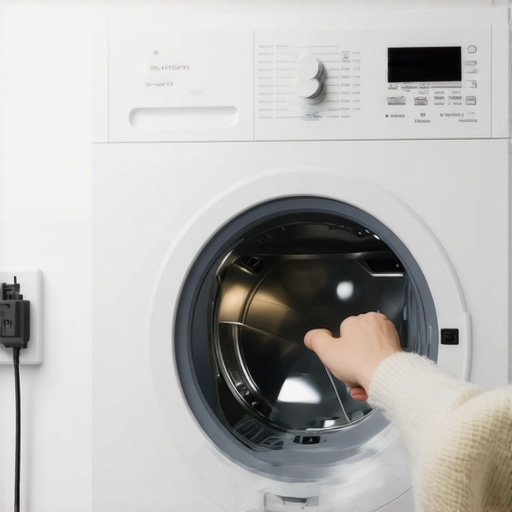
Have you ever stood in front of your washing machine, frustration mounting, only to realize it’s stuck in a state of confusion after a sudden power outage? I’ve been there. One evening, my washer just refused to start, blinking its LEDs like a Christmas tree, and I couldn’t figure out why. It was almost comedic—until I had clothes piling up and a looming laundry deadline. That lightbulb moment hit me: sometimes our smart appliances need a gentle reminder of who’s boss, especially after unpredictable power interruptions.
Don’t Let Power Surges Freeze Your Laundry Routine
Dealing with a washer that won’t reset or restart after a blackout can be a real headache. But here’s the good news: it’s often a simple fix. Today, I promise to share straightforward techniques to get your washer humming happily again, based on my personal experiences—and a few seasoned tips I’ve picked up along the way. If you’ve faced the frustration of your appliance halting mid-cycle or refusing to respond after a blackout, you’re far from alone. Trust me, I’ve made the early mistake of just waiting it out, pressing random buttons, and hoping for the best. Spoiler alert: that doesn’t work. Instead, I’ll guide you through a proven reset process that will save time and stress.
Is Resetting Your Washer Really Necessary? Here’s Why It Matters
Early on, I thought my washer was just being stubborn—that maybe I’d broken it. Turns out, many modern machines have safety features that temporarily disable themselves following power fluctuations, to protect their sensitive electronics. Skipping the reset can sometimes lead to longer delays or even damage. If your device isn’t responding, don’t panic. According to appliance repair experts, a proper reset can often fix minor glitches and restore normal operation, extending the lifespan of your investment. You can read more about this at this article on reliable washers.
Now, are you ready to tackle this common yet fixable problem? Let’s dive into how you can make your washer work for you again—quickly and easily, like a true neighbor would advise.
**
Unplug and Wait: The Basic First Step
My own experience with a stubborn washing machine began when a sudden blackout left it unresponsive. I immediately unplugged the machine from the outlet, mirroring the way you might turn off a computer by holding its power button. Wait for at least five minutes; this pause allows the machine’s internal electronics to discharge and reset. During that time, I cleaned my laundry room and prepared my next load, feeling productive even during the wait.
Locate and Reset the Control Panel
Once the waiting period is over, plug the washer back in. Next, find the control panel—think of it as the brain of your appliance. Many modern washers have a dedicated reset button or a combination of buttons that initiate a reset cycle, like holding the ‘Start/Pause’ button for three seconds. In my case, pressing and holding this button cleared the error message, and the machine powered up normally. If your model doesn’t have a reset button, move to the next step.
Perform a Manual Reset Using the Settings
Some washer models require navigating through the settings menu. Turn the cycle selector knob to ‘Spin’ or ‘Drain,’ then press ‘Start.’ Gentle repetition might be necessary—think of it like nudging a stuck gear into place. I once had a front-loader stubbornly stuck after a blackout, but cycling through different modes and then selecting a rinse cycle finally got it moving again. Check your user manual or manufacturer website for model-specific instructions.
Check the Door Lock and Power Supply
An often-overlooked issue is the door lock sensor. Power interruptions can sometimes cause the lock to stay engaged, preventing new cycles. Try opening and closing the door firmly; you should hear a click. If the lock seems jammed or the door won’t close properly, realign or clean the latch. Also, inspect the power outlet and supply. Use a different outlet or test with another device—just like diagnosing electrical issues in your fridge or dishwasher—this ensures the problem isn’t a loose wire or tripped circuit breaker.
Use the Diagnostic Mode for Advanced Troubleshooting
Many washers have built-in diagnostic modes that can pinpoint faults. Accessing this mode typically involves pressing a sequence of buttons—almost like entering a secret code. For example, holding down ‘Spin’ and ‘Power’ simultaneously for a few seconds may activate diagnostics. Once active, the machine will display error codes or run self-tests. I once used this method on my top-loader, and it revealed a faulty pressure switch that prevented normal operation. Consult your model’s manual or online guides to learn how to access diagnostics.
Consult the User Manual or Manufacturer Support
If all else fails, refer to your appliance’s instruction manual. It often contains specific reset procedures tailored to your model. If you’re unsure, contacting customer support via their website or helpline can save you time. Many manufacturers provide detailed troubleshooting guides, much like the ones available at their support pages. Remember, sometimes a simple reset isn’t enough, and professional service might be necessary.
Many homeowners believe they understand their smart appliances perfectly, but beneath the surface, misconceptions abound that can lead to costly mistakes. A prevalent myth is that all detergents work equally well in dishwashers, yet using the wrong type can damage your machine or reduce cleaning efficacy. Additionally, there’s a misconception that higher energy ratings always mean better performance; however, some energy-efficient models may not meet all your specific needs, especially in larger households. These misunderstandings often stem from marketing claims or outdated advice that no longer apply to modern technology.
A subtle trap many fall into involves resetting or troubleshooting appliances improperly. For example, applying a generic reset procedure without consulting the user manual can sometimes wipe critical settings or cause software conflicts that worsen the problem. Experts warn that such ‘quick fixes’ could void warranties or lead to more severe malfunctions. Therefore, it’s vital to understand the nuances specific to your model, which you can find by reviewing manufacturer support sites or consulting detailed reviews.
Have you ever fallen into this trap? Let me know in the comments!
What advanced mistakes do people make when integrating smart appliances into their home systems?
Many assume that pairing devices is straightforward, but incompatibilities or improper network configurations can cause persistent connectivity issues. For instance, some users neglect to update firmware or change default passwords, exposing their devices to security risks. According to a study by cybersecurity experts, IoT device vulnerabilities often result from neglecting basic security practices, leading to potential data breaches or device malfunctions. To truly benefit from the smart home revolution, it’s essential to not only choose the right appliances—like the latest refrigerators featuring AI-enabled food management systems (see [here](https://smartappliancereview.com/refrigerators-in-2025-top-features-that-transform-your-kitchen))—but also to maintain them with proper security updates.
Understanding these nuances helps you avoid common pitfalls and maximizes your investment in home tech. Remember, a small oversight today could lead to significant issues tomorrow. For tailored advice on choosing appliances that fit your lifestyle and technical skills, consult dedicated resources or contact support, like [here](https://smartappliancereview.com/contact-us). Meanwhile, stay cautious about assumptions—your appliances are complex systems that deserve respect and proper handling.
Tools I Use to Keep Everything Running Smoothly
Investing in the right tools is essential for maintaining your home appliances effectively. Personally, I rely on a high-quality multimeter from Fluke to diagnose electrical issues accurately. I also keep a digital infrared thermometer to spot uneven cooling or heating problems in refrigerators and ovens—this non-contact gadget provides instant temperature readings, helping me identify potential faults before they become major repairs. For cleaning and preventive maintenance, I swear by a ultrasonic ultrasonic cleaning device to remove limescale and grime from small appliance parts, extending their lifespan. Using these tools, I can catch issues early, saving time and money in the long run.
Why Regular Software Updates Matter
Smart devices are only as good as their firmware. I make it a point to check for updates at least once a month, either through the manufacturer’s app or website. These updates often patch security vulnerabilities and improve functionality—particularly critical for appliances connected to your home network. In fact, neglecting firmware updates can lead to connectivity drops or performance issues, similar to what I experienced with my smart fridge. Setting a recurring reminder to check for updates ensures my appliances operate securely and efficiently over many years.
Schedule Routine Inspections to Prevent Surprises
Don’t wait until something breaks down to call in a technician. I prefer scheduling preventive inspections annually, especially for complex systems like dishwashers and refrigerators. During these visits, I ask the technician to examine door gaskets, filters, and water lines—things we often forget but significantly impact appliance performance. For DIY enthusiasts, I recommend inspecting and cleaning filters every three to six months, following manufacturer guidelines. Keeping a maintenance log helps track these routines, which is vital as appliances age.
Prediction: Where Effort Meets Innovation in the Future
Looking ahead, I believe the integration of AI-driven diagnostics and predictive maintenance within appliances will revolutionize home upkeep. Imagine a refrigerator that not only alerts you to low milk but also predicts compressor issues before it happens, based on usage data analyzed locally or cloud-based. Companies like Samsung’s SmartThings ecosystem are already paving the way, and I expect these features to become standard by 2025, making appliance care less about reactive repairs and more about proactive health monitoring. To prepare, I plan to invest in appliances with robust diagnostic capabilities, as highlighted in this article on upcoming trends.
How do I maintain my appliances over time to maximize longevity?
The key lies in combining the right tools, regular software updates, and preventive maintenance routines. For example, using a high-grade multimeter to check electrical connections, keeping firmware current, and scheduling professional inspections routinely ensure your appliances stay efficient and dependable. Remember, early detection of issues prevents costly repairs and extends appliance lifespan. For detailed advice on troubleshooting and maintaining your appliances, visit our comprehensive guide. Now, consider starting with one practical step, such as updating your appliance firmware or checking door seals—small actions that make a big difference over time.
Lessons Only Experienced Homeowners Can Share
Over the years, I discovered that the hardest lesson about resetting my smart washer after a power outage was realizing how delicate the balance is between technology and simple human attention. I used to assume that pressing a few buttons would resolve any glitch, but I learned that patience and understanding your specific model are vital. One time, I thought my machine was broken until I found a hidden reset sequence in the manual, reminding me that every appliance holds a secret worth uncovering. This experience taught me that empowerment comes from knowledge—so don’t shy away from digging into your user manual or online forums to find tailored solutions.
Another lesson was the importance of preventing issues before they start. Regular maintenance, such as cleaning filters and checking door seals, can save you from unexpected breakdowns, especially after power disruptions. I’ve replaced my routine of waiting for trouble with proactive steps, which has kept my washer running smoothly and reduced the frustration of unexpected freezes.
Lastly, I learned that sometimes, waiting and giving the machine a proper reset is more effective than rushing to call a technician. Trust me, a methodical approach, combined with your appliance’s diagnostic tools, can often solve problems that seem complex at first glance. Embracing these lessons has transformed my approach to home maintenance, making me more confident and efficient in managing my appliances.
Tools and Resources That Keep Me Ahead of the Game
To crush appliance issues quickly, I rely on a high-quality multimeter, which helps me diagnose electrical faults safely and accurately. I also use a digital infrared thermometer to spot temperature irregularities in my refrigerator, ensuring optimal cooling. For routine cleaning, an ultrasonic cleaning device keeps small parts free of grime and scale, extending their lifespan and preventing power outages from turning into costly repairs. Additionally, I consult detailed online guides and manufacturer manuals—websites like our ultimate guide provide step-by-step instructions that demystify complex reset procedures and troubleshooting techniques. These tools and resources empower me to act swiftly and confidently, saving both time and money.
Seize the Moment and Elevate Your Appliance Knowledge
Empowerment begins with taking actionable steps today. Whether it’s reviewing your washer’s manual, scheduling routine inspections, or updating your firmware, each small action contributes to a more resilient and smarter home. Remember, the future of home appliances—like the upcoming trendsetting features in 2025—is about proactive maintenance and intelligent diagnostics. So, don’t wait for a breakdown; turn this knowledge into habits that keep your appliances running smoothly and enhance your daily life. Your smart washer is a valuable partner—treat it with care, curiosity, and the right tools, and it will return the favor for years to come.
What’s the most surprising thing you’ve learned about troubleshooting your washer after a blackout? Share your story below!
.