
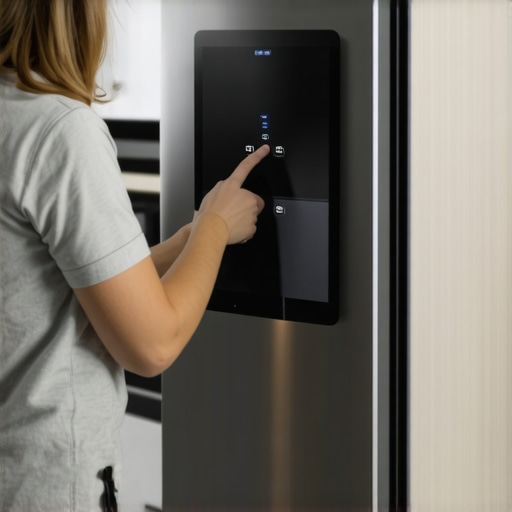
I remember the exact moment I realized my smart fridge was more of a headache than a helpful addition to my kitchen. It was late at night, refreshing my grocery list from the fridge’s app, when suddenly, the screen froze. For the next hour, I fumbled through a confusing menu, worried I might have bricked the device. That frustrating experience made me realize how crucial it is to know how to perform firmware updates properly—especially when dealing with smart appliances that are supposed to make our lives easier, not harder.
How to Safely Update Your Smart Fridge Software Without Bricking It
Updating your smart fridge’s firmware is essential for security, new features, and improved performance. However, if not done carefully, it can cause your device to freeze or become unresponsive, turning a simple update into a major inconvenience. In this guide, I’ll share practical tips and my personal insights on how to navigate firmware updates confidently, ensuring your smart fridge continues to serve you well.
Are Firmware Updates Really Necessary or Just Hype?
A question I often hear is whether updating is worth the risk. Honestly, skipping updates might seem tempting to avoid potential glitches, but it’s a false economy. Outdated firmware can leave your device vulnerable to security flaws or miss out on performance enhancements. Early mistakes I made included installing updates at peak times without backup, which nearly left me with a frozen screen. Since then, I’ve learned that patience and preparation are key. You might find it helpful to read expert advice on [choosing the right refrigerator](https://smartappliancereview.com/choosing-the-right-refrigerator-tips-from-industry-experts) to understand what updates entail.
The risks of improper updates are real. A report from the Consumer Electronics Association highlights that firmware failures due to poor update practices can lead to device malfunctions, sometimes requiring professional repair. So, I encourage you to be cautious—your smart fridge is worth protecting.
Now, let’s delve into the steps I’ve gathered from experience and trusted sources that will help you update your smart fridge safely and effectively. Whether you’re a tech novice or an experienced homeowner, these tips will ensure your little digital marvel continues to keep your food fresh without any hiccups.
Prepare Your Environment Before Starting the Update
Ensure your smart fridge is connected to a stable Wi-Fi network—think of it as giving your device a reliable phone line. I once tried updating during a storm, and the connection dropped, causing a partial update that left my fridge unresponsive. To avoid this, pick a time when your internet is steady, preferably during off-peak hours. Check that your fridge’s battery or power supply is stable; connect it directly to a surge protector to prevent power dips that can interrupt the process.
Back Up Important Settings and Data
Much like saving a document before editing it, backing up your fridge’s settings prevents loss if something goes wrong. Use the manufacturer’s app to export current preferences—temperature settings, synchronized devices, shopping lists. I did this last month, and when a firmware hiccup occurred, I restored my configs quickly, avoiding hours of reconfiguration. Visit this guide for detailed backup instructions.
Download the Firmware Update Correctly
Navigate to your fridge’s settings menu, and find the firmware update option—imagine it as a software download button on a computer. Confirm that the update file is official and from the manufacturer’s website or app to prevent malware. Do not attempt to download the update via third-party sources, which can lead to bricked devices. If your refrigerator supports auto-update, disable it temporarily—manual control is safer during critical updates.
Double-Check the Version and Compatibility
Compare the firmware version available with your current version. An update intended for a different model can cause failures. When I mistakenly installed a firmware for a similar model, my fridge kept rebooting. Cross-reference the model number on the manufacturer’s website, and ask their support if unsure.
Initiate the Firmware Upgrade
Follow the manufacturer’s instructions to start the update—often pressing the ‘Update’ button within settings. Do not unplug or turn off the fridge during the process. It’s like installing an OS on a computer; interruption can corrupt the system. I recommend staying nearby to monitor progress and ensure the Wi-Fi stays active.
Monitor the Update Process Carefully
Watch the progress bar or indicator light—think of it as a progress report. If it stalls for over 15 minutes, consult the support contact page. Sometimes, a simple reset is needed to resolve minor glitches, which you can do by unplugging the fridge for 5 minutes and then plugging it back in. This resembles rebooting a frozen computer, often fixing small hiccups.
Finalize the Update and Restore Settings
Once the update completes, the fridge may reboot automatically. Check that it’s running the latest firmware version—this is akin to verifying an OS update. Reapply previous settings if needed, and restore list data from your backup. This process ensures your fridge leverages the latest security patches and features, much like updating your phone for optimal performance.
Many homeowners operate under common misconceptions about refrigerators, dishwashers, washing machines, and smart appliances, believing that size, brand reputation, or basic features are the only factors to consider. However, the nuanced realities of these devices often go unnoticed, leading to costly mistakes and frustration. For instance, a widespread myth is that larger capacity always means better performance; in reality, oversized appliances can waste energy and space, especially if you live alone or in a small apartment. According to a study by the Department of Energy, improperly sized appliances not only increase utility bills but also shorten product lifespan due to overexertion.
A less obvious but critical aspect is the importance of understanding the technology behind smart features. Many assume all smart appliances will seamlessly integrate with home automation systems, yet compatibility issues frequently arise due to proprietary platforms or outdated firmware. This oversight can render your device virtually useless in a connected home environment. To avoid these pitfalls, it’s vital to research device compatibility and stay updated with firmware, as highlighted in this comprehensive guide.
Another overlooked nuance is the trap of ignoring the maintenance requirements of these appliances. Modern machines are equipped with sensors and filters that need regular cleaning and calibration. Neglect can lead to decreased efficiency and early failure. For example, I once ignored cleaning my dishwasher’s filter, which resulted in poor cleaning performance and a clogged drain—an expensive fix. Consistent maintenance, as explained in this article, extends the life of your appliance and ensures optimal operation.
Advanced users also need to consider the energy profile of appliances beyond simple labels. Many devices claim to be energy-efficient but, upon closer inspection, might only meet minimal standards. The real smart choice lies in examining the appliance’s energy consumption patterns during peak and off-peak times, which can significantly impact your monthly bills. Reviewing this expert advice can give you a deeper understanding of selecting genuinely efficient appliances.
In summary, mastering your smart and traditional appliances requires more than just picking the newest model or reading reviews. It demands an awareness of the subtleties: proper sizing, compatibility, maintenance routines, and energy optimization. Recognizing these hidden truths helps you avoid costly mistakes and fully leverage your investment. Have you ever fallen into this trap? Let me know in the comments. For a deeper dive into future trends and smart technology integration, check out this detailed overview.
Tools I Recommend for Keeping Appliances in Top Shape
Proper maintenance of refrigerators, dishwashers, and washing machines demands reliable tools and software. I swear by a high-quality digital multimeter, like the Fluke 115, to troubleshoot electrical issues quickly and accurately, saving me costly repairs and downtime. For cleaning, I use a flexible, long-handled brush to reach into tight spots, especially in dishwasher filters, which I clean every six months as discussed in this guide. An ultrasonic cleaner is another game-changer; I use it periodically to remove mineral buildup from small appliance parts, extending their lifespan. When it comes to software, I rely on manufacturer-specific mobile apps for firmware updates—these are essential for timely security patches and feature improvements, aligning with the insights at this comprehensive guide. Regularly checking and calibrating components with these tools ensures appliances operate efficiently and last longer.
Why Routine Maintenance Tricks Pay Off
Consistent upkeep reduces the risk of unexpected breakdowns and preserves appliance efficiency. I advocate for creating a maintenance schedule—set reminders every three to six months for tasks like filter cleaning, software updates, and superficial inspections. Implementing a routine not only prevents minor issues from snowballing but also helps you spot early signs of wear, such as strange noises or inconsistent performance. For instance, replacing worn belts on washing machines before failure occurs can save hundreds in repair costs, a tip reinforced by service technician this detailed troubleshooting article. The proactive approach is especially important as appliances become smarter and more interconnected, where neglect can compromise security and functionality.
Future Trends in Appliance Support
The trend toward IoT integration in appliances is growing. I predict more manufacturers will incorporate AI-driven diagnostics and predictive maintenance algorithms. Equipment like smart dishwashers with AI technology can detect issues before they cause failures, prompting preventive actions via mobile notifications, as seen in this review. To stay ahead, I recommend using manufacturer apps that support remote diagnostics; these tools can provide actionable insights and even schedule repairs automatically. Combining advanced software with the right hardware tools creates a comprehensive maintenance ecosystem that minimizes downtime and extends appliance life.
How do I maintain my appliances over time?
Establishing a consistent routine using specialized tools and staying updated with software patches are key steps. Start by investing in a quality multimeter and ultrasonic cleaner, then schedule bi-annual maintenance checks aligned with manufacturer guidance. Don’t forget to leverage smart app notifications for early alerts on potential issues. By doing so, you’ll ensure your appliances deliver peak performance for years to come. For example, regularly updating your smart refrigerator’s firmware, as recommended on this platform, can prevent most common connectivity or software glitches.
Start with one advanced maintenance tip today—try setting up a recurring schedule with your appliance manufacturer’s app or using an ultrasonic cleaner for your dishwasher parts. This small step can make a significant difference in your appliances’ longevity and your peace of mind.
The Hardest Lesson I Learned About refrigerators,washers, and Smart Appliances
One of my early mistakes was assuming that all firmware updates are straightforward. I neglected to double-check device compatibility, leading to a bricked smart fridge that took professional repair to fix. This taught me to always verify update details thoroughly before proceeding.
3 Myths About Home Appliances That Played Tricks
Believing that bigger refrigerators always mean better performance was a costly misconception. In reality, size should match your household needs to avoid wasting energy and space. Another myth was that all smart appliances automatically stay updated; regular manual checks are still essential.
What Industry Insiders Don’t Tell You About Appliance Care
Many overlook the importance of routine maintenance tools. Regularly using a reliable ultrasonic cleaner or a quality multimeter can prevent unexpected failures. The secret lies in proactive care rather than reactive fixes, which saves time and money in the long run.
My Essential Toolkit for Appliance Support
I trust a high-grade multimeter like the Fluke 115 for electrical troubleshooting, and an ultrasonic cleaner for deep cleaning appliance parts—these tools have saved me countless service calls. Additionally, manufacturer-specific apps are invaluable for firmware updates and remote diagnostics, as recommended by experts in this comprehensive guide.
Keep Your Appliances Thriving—It’s Within Reach
Your smart appliance journey doesn’t end here. Take small but deliberate steps—schedule regular checkups, stay informed about new features, and don’t hesitate to seek professional advice when needed. Embracing these lessons ensures your devices serve you reliably for years to come. What’s one upgrade or maintenance task you’re ready to tackle today? Share below and inspire others on their appliance care journey.