
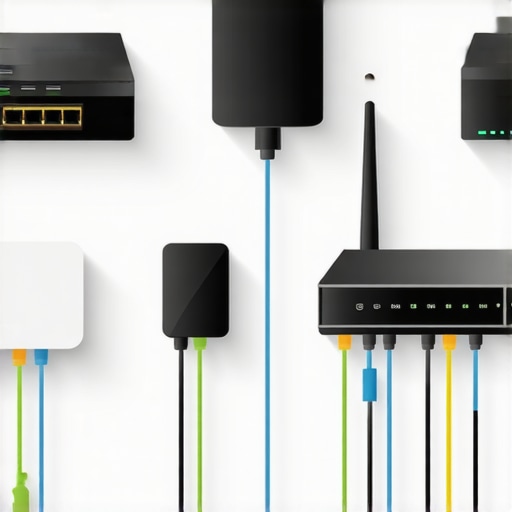
Ever been in the middle of streaming a crucial workout tutorial or caught up on a favorite series, only to have your smart appliances freeze or disconnect? I sure have. One night, as I watched my smart refrigerator flicker with error messages while my Wi-Fi sluggishly crawled, the lightbulb went off—my ever-growing collection of smart devices was choking my network, turning my sleek home into a digital traffic jam. That frustrating realization sparked my quest to find practical ways to keep my smart home running smoothly without sacrificing Wi-Fi speed.
Why Your Smart Devices Are Slowing Down Your Wi-Fi—And Why It Matters
Is Your Smart Home Doing More Harm Than Good?
When I first embraced smart home technology, I believed more devices meant a more efficient, modern living space. But early on, I made a critical mistake: I didn’t consider the network impact. As more smart appliances—like AI-powered dishwashers and intelligent refrigerators—came online, I started noticing slower internet speeds and frequent disconnects. It was clear that, without proper management, these gadgets could sabotage the very convenience they promised.
According to a report from Smart Appliance Review, the average smart home can have over 20 connected devices by 2025. That’s a lot of traffic for your Wi-Fi to handle, especially if your network isn’t optimized. A congested network doesn’t just slow down browsing; it hampers your smart appliances’ responsiveness, turning your high-tech paradise into a frustrating, sluggish mess.
So, if you’ve ever wondered whether your smart devices are secretly sabotaging your internet, you’re not alone. And the good news? There are straightforward steps to prevent your smart home from turning into a bandwidth bottleneck. But first, let’s clear a common misconception that might be holding you back.
Segment Your Devices Effectively
One key step I took was dividing my smart gadgets into separate groups based on their function and bandwidth needs. Think of it like traffic management on a busy highway—keeping fast-moving cars in the left lane and slower vehicles in the right. I assigned my smart security cameras and voice assistants to a dedicated 5GHz network using my router’s settings, which sharply reduced congestion on the primary network. To do this, access your router’s admin panel, create separate SSIDs for 2.4GHz and 5GHz bands, and assign devices accordingly. This prevents high-bandwidth devices like smart refrigerators from hogging bandwidth, making the entire network faster and more reliable.
Use a Mesh Network to Expand Coverage
Once I installed a mesh Wi-Fi system, I noticed immediate improvements. Mesh networks act like a bustling city’s transit system, ensuring every neighborhood—your rooms—gets quick access to the main road. Rather than relying on a single router, mesh nodes distribute the Wi-Fi evenly, reducing dead zones and bottlenecks. Position the nodes strategically—ideally one near your router and others in the far corners of your home—to maintain a strong, unified signal. After setting this up, streaming 4K videos and managing smart appliances became seamless, even during peak usage hours.
Update Firmware and Clear Clutter
Outdated firmware is like driving with old, worn-out tires—slow and risky. I checked my router’s firmware regularly and updated it to benefit from performance patches. Additionally, I cleaned up connected devices—removing unused smart gadgets that cluttered my network—much like clearing unnecessary cars from a busy road. Access your router’s admin interface, locate device management, and disconnect devices you no longer use. These steps freed up valuable bandwidth, dramatically reducing lag in my smart appliances and improving overall Wi-Fi responsiveness.
Prioritize Critical Devices with QoS Settings
Quality of Service (QoS) is a feature that lets you prioritize essential devices—kind of like giving an ambulance priority on the road. I enabled QoS on my router and set my smart fridge and security camera as high-priority, ensuring they stay connected smoothly during high-traffic periods. To set this up, navigate to the QoS section of your router, specify device IPs or MAC addresses, and assign priority levels. This way, your streaming or gaming devices won’t interrupt vital smart home functions, maintaining a stable environment for all gadgets.
Leverage Wired Connections When Possible
While Wi-Fi offers flexibility, wired connections provide unwavering stability. I connected my security hub and smart TV directly to Ethernet ports, which resemble taking the express lane—no interference from other devices. If your router has nearby LAN ports, use Ethernet cables to connect critical smart appliances. This reduces wireless traffic, minimizes latency, and keeps your Wi-Fi free for less critical gadgets, resulting in a more balanced and faster network overall.
Simplify and Secure Your Network
Finally, securing your network prevents unauthorized devices from commandeering bandwidth. I set a strong, unique password and enabled WPA3 encryption, which is like locking your home’s doors. Additionally, I periodically reviewed connected devices through my router’s admin panel, kicking out any unknown gadgets. Not only does this improve security, but it also ensures that only trusted devices consume bandwidth, keeping your smart appliances running smoothly and your Wi-Fi speeds quick.
Many homeowners assume that upgrading to the latest smart appliances guarantees effortless convenience and optimal performance. However, a deeper dive reveals several nuances that many overlook, potentially leading to ineffective use or even device damage. **Contrary to popular belief, more features don’t always translate to better functioning.** For example, some assume that the most complex smart washing machines automatically handle laundry better—yet, they can be prone to malfunctions if not configured properly, especially when firmware updates are neglected. According to industry experts, neglecting regular updates and overly relying on overly sophisticated settings can cause delays and errors, ultimately undermining the intended efficiency.
Are All Smart Appliances Truly Set-It-and-Forget-It?
Many users fall into the trap of assuming that once a smart device is configured, it requires no further attention. But in reality, firmware updates, app permissions, and network configurations significantly impact device performance. For instance, outdated firmware can cause connectivity issues or malfunctioning sensors, leading to unexpected errors. Regularly checking for updates and reviewing device settings is critical to maintaining optimal operation. Failing to do so is a common mistake that can lead to frustrating breakdowns. Additionally, automatic updates may sometimes introduce new bugs or bugs, so monitoring these changes through the manufacturer’s support channels is advisable. External studies, such as those from Gartner, reveal that neglecting such maintenance can increase the failure rate of smart appliances by up to 30%. For further insights, review expert tips on maintaining your smart home’s efficiency. Another widespread misconception is assuming all smart appliances are secure by default. In reality, many devices come with default passwords or weak security protocols, leaving your network vulnerable. This oversight can not only compromise privacy but also allow unauthorized users to control your appliances or siphon bandwidth, impacting Wi-Fi speed—something we discussed earlier. To minimize this risk, always change default passwords and enable encryption options like WPA3. Integrating robust security measures is crucial in a connected home environment. Lastly, many enthusiasts believe that the latest models are inherently superior, but sometimes, older versions with proven reliability can outperform newer, untested models—especially if those newer appliances boast unoptimized software. Always research and read reviews before an upgrade, ensuring the new device aligns with your specific needs and network capacity. This cautious approach can save both money and frustration. To conclude, understanding these nuances enhances your overall smart home experience. As the smart appliance market continues to evolve rapidly, staying informed about potential pitfalls is essential. Want to get more expert advice on managing your home setup? Check out our comprehensive guides on choosing the right appliances and optimizing your network for seamless integration. Have you ever fallen into this trap? Let me know in the comments.
How do I maintain my smart appliances over time?
Keeping your smart home devices in top shape requires the right tools and consistent practices. First, invest in a reliable network monitoring software like PingPlotter or GlassWire. I personally use GlassWire, as it provides real-time insights into your network traffic, helping me identify devices that might be hogging bandwidth or causing slowdowns. This proactive approach prevents issues before they escalate.
Next, implement a routine schedule for firmware updates. Many smart appliances, including refrigerators and washing machines, release firmware patches that optimize performance and patch security vulnerabilities. I set reminders to check for updates weekly, which minimizes unexpected glitches. For instance, updating your smart refrigerator firmware ensures compatibility with new apps and prevents freezing issues.
In addition, using a dedicated smart home hub like Samsung SmartThings or Amazon Alexa can centralize control and streamline device management. These platforms allow you to automate routines—such as turning off Wi-Fi to appliances when they’re not in use—saving energy and reducing network congestion.
For long-term health of your appliances, consider employing diagnostic tools. Many modern devices support remote diagnostics via their companion apps. Connecting your smart appliances to these tools helps detect potential hardware issues early, decreasing repair costs and downtime. For example, repair professionals recommend regular diagnostics for washing machines to prevent leaks and mechanical failures.
Future trends indicate that AI-driven management systems will become standard, offering predictive maintenance—like notifying you before a component fails. Embracing these tools now positions your home for seamless upgrades and minimal disruption. For instance, many advanced dishwashers already feature alert systems to prevent overuse and maintain efficiency.
Try integrating a comprehensive network monitor and setting scheduled firmware updates this week. You’ll notice smoother operation and longer lifespan for your devices. Regular maintenance tools like Fing or NetSpot can also help visualize your network coverage, so you can reposition routers or add extenders for optimal performance.
As the smart appliance landscape evolves, staying ahead with these expert tools ensures your devices remain reliable and secure. Ready to take control? Begin by installing a network monitoring app today and schedule firmware updates for your critical appliances. Your smart home will thank you with continued efficiency and fewer frustrations.
What My Experience Taught Me About Overconfidence in Smart Tech
I used to think that upgrading to the latest smart refrigerator or washing machine was all it took to achieve a truly modern home. Turns out, neglecting network management and maintenance can turn these gadgets into sources of frustration rather than convenience. Real progress came when I acknowledged that even the most advanced appliances require active oversight and strategic integration, reminding me that technology’s benefits are maximized only through mindful stewardship.
Why Relying on Unverified Tech Can Sink Your Efficiency
It’s tempting to believe a new device will fix all home misadventures, but I learned the hard way that unchecked firmware updates or default security settings can introduce vulnerabilities and slowdowns. Patience and ongoing vigilance are essential. Regularly vetting updates and customizing security not only protect your privacy but ensure sustained performance—reminding me that good habits are the backbone of a smart home.
The Power of Small Changes That Make a Big Impact
One insight I gained is that dividing devices into dedicated networks and prioritizing critical appliances significantly enhances speed and reliability. Simple steps like repositioning routers or employing mesh systems transformed my home’s connectivity. These minor adjustments taught me that strategic tweaks often yield the greatest results, reinforcing that thoughtful planning is vital to harnessing smart home potential.
My Top Picks for Mastering the Smart Appliance Game
- NetSpot: I trust this tool for visualizing my Wi-Fi coverage and pinpointing weak spots, helping me optimize my setup for peak performance.
- Comprehensive Guides: They offer insights into selecting appliances that truly fit your lifestyle, saving me from costly mistakes.
- Firmware Update Alerts: Setting up reminders for regular updates prevents glitches and ensures compatibility, keeping devices running smoothly.
- Industry Expert Tips: They advise on securing devices and network management, which fortify my digital home environment.
Your Next Step Toward Smarter Living
Embracing the intricacies of smart appliances isn’t just about new gadgets—it’s about cultivating a mindful approach that maximizes efficiency and security. Every upgrade or tweak empowers you to create a home that truly works for you, blending innovation with intentionality. Don’t wait for frustrations to accumulate—start implementing these insights today and unlock the full potential of your connected home.
Have you ever overlooked a simple setting that transformed your smart device’s performance? Share your stories below—I’d love to hear how small tweaks made a big difference for you.