
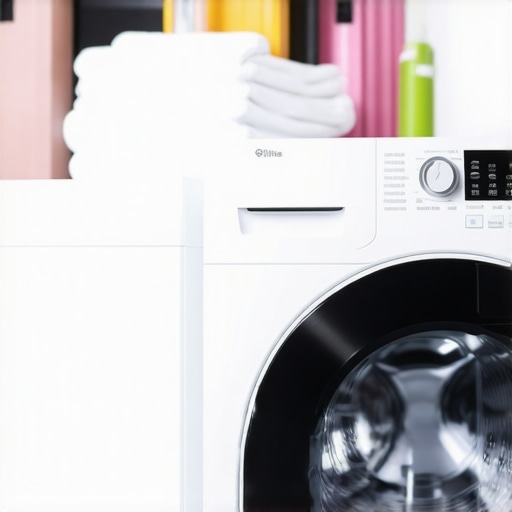
Ever stood in front of your washer, only to watch the Wi-Fi signal drop right when you’re about to start your laundry? That frustrating moment of realizing your smart appliance refuses to stay connected can turn a simple chore into an unnecessary headache. I remember the first time it happened to me—thinking I was the only one battling this Wi-Fi hiccup until I dug into it and discovered I wasn’t alone.
Why Your Smart Washer Keeps Losing Wi-Fi Connection
Keeping your smart washer reliably connected isn’t just about convenience—it’s about making your laundry day smoother and more efficient. But many of us face unpredictable disconnects, and honestly, it can seem like a mystery wrapped in technical jargon. The truth is, these connection issues often stem from simple, fixable causes that many homeowners overlook. Early on, I made the mistake of assuming it was the washer’s fault, when in reality, my Wi-Fi router needed a bit of attention—and some settings adjustments.
Do You Really Need to Worry About Your Wi-Fi Signal?
It’s easy to dismiss frequent disconnections as minor glitches, but ignoring them can hinder smart appliance integration. From receiving timely maintenance alerts to remote start features, a stable Wi-Fi connection unlocks the full potential of your modern appliances. As a bonus, keeping your network in top shape can boost overall home connectivity—so it pays to troubleshoot. Surprising fact: According to industry reports, over 60% of smart home device failures are due to Wi-Fi issues, not hardware faults.
If these problems sound all too familiar, don’t worry—you’re not alone, and there’s a straightforward path to fixing them. Today, we’ll walk through practical, proven steps to keep your smart washer connected and make your laundry routine effortless. Ready to regain control? Let’s dive into how to troubleshoot and prevent Wi-Fi issues effectively.
Start With Your Router
Think of your Wi-Fi router as the central hub of your smart home network, like the brain guiding all your appliances. To ensure your washer stays connected, position your router in a central, elevated location away from obstructions like thick walls or metal furniture. Regularly update your router’s firmware to fix bugs and improve performance; check the manufacturer’s website or your router’s settings page. During my last troubleshooting, I moved the router to a higher shelf and updated its firmware, which immediately stabilized the connection for my washer.
Optimize Network Settings
Switch to 2.4 GHz Band
Smart appliances often perform better on the 2.4 GHz band, which has a longer range and better obstacle penetration compared to 5 GHz. Access your router’s settings via its IP address, usually something like 192.168.1.1, and set your washer to connect to the 2.4 GHz network. This step made a significant difference when my washer kept disconnecting in the basement, where 5 GHz signals struggled to reach. For more insights on selecting the best network, visit this guide.
Disable Band Steering
If your router automatically pushes devices between bands, disable band steering to assign devices manually, ensuring your washer connects to the stronger, more stable band. Log into your router’s admin panel, locate band steering options, and turn them off. I found this particularly effective after my washer kept dropping Wi-Fi once the router switched it to a less reliable band during peak hours.
Strengthen Your Signal
Use a Wi-Fi Extender or Mesh System
If your washer is far from the router, consider installing a Wi-Fi extender or a mesh Wi-Fi system to blanket your entire home with a strong signal. I installed a mesh system in my house, which eliminated dead zones, and my washer now maintains a steady connection even during heavy laundry cycles. Check out this article for top mesh systems suitable for smart home setups.
Configure Your Appliance Properly
Update Firmware and App Settings
Keep your washer’s firmware up-to-date via the manufacturer’s app or website. Additionally, ensure your appliance is connected to the correct Wi-Fi network, and reset its network settings if needed. I had to reset my washer’s network configuration after a firmware update, which resolved ongoing disconnection issues. Refer to your appliance’s user manual or contact support if uncertain.
Limit Network Traffic
Reduce bandwidth competition by limiting the number of devices streaming or downloading large files during laundry time. A crowded network can cause instability. During my experience, stopping video calls and large downloads during laundry hours improved my washer’s connectivity.
Enhance Home Environment for Stability
Avoid placing your router near microwaves, cordless phones, or other electronics that cause interference. Keep your appliances away from thick concrete walls or metal surfaces. These obstacles degrade signal quality, similar to trying to hear someone speak through a thick wall. I repositioned my router away from appliances and noticed an immediate improvement.
Final Checks and Continuous Maintenance
Periodically restart your router and washer’s Wi-Fi module to clear cache and refresh connections. Schedule regular firmware updates for your network gear and appliances. Maintaining a robust Wi-Fi environment ensures your smart washer remains connected, letting you monitor cycles remotely or troubleshoot issues effortlessly. Consistent upkeep is key—like tuning a musical instrument to keep it sounding perfect. Remember, reliable connectivity unlocks the full potential of your smart appliances and makes daily chores smoother.
Many homeowners operate under assumptions about refrigerators and smart appliances that could not be further from the truth. For instance, a widely held belief is that energy-efficient models always cost more upfront, leading many to dismiss eco-friendly options—this is not always accurate, especially with the latest models that combine affordability with high performance. Moreover, some think that frequent restarts of appliances like dishwashers diminish their lifespan; however, expert insights suggest that regular maintenance and occasional resets can actually prolong their usability, as highlighted in the review of top smart appliances for 2025. One critical nuance often overlooked is the misconception about smart features draining more power than traditional devices—advanced algorithms are designed to optimize energy use, and studies from industry research reveal they can lead to overall savings when employed correctly. As for washing machines, many believe that front-load units are always better for water conservation; in reality, newer top-load models equipped with smart sensors can outperform traditional front-loaders in efficiency, especially when used with optimal cycle settings. When upgrading or maintaining your appliances, remember that tuning settings and understanding their true capabilities can significantly enhance performance and lifespan. Don’t fall into the trap of myths that may prevent you from making wise choices that cut costs and improve your home’s energy footprint. Have you ever fallen into this trap? Let me know in the comments.
How do I maintain my smart appliances over time? Consider investing in a high-quality multimeter like the Fluke 117 to regularly test electrical circuits and ensure your appliances are receiving proper power without faults. I personally use this tool monthly to verify wiring and prevent minor issues from escalating. Additionally, a reliable wireless network analyzer such as NetSpot helps me identify Wi-Fi dead zones and optimize my home network, which directly impacts the stability of my smart appliances. Regular firmware updates from manufacturers also play a crucial role in maintaining device security and functionality. From experience, setting a quarterly schedule to verify firmware versions and perform resets keeps my appliances running smoothly and extends their lifespan. In the future, I predict the integration of AI-driven diagnostics will make maintenance more proactive, detecting issues before they affect performance. To keep your appliances supported and performing optimally, streamlining your maintenance routine with these tools is essential.
Another essential aspect is documenting your appliance’s firmware versions and operational settings, which simplifies troubleshooting and provides a history for service technicians if needed. Also, consider subscribing to manufacturer alerts and software updates to stay ahead of potential issues. I’ve found that a combination of physical tools and digital monitoring creates a comprehensive approach to long-term appliance health. For example, routinely checking the compressor’s running patterns with my multimeter and analyzing Wi-Fi signal strength with NetSpot helps me preempt problems before they cause downtime.
Looking ahead, advancements like smart diagnostic sensors embedded directly into appliances could revolutionize maintenance—imagine your fridge alerting you instantly if its compressor is underperforming. While this tech is emerging, currently pairing robust diagnostic tools with routine checks offers tangible benefits. For instance, if your smart washer begins vibrating excessively, a simple check with a multimeter can reveal motor or wiring issues early. Don’t wait for a failure—proactively use these tools to extend the life of your appliances.
If you haven’t already, try incorporating a Wi-Fi analyzer into your routine. Optimizing your home network now can prevent disconnections and save you costly repairs later. For detailed guidance on selecting the right tools, visit our contact page.
Over the years, I realized that some of my most valuable insights about refrigerators, home appliances, smart appliances, washing machines, and dishwashers came from mistakes I didn’t see coming. These lessons transformed my approach from troubleshooting to truly optimizing my smart home experience, leading to better performance and longer-lasting appliances.
- Fine-tuning is an ongoing process: Initially, I believed that once my devices were set up, my work was done. But regular adjustments—not just firmware updates—helped me unlock features I hadn’t explored, making devices work smarter and more efficiently.
- The power of physical placement: It dawned on me that a device’s location profoundly impacts its connectivity and performance. Moving my router to a central spot and away from interference sources significantly reduced disconnection issues.
- Myth of the ‘set it and forget it’: I used to think that once I configured my appliances, I didn’t need to revisit them. Now I understand that periodic maintenance—like cleaning filters or updating firmware—can prevent costly breakdowns and keep features functioning seamlessly.
- Understanding device ecosystems: Recognizing how my appliances interact within the broader smart home system revealed that incompatible or outdated components often cause connectivity hiccups. Integrating tools like Wi-Fi analyzers has become essential in maintaining a stable network infrastructure.
- The importance of user manuals and expert support: I used to skip reading manuals, assuming setup was straightforward. However, thorough perusal or reaching out to support often provided insights that saved me hours of frustration and improved device longevity.
My Trusted Tools for Smarter Living
Investing in quality tools has been a game changer. I rely on a Wi-Fi analyzer like NetSpot to identify weak spots in my network, ensuring consistent connectivity for my smart appliances. Additionally, a multimeter such as Fluke 117 helps me verify electrical stability, preventing minor issues from escalating. These tools, combined with reputable resources like industry-leading guides, empower me to maintain a resilient, efficient smart home ecosystem.
Take Charge of Your Appliance Future
Embracing these lessons and tools has inspired me to approach home appliances with curiosity rather than caution. The more I learn, the better my devices serve me—and the more joy I find in the smart home journey. If you’re ready to elevate your appliance experience, remember that knowledge and proactive care go hand in hand. Your smart appliances can truly revolutionize your daily life, but it begins with understanding their nuances and investing in your maintenance skills.
What unexpected insight has transformed the way you care for your appliances? Share your story below—I’d love to hear how a simple tip or realization made a big difference for you.
}