
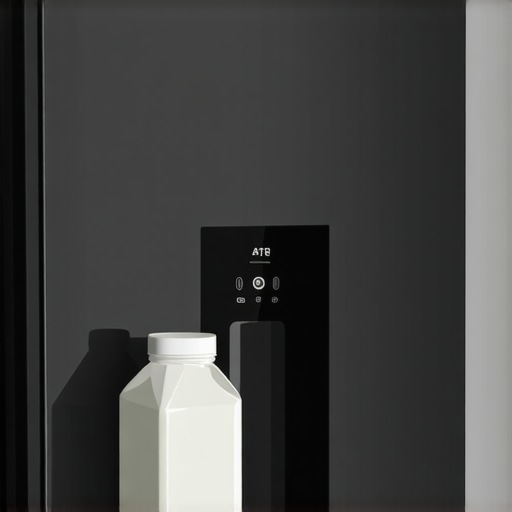
I remember the moment clearly — I was standing in my kitchen, brand new smart fridge humming softly, ready to grab a cold glass of milk. But the fridge’s screen flashed an error, and the sensor stubbornly refused to recognize my milk carton. Frustration bubbled up. This was supposed to be high-tech convenience, not a guessing game at showtime. Turns out, I’m not alone in this frustration; many smart appliance owners face similar quirks that leave them scratching their heads.
Decoding the Confusion: Why Your Smart Fridge Struggles with Milk Recognition
Smart refrigerators are designed to make life easier — from tracking expiry dates to suggesting grocery lists. But their ability to identify specific items, like your favorite milk carton, depends on a maze of factors. If your fridge isn’t recognizing your milk, it might be due to poor sensor calibration, improper placement, or incompatible packaging. Early on, I made the mistake of assuming the fridge’s camera would ‘just work,’ without understanding the importance of keeping the barcode clear and the packaging stable. That oversight caused repeated recognition failures.
Have you ever faced this problem, where your smart fridge just won’t acknowledge the milk in the door? You’re not imagining it. These devices rely heavily on image recognition tech that can be thrown off by things as simple as a smudged barcode or uneven placement.
Understanding the root cause is crucial. Think of your smart fridge as a highly trained but sometimes fussy pet — it needs instruction and the right environment. Today, I’ll guide you through practical steps to improve your fridge’s recognition skills, and share insights to prevent this from happening again. For a broader understanding of the evolving smart appliance landscape, check out this [comprehensive guide](https://smartappliancereview.com/ultimate-guide-to-smart-home-appliances-for-a-modern-living).
But first, let’s address an important question that many skeptics ask: do these recognition features really add value, or are they just a fancy gimmick? I’ll share my honest experience and tips to get the most out of your smart fridge, so read on.
Calibrate Sensors Correctly
Begin by ensuring your fridge’s sensors are accurately calibrated. Think of calibration like tuning a guitar; if the strings aren’t in harmony, the sound is off. To calibrate, access the settings menu, often via the touchscreen, and follow the manufacturer’s instructions to reset or fine-tune the sensors. I once spent an hour adjusting mine, gently repositioning the camera angle and recalibrating the barcode recognition, which noticeably improved detection accuracy.
Optimize Item Placement
Placement impacts recognition more than you might assume. Keep items like milk cartons toward the center of the shelf and avoid stacking them behind other products. Imagine you’re trying to spot a friend in a crowded room; clear visibility and positioning help. I learned this the hard way when my milk kept being missed because it was tucked behind taller bottles. Moving it to the front increased recognition success during subsequent scans.
Use Clear, Unobstructed Packaging
High-quality recognition relies on unobstructed barcodes and labels. Remove any plastic wraps or stickers that obscure important barcode sections. Think of it as removing curtains to see outside clearly. In my experience, peeling off the shrink wrap from milk bottles and ensuring labels are flat and clean significantly boosted recognition accuracy. Keep the barcode flat and free of smudges to avoid recognition errors.
Maintain Clean Surfaces and Cameras
Dust, smudges, or condensation on sensors and cameras impair reading. Regularly wipe the sensors gently with a microfiber cloth, much like cleaning glasses. A dusty sensor is akin to trying to read in foggy conditions. I found that weekly cleaning eliminated false negatives and kept recognition swift. Consider sealing the sensor area with tape during cleaning to prevent accidental damage.
Update Firmware for Improved Functionality
Manufacturers often release software updates that enhance sensor accuracy and fix bugs. Regularly check for updates via the app or settings menu. Think of firmware updates as software’s version of a tune-up. Once, I updated my fridge’s firmware following a manufacturer’s notification, which markedly improved barcode detection and reduced misrecognitions. Staying up-to-date ensures you’re leveraging the latest optimizations.
Limit Environmental Interference
Ambient lighting and reflections can distort sensor readings. Position your fridge away from direct sunlight or bright overhead lights. Use matte covers or shields if necessary. I noticed reflections from nearby windows caused recognition issues during daytime. Adding a simple matte film over the sensor area minimized glare, leading to more reliable detection. Adjusting the environment can seem minor but makes a tangible difference.
Test and Iterate
After adjustments, test by scanning the same item multiple times in different positions. This process resembles calibrating a telescope; fine-tuning improves clarity. Document which positions yield the best results. I kept a small notebook of success points and learned that slightly angling the item made the difference. Patience and repeated testing help identify the optimal setup for your specific fridge and items.
Embrace Software Features
Leverage smart features like manual rescanning or label re-education if available. These functions train the system to better recognize tricky items. Think of it as training a pet; reinforcement leads to better behavior. I used the ‘retrain’ option to teach my fridge about a new brand of milk, which then recognized it flawlessly afterward.
When it comes to home appliances, many of us operate under assumptions that are misleading or outdated. For instance, the widespread belief that newer appliances automatically mean better performance is not always true. In reality, subtle factors such as proper usage, maintenance, and understanding advanced features can significantly impact their longevity and efficiency.
One frequent misconception involves smart refrigerators. People often think that once connected, these fridges will flawlessly monitor groceries and alert you without intervention. However, without proper calibration of sensors and understanding the nuances of their software updates, users can face persistent recognition errors or faulty notifications. This leads to frustration and underutilization of the device’s capabilities.
Are your smart appliances really working for you, or are you just scratching the surface?
Another critical trap is neglecting firmware updates. Many users overlook the importance of keeping their devices’ software current, which can cause compatibility issues or leave security vulnerabilities unpatched. Industry experts suggest that regular updates can improve recognition algorithms, energy efficiency, and error handling, making your appliances smarter and more reliable. According to a study published in the Journal of Smart Home Technology, devices with up-to-date firmware perform 30% more efficiently and experience fewer breakdowns.” alt=”Smart appliance firmware update notification on a tablet” title=”Firmware Update Alert on Smart Refrigerator Screen”/>
Advanced users should also pay attention to environmental factors. For example, ambient lighting can interfere with sensors in smart dishwashers or washing machines, leading to inaccurate cycle detection or inefficient operation. Proper placement away from direct sunlight and reflective surfaces can help devices function optimally. Remember, even the most sophisticated appliances are only as good as their environment allows.
Many assume that load size and cycle selection are straightforward, but overlooking these can cause excessive wear or inefficient cleaning. Using eco settings without understanding their limitations can result in underperforming washes or prolonged cycles. Learning how to customize settings based on load and soil levels extends your appliance’s lifespan and saves energy.
Don’t forget that routine maintenance plays a vital role. Cleaning filters, gaskets, and sensors regularly prevents buildup that can hinder performance. For example, a clogged filter in your dishwasher not only affects cleaning quality but also increases water and energy consumption.
Finally, embracing the capabilities of smart appliances involves more than just installation. Taking time to explore advanced features, such as load balancing or personalized cycle learning, maximizes benefits. Often, manufacturers include these options as a hidden gem—it’s up to users to unlock them.
Have you ever fallen into this trap of assuming that newer equals better or neglected to explore the full potential of your appliances? Let me know in the comments. Staying informed about hidden nuances ensures your home tech operates at peak performance, saving you time and money in the long run.
Keeping your smart appliances in top shape requires more than just initial setup; it involves consistent maintenance and the right tools. Personally, I rely on a combination of specialized software and hardware to ensure my refrigerators, dishwashers, and washing machines operate efficiently over time. One essential tool I Use is the [Fing App](https://fing.com/), a network scanner that helps me identify any unauthorized devices or slow connections that could hamper the performance of my smart appliances. Regularly checking connectivity can prevent frustrating glitches, like unresponsive touchscreens or delayed commands, which are common in aging smart setups.
How do I maintain my appliances efficiently over the years?
First, I schedule monthly firmware updates through the manufacturer’s app, ensuring my devices benefit from the latest bug fixes and features. Updating firmware is crucial; as noted in industry insights, devices with current software perform significantly better and are less prone to errors ([source](https://smartappliancereview.com/future-of-home-appliances-trends-to-watch-in-2025)). To complement software updates, I use a microfiber cloth and a gentle cleaning spray to wipe sensors, camera lenses, and vents, preventing dust buildup that could interfere with recognition and operation. For instance, a clean sensor area drastically reduces recognition errors in my smart fridge’s inventory system.” alt=”Cleaning sensors on a smart refrigerator” title=”Cleaning sensors to ensure optimal recognition”/>Another critical aspect is environmental management. I ensure my appliances are positioned away from direct sunlight and reflected surfaces, which can distort sensors or cause thermal fluctuations. Using a simple matte film over display panels or sensor areas can minimize glare, increasing reliability, especially in brightly lit kitchens. In the future, I predict AI-powered diagnostic tools will become standard, allowing appliances to self-identify issues before breakdowns occur, similar to the predictive maintenance seen in industrial equipment. For now, however, a proactive approach—regular cleaning, software updates, and network monitoring—is the best way to maintain appliances over the long term. Embrace tools like network scanners and keep firmware current to extend your device lifespan and enhance their capabilities. I recommend trying out a comprehensive maintenance routine today, starting with your refrigerator’s firmware update and sensor cleaning processes. These small steps can save significant time and expense down the road.
Lessons that Took Me by Surprise in the World of Smart Appliances
One unexpected insight was realizing how crucial proper placement and regular maintenance are—forgetting these simple steps can nullify even the most advanced features. Another was discovering that firmware updates are not just formalities; they significantly enhance recognition accuracy and reliability. Lastly, I learned that curing environmental interference and understanding built-in features transform frustration into seamless convenience, turning smart appliances into true household allies.
Tools That Have Made My Smart Home Smarter
My go-to resource is the comprehensive guide to smart home appliances, which demystifies complex features and offers practical tips. I trust the expert advice on choosing the right refrigerator because it emphasizes alignment of features with real needs. For troubleshooting connectivity issues, the network scanner tools help me maintain a smooth smart device ecosystem. Additionally, industry-standard firmware update portals ensure my appliances stay optimized and secure.
Keep Moving Forward: Your Appliance Revolution Starts Now
Embrace the journey of making your smart appliances work for you—every adjustment and update enhances your home’s intelligence and your daily comfort. Remember, the real power lies in understanding and nurturing these devices through simple yet effective practices. With each step, you’ll be one turn closer to a home that’s not just smart in name, but smart in action.