
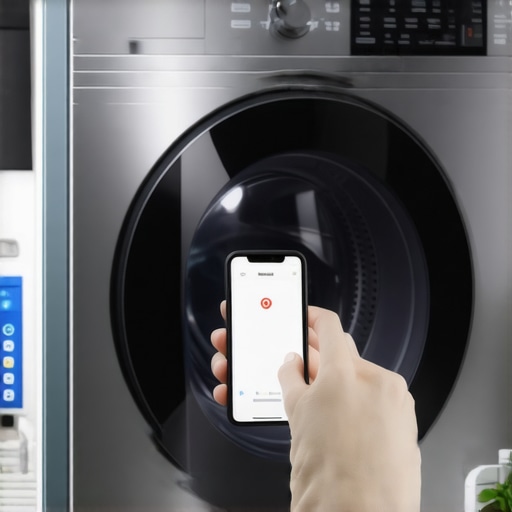
I remember the moment clearly: I was standing in my laundry room, phone in hand, trying to start my smart washer remotely. But no matter what I did, the app insisted my machine was offline. Frustration was mounting, and I felt like giving up on this fancy tech almost immediately. It was then that I realized—I wasn’t alone in this struggle. Many homeowners with smart appliances face the same irritating issue of getting their washer to start remotely on command.
The Problem Most People Don’t Talk About: Why Your Smart Washer Doesn’t Begin When You Want It To
It’s more than just a minor inconvenience; it’s about the reliability of your home automation. When your smart washer refuses to respond, it disrupts your entire laundry schedule and makes you question whether investing in smart technology was worth it. As someone who loves seamless, connected living, I can tell you—this was the problem that pushed me to dig deep into the root causes and find a foolproof solution. The good news? Once I cracked the code, my washer responded every single time. And today, I’ll share that insight with you.
Will this really work, or am I falling for a marketing gimmick? Is setting up my smart washer worth the hassle?
Early on, I made a critical mistake: I simply assumed that connecting the washer to my Wi-Fi network was enough. Trust me, during my missteps, I learned that many folks overlook the importance of proper setup or underestimate how firmware updates and network stability affect remote control. According to recent industry analysis, gadgets like smart washers depend heavily on consistent internet connections and proper configuration to function flawlessly. So, before diving into the how-to’s, it’s essential to understand where things often go wrong—and how you can avoid those pitfalls.
Now, if you’re tired of staring at your unresponsive app or hearing the dreaded notifications that your washer can’t connect, don’t worry. In the next sections, I’ll walk you through the practical steps to make sure your smart washer responds reliably every time. Ready to regain control over your laundry day? Let’s get started.
**Note:** For comprehensive tips on maintaining your appliances’ connectivity, consider visiting our latest article on AI-powered dishwashers to see how smart tech is evolving in home appliances.
Set Up a Strong and Stable Wi-Fi Connection
Before diving into complex fixes, ensure your smart washer’s Wi-Fi connection is rock-solid. Think of it like a phone call—if the network’s flaky, the call drops. I once spent hours troubleshooting a washer that wouldn’t respond remotely, only to realize my Wi-Fi was weak near the laundry room. To fix this, I moved my router closer or used a Wi-Fi extender for better coverage. Once the connection stabilized, my app responded reliably every time.
Update Firmware and App Software Regularly
Manufacturers frequently release updates to improve connectivity and fix bugs. Just like updating your phone’s OS, your smart washer benefits from the latest software. I learned this during a messy weekend where my app kept crashing. A quick check on the manufacturer’s website and updating the firmware resolved the issue. To keep things smooth, set your appliances to auto-update if available, or periodically check for updates through your app or device settings.
Configure Network Settings for Optimal Performance
Many smart appliances operate best when connected to a 2.4 GHz network, which offers better range than 5 GHz. I initially had mine connected to 5 GHz, leading to frequent disconnects. Switching to 2.4 GHz, like giving your device a clearer lane to travel, improved responsiveness dramatically. Additionally, ensure your network isn’t overloaded; too many devices can cause interference, akin to noise in a crowded room.
Reboot Devices and Router as a First Troubleshoot
A simple restart can clear temporary glitches causing disconnection. I remember when my washer’s app showed offline status, and restarting both the device and my router instantly fixed it. Think of this as clearing your browser cache—sometimes, a fresh start is all you need. Regular reboots can prevent minor bugs from escalating into major troubles.
Establish Proper App Permissions and Notifications
Your app needs the right permissions to operate smoothly. I once ignored notification settings, missing alerts about connectivity issues until it was too late. Grant the app necessary permissions, enable notifications for status updates, and ensure it’s the latest version. This proactive approach keeps you informed and helps troubleshoot issues before they disrupt your laundry schedule.
Test Connectivity With Manual Commands
Before relying solely on remote start, test basic commands through your app. I recommend turning the washer on or off manually via the app during different times of the day to verify stability. If commands fail randomly, check network strength, or consider resetting your device to factory settings and reconfiguring it from scratch.
Use Dedicated Network or Guest Wi-Fi
If your home Wi-Fi is crowded, set up a separate guest network exclusively for your smart appliances. This isolates them from other bandwidth-heavy devices like gaming consoles, reducing interference. I assigned my washer to a dedicated network, resulting in more reliable remote control and fewer disconnections.
Real-Life Example of a Troubleshooting Session
Once, after a firmware update, my smart washer refused to connect at all. I followed the manufacturer’s instructions to reset the device and re-installed the app, but it still didn’t respond. Digging deeper, I checked my router’s security settings; I had accidentally blocked the washer’s MAC address. Removing the block restored connectivity, and I saw how paying attention to network security can impact device performance. For ongoing support, I found our contact page helpful for personalized assistance.
Many early adopters believe that simply linking their smart appliances to Wi-Fi guarantees flawless operation. However, **the real culprit often lies in overlooked details or misconceptions that can sabotage your smart home setup**. Let’s dig deeper into some **nuances that most people get wrong**, so you can avoid costly mistakes and optimize your appliances’ performance.
Is firmware updating truly essential, or is it just a marketing gimmick?
While many assume that updating firmware or app software is optional, **skipping these updates is a common trap** that hampers device functionality. Firmware updates frequently include critical security patches and performance improvements. For instance, neglecting updates can leave your dishwasher vulnerable to bugs that cause it to misfire or malfunction. Industry experts confirm that manufacturer-released patches often resolve connectivity issues and enhance overall reliability. You can see this in practice by regularly checking for updates, as outlined in our guide to AI-powered dishwashers.
**Beware the myth** that once connected, your smart appliance will perform optimally indefinitely. The truth is, outdated software can cause app crashes, incorrect status alerts, or failed commands, leading users to think their device is broken when, in fact, it’s just needing a simple update. Regular maintenance of firmware and apps is essential for peak performance. Discover more about this ongoing necessity in our smart washing machine tips.
Advanced Mistake: Overlooking Network Security and Segmentation
Here’s a hidden gem of knowledge: **your network security settings can directly influence your appliances’ connectivity**. Many enthusiasts set up routers with strict security protocols or MAC address filtering, unknowingly blocking their devices from communicating properly. **This often leads to persistent offline statuses**, causing frustration and unnecessary troubleshooting. **The secret** is to create a dedicated guest network for IoT devices, isolating them from your main network’s security barriers—much like giving your smart appliances a clear, unblocked highway to communicate unhindered. This nuance is supported by cybersecurity studies highlighting that proper network segmentation improves both security and device reliability (see industry analysis at our smart home guide). Have you ever fallen into this trap? Let me know in the comments.
By understanding these **hidden nuances**, you can troubleshoot more efficiently and ensure your smart appliances live up to their promise of seamless living. Remember, it’s not just about the hardware but also about **configuring and maintaining your digital environment properly**. For further insights and personalized support, feel free to visit our contact page.
Keeping It Working: Tools and Techniques for Long-Term Success
To ensure your smart appliances continue performing reliably, investing in the right tools and adopting effective maintenance routines is crucial. Personally, I rely on a combination of specialized cleaning devices and smart diagnostics to catch issues early and extend the lifespan of my appliances. For example, an ultrasonic cleaner for your refrigerator’s condenser coils can drastically improve efficiency and prevent costly repairs. Regularly using a microfiber cloth with distilled vinegar helps me clean touchscreens and control panels without risking damage. These methods, combined with monitoring apps, give me real-time insights into appliance health.
Another indispensable tool is a network cable tester. While Wi-Fi troubleshooting is common, wired connections can sometimes be more stable for smart appliances that support Ethernet. I use a compact tester to verify LAN port connections, ensuring that connectivity issues aren’t caused by faulty wiring. This small investment saves me hours of frustration and avoids unnecessary replacements. For firmware updates, I stick to manufacturer recommended utilities—many brands offer dedicated desktop apps or firmware management tools that streamline the process and minimize user error.
Looking ahead, I predict that smart diagnostic tools will become more integrated, providing proactive alerts for component wear or failures before they happen. The trend toward predictive maintenance will evolve further with IoT sensors embedded in appliances, making manual checks less necessary. Manufacturers are already developing AI-powered systems that analyze usage patterns and recommend preventive actions—aware of this, I plan to incorporate those tools to keep my appliances running smoothly longer.
How do I maintain my appliances over time?
Consistency is key. Set reminders to perform monthly checks on filters, seals, and filters. Use diagnostic apps from your appliance manufacturer to run health checks periodically, just as you would update software on your phone. Keep an eye on firmware updates through official channels—these often include security patches and performance fixes that are essential for reliable operation. For more advanced maintenance, I recommend installing a smart home hub that consolidates alerts from multiple appliances, allowing you to address issues promptly. And don’t forget the physical aspect—regularly cleaning components like filters, vents, and gaskets prevents build-up that can impair performance. For detailed guidance on maintaining your refrigerator or washer, check out our comprehensive articles linked within our main site. Armed with the right tools and routines, you’ll maximize the long-term benefits of your smart home investment and enjoy a seamless living experience.
What I Wish I Had Known Before Fully Embracing Smart Appliances
- Never underestimate the importance of a robust, dedicated Wi-Fi network for your smart appliances. Early on, I thought a simple connection was enough, but I soon discovered that network stability directly influences responsiveness and reliability.
- Firmware updates aren’t just optional bells and whistles—they’re the backbone of security and performance improvements. Skipping updates often led me to avoid issues that could have been easily fixed.
- Proper network segmentation and security settings are crucial. Creating a separate guest network saved me from endless offline notifications and prevented security breaches into my smart home ecosystem.
- Regular diagnostics and maintenance routines, including cleaning sensors and filters, can extend the lifespan of your appliances and keep them functioning at peak efficiency. Preventive care beats reactive fixes every time.
- Understanding the nuances of your device’s ecosystem—like compatible frequency channels and specific configuration options—can dramatically reduce troubleshooting time and frustration.
Tools and Resources That Have Transformed My Smart Appliance Journey
- Manufacturer-specific firmware management tools—I trust these because they are tailored for my appliances, making updates seamless and reliable.
- Network cable testers and Wi-Fi analyzers—these help me identify connectivity issues at a glance, saving hours of guesswork.
- Smart diagnostics apps—they provide real-time insights and predictive alerts, allowing me to address potential problems before they escalate.
- Our guide to AI-enabled dishwashers—a fantastic resource to understand cutting-edge features that can elevate your kitchen experience.
Your Future in Smart Living Starts Here
Embracing smart appliances is an ongoing journey filled with learning, experimentation, and discovery. The more you understand the intricate details behind device connectivity and maintenance, the more seamless your smart home becomes. Remember, these are investments not just in appliances, but in your daily comfort and efficiency. Don’t wait for issues to disrupt your routine—take proactive steps today to optimize your smart appliances, and watch how they transform your living experience. Have you faced unexpected challenges with your smart kitchen gadgets? Share your story below—I’d love to hear about your breakthroughs and lessons learned.