

Have you ever stood in front of your smart fridge, reaching out to tap that glowing touchscreen, only to be met with complete silence? I remember the frustration vividly. One morning, I was preparing breakfast, and my fridge’s display refused to respond. It was as if the screen had gone on vacation without telling me. That moment was a lightbulb for me—these sleek appliances can just stop communicating, leaving us feeling helpless.
Why a Non-Responsive Touchscreen Can Disrupt Your Day
Modern refrigerators are more than just cold storage; they are connected hubs that help us manage grocery lists, control temperature, and even connect to our smart home setups. When the touchscreen becomes unresponsive, it’s not just inconvenient—it can throw a wrench into your entire kitchen routine. Imagine trying to adjust the temperature or check what’s inside, only to be greeted by a frozen or dead display. It’s surprisingly common, and often, the fix can be just a few minutes away.
Is Resetting the Screen Really Worth It?
Many folks panic, thinking they need professional help or expensive replacements. But in my early days of troubleshooting, I made a costly mistake—assuming the problem was physical damage instead of trying a quick reset. That delay only extended the downtime. Rest assured, this is a common glitch, and I’m here to share a simple, proven method to resolve it swiftly. According to appliance experts, a simple power reset often clears up mini glitches in smart device interfaces, saving you time and money. Want to avoid unnecessary service calls? Keep reading.
Perform a Hard Reset of Your Smart Fridge
Think of your smart refrigerator like a smartphone—sometimes it needs a reboot to resolve glitches. To reset, unplug the fridge from the power outlet, wait for about 5 minutes, then plug it back in. This mechanical restart clears temporary issues. I once faced a frozen touch screen that refused to obey my commands—performing this reset restored full control, saving me a service call. Ensure you turn off the fridge power supply and wait before plugging in again for the reset to take effect.
Check for Firmware Updates or Software Glitches
Just like your phone, smart refrigerators often release firmware updates to fix bugs. Access the settings menu on your fridge—if the touchscreen responds—and look for software updates. Follow the prompts to download and install any available upgrades. In my experience, outdated firmware caused unresponsive screens; updating it made a noticeable difference in responsiveness and functionality. If your display stays unresponsive, connect your fridge to your home Wi-Fi and check the manufacturer’s app or website for instructions—some models allow remote updates.
Inspect and Reset the Touchscreen Interface
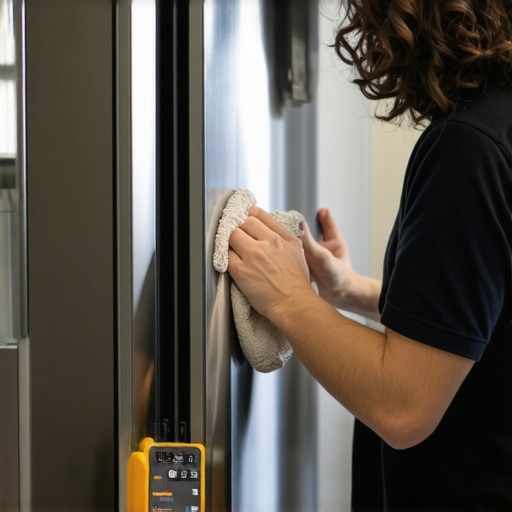
Sometimes, the touchscreen itself may have dirt, smudges, or corrosion affecting its operation. Gently clean the screen with a soft, damp cloth, avoiding harsh chemicals. If the screen remains unresponsive, try a system reset specific to the control panel—usually done by pressing and holding a combination of buttons like ‘Settings’ and ‘Power’ for several seconds. This method is akin to performing a hard reset on a computer, which can clear minor bugs. During a reset I once did, the display flickered and then restarted, restoring full functionality.
Ensure Proper Power Supply and Connections
Unresponsive screens might also be caused by inconsistent power supply. Check that the power cord is securely plugged into the outlet and that the circuit breaker hasn’t tripped. Use a different outlet or test with a known working device to confirm power stability. A loose connection could mimic a frozen screen, and fixing this is as simple as securing the plug or resetting the breaker. Avoid using extension cords, which can cause power fluctuations disrupting your fridge’s electronics.
Consult Your Appliance’s Manual or Manufacturer Support
If these steps don’t resolve the issue, reference your fridge’s manual for model-specific troubleshooting. Many manufacturers provide online support, FAQs, or chat options. Having experienced a stubborn unresponsive touchscreen that refused to restart, I contacted support—they guided me through a more involved reset procedure involving access to service menus. Sometimes, software or hardware issues require professional diagnostics; in such cases, reaching out to authorized technicians ensures safe repairs.
Seek Professional Repair When Necessary
If all troubleshooting efforts fail, it might indicate a hardware failure like a faulty display panel or damaged internal connections. Professional repair services are equipped to diagnose and replace malfunctioning components. Remember, digital control panels are complex circuits, and attempting repairs beyond basic resets can void warranties or cause further damage. For peace of mind, consult an authorized technician or visit the support page of your appliance manufacturer.
Regular Maintenance to Prevent Future Glitches
Keep your smart refrigerator in top shape by routinely cleaning the touchscreen with a microfiber cloth and ensuring firmware stays updated. Avoid spilling liquids on the display, and be cautious during cleaning to prevent accidental damage. Routine checks can prevent unresponsive screens, much like maintaining a computer or smartphone—the key is consistent care and timely updates. For example, I once noticed a slight lag in my fridge’s response, which I remedied by updating the firmware, resolving the issue before it worsened.
Many homeowners assume that if their washing machine, dishwasher, or refrigerator appears to function normally, then they are operating optimally. However, common misconceptions about these appliances can lead to decreased efficiency, higher energy bills, and premature failure. Let’s examine some nuanced truths and myths that trap many users, and explore how understanding these details allows for smarter appliance care.
When Bigger Is Not Always Better in Refrigerators
One widespread myth is that larger refrigerators automatically mean more convenience or better value. In reality, oversized units tend to consume more energy and may struggle to maintain optimal temperature if not properly stocked or ventilated. Industry studies suggest that a refrigerator’s efficiency heavily depends on appropriate sizing relative to household needs, rather than volume alone. Overpacking can block air vents, reducing cooling performance and increasing electricity use.Learn more about choosing optimal fridge sizes.
Dishwashers Are Not Magic Machines That Clean Everything
Another misconception involves loading dishes. Many users believe that pre-rinsing is necessary or that more detergent guarantees better cleaning. But over-rinsing can lead to detergent waste and poor wash results if the dishwasher’s sensors misinterpret the soil levels. Modern innovative dishwashers with AI technology are designed to optimize water and detergent use based on load and soil. The key is proper loading—placing dishes correctly forms an essential part of efficient cleaning.
Home Appliances and Your Expectations: The Hidden Nuance
People often overlook the importance of regular maintenance, mistakenly believing that modern smart appliances are ‘set and forget.’ This leads to neglect in tasks like cleaning filters, checking water lines, or updating firmware. For example, failing to clean refrigerator coils regularly can cause increased energy consumption and cooling issues, despite the appliance seemingly functioning well. Attention to detail in maintenance prolongs lifespan and maintains peak efficiency.
Why Your Smart Washer Might Be Less Smart Than You Think
Many users assume that connecting a smart washing machine to Wi-Fi inherently makes laundry easier. However, without proper setup or understanding of the app’s capabilities, users may miss out on advanced features like cycle customization or water savings. Moreover, firmware glitches can cause miscommunication or app crashes. Visiting this guide on smart appliance troubleshooting highlights the importance of regular updates and correct setup for real benefits.
Common Mistakes That Short-Circuit Your Appliance Lifespan
Overlooking the importance of electrical safety and proper power connections can cause appliance failures. Using extension cords, frequent power surges, or improper grounding can damage sensitive electronics inside these devices. According to appliance experts, always plugging appliances directly into grounded outlets not only ensures safety but also extends their operational life. For smart appliances, consistent internet connectivity also requires stable network configurations to avoid software malfunctions.
By refining how we approach home appliances with a nuanced understanding—recognizing that size isn’t everything, maintenance matters, and smart features require proper use—we can maximize both efficiency and longevity. Have you ever fallen into this trap? Let me know in the comments and share your experiences with appliance myths and mistakes.
Tools That Keep Your Appliances Running Smoothly
Investing in the right tools is crucial for ensuring your smart home appliances remain efficient over time. I rely heavily on a digital multimeter to troubleshoot electrical issues, especially with appliances like refrigerators and dishwashers. A quality multimeter allows me to verify voltage levels and identify faulty wiring or components quickly, saving time and money. Additionally, a microfiber cloth is essential for cleaning screens and touch interfaces gently, preventing dust buildup that can cause unresponsiveness. For more stubborn grime or residue, I use a soft-bristled brush and a mild cleaner recommended by manufacturers to safely maintain sensitive parts.
Another indispensable item is a reliable surge protector. Power surges can silently damage electronic components, especially in smart appliances that are always connected. I connect my devices through a surge protector with built-in EMI filtering, which shields against voltage spikes and electromagnetic interference, prolonging their lifespan. Regularly checking your home’s electrical system with a professional ensures that your appliances get stable power, reducing unexpected malfunctions.
Software and Apps That Simplify Maintenance
Keeping firmware up-to-date is fundamental. I subscribe to manufacturer notifications to receive alerts when updates are available, preventing bugs that could cause unresponsiveness or connectivity issues. Many smart appliances have companion apps that facilitate diagnostics; I use these apps to run built-in self-tests and monitor system status remotely. For refrigerators, I often review detailed logs via the app to spot irregular temperature fluctuations or water leaks early, allowing for timely intervention before costly repairs are needed. Additionally, some brands offer predictive maintenance features, which analyze usage patterns to recommend proactive service — I highly recommend enabling these if available.
How do I maintain my appliances over time?
Establishing a routine cleaning schedule is key. For example, cleaning refrigerator coils every six months with a dedicated coil brush can significantly improve cooling efficiency and lower energy bills. This simple step prevents dust accumulation that hampers heat exchange. Similarly, running a cleaning cycle in your smart dishwasher once a month using manufacturer-approved cleaning agents can prevent buildup of minerals or soap scum that impair drying performance. I also recommend setting calendar reminders to check for firmware updates and run diagnostic tests periodically. These proactive measures make a tangible difference in extending the lifespan of your appliances, and many modern models integrate maintenance alerts directly into their apps, making it even easier to stay ahead. Predicting future trends, I believe that AI-driven diagnostics will become standard, alerting you automatically to potential issues, much like early warning systems in modern cars. To make maintenance even more straightforward, try enabling predictive notifications on your appliances — a step that can save you from unexpected breakdowns and costly repairs. For tailored advice or professional assistance, don’t hesitate to contact a qualified service technician.”
} } }
}
Over the years, I’ve learned that maintaining and troubleshooting smart appliances isn’t just about fixing problems—it’s about understanding the deeper intricacies that govern their performance. One key insight is that many issues, like unresponsive touchscreens, stem from habits and assumptions that aren’t always accurate. Recognizing these hidden truths empowers us to get the most out of our appliances and avoid unnecessary frustrations.
Lessons That Changed How I Care for Smart Appliances
- Size Matters More Than You Think: Bigger isn’t always better. An over-large fridge consumes more energy and may struggle with temperature stability. Being mindful of appropriate sizing based on household needs can save energy and extend appliance life.
- Pre-rinsing Isn’t a Must: Modern dishwashers with AI technology analyze soil levels to optimize cleaning. Proper loading and trusting the machine often yields better results than extra rinsing, which can waste water and detergent.
- Firmware Updates Are Your Best Friends: Keeping devices updated prevents glitches and enhances functionality. I now schedule regular checks through manufacturer apps to stay ahead of potential issues.
- Routine Maintenance Saves Money: Simple actions like cleaning condenser coils or sealing gaskets regularly prevent costly repairs later. These small habits make a significant difference in appliance longevity.
Tools and Resources That Keep Me Ahead
- Smart washing machine guides have transformed my laundry routine, informing me about features and troubleshooting tips I didn’t realize existed.
- My all-in-one smart device handbook helps me integrate appliances seamlessly, saving time and energy.
- Professional diagnostic tools like a digital multimeter allow me to verify electrical issues safely, reducing reliance on costly technician visits.
Your Next Move Should Embrace Change
The journey with smart appliances is ongoing. Each step—be it regular maintenance, timely updates, or harnessing the right tools—builds a more reliable, efficient home. Don’t let misconceptions hold you back; instead, see these devices as partners in your daily life. Take pride in understanding their nuances, and you’ll enjoy smoother performance and longer lifespan.
What’s the biggest challenge you’ve faced managing your smart appliances? Share your story below and let’s learn together.