
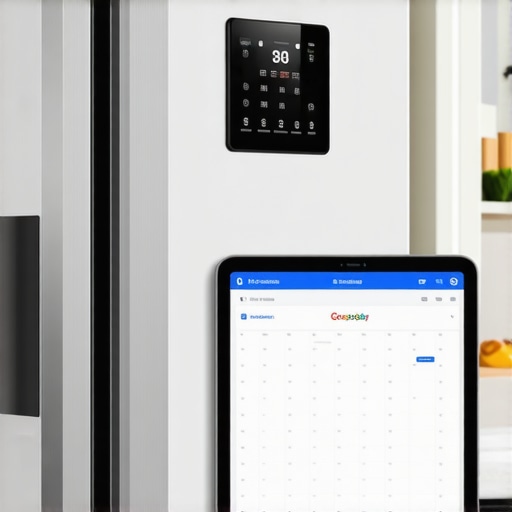
Ever had that frustrating moment when you’re about to restock the fridge or set your grocery shopping, only to realize you forgot whether you scheduled that reminder or if your last meal prep is still on the calendar? I used to stare at my smart refrigerator’s touchscreen, hoping it would magically remind me of my schedule. Instead, I found myself manually checking my phone or jotting notes—an inefficient dance that felt like a step back from the convenience I paid for.
The Lightbulb Moment That Changed Everything
One day, as I was juggling a hectic week, the thought struck me: why not connect my refrigerator directly to my Google Calendar? It seemed simple enough, but I was skeptical. Would it really save me time? Could I trust it to keep my grocery plans synchronized, or would I end up with more confusion? That initial doubt nearly made me shy away from trying—until I remembered early missteps I made with my smart appliances. I once attempted to tweak my washing machine settings without proper research, only to end up with clothes that still had soap residue. After that, I learned the hard way that diving into smart tech without understanding the basics leads to more headaches than solutions.
Is Syncing Your Refrigerator With Google Calendar Worth the Hassle?
Many folks feel overwhelmed by the idea—thinking it’s complicated, unreliable, or just a gimmick. But from personal experience and expert advice, I can tell you this: once set up properly, this integration can transform your kitchen routine. Think about it—no more double-checking schedules across devices or forgetting your grocery list. Your refrigerator can become a smart hub that keeps your life organized. Luckily, the process is more straightforward than you might imagine, and I’ll walk you through the steps so you can enjoy a seamless experience. If you’d like to understand how to make this work effortlessly, stay tuned—because the quiet, powerful benefits await.
Start with Your Compatible Devices
Ensure your smart refrigerator supports calendar integration—most modern models do. Check the manufacturer’s app or manual. Gather your Google account credentials, as you’ll need them for the setup process. Think of this step as preparing your toolkit before assembling furniture; having everything ready streamlines the process.
Download and Set Up Your Manufacturer’s App
Download the app linked to your refrigerator brand—like Samsung SmartThings or LG ThinQ. Launch the app and create or sign in to your account. Connect your fridge to your home’s Wi-Fi network, ensuring a stable connection. This setup is akin to linking a Bluetooth device to your phone—it establishes the communication bridge needed for further configuration.
Grant Permissions for Calendar Access
Within the app, navigate to integrations or connected services. Locate the Google Calendar option and authorize access using your Google credentials. Grant all necessary permissions, such as viewing and managing your calendars. This permission acts like giving a trusted teammate access to your project—they can now add or read events seamlessly.
Create Your Calendar Events
Open Google Calendar on your smartphone or computer. Schedule events like meal prep reminders or grocery shopping. Use clear titles and set notifications if your refrigerator supports alerting you—like “Grocery Pickup” at 3 PM. Think of these entries as the signals guiding your refrigerator’s reminders, making your kitchen smarter.
Configure Your Refrigerator’s Notification Settings
Return to your app and fine-tune notification preferences. Decide if alerts appear on the touchscreen, via push notifications, or both. Some models allow visual cues directly on the fridge’s display—like flashing icons—so you don’t miss important updates. This step is similar to setting alarms on your phone to remember a meeting—timely alerts keep your routine smooth.
Test and Adjust Your Setup
Create a test event scheduled in the next few minutes. Observe if your refrigerator displays or notifies you about the event. If it does, your setup is successful; if not, revisit permissions or Wi-Fi connections. Think of this as a dress rehearsal—making sure everything runs perfectly before the real show. I once set a reminder for a dinner reservation and was thrilled to see my fridge pinging me shortly after, confirming the connection worked.
Maintain and Troubleshoot
Periodically check for firmware updates via your app—like [how to update the software on your smart refrigerator](https://smartappliancereview.com/how-to-update-the-software-on-your-smart-refrigerator-without-fail-2). If alerts stop, revisit permissions or restart your Wi-Fi router. Remember, a solid connection ensures your fridge remains the smart kitchen hub you envisioned, transforming routine tasks into effortless actions.
With these concrete steps, integrating your refrigerator with Google Calendar becomes straightforward. This setup turns your appliance into a dynamic assistant, keeping your kitchen and schedule perfectly in sync—like having a personal organizer built right into your fridge. For more insights on maximizing your smart appliances, explore [the ultimate guide to smart home appliances](https://smartappliancereview.com/ultimate-guide-to-smart-home-appliances-for-a-modern-living).
Many homeowners overlook critical nuances when choosing and using smart appliances, which can lead to frustration and wasted resources. Contrary to popular belief, not all smart refrigerators or washing machines are foolproof; they often come with hidden complexities that trip up even seasoned users. For instance, a common myth is that connecting your device to Wi-Fi guarantees seamless operation. In reality, poor network stability can cause firmware updates to fail or features to malfunction, emphasizing the importance of a robust internet connection. Additionally, many assume that the most feature-rich models automatically deliver the best performance, but overloading a smart dishwasher can inhibit proper cleaning—highlighting that understanding specific load capacities and cycle options is crucial. An overlooked advanced mistake involves neglecting regular maintenance. For example, failing to clean refrigerator coils or service filters regularly can suppress efficiency and even damage the appliance over time, as documented in expert studies.
Why do some smart appliances seem to lose their connection unexpectedly, and how can you prevent it?
This issue often stems from firmware bugs or incompatible network configurations. Manufacturers regularly release updates to fix bugs and enhance security; therefore, failing to keep devices updated is a common oversight that can jeopardize performance. I recommend setting automatic updates where possible, but always check for compatibility with your home network—more on this in guides about future appliance trends. Moreover, users tend to value aesthetics over practicality, choosing sleek designs that may compromise accessibility to important components like water filters or vents. This can inadvertently reduce appliance lifespan or cause operational issues. To maximize your investment, consult expert advice on selecting models that balance design with functional durability, such as detailed reviews found on industry sites. Finally, beware of the trap of over-reliance on app notifications—many believe that all updates and alerts are trustworthy. However, sometimes notifications might be delayed or omit critical information, making periodic manual checks indispensable. Staying proactive ensures your appliances remain reliable and efficient over time. Have you ever fallen into this trap? Let me know in the comments. For a comprehensive understanding, check out our cornerstone guide on [smart home appliances and how to choose the best ones for your needs](https://smartappliancereview.com/ultimate-guide-to-smart-home-appliances-for-a-modern-living), which covers many of these pitfalls and more.
Invest in Reliable Calibration Tools
To ensure your smart appliances function optimally over time, investing in precise calibration tools is crucial. For refrigerators, a digital thermometer like the Habor Digital Thermometer helps monitor internal temperatures accurately, preventing spoilage and energy waste. Similarly, a high-precision multimeter such as the Fluke 117 allows you to diagnose electrical issues in your washing machines and dishwashers. Personally, I use these tools to verify that my appliances maintain factory settings, which prolongs their lifespan and ensures consistent performance.
Utilize Automation Software for Ongoing Monitoring
Automation platforms like SmartThings or Home Assistant enable continuous oversight of your devices. I recommend integrating your appliances into these systems to receive real-time status updates and alerts for anomalies like temperature deviations or connectivity issues. For instance, I set up notifications that alert me if my refrigerator’s internal temperature goes beyond the optimal range—this proactive approach helps prevent food waste. These tools are designed to adapt and evolve with your smart home, making long-term maintenance effortless.
Schedule Routine Maintenance Checks
Establish a regular maintenance routine, such as cleaning filters, inspecting coils, and updating firmware. An excellent resource is the comprehensive guide on coil cleaning. I personally set reminders every three months to perform these tasks, which I’ve found significantly reduces unexpected breakdowns. Combining automated diagnostics with manual inspections creates a robust maintenance strategy that keeps appliances performing at their best.
Leverage Firmware Updates for Long-Term Benefits
Keeping your appliances updated is vital for security and efficiency. Most devices now support automatic updates, but I recommend manually checking periodically. Firmware improvements often include bug fixes and new features that enhance stability—imagine your fridge preventing condensation buildup more effectively after an update. For stubborn issues, forcing a firmware update can be a game-changer; learn how to do this properly by visiting this detailed guide. Actively managing updates is one of the best ways to future-proof your smart kitchen.
Plan for Scalability and Future Upgrades
As smart technology advances, having a scalable system in place allows for seamless integration of new appliances. Consider using centralized control platforms compatible with various brands and standards. I’ve started integrating my appliances with voice assistants like Alexa, which makes managing multiple devices intuitive and effortless. Adopting flexible, firmware-compatible components now ensures your setup remains adaptable, reducing upgrade costs down the line. The future of smart appliances points towards more interoperability; staying ahead with compatible tools and systems positions your home for long-term success.
How do I maintain smart appliances over time?
The key lies in regular calibration, proactive monitoring through automation software, routine manual checks, and staying updated with firmware releases. Incorporate tools like digital thermometers and multimeters to diagnose hardware issues early. Remember, a well-maintained appliance not only performs better but lasts longer—a worthwhile investment in your smart home journey. For more advanced tips, I recommend trying out automated alerts combined with manual inspections to keep your setup in top shape. Want to take your maintenance to the next level? Check out expert advice on water-saving washing machine tips for 2025—a perfect blend of technology and maintenance ingenuity.
What I Wish I Knew Before Diving Into Smart Appliance Setup
- I underestimated the importance of stable Wi-Fi—initial setup was a mess until I improved my network and realized connectivity is foundational.
- Regular firmware updates are not optional; neglecting them can leave your appliances vulnerable to bugs and missed features.
- Not all ‘smart’ devices are intuitive—spending time reading manuals or expert reviews saved me from costly mistakes and frustration.
- My biggest lightbulb moment was realizing that maintenance routines are equally crucial as initial setup—cleaning filters and coils prevents future headaches.
- Integrating devices like my refrigerator with automation platforms transformed how I manage daily routines, turning ‘smart’ into truly practical.
Tools and Resources That Transformed My Experience
- SmartThings platform—this versatile hub helps me monitor multiple appliances seamlessly and receive proactive alerts.
- The comprehensive guide to smart home appliances—a cornerstone resource that helped me understand features beyond marketing hype.
- Digital thermometers and multimeters—these tools enable me to verify appliance health and optimize performance without guesswork.
- Expert blogs and community forums—learning from others’ successes and pitfalls accelerated my mastery of smart appliance maintenance.
Embrace the Future with Confidence and Curiosity
Taking control of your smart appliances can feel overwhelming at first, but remember that every challenge is an opportunity to learn something new. Your kitchen can become a hub of effortless organization and future-ready technology—just like mine, which now feels like a trusted partner in daily life. Start small, stay curious, and don’t hesitate to explore the myriad features your devices offer. The smarter your home, the easier your everyday tasks become—are you ready to take that leap? Drop your questions or experiences below and join the conversation.