
Ever been in the middle of baking your favorite cookies when your smart oven suddenly drops Wi-Fi, leaving you staring at a blank screen and wondering if your kitchen has turned into a technological ghost town? I’ve been there too—frustrated, confused, and eager to fix the problem without calling in a pricey technician. That lightbulb moment made me realize something: these smart appliances are fantastic until they decide to act up, especially with unreliable Wi-Fi connections. If your smart oven keeps disconnecting from your home network, you’re not alone—and today, I promise to share practical solutions that worked wonders for me.
Why Wi-Fi Dropouts Turn Home Cooking into a Headache
Wi-Fi is the backbone of most smart appliances, including our beloved ovens. They need a solid connection to function properly, sync recipes, and even update firmware. When that connection drops, it’s like your oven goes silent mid-conversation. As appliances become more integrated, their reliance on Wi-Fi grows—according to a recent report, over 84% of smart home users experience connectivity issues at some point (source). I learned the hard way that ignoring this problem can lead to longer cooking times, missed updates, and general frustration. Fixing this isn’t just about convenience; it’s about maintaining control over your kitchen and making smart appliances work for you, not against you.
Have you faced this chaos of a disconnecting smart oven? Well, you’re not the only one. Let me take you through what I did wrong early on—trust me, I’ve made my share of rookie mistakes—so you can avoid the same pitfalls and get your oven back in sync with your home network.
With that in mind, let’s dive into the step-by-step fixes that turned my Wi-Fi woes into a thing of the past—because staying connected shouldn’t be as hard as a homemade soufflé collapsing mid-bake. Ready? Great! First, we’ll look at the common reasons behind Wi-Fi disconnects and how to troubleshoot the most frequent culprits, setting the stage for a smarter, more reliable kitchen experience. For broader insights on smart home tech, don’t forget to check out our ultimate guide to smart home appliances.
Secure Your Wi-Fi Network for Reliable Connection
Change Your Router’s Position
Place your router in a central, elevated spot away from thick walls and metal objects, much like positioning a relay station—this minimizes interference and boosts signal strength. I once moved my router from a basement corner to the living room shelf, which instantly improved connectivity for my smart oven during baking sessions.
Update Firmware and Network Settings
Regularly check your router’s firmware—outdated software can cause dropouts. Access your router’s admin panel and follow manufacturer instructions to update, ensuring compatibility with your smart appliances. This is akin to giving your network a tune-up; I experienced fewer disconnections after updating my router’s firmware last month.
Optimize Your Home Wi-Fi Environment
Reduce Interference
Limit devices operating on the same frequency—switch to 5GHz if possible, as it’s less congested than 2.4GHz. Turn off unused devices or appliances, like microwaves and cordless phones, which can cause interference—think of them as noisy neighbors disrupting your Wi-Fi harmony. I found that changing my oven’s network to 5GHz dramatically improved stability.
Implement a Mesh Network System
If your home is large or has dead zones, consider a mesh Wi-Fi system. It creates multiple access points, effectively turning your home into a connected community where no device gets left behind. When I installed a mesh system, my smart oven maintained a stable connection even in the farthest kitchen corner.
Adjust Your Smart Oven’s Network Settings
Reconnect and Reset
Sometimes, a simple reconnection solves persistent issues. Remove the oven from your device list, then re-add it with a fresh network scan. If problems continue, perform a factory reset, which is like giving your device a fresh start. I once reset my oven’s network settings, and it started recognizing my Wi-Fi instantly.
Assign Static IP Address
Configure your router to assign a fixed IP to your oven, preventing IP conflicts that can cause disconnections. This process is technical but worthwhile—imagine giving your appliance its own reserved parking spot in the network. After setting a static IP, I noticed my oven stayed connected during long cooking sessions.
Use External Tools and Apps
Monitor Network Performance
Leverage apps like NetSpot or SpeedTest to diagnose signal strength and traffic congestion. Identifying high-traffic times or dead zones helps you make informed adjustments. I used such an app to find a Wi-Fi dead zone near my kitchen, then installed a repeater for consistent connection.
Set Up QoS Rules
Qualify your network’s traffic by prioritizing smart appliance data through Quality of Service (QoS) settings. Think of it as giving your oven priority in the network lane—reducing lag during critical cooking moments. Configuring QoS improved my oven’s responsiveness during firmware updates and cooking commands.
Many homeowners fall into the trap of oversimplifying how smart appliances work, leading to costly mistakes or missed opportunities for optimization. One widespread myth is that newer features automatically improve appliance performance; however, without proper setup, these features can cause more issues than they solve. For instance, a smart fridge equipped with advanced temperature sensors won’t perform optimally if it’s not properly calibrated or if the temperature zones aren’t correctly configured. Dive into the detailed nuances of these appliances, and you’ll discover that true efficiency comes from understanding and customizing these settings rather than relying solely on default modes.
Are All Wi-Fi Connections Created Equal for Your Devices?
Absolutely not. Many assume that a stronger Wi-Fi signal universally benefits all smart appliances, but certain devices, like washing machines and dishwashers, have specific connectivity requirements. For example, some high-end washing machines benefit from dual-band Wi-Fi networks, especially 5GHz bands that reduce interference. Yet, many users get caught in the common misconception that simply boosting signal strength solves all connectivity issues. In reality, choosing the right network frequency, ensuring router compatibility, and segmenting devices are more effective strategies—according to industry experts, misconfiguring network settings is among the most overlooked factors in appliance connectivity problems (source). This means that optimal setup requires more than just hardware; it demands strategic network planning.
Many believe that the latest models are foolproof, but in my experience, they often require firmware updates and calibration to unlock their full potential. Skipping regular updates or ignoring calibration instructions can lead to performance gaps, such as uneven cooling in refrigerators or erratic wash cycles in washing machines. These nuanced adjustments are crucial for maintaining efficiency. For example, tuning the temperature sensors of a smart refrigerator can prevent energy waste and inconsistent cooling, which is a common oversight among users who assume factory settings are sufficient. It’s a subtle but vital aspect that separates average usage from optimal performance.
Home Appliances: Do They Actually Save You Time and Money?
Many skeptics argue that smart appliances are just a trendy luxury with limited practical benefits, but data suggests otherwise. For example, automated laundry cycles and remote monitoring features can significantly reduce energy consumption and improve cleaning efficacy when properly configured. The key lies in understanding their advanced features—like water-saving modes in washing machines (source)—and using them deliberately rather than relying on default settings. Additionally, appliances often have hidden costs if misused, such as unnecessary cycle reruns caused by poor Wi-Fi connectivity or incorrect load sizes. Being aware of these nuances enables homeowners to maximize savings and appliance lifespan.
So, what commonly held beliefs about smart appliances might be wrong? One trap to avoid is assuming that these devices require no maintenance or calibration—nothing could be further from the truth. Regularly updating firmware, optimizing network settings, and customizing features based on your household needs will unlock the full potential of your smart home ecosystem.
Have you ever fallen into this trap? Let me know in the comments. For more insights on increasing your appliances’ efficiency and longevity, check out our ultimate guide to smart home appliances.
Tools I Recommend for Long-Term Appliance Maintenance
Maintaining smart appliances is an ongoing process that requires the right tools to ensure longevity and optimal performance. I personally rely on a few select equipment and software that have proven invaluable. First, I swear by NetSpot, a network analysis app I use to diagnose Wi-Fi issues around my home. Its detailed heatmaps help me identify dead zones and interference sources—crucial for keeping appliances like refrigerators and washing machines connected reliably. I perform regular scans once every quarter, especially after moving furniture or installing new electronics, to verify signal strength in the kitchen and laundry room.
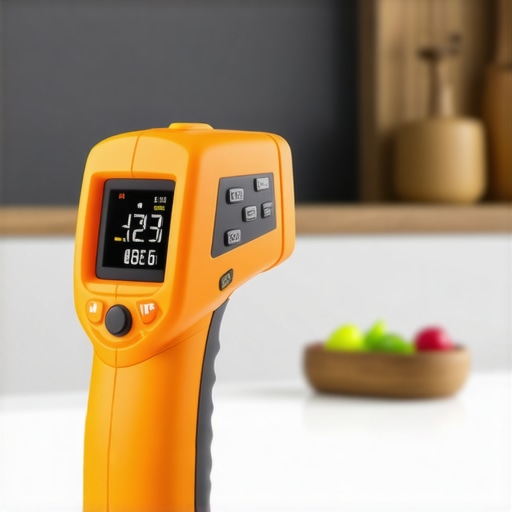
Another essential tool is a high-quality infrared thermometer. I use it to check appliance temperatures, ensuring my refrigerator and freezer maintain optimal cooling without overworking. This simple device helps catch issues early, like uneven cooling or over-freezing, which can impact energy efficiency and appliance lifespan. For firmware updates and troubleshooting, I turn to the official manufacturer apps, often integrated with cloud-based dashboards, allowing me to perform remote diagnostics and updates—saving both time and money.
Investing in Quality Equipment Improves Results
Over time, investing in durable, well-designed tools makes routine maintenance more effective. For instance, I use a precision screwdriver set for delicate panel removal or filter cleaning, preventing damage to sensitive components. Regularly cleaning filters, drain hoses, and condenser coils with appropriate brushes and compressed air prolongs appliance health and efficiency. These small investments add up—the cost of replacing a poorly maintained refrigerator can be three to four times higher than preventive care. For example, in refrigerators, according to industry experts, cleaning condenser coils every six months reduces energy consumption by up to 15%.
The Future of Appliance Care
Looking ahead, I believe smart appliances will increasingly incorporate predictive maintenance features, alerting owners proactively about component wear or potential failures. Companies like Samsung and LG are already rolling out AI-powered diagnostics that analyze data to recommend service before breakdowns occur. This trend will make regular manual inspections less critical but won’t entirely eliminate the need for basic tools and routines—you still need to clean filters and check connections periodically. Staying ahead means embracing both current tools and future innovations, ensuring your appliances serve you efficiently for years to come.
How do I keep my appliances functioning well over time? Keep up with firmware updates and perform routine cleanings using dedicated tools like brushes and compressed air—premiums in maintaining optimal operation. Regularly monitoring network performance with apps like NetSpot guarantees stable Wi-Fi, essential for smart features. Predictive diagnostics coming soon will add an extra layer of protection, but staying proactive now is key.
To see how smart appliance maintenance evolves, check out our future trends in home appliances. Don’t wait—try implementing a monthly network scan and scheduled filter cleaning today, and experience the difference in your smart home’s performance.
Over my years of managing a smart home, I discovered that the most overlooked lesson is the power of personalized adjustments. I once believed that plugging in the newest appliances and connecting to Wi-Fi would guarantee seamless operation. Turns out, it’s the tiny tweaks—like assigning static IPs or updating firmware—that truly keep the smart kitchen humming. Another lesson I learned is that no matter how advanced the device, regular maintenance routines are essential, especially cleaning filters and dusting condenser coils. And perhaps most surprisingly, investing in quality network tools, like a reliable app for Wi-Fi analysis, turned long troubleshoot sessions into quick fixes, saving me hours and headaches. These are lessons I’ve gathered through hands-on experience—lessons I hope you won’t have to learn the hard way.
My Toolbox for Long-Term Appliance Success
Personal experience has shown me that certain tools make all the difference in maintaining and optimizing smart appliances. I swear by NetSpot, because it allows me to identify Wi-Fi dead zones in my home easily—crucial for ensuring my refrigerator and smart oven stay connected. I also rely on a high-quality infrared thermometer to keep tabs on appliance temperatures, preventing overheating and energy waste. When it comes to firmware updates and diagnostics, I trust the official manufacturer apps that connect effortlessly through the cloud, offering remote troubleshooting. Bottom line: having the right toolkit means fewer surprises and more control over my smart home ecosystem.
Embrace Smart Maintenance for Peace of Mind
What I’ve learned—beyond just buying smart appliances—is that proactive maintenance is key. Regularly updating software, scheduling filter cleanings, and performing quick tests with dedicated tools can extend the lifespan and efficiency of your devices. For example, cleaning condenser coils every six months can reduce your fridge’s energy consumption significantly, as industry experts recommend. Investing in well-made tools like precision screwdrivers also minimizes damage during repairs and adjustments. The future is heading toward intelligent, predictive diagnostics, but until then, a bit of hands-on care and the right equipment make all the difference in turning a smart kitchen from a hassle into a haven.
Inspired to Fine-Tune Your Kitchen? Start Today
Your journey toward a smarter, more reliable home appliances experience begins now. Whether it’s repositioning your router, performing firmware updates, or just setting a static IP—each small step counts. Empowered with the right tools and knowledge, you can turn connectivity issues into smooth, everyday confidence. Don’t wait for problems to pile up; begin your smart maintenance routine today and feel the difference. Your kitchen deserves that extra touch of care and expertise.
What’s the one tricky smart appliance fix you’ve struggled with most? Share your experiences below—I’d love to hear your story and help you troubleshoot!