
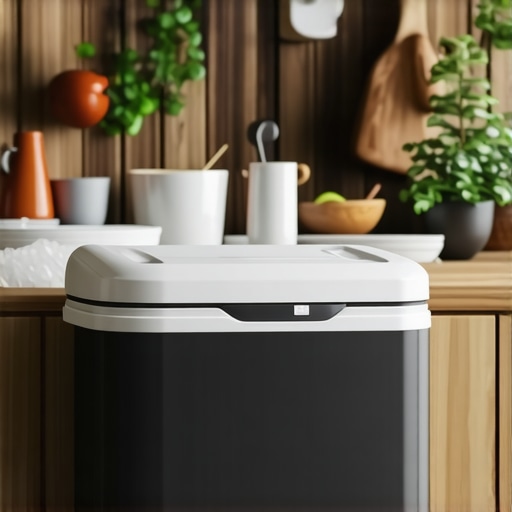
It was late at night when I finally realized my mistake. The power had flickered several times that day, and I shrugged it off, thinking my fridge could handle a bit of turbulence. But when I opened the door in the early morning, the stifling smell hit me like a punch. Half of my perishables were warm or completely spoiled. That moment of neglect taught me a hard lesson—keeping your fridge cold during a power outage isn’t just about convenience; it’s about protecting your family’s health and your wallet.
Why Preserving Cold During Power Failures Should Be a Top Priority
Ever since that incident, I’ve been on a mission to find reliable ways to keep my refrigerator cold when the lights go out. Because let’s face it: power outages happen more often than we’d like, whether it’s due to storms, grid failures, or maintenance issues. The risk isn’t just spoiled food; it’s dangerous bacterial growth that can lead to food poisoning. According to the CDC, improperly stored food during outages can turn hazardous in mere hours, especially in higher ambient temperatures. So, avoiding spoilage has become more than just a minor inconvenience—it’s a matter of safety.
But what are the most effective, practical steps I’ve learned that you can implement without costly upgrades? Better yet, how can you prepare in advance to minimize the damage? That’s what I want to share today, based on my own experiences and some trusted expert advice.
Before we dive into the solutions, I want to ask—have you ever faced a situation where your fridge lost power, and you weren’t sure what to do? If so, you’re not alone. Many homeowners underestimate how quickly food can spoil or overlook simple tricks to buy yourself some time. Recognizing this problem is the first step toward safeguarding your groceries.
Now, let’s take a look at some proactive measures that can make a real difference in preserving your food when the lights go out.
Prepare Your Freezer and Fridge Before an Outage
Start by organizing your freezer. Fill empty spaces with bottles of water; these will help maintain cold temperatures and serve as ice packs. For the fridge, remove perishables you can cook immediately or move to a neighbor’s freezer if possible. Think of your appliance as a fortress—every item and piece of ice helps it resist spoilage longer. I once packed my freezer with ice and frozen cups during a storm warning, and it bought precious extra hours for my food.
Maximize Insulation Techniques
Use blankets, towels, or even foam insulation around the fridge and freezer doors to slow temperature rise. Seal any leaks with duct tape or adjustable insulation strips. Remember, your goal is to keep the cold in, much like wrapping a treasure chest to protect its contents. I wrapped my refrigerator with quilted blankets during a blackout in winter, which kept the internal temperature stable for a few more hours.
Implement Smart Appliance Strategies
If you own smart appliances, activate pre-set power outage modes if available. Some refrigerators with smart tech can maintain internal temperatures longer through internal compressors or battery backups. Consider installing smart plugs or devices that can monitor your appliance’s status remotely. Moving toward the future, smart home technology can provide automation and alerts, making outages less stressful. I experimented with a smart plug to turn off my fridge temporarily during a test, which helped me understand its power thresholds.
Use External Cooling Methods
Place bags of ice in and around your fridge and freezer compartments. For larger emergencies, consider portable ice makers or dry ice, but handle dry ice with gloves to avoid frostbite. Keep the freezer door closed as much as possible to retain cold. Think of your appliance as a spaceship capsule—every opening allows the heat to creep in. During a recent blackout, I kept the doors closed, and the internal temperature only rose by a few degrees after six hours.
Control Ambient Temperature
If possible, move the refrigerator into a cool, shaded area or basement. Avoid direct sunlight or heat sources. Ventilate areas around appliances to enhance natural cooling. This is similar to placing a car in the shade to keep it cool; your appliance will appreciate the cooler environment. I temporarily moved my refrigerator to a basement corner and observed a slower temperature increase during a blackout.
Monitor and Adjust as Needed
Use a thermometer inside your fridge and freezer to track temperatures. When temperatures approach unsafe levels (above 40°F in the fridge or 0°F in the freezer), take action—start cooking perishables, or transfer items to a neighbor’s cooler. If you have a smart appliance setup, set alerts to notify you of rising temperatures. During my last outage, I kept a digital thermometer in the fridge and started cooking the most perishable items once I saw the temperature was climbing. Also, check your appliances’ manuals on how to optimize your refrigerator’s performance in emergencies.
Many homeowners believe that choosing high-tech appliances guarantees effortless efficiency, but in reality, some misconceptions can lead to costly mistakes. For example, a common myth is that all smart appliances automatically optimize themselves for energy savings. However, without proper setup and regular updates, these devices may underperform or even increase energy consumption. To truly benefit from smart technology, users must understand the nuances of device calibration and firmware maintenance, as explained in expert reviews on innovative AI-enabled dishwashers.
Another trap many fall into concerns washing machines. It’s often assumed that only old models develop mold or odors over time, but modern high-efficiency washers are equally susceptible if not properly maintained. Clothes can come out dirtier if the detergent dispenser isn’t cleaned regularly, or if the door seal isn’t inspected for mold buildup—issues overlooked because of the misconception that newer means maintenance-free. For detailed guidance on preventing these issues, visit tips for cleaning your washer’s gasket.
Are Smart Appliances Truly that Smart or Just Trickier to Manage? How Can We Avoid the Pitfalls?
While smart features promise convenience, they often require careful configuration. Firmware updates are crucial for optimal performance; neglecting them might leave your refrigerator or oven vulnerable to glitches. Technology experts emphasize that regular maintenance routines and understanding device-specific settings are key, as discussed in comprehensive smart home appliance guides. Overlooking these details can turn an upgrade into an annoyance, especially when notifications are delayed or appliances misbehave. So, don’t assume your smart devices will run flawlessly—tune in to their firmware and calibration needs to truly unlock their potential. Have you ever fallen into this trap? Let me know in the comments.
Why Regular Maintenance Matters for Your Appliances
Keeping your household appliances in top shape extends their lifespan and ensures they operate efficiently when you need them most. To achieve this, I rely on a combination of specialized tools and software tailored to each appliance type, allowing me to perform diagnostics, routine cleaning, and troubleshooting with confidence.
Tools I Trust for Appliance Care
First, a digital infrared thermometer is indispensable for monitoring temperatures inside refrigerators and dishwashers, helping identify cooling issues before they become major problems. I use the Kintrex Infrared Thermometer, which provides quick, accurate readings and is easy to handle. For cleaning and maintaining seals and filters, I recommend a soft brush set and a microfiber cloth—simple yet effective for removing dirt and preventing mold growth in door gaskets and condensers.
When it comes to detecting leaks or electrical issues, a multimeter is essential. I prefer the Fluke Multimeter for its durability and precise readings. For smart appliances, I leverage dedicated manufacturer apps and firmware update tools—keeping firmware current is crucial, as neglected updates can cause performance glitches. Regularly running diagnostic apps helps me catch potential software hiccups early, avoiding costly repairs down the line.
Automating Maintenance with Software
Many modern appliances come equipped with built-in diagnostics or are compatible with smart home hubs. I use the Smart Home App Suite to monitor multiple devices simultaneously, receive alerts for unusual activity, and even schedule maintenance reminders. Connecting appliances to these platforms allows for proactive care, reducing downtime and extending the life of my investments.
Looking ahead, I predict that AI-driven maintenance tools will become standard, offering predictive analytics based on usage patterns and sensor data. Implementing these technologies early can give you a leg up in maintaining appliances efficiently and cost-effectively.
How do I maintain my appliances over time?
Consistent upkeep involves routine cleaning, timely firmware updates, and regular inspections using diagnostic tools. For example, cleaning condenser coils every six months with a brush or vacuum prevents overheating and energy waste, as explained in this detailed guide. Additionally, scheduling annual professional checkups can catch issues early, saving money and headaches later. Staying ahead of maintenance not only preserves appliance performance but also helps in identifying failures before they escalate. Testing appliance seals with a simple dollar bill can verify if a fridge door is airtight, preventing cold air leaks that result in higher energy bills. I encourage you to implement at least one advanced maintenance tip today—try using a digital thermometer to monitor your refrigerator’s internal temperature regularly, ensuring optimal performance and food safety.
The Hidden Truths I Wish I Knew About Smart Appliances
One of the biggest lightbulb moments for me was realizing that smart appliances, while convenient, demand ongoing attention and understanding. I used to assume that once updated, these devices would run flawlessly without further effort. However, I discovered that regular firmware checks and calibration are vital to prevent glitches and ensure optimal performance.
Another lesson was about the misconception that high-tech features automatically translate to ease of use. In reality, many smart appliances require user education—reading manuals, exploring app settings, and understanding their quirks. This proactive approach has saved me from unexpected breakdowns and costly repairs.
Additionally, I learned that not all maintenance routines are universally straightforward. For instance, cleaning condenser coils or checking seals can vary significantly between models. Personal experience taught me to keep detailed notes and develop a customized maintenance schedule, which drastically extends appliance lifespan.
Finally, I realized that investing in quality tools like digital thermometers and diagnostic apps can turn appliance troubleshooting from a stressful chore into a manageable task. Empowering yourself with the right knowledge and tools transforms appliance care from a mystery into a skill that keeps your home running smoothly.