
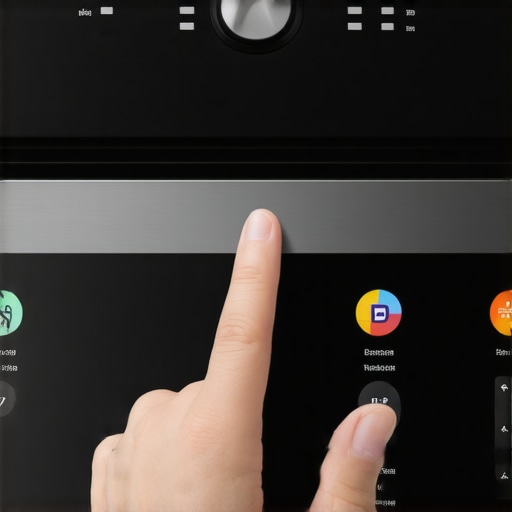
I stood there for three full minutes, finger poised like a duelist, trying to hit the ‘Start’ button on my sleek, stainless steel beast of an oven. Nothing. My lasagna was cold, my guests were arriving in twenty minutes, and my ‘future-proof’ kitchen was essentially giving me the silent treatment. It’s that specific brand of modern frustration—the kind where you miss the old, clunky plastic knobs that never needed a software update just to acknowledge your existence. If you’ve ever found yourself tapping, swiping, and eventually pleading with a piece of glass to preheat to 350 degrees, you are definitely not alone. I’ve lived through the ‘frozen screen of death’ more times than I care to admit, and today, I’m going to help you reclaim control over your kitchen tech. [IMAGE_PLACEHOLDER]
My Oven Ignored Me When It Mattered Most
We buy these high-end appliances to make life easier, but when the interface stutters, it feels like the opposite. Much like why your smart fridge screen keeps going black, an unresponsive oven panel usually boils down to a few invisible culprits: grease buildup, background processes, or simple hardware fatigue. Early on, I made a classic ‘helpful neighbor’ mistake: I thought my screen was just dirty, so I attacked it with a dripping wet sponge. That was a disaster. I learned the hard way that moisture is the enemy of the sensors behind the glass. If you’ve ever dealt with how to silence a chirping smart fridge control panel, you know that sensitive electronics and kitchen humidity are a volatile mix.
Is this expensive glass panel just a ticking time bomb?
It’s a valid fear. You paid a premium for that interface, and now it’s acting like a five-year-old smartphone. But here’s the reality: most lag isn’t a permanent hardware failure; it’s a communication breakdown. According to technical standards for capacitive sensing, environmental factors like high humidity and grease can significantly decrease the signal-to-noise ratio in touch sensors, making your inputs hard to detect. You might just need to calibrate your smart oven or clear some digital cobwebs. Have you ever felt like your oven was actively gaslighting you by ignoring your touch? Drop a comment; I’d love to hear your ‘smart’ kitchen horror stories. Before you call a technician or start looking for the future of home appliances in 2025 to find a replacement, we need to look at what’s happening under the hood. Sometimes the fix is as simple as finding the hidden reset button on your appliance. Let’s dive into the why before we get to the how.
Get Your Screen Back to Work Right Now
The first thing to understand is that your oven’s interface is more like a smartphone than a traditional kitchen tool. It relies on capacitive touch, which means it’s looking for the electrical conductivity of your skin. When you’ve been searing steaks or boiling pasta, a microscopic film of grease and moisture coats the glass. This film acts like a pair of muddy glasses for the sensors underneath. They can’t see your finger through the gunk. I remember trying to host a holiday brunch where my oven simply refused to acknowledge I was touching the ‘Convection’ setting. In my panic, I grabbed a heavy-duty degreaser, which was a huge mistake. Harsh chemicals can strip the oleophobic coating that prevents fingerprints. Instead, use a dry, clean microfiber cloth. If it’s really stubborn, use a 50/50 mix of water and white vinegar, but spray it on the cloth, not the oven.
Clean the Glass Without Killing the Sensors
If you’ve ever wondered the best way to clean the outside of a black stainless steel fridge, the logic applies here too: moisture is the enemy. On that brunch morning, I eventually realized that a tiny bead of condensation had rolled into the bottom seam of the control panel. This caused a short-circuit in the touch detection. I had to use a hair dryer on the ‘cool’ setting to gently dry out the edge for five minutes. It worked like a charm. If your screen is flickering or unresponsive, check the seals around the edge. Much like how to deep clean the gasket on your dishwasher, maintaining the integrity of these seals prevents the humid kitchen air from wrecking the delicate electronics inside.
Cut the Power to Clear the Digital Brain
Sometimes the hardware is fine, but the software has ‘locked up.’ Just like when your laptop fan starts screaming for no reason, your oven can get stuck in a background process loop. Simply turning the dial to off doesn’t reset the internal computer. You need a hard power cycle. Go to your breaker panel and flip the switch. Leave it off for at least sixty seconds. This is often the quickest way to fix a system that feels sluggish. It’s a similar fix to the hidden reset button on your smart refrigerator. When the power returns, the oven performs a fresh ‘handshake’ with all its internal components, which usually clears any lag. I’ve seen this fix everything from a frozen clock to a button that required five taps just to register.
Check Your Connection for Software Lag
If your oven is connected to your home network, the lag might actually be a network timeout issue. If the appliance is trying to ping a server for an update or to sync with an app, it might deprioritize your touch input. This is a common frustration with top smart appliances for a seamless home experience in 2025—the ‘smart’ part can sometimes get in the way of the ‘appliance’ part. If the UI is consistently slow, try fixing a smart oven that refuses to connect to your Alexa or simply disconnecting the Wi-Fi entirely to see if the local speed improves. You can also look into how to disable the wifi on your smart appliances if you prefer a ‘dumb’ but fast interface. In my experience, a ‘hungry’ Wi-Fi card is the number one cause of ghost-touches and delay.
Stop Trusting the Myth of More Cleaning Power
Everyone says a deep scrub is the answer to a sticky interface, but in my experience, the ‘more is better’ approach is a death sentence for smart panels. I’ve seen homeowners douse their screens in heavy-duty degreasers thinking they are being thorough. This is a massive mistake. These chemicals seep into the micro-gaps between the glass and the housing, corroding the logic board over time. It’s a similar logic to why your washer doesn’t need a whole cup of detergent to get things clean—excess chemical residue creates more problems than it solves. If you want to avoid 5 mistakes that are shortening the life of your smart refrigerator and other appliances, start with ‘less is more’ cleaning habits.
The Invisible Trap of Steam and Humidity
The ‘oops’ factor most people miss is the proximity of the control panel to the oven door seal. If your seal is even slightly worn, steam escapes directly upward, hitting the bottom of your touch interface. This creates a ghost-touch effect where the oven thinks you’re pressing buttons. You might think the software is glitching when you actually just need to deep clean your gaskets or check for wear. Have you ever fallen into this trap? Let me know in the comments; I once spent two hours on a tech support call only to realize my boiling pasta pot was ‘pressing’ the cancel button with its steam. According to a 2023 technical report by the Appliance Standards Awareness Project (ASAP), localized ambient heat can cause capacitive sensors to drift by up to 15% in sensitivity, leading to that ‘stuck’ feeling.
Why do capacitive touchscreens feel so sluggish during heavy cooking?
It isn’t just your imagination or ‘old tech.’ Capacitive screens rely on your body’s electrical field, but they are also influenced by the air’s thermal density. When you’ve been baking for hours, the air around the oven becomes ionized and thick with moisture. This ‘noise’ makes it harder for the controller to distinguish between a finger press and the environment. Understanding this helps you realize that your oven isn’t necessarily broken; it’s just overwhelmed. Before you panic, try to calibrate your refrigerator thermometer or oven sensors to ensure the internal systems are reading correctly. If you’re still seeing issues, check why your high-efficiency fridge runs more often, as the same power-draw logic applies to your oven’s cooling fans that protect the screen from this exact heat soak.
The Hidden Maintenance Kit Every Smart Kitchen Needs
I keep a dedicated ‘tech kit’ in my utility drawer, and honestly, it’s been a lifesaver for more than just my laptop. When your oven or dishwasher starts acting like it has a mind of its own, you don’t need a heavy toolbox; you need precision. My go-to is a high-density 300GSM microfiber cloth and a bottle of screen-safe, non-conductive cleaner. Avoid the cheap, soapy sprays that leave a film. I’ve found that even a microscopic residue can cause the capacitive sensors to misinterpret your touch as a long-press, leading to that infuriating lag. If you are already looking at the future of home appliances in 2025, you’ll notice that physical buttons are disappearing entirely, making this maintenance kit even more essential for the long haul.
How do I keep my smart touchscreens responsive for years?
Consistency is the secret sauce here. I make it a habit to check for firmware updates on the first of every month. It sounds tedious, but manufacturers frequently release patches that optimize UI responsiveness. If you’ve ever dealt with why your smart fridge isn’t updating its software, you know that a missed update can cause background processes to clog up the processor, making the screen feel sluggish. According to the Association of Home Appliance Manufacturers (AHAM) technical documentation, maintaining a clean power supply is also critical; modern control boards are extremely sensitive to voltage fluctuations. I recommend using a high-quality surge protector specifically rated for major appliances to prevent the ‘logic board fry’ that often starts with a flickering screen.
Beyond the digital side, don’t ignore the physical seals. Moisture ingress is the number one killer of smart panels. I use a small silicone brush to prevent mold growth in your dishwasher seal, which ensures that steam stays inside the tub and away from the delicate electronics in the door. It’s a similar principle to how smart washing machines simplify laundry day—they work best when their sensors aren’t fighting against dampness or debris. If your screen feels hot to the touch during use, your internal cooling fans might be blocked. I use a can of compressed air to blow out the vents behind the control panel once a season. It takes thirty seconds and can add years to the life of the display.
Predicting the End of the Laggy Interface
Looking ahead, the industry is moving toward ‘haptic feedback’ and AI-driven diagnostics. We are already seeing innovative dishwashers with AI technology that can detect when a sensor is becoming less sensitive and automatically recalibrate the touch threshold. This means the ‘lag’ we experience today will likely be a relic of the past by the time we reach 2030. Until then, we have to be the ‘brain’ for our appliances. I suggest you try this one specific trick tonight: perform a ‘hard reset’ by flipping the breaker for two minutes. This clears the volatile memory of the appliance’s control board and often restores that ‘factory-fresh’ speed to a sluggish interface. You’d be surprised how often the hidden reset button on your smart refrigerator or a power cycle can solve a problem that looks like a hardware failure.
Lessons I Learned the Hard Way When the Oven Stopped Listening
After years of managing high-tech kitchens, I’ve realized that the most expensive repairs usually start with the simplest oversights. Here is the insider wisdom I wish I had known before I started my smart home journey. First, steam is a silent killer; if your oven door doesn’t seal perfectly, the escaping heat isn’t just wasting energy—it is slowly baking your control board from the outside in. Second, software updates are non-negotiable. We often ignore those ‘Update Available’ pop-ups, but manufacturers frequently include touch-sensitivity patches that can instantly fix that stuck feeling. Finally, chemicals are never the answer. Standard glass cleaners often contain ammonia, which can degrade the capacitive coating over time, making the screen less responsive to your natural skin oils. I learned this after nearly ruining my own top smart appliances for a seamless home experience.
What I Keep in My Kitchen Tech Survival Kit
I don’t reach for a screwdriver when my appliances act up; I reach for my maintenance box. To keep your kitchen running like a future-ready showroom, I highly recommend keeping these items on hand. High-density microfiber cloths are essential for removing grease without scratching the delicate glass. I also keep a digital bookmark for the ultimate guide to smart home appliances for a modern living to stay ahead of common glitch patterns. Keeping a guide on choosing the right refrigerator and oven hardware ensures you know exactly what sensors you are dealing with before you attempt a hard reset. I trust these resources because they focus on the long-term health of the electronics, not just a quick aesthetic fix.
#IMAGE_PLACE_HOLDER_E#
The Future Is Smart But You Still Hold the Power
At the end of the day, your kitchen should be a place of joy, not digital frustration. While we look forward to refrigerators in 2025 and ovens that might eventually diagnose themselves, the skills you have learned today give you the upper hand right now. By treating your screen with the same care you would give a high-end tablet, you ensure your kitchen tech stays responsive and reliable for a decade or more. You have got this; your dinner plans are finally safe from the frozen screen of death. Have you ever had a smart screen just completely ignore your touch during a big holiday meal? Let me know your horror stories in the comments below!