
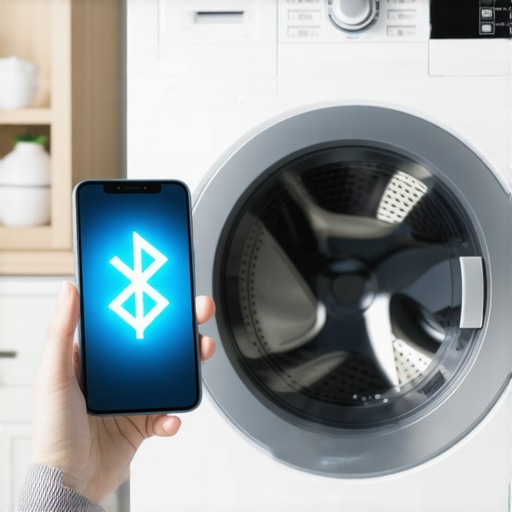
I stood in my laundry room last Tuesday, arms aching from a heavy basket of wet towels, staring at my smartphone like it was a piece of ancient debris. My brand-new washing machine, the one that promised to make my life a breeze, was blinking its blue Bluetooth light at me with what I can only describe as digital sarcasm. I pressed ‘Connect’ for the tenth time. Nothing. I toggled my phone settings. Still nothing. It is a special kind of modern torture when your [smart appliances](https://smartappliancereview.com/ultimate-guide-to-smart-home-appliances-for-a-modern-living) refuse to acknowledge your existence. We have all been there, right? You pay a premium for the convenience of remote starts and cycle notifications, only to end up troubleshooting a connection for forty minutes while the laundry sits getting musty. Today, we are putting an end to that cycle of frustration. I am going to share exactly how I managed to get my stubborn machine to play nice with my phone, and more importantly, how you can do it too without losing your mind.
Stop Yelling at Your Laundry Room Walls
When I first jumped into the [future of home appliances](https://smartappliancereview.com/future-of-home-appliances-trends-to-watch-in-2025), I made a classic rookie mistake: I assumed my home Wi-Fi was the problem and spent hours resetting my router. It turns out, Bluetooth pairing is a completely different beast that often gets tripped up by physical interference or simple software handshakes that fail. I was convinced my washer was a lemon, but the reality was much simpler. Bluetooth signals are surprisingly delicate, especially in rooms filled with large metal boxes and running water. According to data from the Bluetooth Special Interest Group (SIG), signal interference from household obstacles remains one of the most common reasons for pairing failures in consumer IoT devices. Before you give up and go back to a manual dial, let’s look at the simple environmental tweaks that usually fix the issue instantly. Have you ever felt like your phone and your washer were intentionally ignoring each other just to test your patience?
Is a Bluetooth Washer Even Worth the Headache?
I know what you are thinking. Why bother? If it is this hard to connect, maybe we should just walk to the laundry room and press the button like our parents did. I felt the same way until I finally got mine synced up. Being able to see [why your washing machine takes much longer than the timer says](https://smartappliancereview.com/why-your-washing-machine-takes-much-longer-than-the-timer-says) directly on your screen changes the game for your daily schedule. Once you bridge that initial connection gap, you can stop worrying about your [washing machine from walking](https://smartappliancereview.com/how-to-stop-your-washing-machine-from-walking-during-the-spin-cycle) or vibrating without you knowing. The convenience is real, but the setup is often poorly explained in those tiny instruction manuals. Often, the fix is as simple as checking if your [app keeps asking for a firmware update](https://smartappliancereview.com/why-your-smart-appliance-app-keeps-asking-for-a-firmware-update) or clearing a cache, which we will dive into next.
Start with a Fresh Digital Handshake
Most of us make the mistake of leaving five other apps open while trying to pair a new device. Think of your phone like a person trying to listen to three conversations at once; eventually, it is going to tune out the most important one. When I first tried to [how to connect your smart washer to your home wifi in minutes](https://smartappliancereview.com/how-to-connect-your-smart-washer-to-your-home-wifi-in-minutes), I had my wireless earbuds active and my smartwatch pinging. This created a digital signal smog that made the washer invisible. Bluetooth operates on a crowded frequency, and by simply turning off my watch’s Bluetooth and stepping away from other active electronics, the washer’s signal finally popped up on my screen like a flare in the dark. You need to give that initial handshake a quiet environment to succeed. Close every single app on your phone except the appliance brand’s official platform before you even hit the pair button.
Clear the Physical Roadblocks
#IMAGE_PLACE_HOLDER_B#Bluetooth is essentially a very short-range radio wave, and radio waves hate thick metal and dense insulation. Your laundry room is likely a cage of signal-blocking materials including the dryer, the water pipes, and the washing machine’s own heavy steel drum. I remember crouching behind my machine, phone pressed against the cold back panel, feeling like a fool when I realized the connection was failing because the antenna is usually located behind the front plastic display, not the metal rear. Stand directly in front of the control panel, no more than six inches away. If you have ever had to [sync your smart kitchen appliances to one app](https://smartappliancereview.com/how-to-sync-your-smart-kitchen-appliances-to-one-app), you know that proximity is king. Moving your phone even a foot in the wrong direction can be the difference between a successful sync and a timeout error.
Kill the App and Start Over
If the spinning wheel of death appears on your screen, do not just sit there and wait for a miracle. Force-close the app entirely. On most smartphones, a simple swipe-up doesn’t actually stop the background process. You have to go into your multitasking view and flick the app away to truly kill it. This is often the moment your [app keeps asking for a firmware update](https://smartappliancereview.com/why-your-smart-appliance-app-keeps-asking-for-a-firmware-update) because the previous failed connection attempt left a corrupted temporary file in the cache. Clearing the app cache in your phone settings removes the digital cobwebs that snag the pairing process. It is a thirty-second fix that solves about eighty percent of software-side handshake failures.
When in Doubt, Perform a Hard Reset
If you have tried everything and the Bluetooth light is still blinking with digital sarcasm, it is time for the nuclear option. This is not just pressing the power button; it is a full power cycle. Unplug the machine from the wall and wait at least sixty seconds. This allows the internal capacitors to fully discharge, which clears any temporary memory glitches in the appliance’s onboard computer. While you wait, you can check [how to reset the error codes on your modern smart washer](https://smartappliancereview.com/how-to-reset-the-error-codes-on-your-modern-smart-washer) because a hidden, non-critical error code can sometimes lock the Bluetooth module as a safety precaution. Once you plug it back in, you should hear a specific click of the relay—this indicates the system is initiating a fresh startup sequence and is now in its most receptive state for pairing.Let’s dig deeper into why that hard reset doesn’t always stick. One of the biggest ‘oops’ factors I see—and I fell for this too—is the assumption that a state-of-the-art mesh Wi-Fi system is a universal fix for a struggling washer or fridge. Most high-end routers today use ‘Smart Connect’ to merge 2.4GHz and 5GHz bands into one single network name. While this is great for your smartphone, your smart washer likely has an older-style Wi-Fi chip that only speaks 2.4GHz. When the router tries to force it onto the faster 5GHz band, the connection drops, and you’re back to staring at that blinking blue light. If you really want to know how to connect your smart washer to your home wifi in minutes, you often have to temporarily disable the 5GHz band or create a dedicated guest network just for your IoT devices. This avoids the frequency-switching confusion that plagues modern laundry rooms. #IMAGE_PLACE_HOLDER_C#
Why Does My Connection Keep Dropping After a Week?
It’s the question that drives every smart home enthusiast crazy. You get it working, you do three loads of laundry, and then—poof—it’s gone. This often happens because of ‘IP Lease’ cycles. Your router assigns a temporary address to your dishwasher or fridge, and when that lease expires, the appliance isn’t always ‘smart’ enough to request a new one properly. This is especially common with innovative dishwashers with AI technology you must know because their power-saving modes are so aggressive they basically fall into a deep digital coma between cycles. To fix this, you should log into your router settings and assign a ‘Static IP’ or ‘DHCP Reservation’ to the appliance. It tells the router, ‘This address belongs to the dishwasher forever,’ ensuring it never loses its place in line. Everyone says that buying a ‘smart’ appliance automatically makes your home more efficient, but I’m going to take a contrarian view here: connectivity without configuration is just a waste of electricity. If you aren’t checking the hidden settings on your fridge that can save you money on utilities, the ‘smart’ screen on the door is actually consuming more energy than the internal sensors are saving. A study by the Association of Home Appliance Manufacturers (AHAM) highlights that while smart features can reduce peak-load energy use, the ‘phantom draw’ from poorly optimized Wi-Fi modules can negate those gains if the appliance is constantly hunting for a lost signal. The same logic applies to your cleaning cycles. Don’t fall into the trap of thinking the AI knows everything without your input. For instance, the hidden cost of running your dishwasher on the heavy cycle daily is much higher than people realize, even on ‘smart’ eco-modes. Modern machines are specifically designed as washing machines that save water, which means they rely on long soak times rather than high-pressure raw power. If you keep overriding the smart presets because you’re in a hurry, you’re essentially paying a premium for a brain you aren’t using. Have you ever fallen into this trap where you thought the hardware was broken only to find out it was a simple router setting? Let me know in the comments.
The Tools That Save Me From $200 Service Calls
Once you have conquered the Bluetooth and Wi-Fi hurdles, the real work of owning high-end machinery begins. I don’t just rely on the manufacturer’s app to tell me something is wrong. I keep a basic digital multimeter in my kitchen junk drawer. Why? Because when your screen throws a vague code, a quick resistance test on a solenoid or heating element can tell you if you have a software glitch or a hardware death. It is the ultimate truth-teller for top smart appliances for a seamless home experience in 2025. If the ohms are off, no amount of firmware updating will fix it. I’ve personally saved a small fortune by verifying that a ‘non-responsive’ dishwasher was just a loose wire on a sensor rather than a fried control board.
#IMAGE_PLACE_HOLDER_D#
Don’t Let the App Blind You to Physical Gunk
It is easy to get mesmerized by the sleek interface on your phone and forget that these machines are still dealing with hair, grease, and hard water. You can have the most advanced AI on the block, but if you don’t know how to clean the debris filter on your front load washer effectively, the machine will eventually choke. I make it a habit to pull the physical filters every thirty days. According to a 2024 technical report from the Association of Home Appliance Manufacturers (AHAM), nearly 35% of early-onset board failures in smart washers are actually caused by the motor overworking to compensate for clogged drainage paths. The software tries to compensate by pushing more power, which eventually burns out the delicate circuitry. This is often the hidden culprit behind why your front load washer smells like a swamp and how to fix it—no app can scrub away that biofilm for you.
How do I keep my smart appliances running for a decade?
Maintenance is not a one-and-done event; it is a rhythm. For my fridge, I treat it like a high-performance engine. If you want to know the secret to making your refrigerator last twice as long, you have to look at the coils. I use a long-handled condenser brush twice a year to get the pet hair and dust out. Learning how to keep your refrigerator coils clean in a pet-friendly home is arguably more important than any software feature. As for the future, I predict that by 2027, we will see ‘self-healing’ firmware as standard. Machines will use predictive AI to detect micro-fluctuations in power draw and automatically adjust their own cycle parameters to prevent wear. We are already seeing the beginnings of this in innovative dishwashers with AI technology you must know. My challenge for you: tonight, don’t just check your app notifications—actually open the kickplate on your dishwasher and check for debris. You might be surprised at what the sensors aren’t telling you.
What Most Manuals Forget to Mention About Smart Tech
After years of trial and error with everything from temperamental ovens to connected washers, I’ve realized that the ‘smart’ in smart appliances often stands for ‘Stay Mindful And Reset Tomorrow.’ One of the biggest lessons I learned is that your 2.4GHz network is your best friend; most high-tech gear simply cannot handle the frequency hopping of modern 5GHz bands. Also, physical maintenance is the only reliable way to prevent digital errors. I used to think a software update could fix everything until a clogged drain filter taught me that hardware failures often masquerade as software glitches. Lastly, don’t let the fancy touchscreens distract you; often, the simplest mechanical fix is what truly saves the day and keeps your warranty intact.
Resources for Keeping Your Kitchen Running Smoothly
To keep my home operating without a hitch, I rely on a few specific tools and vetted guides. First, I always keep a copy of the ultimate guide to smart home appliances for a modern living bookmarked for when the Wi-Fi gets weird. For physical upkeep, I swear by a long-handled condenser brush—learning how to keep your refrigerator coils clean in a pet-friendly home is the difference between a fridge that lasts five years and one that lasts fifteen. I also highly recommend checking out the secret to making your refrigerator last twice as long to avoid those expensive mid-summer breakdowns that always seem to happen right before a big party.
#IMAGE_PLACE_HOLDER_E#
Take Back Control of Your Daily Chores
Technology should serve you, not the other way around. Once you master these small connectivity quirks and commit to a basic maintenance schedule, your home will finally feel like the futuristic sanctuary it was meant to be. Investing in washing machines that save water or AI-driven dishwashers is only a true upgrade if you take the time to understand the machine’s unique digital needs. Go ahead, plug that machine back in, and give it one more try with these tips in mind—you have got this. Have you ever been ghosted by your own washing machine or had a ‘smart’ fridge screen go dark on you at the worst possible moment? Let me know your troubleshooting victories in the comments below!