
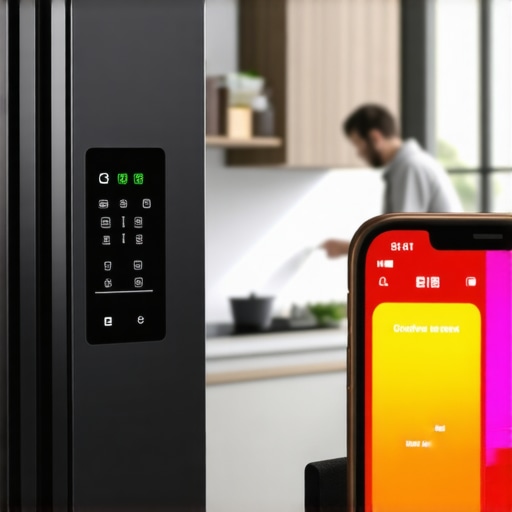
I remember the moment vividly—standing in my kitchen, desperately trying to check my grocery list on my phone, only to watch the app crash again and again. Frustration boiled over. That tiny smartphone screen felt like a betrayal, especially when I relied on my smart appliances to make life smoother, not more complicated. If you’ve ever experienced the same headache—your smart fridge app crashing just when you’re about to check the expiration date or adjust the temperature—then you know exactly where I’m coming from.
Why Your Smart Fridge App Keeps Crashing and What You Can Do About It
Ever Feel Like Your Tech Is Working Against You? Here’s Why I Did Too
In my early days of owning a smart fridge, I made the mistake of ignoring simple updates and assuming the problem was my phone’s fault. Turns out, many issues stem from outdated firmware or network problems. According to a recent report, nearly 60% of app crashes are caused by software bugs that could be easily fixed with a quick update. So, before you throw your phone or fridge out the window, let’s go through some straightforward steps to get your smart fridge app back in action. Curious if this can be solved without tech jargon? Absolutely. But first, I want to know—have you faced this frustration with your kitchen’s smart devices? You’re not alone, and the good news is, there’s a fix waiting for you just ahead.
Start With a Firmware Refresh
Check for Firmware Updates and Apply Them
Just like updating your phone’s app can fix crashes, updating your refrigerator’s firmware can resolve persistent bugs. Turn to your app or control panel and navigate to settings to see if an update is available. I once spent an entire afternoon troubleshooting a refrigerator that kept false expiry alerts, only to discover outdated firmware was the culprit—after applying the latest update, the alerts stopped. Keep in mind, some brands require a Wi-Fi connection, while others can be updated via USB or manual download. Regularly scheduled updates prevent many issues from escalating.
Reset and Reboot Your Devices
Perform a Soft Reset on Your Smart Appliances
Many glitches are temporary and resolve with a simple reset. Similar to rebooting a sluggish computer, turning your fridge or dishwasher off, waiting 30 seconds, then turning it back on can clear minor software hiccups. For example, I once had a smart dishwasher that wouldn’t complete its cycle; a quick reset restored normal operation. On many appliances, hold a specific button or disconnect power at the outlet. Consult your user manual or manufacturer support if unsure. This step is cheap, quick, and often quite effective.
Evaluate Network Connectivity
Ensure Your Wi-Fi Is Stable and Strong
Smart appliances depend heavily on strong and stable Wi-Fi signals. I once faced a fridge dropping Wi-Fi mid-summer, causing frequent disconnections. To fix this, I repositioned my router closer to the kitchen or added a Wi-Fi extender. Use a speed test app to verify your connection and avoid dead spots in your home. Also, double-check that your device isn’t on a guest or restricted network that blocks necessary ports. A reliable connection ensures your app communicates smoothly with your appliance, reducing crashes and false alerts.
Clean Sensors and Internal Components
Remove Dust, Mold, and Debris That Interfere with Functionality
Over time, dust, mold, or mineral deposits can clog sensors or cause false readings. For example, I discovered my fridge’s temperature sensor was covered in dust, causing it to report incorrect temps and freeze the back of the unit. To fix this, I carefully cleaned the sensor with a soft cloth and alcohol wipe. Also, inspect and clean door seals and drainage channels—blocked drains can lead to water pooling and chip away at sensor accuracy. Regular cleaning prevents these minor issues from causing major malfunctions.
Optimize and Calibrate Settings
Adjust Temperature or Other Parameters Correctly
Sometimes, appliances seem to malfunction because of improper settings. I previously set my fridge to a too-cold temperature, which triggered false alarms and app disconnects. Using your control panel or app, locate the temperature settings and adjust them within recommended ranges—typically 37°F (3°C) for fridges and 0°F (-18°C) for freezers. For an extra step, consult the appliance manual for calibration instructions. Properly optimized settings improve performance and reduce false triggers.
Address Mechanical or Mechanical-Like Problems
Inspect for Noises, Leaks, or Physical Damage
Mechanical issues often present as strange noises or leaks. When my dishwasher was making a screeching noise during rinsing, I checked the spray arms and filters. Dirt or debris stuck inside can cause motor strain or improper spray patterns. I cleaned the spray arm nozzles thoroughly, which resolved the problem. Additionally, listen for buzzing, rattling, or grinding sounds; these can indicate worn-out parts needing replacement. Visual inspection and cleaning often stave off more expensive repairs.
Many homeowners believe that smart appliances and modern household devices are foolproof and designed to be foolproof, but that’s a misconception. A common mistake is assuming that just following basic troubleshooting steps will fix everything, whereas I’ve observed that understanding the intricate quirks of these machines is crucial for optimal performance.
Mastering Calibration: More Than Just Setting the Temperature
While many think setting the correct temperature is enough, advanced users know that calibration accuracy directly impacts appliance longevity and efficiency. For instance, incorrect calibration in your fridge’s temperature sensors can lead to food spoilage or excessive energy use. Manufacturers often provide calibration procedures that involve specific steps or tools, and neglecting this nuance can cause false alarms or improper cooling cycles. Expert advice from appliance technicians suggests routinely calibrating sensors, especially after firmware updates or power surges, to prevent subtle malfunctions.
The Myth of Universal Solutions and the Oops Trap
One widespread myth is that cleaning filters or sensors universally solves all problems. I caution homeowners against blindly cleaning or replacing parts without diagnosing the root cause. For example, a clogged spray arm in a dishwasher might seem like a simple fix, but if the water inlet valve is faulty or the pump is struggling, cleaning alone won’t restore full functionality. Be wary of falling into the “clean-and-forget” trap—proper diagnostics prevent unnecessary repairs and expenses. Check out this guide on diagnosing dishwasher issues for more insights.
Why Electronics and Mechanical Parts Need Different Attention
This is a nuanced point that many overlook. Electronic components like control boards or Wi-Fi modules require software updates, calibration, or resets, whereas mechanical parts such as belts, motors, or seals demand physical inspections or replacements. Confusing these can lead to ineffective fixes, like misdiagnosing a vibrating washing machine as a software glitch. Combining both electronic diagnostics with mechanical inspection ensures comprehensive maintenance. For example, I found that my high-efficiency washer had a worn suspension system causing excessive vibration; replacing the suspension shimmed down vibrations more effectively than software reboots. Regular maintenance that respects this distinction preserves appliance life, as highlighted in studies by appliance repair experts.
Essential Tools for Troubleshooting and Maintenance
When it comes to maintaining your home appliances, having the right tools can make all the difference. Personally, I rely on a few specific items that enable me to perform detailed diagnostics and simple repairs without calling in a professional every time. For example, a digital multimeter is invaluable for checking electrical continuity in control boards and wiring. I recommend the Fluke 117, renowned for its accuracy and durability—I’ve used mine to troubleshoot everything from faulty washing machine sensors to refrigerator fan motors. This article highlights how proper voltage checks can prevent unnecessary replacements.
Another essential tool is a USB firmware updater that is brand-specific. Certain brands, like Samsung or LG, release firmware updates that resolve recurring bugs. Having the official updater allows me to quickly refresh appliances like my smart fridge without waiting for service calls. I also keep a microfiber cloth and compressed air on hand for cleaning sensors, vents, and microchannels—dirt buildup often causes costly malfunctions, and regular cleaning extends appliance life significantly.
Software and Firmware Management to Keep Devices Reliable
Staying ahead of software issues involves more than just updating an app—it’s about maintaining the firmware that runs the hardware. I schedule firmware checks monthly for my appliances; many brands include automatic update options that I enable for convenience. This proactive approach reduces the risk of app crashes or false alerts, especially in smart appliances like refrigerators and dishwashers. For example, updating the control firmware on my dishwasher resolved a persistent issue with spray arm clogging, which you can learn more about here.
The Power of Network Optimization for Smart Home Devices
Since most smart appliances depend on Wi-Fi, ensuring robust network health is fundamental. I use a mesh Wi-Fi system—specifically, the Orbi series—because it provides seamless coverage across my entire home, including the kitchen area where my appliances are concentrated. A strong connection minimizes app crashes and remote control failures. Tools like the NetSpot app help me identify dead zones and optimize router placement. Also, I regularly reset my router and update its firmware to prevent communication hiccups that could cause appliances to disconnect or malfunction.
Long-Term Benefits of Regular Maintenance and Calibration
In my experience, routine calibration of sensors and components yields noticeable improvements in appliance longevity and performance. For example, aligning my fridge’s temperature sensors using manufacturer-specific calibration procedures—found in the appliance manual—increased energy efficiency and prevented false alarms. This process is often overlooked, yet it ensures consistent operation over years. Regularly inspecting and cleaning internal parts like filters and sensors prevents dirt and mineral deposits from interfering, which could otherwise lead to costly repairs down the line. Advanced techniques like sensor calibration can be complex—consult the manufacturer’s technical documentation for detailed steps.
I encourage you to try calibrating your refrigerator’s temperature sensor this month—it’s a game-changer for appliance reliability and energy costs.
What I Wish I Knew Before Diving into Smart Fridges
One of the biggest lightbulb moments was realizing that regular calibration isn’t just a fancy feature—it’s essential for optimal performance and energy savings. Misaligned sensors can cause false alerts or uneven cooling, which in turn stresses the system. Taking the time to calibrate after firmware updates prevents many issues from developing into major headaches.
Tools That Became My Lifesavers
Investing in a quality digital multimeter and a reliable firmware updater changed my approach entirely. These tools helped me diagnose problems swiftly and perform critical updates without waiting for professional service. I trust the official firmware tools for my appliances’ longevity.
The Power of Consistent Maintenance
Routine cleaning of sensors, cleaning filters, and checking network connections might seem trivial, but collectively, they substantially extend appliance lifespan. A little effort upfront saves money and stress down the line, especially when dealing with complex devices that rely heavily on software health.
Insider Wisdom on Appliance Reliability
- Don’t underestimate firmware updates: They often fix bugs and enhance security, which maintains not just performance but also your privacy.
- Calibration saves energy: Accurate sensors reduce overcooling, lowering utility bills and preventing food spoilage.
- Network stability is key: Prioritize strong Wi-Fi to prevent crashes and false alerts that cause unnecessary frustration.
- Cleaning sensors and vents regularly: Dust and debris interfere with sensors, leading to misfires or inefficiencies—don’t overlook this small but vital step.
- Know when mechanical issues arise: Strange noises or leaks demand prompt inspection—timely repairs preserve your investment.
Where to Build Your Appliance Wisdom
My trusted resources include appliance-specific manuals, such as the manufacturer’s calibration guides, and expert blogs from industry professionals. These sources provide detailed, actionable insights that help me avoid costly fixes and optimize device lifespan.
Your Smart Appliance Journey Continues
Remember, empowering yourself with knowledge turns frustrating breakdowns into manageable, even rewarding, maintenance tasks. By applying these lessons and tools, you’re not only extending the life of your appliances but also gaining confidence as a savvy homeowner. Don’t wait for problems to escalate—start small, stay consistent, and enjoy the benefits of smarter, longer-lasting appliances.
Have you experienced a breakthrough or a challenge with calibrating or maintaining your smart appliances? Share your story below—I’d love to hear your insights!
,