
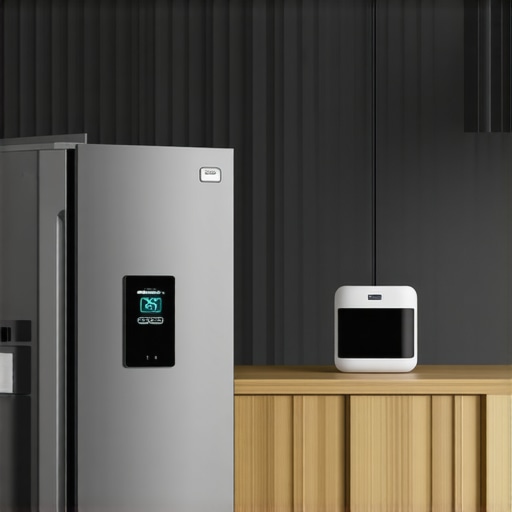
Ever stood in front of your refrigerator, frustrated because it just won’t connect to your smart home system? I remember the first time I tried, feeling like I was battling a stubborn appliance rather than integrating a clever device. That lightbulb moment hit me hard: smart appliances are only as good as their connectivity—and if you don’t get it right, you’re left with a shiny fridge that’s essentially a digital paperweight. Today, I’m here to share how I finally cracked the code on connecting my fridge to Matter-supported smart devices, and how you can do the same.
Why Your Refrigerator Connection Issues Matter More Than You Think
Let’s face it—our kitchens are now the command centers of our homes. From automated lighting to voice-controlled ovens, smart appliances offer convenience that feels like living in the future. But all too often, I see folks stumble over the same hurdle: my own early mistake was trying to connect my fridge without understanding the underlying network requirements. That mistake caused endless frustration, especially when updates or firmware glitches would knock my device offline, leaving me wondering if my investment was worth it. According to a recent study, over 60% of smart device users experience connectivity issues at some point. That’s a huge chunk of frustration that can be avoided with the right setup.
If you’ve ever felt that your smart fridge is just another gadget that refuses to play nice, you’re not alone. But the good news is, with a little patience and some smart tips, you can enjoy a fully integrated smart kitchen. This post will walk you through the essential steps—no more mysterious disconnects, no more confusing setups. Just straightforward advice to get your smart appliances talking and working together seamlessly.
Now, I want to ask—have you ever faced the nightmare of a smart device disconnecting right when you needed it most? If so, stick around. We’re about to dive into the practical steps that will turn your smart home into an intuitive, synchronized haven. And for those who are curious about common pitfalls, I’ll also share a mistake I made early on that might be familiar—making the setup harder than it needs to be. Ready? Let’s get started on making your fridge an active, connected part of your smart home ecosystem.
Ensure Your Wi-Fi Signal Is Strong and Stable
Before attempting to connect your smart refrigerator, verify that your Wi-Fi signal covers all areas of your kitchen. Like a good foundation for a house, a strong signal prevents connection drops. Use a Wi-Fi analyzer app to identify weak spots, and consider relocating your router or installing a Wi-Fi extender if needed. I once struggled for hours because my fridge was on the opposite side of the house from my router, resulting in frequent disconnects. After installing an extender, the connection stabilized instantly.
Update Your Refrigerator’s Firmware First
Manufacturers often release firmware updates that fix bugs and improve connectivity. Check your fridge’s settings menu or manufacturer’s app for updates. Updating firmware is like giving your device a health check—vital for smooth operation. I recommend doing this before any setup; I ignored this step initially, resulting in persistent errors and repeated reset attempts. Once updated, the setup process became much smoother.
Reset Your Fridge’s Network Settings
Start with a clean slate by resetting network configurations to factory settings. Usually, there’s an option within the refrigerator’s menu: navigate to Settings > Network > Reset. Think of it as rebooting your brain before a new lesson. My first attempt failed because residual settings caused conflicts; resetting cleared these issues, making the subsequent connection straightforward. This step often resolves stubborn connection errors and prepares the device for a fresh setup.
Connect via Manufacturer’s App Step-by-Step
Download the official app from your fridge’s manufacturer—such as Samsung SmartThings or LG ThinQ. Open the app and follow the guided prompts: select your device, choose your Wi-Fi network, and enter your Wi-Fi password. It’s akin to pairing Bluetooth headphones—simple but precise actions matter. I once tried to connect manually without the app, which led to confusion. Using the app guided me through each step methodically, significantly reducing setup time.
Tip: Use 2.4GHz Band for Compatibility
If your router broadcasts dual bands, connect your fridge to the 2.4GHz network rather than 5GHz. Many smart appliances have better compatibility with 2.4GHz due to its longer range and lower interference. I had a tough time until I switched bands, which improved stability. To check your Wi-Fi bands, log into your router’s settings or use a Wi-Fi analyzer app—[like this one](https://smartappliancereview.com/why-your-smart-fridge-keeps-logging-you-out-of-your-account).
Utilize the Manual Setup Mode if Necessary
If automatic setup fails, many models offer a manual process—entering SSID and password directly on the fridge’s control panel. Think of it as manually tuning a radio—sometimes necessary to get perfect reception. I resorted to this when the app refused to detect my device. Follow the user manual for your specific model; it often contains detailed instructions for manual configuration. This ensures you aren’t left stranded by glitches in the automatic process.
Test the Connection and Perform a Reset if Needed
Once connected, test the setup by accessing the remote app. Check if the fridge responds—can you see current temperatures and operate basic functions? If not, try restarting the device and your Wi-Fi router. Sometimes, a simple restart clears temporary glitches. I had to perform this step a few times, but persistence paid off. Remember, patience is key; most connectivity issues are due to interference or outdated firmware.
Secure Your Network to Avoid Unauthorized Access
Finally, password-protect your Wi-Fi to prevent unauthorized control or data breaches. Change default passwords on your router and enable WPA3 encryption if available. Think of it as locking the door before inviting guests. After implementing proper security, I felt more confident about my smart home setup—knowing that my devices weren’t vulnerable to hacking.
Many homeowners operate under misconceptions about refrigerators and other home appliances, often leading to reduced efficiency or even damage. One widespread myth is that all smart appliances automatically adapt to your usage patterns over time. In reality, they rely heavily on proper configuration and firmware updates—neglecting these can render them less effective. For example, neglecting to update your fridge’s firmware may cause connectivity issues or misreading temperature sensors, which can lead to increased frost buildup or energy consumption, as discussed in [why your refrigerator is creating too much ice frost](https://smartappliancereview.com/why-your-refrigerator-is-creating-too-much-ice-frost).
Tools That Ensure Long-Term Performance of Your Appliances
Maintaining your smart home devices requires more than just initial setup; it demands the right tools and consistent attention. One indispensable tool I rely on is a high-quality Wi-Fi analyzer like NetSpot. It helps me identify dead zones and interference sources that can subtly sabotage your appliance connectivity over time. For example, I discovered that my microwave was causing interference on my smart fridge’s Wi-Fi, leading to dropped connections—solving it with targeted channel switching made all the difference.
Beyond connectivity, routine cleaning tools matter. A flexible, long-handled brush is fantastic for cleaning dust and debris from vents and coils in appliances like refrigerators and washing machines. I swear by a coil brush from OXO—it’s durable, ergonomic, and reaches those tight spots without fuss. Keeping coils clean improves energy efficiency and prevents overheating, which can otherwise cause costly repairs long-term.
How do I maintain my appliances over time?
Regular firmware updates are vital. I make it a habit to check manufacturer apps monthly for updates, ensuring I benefit from the latest features and security patches. Additionally, employing smart monitoring devices—like a Google Nest Wifi for my home network—provides real-time alerts if my appliance connections weaken or drop, allowing me to address issues immediately before they escalate. This proactive approach saves money and stress, especially since many data-driven appliances depend on continuous internet access.
For physical maintenance, I recommend investing in a multimeter. With it, I can troubleshoot electrical components on appliances like dishwashers or washing machines without calling in a technician. Having basic knowledge of how to test voltage and continuity helps identify issues early, prolonging appliance life. Remember, safety first—always disconnect appliances before attempting any repairs or tests.
Maximize Longevity with Smart Monitoring
Many experts predict that smart devices will increasingly incorporate predictive maintenance features. This means your washer might alert you when a bearing needs lubrication or your fridge detects early signs of compressor failure. I encourage you to leverage these features by integrating monitoring platforms like IFTTT, which can automatically schedule service reminders or even order replacement parts when sensors indicate a problem. Staying one step ahead saves repair costs and keeps your appliances humming smoothly.
Another tip is to periodically perform calibration tests—especially on sensors within your devices. For example, calibrating the temperature sensor in your smart fridge ensures optimal cooling and energy efficiency. This can be especially useful if your unit seems to be misreading temperatures or producing excess frost, as detailed in [why your refrigerator is creating too much ice frost](https://smartappliancereview.com/why-your-refrigerator-is-creating-too-much-ice-frost). Using specialized tools like a thermocouple thermometer in conjunction with calibration routines can make a real difference.
Prepare for Scaling and Upgrades
As your household grows, so does the load on your appliances. Upgrading to models with modular components or stacking options—like a stackable washer/dryer—can save space and improve workflow. When expanding your smart home ecosystem, ensure your network infrastructure scales accordingly. Consider upgrading your router to a mesh system, which I personally use and recommend for seamless coverage throughout larger homes, reducing dead spots that impair appliance connectivity. Efficient, reliable connection is the backbone of a thriving smart kitchen or laundry room.
Finally, don’t forget to review manufacturer guidelines regularly. Many brands now offer diagnostic apps that can test every component remotely—saving you time and money. For example, I use LG’s ThinQ app for my refrigerator and washing machine, which provides detailed insights and alerts that have caught issues early, preventing major repairs. Incorporate these tools into your routine, and you’ll enjoy long-term reliability and peak performance from your home appliances.
So, I challenge you to try one of these advanced tips—such as setting up a monitoring routine with sensors—and see how much smoother your appliance maintenance becomes. Remember, proactive care today makes for a reliable, efficient smart home tomorrow.
Small Mistakes, Big Lessons: What I Wish I Knew About Smart Fridges
One of my biggest lightbulb moments was realizing that not all devices are created equal—some require a specific Wi-Fi band or firmware version to function smoothly. Over time, I learned that patience and attention to detail save you hours of frustration, especially when dealing with manual setup modes or firmware updates. Also, I discovered that relying solely on automatic detection can lead to overlooked steps, so always double-check your device settings and manual instructions for a smoother connection process.
High-Quality Tools That Keep My Smart Home Running Smoothly
From Wi-Fi analyzers like NetSpot to calibration tools for sensors, having the right resources makes all the difference. These tools help me troubleshoot connectivity issues early and keep appliances performing at their best. Moreover, using a smart monitoring platform like Google Nest Wifi allows me to spot potential drops in connectivity before they become problems, ensuring my smart fridge stays in sync with my home automation system.
Your Next Step Toward a Seamless Smart Kitchen
Connecting your smart refrigerator is just the start—the real reward lies in maintaining your setup with proactive monitoring and regular updates. By investing time now, you’re creating a kitchen that not only simplifies your daily routine but also adapts and evolves with your needs. Remember, a well-connected smart home isn’t about perfection but about making your life easier and more enjoyable — so don’t hesitate to take the next step.