How to Disable Those Annoying Beeps on Your New Smart Appliances
Imagine finally deciding to cook that special dinner, only to be greeted by an incessant beeping from your brand-new smart dishwasher. It’s late evening; the kids are trying to sleep, and the last thing you want is a nagging noise ruining the calm atmosphere of your home. I’ve been there, standing in the kitchen, frustrated by a high-pitched alert that seems to echo off the walls. It felt like my new appliances were sabotaging the peaceful evenings I’d envisioned.
Why Do These Beeps Become Such a Nuisance?
Are We Overwhelmed by Smart Features?
Many of the latest appliances come with sophisticated alert systems designed to inform us of completion, errors, or other issues. Sounds useful, right? Well, early on, I made the mistake of thinking I had to accept these beeps as part of the high-tech package. The reality? They often ramp up in frequency, becoming relentless, especially during error states or when maintenance is due. According to Consumer Reports, these alerts can be a double-edged sword—helpful but sometimes overly persistent—especially if you’re sensitive to noise or live in a small apartment.
What I failed to realize was that most of these sounds aren’t set in stone. They’re customizable or can be disabled altogether with a bit of know-how. Trust me, once I learned how to tune out or shut off these beeps, my home became far more peaceful—and I didn’t have to crawl inside the laundry room at midnight to silence a dishwasher.
What We’ll Cover Today
If you’re tired of the beeping noise interrupting your peace, you’re in the right place. I’ll share my personal experiences and step-by-step tips on disabling those annoying alerts across various appliances. Whether it’s your smart fridge, dishwasher, or washing machine, I’ll guide you through the settings, saving you from the headache of constant noise. Ready to reclaim tranquility in your home? Let’s dive into the solutions.
Is Disabling Beeps Really Worth the Effort?
Many initially hesitate, fearing they might disable essential notifications or damage their device. I admit, I was skeptical at first. I didn’t want to miss out on important alerts—like when the filter needs cleaning or if there’s a malfunction. My early mistake? I kept the sounds on just in case, which only annoyed me more. But after some digging, I discovered that most alerts are optional and can be muted without losing critical system information.
Are you also worried about missing vital notifications? Rest assured, most appliances will still inform you visually or through app alerts even if you turn off the beeps. So, you won’t be flying blind. The trick is knowing where to look and what settings to change. I’ll help you navigate these options so your appliances work quietly without sacrificing performance.
Now that we’ve laid out why this matters, let’s move on to the practical steps you can take to silence those pesky beeps and bring back some Zen to your everyday routine. Have you already faced this problem? Drop a comment below—I’d love to hear about your experience and any tips you’ve picked up along the way. Ready? Let’s get started with simple, effective fixes that really work.
Find the User Manual or App Settings
The first step is locating your appliance’s manual or app interface, which often contains options to disable sounds. For example, I dug out my dishwasher’s manual from the kitchen drawer, or you can open its app on your phone. Think of it like opening the settings menu on your smartphone—here’s where the magic happens. If you can’t find physical copies, many manuals are available online. Use search terms like ‘smart dishwasher model XYZ manual’ or visit the manufacturer’s support site.
Navigate to Notification or Sound Settings
Once in the app or manual, look for a section labeled ‘Settings,’ ‘Notifications,’ or ‘Alerts.’ Many appliances have a toggle for sounds—think of it like flipping a switch to turn off the chattering in your home. For my device, I found a dedicated ‘Sound Settings’ menu where I could disable beeps during the cycle. If your appliance doesn’t offer these options directly, proceed to the next step—manual adjustments or physical controls.
Adjust the Beep Volume or Disable Alerts
If available, set the beep volume to zero or toggle off notifications for errors and cycle completion sounds. For instance, I set my dishwasher’s sound alert to ‘Off,’ and suddenly, the kitchen was silent during nighttime runs. Sometimes, the option might be buried in advanced settings—look for menu options like ‘Silent Mode’ or ‘Notification Preferences.’ Consider also adjusting notification priorities—keeping important alerts on but silencing routine beeps.
Manual Button or Combination Settings
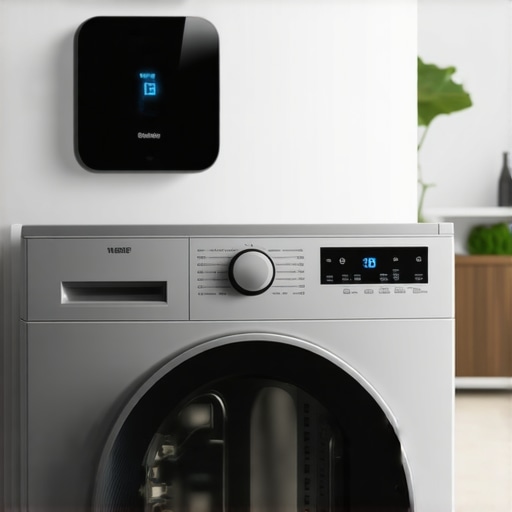
If your appliance lacks app controls, check for physical buttons or combination key presses that toggle sounds. My smart washing machine, for example, let me press and hold specific buttons to silence sounds temporarily. Think of this as a secret handshake—once you know it, silence is just a button press away. Be cautious, though, as some settings may reset after power cycles or maintenance.
Use a Microphone Blocker or External Switch
In cases where software options are limited, you can use physical modifications—like covering microphones or adding a simple switch to interrupt sound signals. For my dishwasher, I temporarily attached a piece of tape over the microphone on the panel, which mutes beeps without interfering with functionality. This method is a DIY hack, so proceed carefully to avoid voiding warranties or damaging the device. Think of it like putting earplugs in—effective without altering the device.
Consult Manufacturer or Support Forums
If steps above don’t help, reach out to customer support or browse online forums. Many users share custom solutions or firmware updates that disable unwanted sounds. For example, I found a user’s tip on a forum about accessing hidden settings via a special mode—saving me from ripping apart the panel. Think of support forums as a neighborhood of neighbors sharing secret recipes for peace and quiet.
Check for Firmware Updates
Manufacturers often release firmware updates that add or improve sound control features. Ensure your appliance is running the latest firmware—like updating your phone’s OS for new features. Visit the manufacturer’s website or use their app to check for available updates. With my refrigerator, an update changed the default notification settings, giving me more control over alerts. Regularly updating can help you manage unwanted beeps and keep your peace of mind.
Practice Safe Disabling of Alerts
Always ensure you’re not turning off critical alerts that could warn you of malfunctions. For example, disabling a warning about a clogged filter might save noise but risk damage or costly repairs later. Balance convenience with safety, and if unsure, consult support or detailed guides. Remember, silence is good, but safety comes first—like masking the smoke alarm’s chirp without disabling the low-battery warning.
Many homeowners believe that modern appliances are foolproof and require minimal maintenance, but this is a misconception that can lead to costly mistakes. For instance, some assume that high-tech features automatically optimize performance without user intervention, but in reality, neglecting routine upkeep—such as cleaning filters or firmware updates—can significantly diminish efficiency and lifespan. According to industry experts, understanding the nuances of these devices allows for better troubleshooting and maintenance, preventing avoidable breakdowns. Have you ever fallen into this trap? Let me know in the comments.
Another common myth is that all smart appliances are secure and free from privacy risks. While manufacturers implement security measures, many devices still collect and share data unless properly configured. For example, some users overlook the importance of disabling data-sharing options, which can compromise personal information. To avoid this, always review app settings and firmware options, and consider reviewing our guide on [how to stop your smart fridge from selling your data](https://smartappliancereview.com/how-to-stop-your-2026-smart-fridge-from-selling-your-data).
Misconceptions also persist around energy consumption. Many assume that newer models are always more energy-efficient, but that’s not guaranteed unless you select the right settings. For instance, overloading washing machines or leaving refrigerators at high temperatures can increase power use. Choosing optimal settings based on manufacturer recommendations and regular maintenance—like cleaning condenser coils—can vastly improve energy savings. For more detailed tips, see [the most energy-efficient fridge settings for hot summer months](https://smartappliancereview.com/the-most-energy-efficient-fridge-settings-for-hot-summer-months).
The false idea that ‘set it and forget it’ applies to smart home integration can lead to connectivity issues. Devices that aren’t regularly updated or properly integrated may experience malfunctions or security vulnerabilities. Regular updates, using manufacturer-supported apps, and maintaining a network of devices are crucial to keep everything running smoothly. Read more about common connectivity issues and fixes in [why your smart fridge app keeps crashing on your phone](https://smartappliancereview.com/why-your-dishwasher-bottom-is-filling-with-standing-gray-water).
Lastly, many overlook the importance of understanding advanced features like sensors and AI automation. A mistake here can cause false alerts or inefficient operation. For example, some users disable these features altogether, missing out on energy savings and improved performance. It’s better to learn how to calibrate sensors or adjust settings—like how to calibrate your smart fridge temperature sensor—so you can maximize benefits without falling prey to false alarms or operational hiccups. Check out [how to calibrate your smart fridge temperature sensor for accuracy](https://smartappliancereview.com/how-to-calibrate-your-smart-fridge-temperature-sensor-for-accuracy).
Let’s be honest: delving into these nuances helps you protect your investments and enjoy smarter, more reliable appliances. By recognizing common myths and mistakes, you can avoid pitfalls that even seasoned users sometimes fall into. So, next time you’re frustrated with a home appliance behaving unexpectedly, remember—there’s often an advanced setting or maintenance step that can make all the difference.
Keep It Running: The Tools That Make a Difference
Maintaining your smart appliances requires precision and the right equipment. I personally rely on a digital multimeter like the Fluke 117, which provides accurate voltage and continuity readings essential for troubleshooting power issues in devices like refrigerators and washers. Additionally, a set of precision screwdrivers helps access internal components without damaging delicate parts, especially when resetting or replacing faulty sensors. For cleaning microfilters and spray arms, I recommend a soft-bristle toothbrush paired with eco-friendly cleaning solutions—I swear by the Cleaning King brushes because they reach into tight spaces without scratching sensitive surfaces.
Software tools are equally vital. For instance, I use appliance-specific apps—like LG ThinQ or Samsung SmartThings—to monitor performance and run firmware updates remotely. These apps often include diagnostic features that can identify issues before they escalate, saving you from costly repairs. Regularly updating firmware is crucial; according to this guide, firmware patches often contain critical security fixes and performance enhancements. Staying current ensures your appliances operate smoothly over the years, not just at purchase.
How do I maintain my appliances over time?
Consistency is key. Schedule quarterly maintenance checks—think of it as a health exam for your devices. For refrigerators, this means inspecting door seals with a paper test and cleaning condenser coils with a microfiber cloth to prevent overheating (learn more here). Washing machines benefit from descaling every few months; Detergent residue and mineral deposits diminish efficiency and can cause long-term damage. For dishwashers, regular cleaning of spray arms and filters, as outlined in this article, prevents clogs that lead to poor cleaning results and early breakdowns.
Future-Proof Your Kitchen: Scaling and Upgrades
As technology advances, new features will keep appearing—some genuinely useful, others merely trendy. I predict that upcoming firmware updates will enhance self-diagnosis capabilities, allowing appliances to preemptively alert us to potential failures (read about current innovations here). Upgrading to models with modular components, such as replaceable microfilters or smart sensors, ensures that your appliances can adapt without replacing entire units. When considering scaling, prioritize devices that offer easy access to internal parts and comprehensive app control. This way, you’re not tethered to expensive service calls for minor issues.
Optimize for Long-Term Success
Implementing routine checks, utilizing precise diagnostic tools, and keeping firmware updated are the pillars of longevity. For me, integrating a networked monitoring system that alerts me to irregular performance helps catch small problems early. For example, if your refrigerator’s compressor starts to sound unusual, consulting this resource can guide you on immediate action steps before costly repairs become inevitable. Experimenting with these tools and techniques can drastically reduce appliance downtime and extend their service life—try calibrating your refrigerator temperature sensor following our detailed guide for immediate gains!
The Hardest Lesson I Learned About Smart Home Devices Was Listening to My Ego
Initially, I believed I had to accept all the alerts and sounds from my smart appliances, thinking it was part of their cutting-edge design. But I soon realized that sometimes, our desire for complete control can backfire—turning peace into chaos with relentless beeping. The real breakthrough came when I acknowledged that silence wouldn’t mean neglect but smarter management.
Why I Stopped Worrying About Missing Critical Alerts
One of my biggest fears was missing an important notification—like a filter needing change or an error. However, I discovered that most appliances offer visual alerts or app notifications that are just as reliable as sound cues. Disabling beeps didn’t mean sacrificing safety; it meant choosing tranquility over unnecessary noise.
Embracing DIY Hacks That Saved My Evenings
When software options fell short, I turned to simple physical modifications—covering microphones or using switch mods—that effectively silenced unwanted alerts. These small hacks not only minimized noise but also empowered me to customize my appliances in a way that suited my lifestyle. It’s surprising how a bit of resourcefulness can restore peace without voiding warranties or risking damage.
The Power of Routine Checks in Maintaining Peace and Performance
One of the most valuable insights was that regular maintenance—like cleaning filters or updating firmware—keeps appliances running smoothly and quietly. It’s a proactive approach that prevents nagging alerts and costly breakdowns down the line. Investing a few minutes periodically can profoundly impact your home’s tranquility and device longevity.
Looking Ahead: Making Peace With Technology’s Voice
As smart appliances evolve, so will their notification systems. Staying informed about firmware updates and new features will help you tailor your device experience—keeping your home peaceful and efficient. Remember, mastering these settings is an ongoing journey of learning and adaptation. Share your successes or struggles below—I love hearing how others find their quiet spot amidst the buzz.
![Is Your 2026 Matter Fridge Stealing Your Data? [Audit Checklist]](https://smartappliancereview.com/wp-content/uploads/2026/02/Is-Your-2026-Matter-Fridge-Stealing-Your-Data-Audit-Checklist.jpeg)