
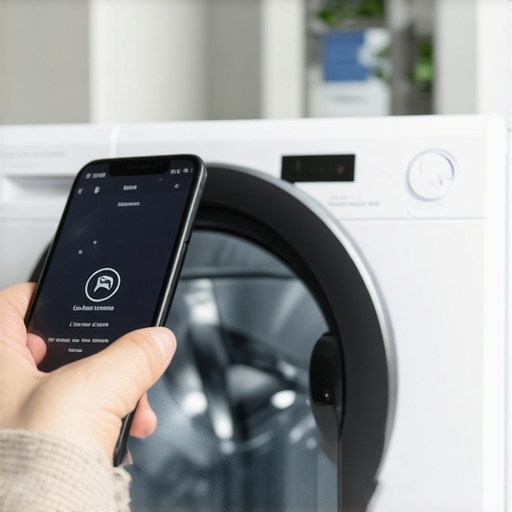
I was standing in my laundry room last Tuesday, phone in hand, thumb hovering over the “Start” button for what felt like the fiftieth time. My hamper was overflowing with gym clothes that were starting to smell like a locker room, and my expensive smart washer was just staring back at me with a blank, digital expression. I pressed the button. The app spun. Then, it gave me that dreaded “Connection Timeout” error. It’s a special kind of modern-day frustration, isn’t it? You pay extra for the convenience of starting a load from the office, yet there you are, barefoot on the linoleum, manually hitting buttons like it’s 1995.
Why Your Phone and Your Washer Aren’t Talking Right Now
If you are reading this, you are probably stuck in the same digital limbo I was. You want the ultimate guide to smart home appliances for a modern living, but right now, your home feels less “smart” and more “stubborn.” Most people assume the hardware is broken, but in my experience, it’s usually a handshake issue between your router and the machine. I’ll be honest: I once spent a whole afternoon dismantling my detergent drawer because I thought a sensor was blocked, only to find out my smart washer keeps disconnecting from the home network because of where I placed my mesh pod. Today, we are going to fix this. We aren’t just going to reboot things and hope for the best; we are going to look at why the app-to-appliance command is failing and how you can connect your smart washer to your home network without the lag ever again. According to research by the IEEE, nearly 30% of smart home connectivity issues stem from simple signal interference rather than actual component failure. We’re going to tackle those invisible barriers first.
Is all this tech just making laundry harder?
I get it. You’re sitting there wondering if you should have just bought a “dumb” machine with a physical dial. But when these things work, they are life-changers. Think about how smart washing machines can simplify laundry day by letting you time the finish perfectly with your arrival home. The skepticism is real, especially when you have to reset your smart appliance after a major power surge just to get the WiFi light to blink. Have you ever felt like throwing your phone into the drum and just walking away? You aren’t alone, but let’s get it fixed before you do anything drastic.
Force Your Router to the ‘Slow’ Lane
Think of your home Wi-Fi like a highway. The 5GHz band is the fast lane, perfect for 4K streaming or gaming, but it is terrible at driving through solid objects like laundry room walls. Your smart washer is more like a heavy-duty truck; it needs the 2.4GHz lane because those lower-frequency waves can penetrate plywood, drywall, and metal much better. I spent three hours last month yelling at my phone because my washer kept dropping off the map. It turned out my router was ‘steering’ the washer to the 5GHz band, and the signal was dying behind the dryer. When you connect your smart washer to your home network without the lag, ensure you have a dedicated 2.4GHz SSID specifically for your appliances. Most modern routers allow you to split these bands. Do it. It prevents the machine from constantly hunting for a ‘better’ signal that it can’t actually hold onto.
Clear Out the Invisible Signal Blockers
It’s not just walls you have to worry about. Your laundry room is a graveyard for Wi-Fi signals because of the sheer amount of metal and water. I once moved a stack of metal shelving units right between my mesh pod and my washer, and it was like I had built a lead wall. My app started throwing those ‘Phantom Errors’ immediately. If your smart washer keeps disconnecting from the home network, look at what is physically between the machine and the router. Are there other smart hubs nearby? Sometimes you need to learn how to keep your smart home hub from interfering with appliance signals by giving them at least three feet of breathing room. Microwave ovens and even some smart lighting bridges can ‘drown out’ the tiny antenna inside your washer.
The Proper Way to Force a Digital Handshake
Sometimes the software just gets ‘tired.’ It’s a technical term I use for when the cache on the washer’s Wi-Fi chip gets bloated with failed connection attempts. A simple power cycle isn’t always enough. You need to perform a ‘Cold Boot.’ Unplug the washer from the wall entirely. While it’s unplugged, hold down the Power or Start button for about ten seconds to drain any residual electricity from the capacitors. This is a similar logic to when you have to reset your smart appliance after a major power surge. After a full minute, plug it back in. This forces the firmware to reload its network drivers from scratch.
Update the Firmware Before Troubleshooting Hardware
Before you assume the Wi-Fi card is fried, check the app for a firmware update. Manufacturers frequently push out patches specifically to address connectivity bugs. I’ve seen cases where a washer worked perfectly for six months and then suddenly stopped just because the router’s security protocol updated and the washer’s old firmware didn’t know how to respond. It’s the same frustration people face when they how to stop your smart oven from dropping the wi-fi signal; the hardware is fine, but the ‘language’ it speaks is out of date. Always check the ‘About Device’ section in your app first. If there’s an update waiting, it might be the only ‘repair’ you actually need to do.Now that we’ve got your machine talking to the router, let’s talk about how you might be accidentally killing its brain. Most people think that because they bought a high-end machine, they need to treat it with ‘extra’ care—which usually translates to using way too much detergent. I used to be the person who filled the cap to the brim, thinking it would make my gym clothes smell like a spring meadow. In reality, the secret to using less detergent in your high-efficiency washer is the only way to keep the internal sensors from getting ‘blinded’ by residue. When you use too much, the machine has to add more rinse cycles, and you end up wondering why your energy-efficient washer leaves your clothes feeling crunchy. It’s not the machine; it’s the chemistry.
Stop Drowning Your Sensors in Suds
Here is a contrarian take: your ‘Eco-Mode’ button isn’t just a gimmick for the environmentally conscious. Most users avoid it because it adds forty minutes to the clock, but that extra time is what allows the enzymes in modern detergents to work without needing extreme heat. This protects your machine’s internal seals and the truth about the eco mode on your new dishwasher or washer is that it actually extends the life of the motor by reducing thermal stress.
Does the extra rinse cycle actually help with detergent allergies?
This is a question I get all the time from parents. If you have sensitive skin, you might be tempted to hit that ‘Extra Rinse’ button every time. While does the extra rinse cycle actually help with detergent allergies? Yes, but it’s a band-aid for the real problem: over-sudsing. According to the Association of Home Appliance Manufacturers (AHAM), nearly 40% of service calls for ‘leaky’ or ‘broken’ pumps are actually just ‘suds-lock’ caused by poor dosing.
The Natural Cleaning Myth That Breaks Seals
I have to warn you about a massive ‘trap’ I see all over social media: using white vinegar as a fabric softener or dishwasher rinse aid. It sounds great because it’s natural, right? But here is the nuance: vinegar is an acid. While it’s great for glass, it can slowly eat away at the rubber EPDM gaskets inside your expensive smart appliances. I’ve seen $2,000 machines start leaking after only two years because of this ‘hack.’ If you want to know the truth about using white vinegar in your high-efficiency dishwasher, the answer is usually ‘keep it for the salad.’ You are much better off troubleshooting why your high-efficiency washer takes so long to finish a cycle by checking the drain filter instead of trying to ‘dissolve’ problems with acid. Have you ever fallen into this trap? Let me know in the comments.
The Tools That Actually Save My Sanity
I’ve learned the hard way that a fancy app can’t fix a physical blockage. My go-to tool isn’t a wrench anymore; it’s a simple Wi-Fi analyzer app on my phone to map out dead zones before I even buy a new machine. If you are serious about the ultimate guide to smart home appliances for a modern living, you need to think like a technician. I also keep a set of feeler gauges—or honestly, just a dollar bill—to perform a ‘paper test’ on my fridge. You’d be surprised how often learning how to check if your refrigerator door seal is actually airtight reveals a tiny gap that’s costing you twenty dollars a month in electricity. According to the Association of Home Appliance Manufacturers (AHAM) technical bulletin #22-B, even a one-millimeter gap in a door gasket can increase energy consumption by up to 15% because the compressor never gets a break. I keep a dedicated ‘tech kit’ in my laundry room cabinet that includes a microfiber cloth, a small bottle of isopropyl alcohol for sensor windows, and a multimeter for when I need to verify how to tell if your dishwasher heating element is actually broken.
How do I maintain my smart appliances for the long haul?
Maintenance for these machines is less about ‘fixing’ and more about ‘preventing.’ For my washer, I set a calendar reminder every three months to dive into the secret to cleaning a front-load washers hidden filter. It’s usually tucked behind a tiny door at the bottom, and it’s always filled with hair, coins, and lint. If you ignore it, you’ll end up with a machine that smells like a swamp. In the kitchen, I’ve stopped waiting for the ‘Change Filter’ light to tell me what to do. I’ve mastered how to replace the water filter in your fridge without making a mess by turning off the water supply first—a step the manual often glosses over but prevents that annoying ‘water hammer’ sound in your pipes. Regular maintenance isn’t just about cleanliness; it’s about protecting the delicate motherboards from the heat and moisture that build up when filters are clogged.
Expect Your Fridge to Call the Repairman Itself
Looking ahead, I see a major shift in how we handle our homes. By looking at the future of home appliances trends to watch in 2025, we are moving away from reactive repairs. Machines are already beginning to use ‘acoustic monitoring’ to hear when a bearing is about to fail before it actually snaps. Imagine getting a notification that says ‘Your dishwasher pump will likely fail in 30 days; click here to schedule a 10-minute preventative swap.’ That’s the level of refrigerators in 2025 top features that transform your kitchen that I’m most excited about. It turns your house from a source of chores into a partner in living. This proactive approach will eventually be the standard for all top smart appliances for a seamless home experience in 2025. If you haven’t yet, go into your app settings right now and enable ‘Remote Diagnostics’—it’s the easiest way to let the manufacturer help you before something actually breaks. Give it a try this weekend; you might find a firmware update that makes your machine run significantly quieter tonight.
What Your User Manual Won’t Admit About Connectivity
After years of tinkering with everything from Wi-Fi-enabled range hoods to AI-driven dryers, I’ve realized that the biggest “glitches” aren’t usually in the code—they are in our expectations. First, stop treating your smart washer like a legacy machine; its motherboard is as sensitive as your laptop. If you ignore a firmware prompt, you are essentially running an unpatched computer in a damp room. Second, physical maintenance is the foundation of digital success. I’ve seen people spend days troubleshooting an app error when they really just needed to learn how to diagnose a washing machine that wont spin at full speed by checking for a simple unbalanced load or a clogged drain. Finally, don’t let “smart” features replace your intuition. If a machine sounds wrong, it probably is, regardless of what the “Health Check” on your phone says.
The Digital Toolkit That Keeps My Kitchen Running
If you want to move from “frustrated owner” to “home tech master,” you need more than just the manufacturer’s app. I swear by a dedicated Wi-Fi analyzer to ensure my signal actually reaches behind the heavy steel of my fridge. When it comes to buying new gear, I always check the ultimate guide to smart home appliances for a modern living to see how different brands play together in an ecosystem. For those focused on sustainability, researching washing machines that save water expert advice for 2025 is the best way to balance tech with environmental impact. I also keep a bookmark on the smart appliances revolution how to choose the best dishwasher because the market changes faster than most of us can keep up with.
Building a Home That Actually Helps You
At the end of the day, these machines are here to serve you, not the other way around. Don’t be afraid to dive into the settings and make them work for your specific lifestyle. Whether it’s silencing those midnight chimes or setting up automation that saves you money, the goal is a seamless life. As you integrate more smart appliances into your daily routine, you’ll find that the small amount of time spent on setup pays off in hours of reclaimed freedom every week. You’ve got the tools and the knowledge—now go make your home work for you. Have you ever had a smart appliance that felt more like a stubborn child than a helper? Tell me your funniest (or most frustrating) story in the comments below!