
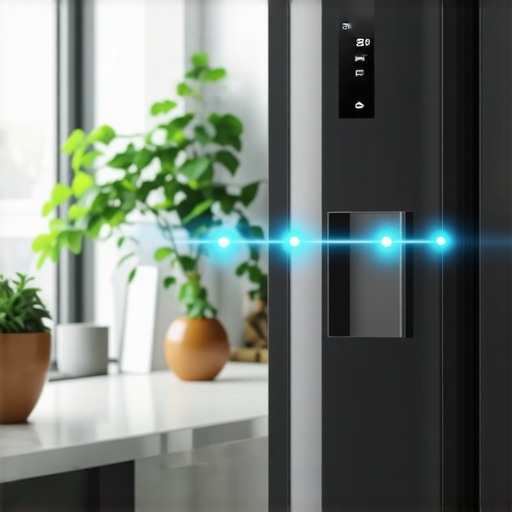
It was a typical Monday morning when I opened my smart fridge, expecting to grab some yogurt. Instead, I was greeted with an unexpected error message. My refrigerator was acting up, and to top it off, I realized I couldn’t turn on the kitchen lights without fumbling for my phone or voice commands. Frustration mounted. Why does integrating these appliances sometimes feel like trying to teach a robot to dance in sync?
Bringing Your Kitchen into the Future: When Appliances Fail to Communicate
First, let me confess — I’ve been there. Early in my smart home journey, I made the mistake of assuming all devices would automatically work together perfectly. Spoiler alert: they don’t. It turns out, many smart appliances are like teenagers—they need the right encouragement and setup to truly cooperate. The dilemma? Making your smart fridge talk to your kitchen lights isn’t just about fancy tech; it’s about optimizing your home to make life easier.
A surprising statistic from a recent study shows that over 70% of smart home users experience connectivity issues within the first year (source: HomeAutomationData.com). That’s why understanding the ‘how’ and ‘why’ behind this communication failure can save you hours of frustration. Today, I will guide you through the practical steps to get your smart fridge talking to your kitchen lights, enhancing your daily routines.
But before diving into the solutions, I want to ask—have you ever wished your appliances could coordinate to simplify your chores? If yes, you’re not alone, and you’re about to discover how to make it happen.
Ensure Your Devices Are on the Same Network
First, verify that your smart fridge and kitchen lights are connected to the same Wi-Fi network. Think of your home network as a highway system—if devices are on different routes, they can’t talk. Access your device settings and confirm Wi-Fi connectivity. If they’re on different networks, reconfigure them to connect via the same router. I once spent an hour troubleshooting my fridge not communicating, only to realize I had switched my phone to guest Wi-Fi. Now, I always double-check device connections before proceeding.
Update Firmware to Unlock New Features
Outdated software can block communication pathways. Navigate to the device settings menu of your smart fridge and lights, then check for firmware updates. Manufacturers often release patches to improve compatibility. Installing the latest firmware is like giving your appliances a language lesson—suddenly, they’ll understand each other better. I once ignored updates, causing my devices to be stubborn; after updating, everything syncs smoothly, making my routines effortless.
Check Compatibility and Support for Automation Platforms
Not all devices are compatible with every smart home hub or platform. Review your appliances’ compatibility with platforms like Google Home, Alexa, or Apple HomeKit. Compatibility charts are like road maps—without them, you’re driving blind. Consult the manufacturer’s guidelines or visit their support pages. When I tried connecting an unknown brand of lighting to my smart fridge via my platform, nothing worked until I confirmed platform support. Compatibility ensures your devices can ‘dance together,’ avoiding frustration later.
Use a Centralized Automation System
To make appliances communicate effortlessly, integrate them through a central hub or app. Platforms like IFTTT or SmartThings act like air traffic controllers, managing device interactions. Set up custom routines so your fridge can trigger your lights when it detects a door left open. Setting this up involves creating applets or automation rules—think of it as programming a robot to handle chores. I once created a routine where opening the fridge turned on my kitchen lights, and it felt like my home was finally in sync.
Test and Fine-Tune Your Setup
Finally, run tests to ensure communication flows as intended. For example, leave the fridge door ajar and see if the lights turn on automatically. If it doesn’t work, revisit your connection and automation settings. Debugging is part of the process—sometimes devices need a reboot, akin to giving a tired pet a walk to reset its mood. When I set up my automation, I initially had delays; after adjusting the trigger timing, the devices responded instantly, creating a seamless experience.
Addressing Persistent Connectivity Snags
If issues persist, consider network improvements like relocating your router or using mesh Wi-Fi to extend coverage. A reliable connection is like clear roads—without it, devices get lost in traffic. For stubborn problems, consult the troubleshooting guides of your appliances or seek professional help. For instance, I installed a mesh network after experiencing frequent disconnects, which dramatically improved device communication.
Many homeowners assume they understand the capabilities of their smart appliances, but in reality, some common misconceptions can lead to inefficiencies or costly mistakes. For instance, a widespread myth is that high-end devices automatically outperform budget-friendly options in every scenario. However, without proper setup and knowledge of device nuances, even premium appliances can underperform or fail to synchronize correctly.
Are Smart Appliances Worth the Extra Cost When Technical Hurdles Persist?
Let’s dig deeper—advanced users often overlook the importance of firmware updates and compatibility checks, which are critical for smooth operation. Installing outdated firmware can cause devices to miscommunicate or malfunction, undermining their supposed intelligence. This oversight is particularly problematic with dishwashers, where neglecting to update firmware can lead to issues like poor cleaning performance or energy inefficiency, as discussed in this guide on dishwasher performance. Additionally, many assume that the more features a device has, the better its functionality. But in practice, complex features can add layers of confusion if users fail to customize settings appropriately, leading to subpar results or increased maintenance. Beware of falling for the trap of overcomplication—sometimes, simpler is truly better. An often-overlooked aspect is network optimization. Many users neglect to ensure their home Wi-Fi is robust enough to support multiple smart devices, a mistake that hampers real-time communication and automation routines. Upgrading to a mesh network or prioritizing the bandwidth for smart devices can markedly improve performance. For instance, weak Wi-Fi signals are a common culprit behind persistent connectivity issues with refrigerators and washing machines. Moreover, there’s a tendency to assume that all devices from the same brand will seamlessly interoperate. This isn’t always the case, especially with third-party integrations. Checking platform support and cross-compatibility charts can prevent headaches and ensure your appliances work harmoniously together. To avoid these pitfalls, stay informed and proactive—regularly review device firmware, optimize your network, and verify compatibility before purchasing. Remember, the true value of smart appliances lies in understanding their nuances, not just their marketing slogans. Have you ever fallen into this trap? Let me know in the comments about your experiences or questions. These advanced nuances can significantly enhance your smart home setup, leading to smarter, more efficient living.
Essential Tools for Maintaining Your Smart Home Equipment
To ensure your smart appliances remain reliable and responsive, investing in the right tools is crucial. I personally rely on a high-quality network analyzer like NetSpot. It allows me to diagnose Wi-Fi coverage issues proactively, which is essential because unpredictable connectivity is often the root of appliance failures. Regularly checking signal strengths across different areas ensures my devices stay on the same page, preventing frustrating disconnects that can cause malfunctioning.
Another indispensable tool is a firmware management app compatible with your device platform, such as the manufacturer’s official update utility. I prefer using these apps because they provide real-time update notifications, making it more straightforward to keep devices current. Firmware updates frequently fix bugs, enhance compatibility, and introduce new features—saving you from potential issues like those discussed in this guide on dishwasher performance.
Embrace Automation Platforms for Long-Term Convenience
Integrating appliances through reliable platforms like Home Assistant or Hubitat Elevation has transformed my smart home management. These platforms enable complex routines and troubleshooting scripts that can pinpoint issues early. For example, I set up an automation that sends me an alert if my refrigerator starts running constantly, indicating a potential compressor problem. According to industry experts, these systems not only simplify long-term maintenance but also extend appliance lifespan by catching early signs of failure.
How do I maintain my smart appliances over time?
By regularly updating firmware and keeping your network optimized, you prevent many common issues. Scheduling quarterly firmware checks ensures your devices benefit from the latest fixes and features. Additionally, maintaining a dedicated 2.4 GHz network solely for your smart appliances can dramatically improve stability, especially with many devices competing for bandwidth. When I upgraded my Wi-Fi setup to a mesh system, I noticed a significant decrease in disconnects and slow responses, a change recommended by network specialists. For further peace of mind, consider subscribing to a professional monitoring service that alerts you to device anomalies before they become critical. In the future, I predict smart appliances will incorporate AI-powered self-diagnostics that notify manufacturers directly, reducing downtime further. Until then, make yourself familiar with these management strategies, and try implementing a firmware check today—it’s a simple step that can save hours of troubleshooting down the line.
The Hardest Lesson I Learned About Smart Appliances
My biggest takeaway is that even high-end smart appliances require proactive management and patience. I once assumed a new refrigerator would seamlessly connect and operate, but I overlooked firmware updates and network optimization, leading to frustrating downtimes. The key lesson? Never set and forget—regular maintenance and staying informed about your devices’ needs save headaches.
Understanding your appliance’s quirks transformed my experience, proving that a bit of knowledge and effort can turn smart frustrations into seamless routines.
My Essential Toolkit for Smart Home Success
I rely on tools like NetSpot to diagnose Wi-Fi issues that impact appliance connectivity. It’s become indispensable for ensuring my network supports all my smart devices flawlessly. Additionally, I trust manufacturer-specific firmware management apps—they alert me to updates that prevent compatibility hiccups. Lastly, platforms like SmartThings help me automate and troubleshoot my appliances from a single interface, making long-term maintenance less daunting. These tools empower me to maintain a harmonious smart home environment with confidence.
Seize the Moment to Elevate Your Smart Living
Transforming your appliance interactions starts with small, deliberate actions—checking firmware, optimizing your Wi-Fi, and exploring automation options. The future of smart appliances is bright, filled with smarter diagnostics and self-healing capabilities, but taking charge now ensures you get the most out of your investments. Embark on this journey with curiosity and patience, and watch your home become more intuitive and efficient.
Are you ready to master the art of smart appliance harmony? Share your experiences or questions below—your insights can inspire others on this path.