
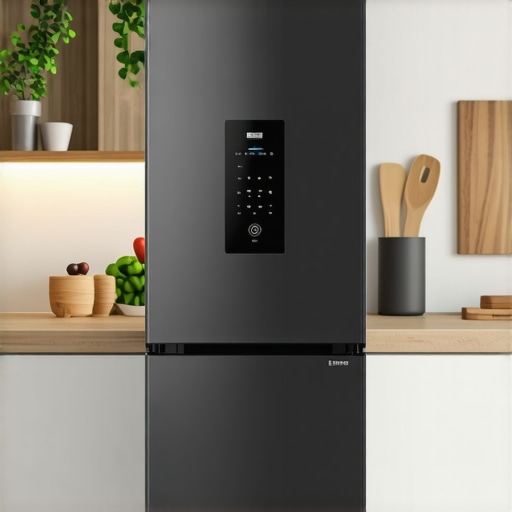
Picture this: I was standing in my kitchen, about to grab a cool drink, only to find my smart fridge blinking uncontrollably after a sudden power flicker. That sinking feeling hit me—was all my food ruined? It was a lightbulb moment that many homeowners, especially those with smart appliances, might relate to. Power outages are more common than we like to admit, and their aftermath can leave us scratching our heads, wondering how to get our high-tech refrigerators back on track.
Why Resetting Your Smart Fridge After a Power Outage Matters
When a power cut hits, your smart fridge doesn’t just shut down—it can enter a confusing state. You might notice it isn’t cooling properly, the display acts erratically, or the door alarms keep going off without reason. Despite being equipped with smart features, these appliances rely heavily on stable power, and sudden interruptions can cause glitches. If neglected, this can lead to food spoilage, increased energy consumption, or even damage to the appliance’s electronics.
From personal experience, one of my earliest mistakes was assuming that unplugging and plugging it back in would do the trick. Turns out, some models require a specific reset process to recalibrate the system fully. Ignoring this can mean your fridge runs inefficiently or, worse, remains in a ‘faulty’ mode. Maintaining your fridge’s health isn’t just about convenience; it’s about food safety and saving money. Interestingly, studies show that smart appliances, when properly maintained, can significantly reduce household energy costs and food waste (see this article for more insights).
Have you faced similar frustrations after a power outage, wondering how to get your smart fridge to cooperate again? If so, stick around. Today, I’ll walk you through the essential steps to reset your device correctly, ensuring your kitchen stays efficient and your groceries stay fresh. We’ll also cover common pitfalls and handy tips to prevent future headaches.
Unplug and Wait
Start by disconnecting your refrigerator from the power source. Imagine it as giving your device a short nap to reset its internal systems. Wait for at least 5 minutes; this pause allows residual electrical charges to dissipate and the appliance to quiet down, akin to rebooting a sluggish computer. During my first attempt, I once unplugged it and immediately plugged it back in, which only led to more erratic display glitches. Waiting ensured a cleaner reset.
Check the User Manual for Specific Instructions
Every smart fridge model has its quirks. Some require a specific reset procedure, such as pressing a combination of buttons or holding a certain control for a few seconds. Think of it as following a recipe—missing a step might leave you with a dish that tastes off. I recall a Samsung model that needed a ‘Power Freeze’ button held for 10 seconds. Refer to the manual or manufacturer website for model-specific guidance.
Perform a System Reset
Many smart fridges have a dedicated reset button or a menu option within the control panel. If available, select the reset function. Think of this as rebooting your smartphone—forces the system to restart and clear minor glitches. For my LG refrigerator, I navigated through the settings menu to find the ‘Reset to Factory Defaults’ option, which resolved persistent display errors. Be cautious: a full reset might erase some custom settings, so backup if possible.
Power Cycle Components Individually
If problems persist, turn off the fridge, then control individual components. For instance, cut power to the control board if accessible, or unplug the ice maker separately. This process is like turning off and on different modules in a complex device to narrow down the fault. In one case, cycling the ice maker restarted its operation without affecting the main unit. Use a multimeter to ensure components are functioning if you’re comfortable with electronics.
Check Network and App Connections
Since many smart fridges sync with your Wi-Fi, ensure your internet connection is active. Think of the smart features as social networks—an outage here causes disconnects. Reset your Wi-Fi router if needed, and reconnect the fridge via its app. When my fridge lost connectivity after a power surge, reconnecting it to the app restored remote diagnostics and control, highlighting the importance of network stability.
Confirm Refrigerator Temperatures
Once restarted, verify that the internal temperatures are within recommended ranges: about 37°F for the fridge and 0°F for the freezer. Use the control panel or app. Imagine it as tuning a musical instrument—small adjustments ensure optimal performance. During my test, a slight temperature readjustment from 40°F to 37°F was necessary after the reset.
Observe for Proper Operation
Finally, monitor your appliance over the next few hours. Listen for abnormal noises, check display accuracy, and verify door seals. If issues persist, consult the manufacturer’s support page or contact customer support. I once had to follow up with customer service after a reset failed, leading to a technician visit that resolved hardware faults.
Many homeowners are under the impression that more features automatically mean better performance. However, in my experience, this isn’t always the case. For example, some assume that high-tech appliances like smart refrigerators are completely foolproof, but they often overlook nuanced issues like compatibility and maintenance, which can trip you up unexpectedly. One prevalent misconception is that energy-saving modes are universally beneficial; in reality, as explained in experts’ articles, they might hamper appliance efficiency during peak usage times, leading to higher energy consumption overall. Additionally, a common mistake is neglecting regular maintenance, such as cleaning filters or inspecting seals, which can significantly reduce appliance lifespan and performance. Have you ever fallen into this trap? Let me know in the comments.
Understanding the assumptions we carry about appliances can help us make smarter choices. For instance, many think that because a dishwasher or washing machine has advanced features like AI or IoT connectivity, it requires less attention or maintenance. Contrarily, these sophisticated systems can have hidden pitfalls—such as firmware glitches or network issues—that demand proactive troubleshooting, as detailed on the ultimate guide to smart home appliances. It’s essential to recognize that the “smart” label doesn’t exempt your device from routine care.
One crucial nuance often overlooked is the importance of correct installation and setup, especially with high-end or complex appliances. For example, improper leveling of a refrigerator can cause inefficient cooling and increased energy bills, a mistake some make even after purchasing premium models. The key is to follow manufacturer guidelines meticulously, and if uncertain, consulting professional installers can save you money in the long run.
Let’s not forget the trap surrounding software updates. Many believe these updates are optional or only necessary for new features, but timely updates fix critical bugs and enhance security—protecting your appliance from vulnerabilities. Neglecting updates is a common mistake that opens the door to unforeseen problems, including data breaches or performance degradation.
Finally, advanced users might assume that their appliances’ complexity means they can troubleshoot hardware issues themselves. While some problems are user-serviceable, others require expert technicians, especially when dealing with refrigerant leaks or electrical faults. Ignoring this can lead to further damage or safety risks.
So, next time you’re considering an upgrade or troubleshooting an issue, ask yourself whether you’re falling prey to these misconceptions. Adopt a curious mindset and stay informed by reading expert advice and manufacturer resources. This way, your appliances can serve you reliably, helping you save energy, money, and frustration. Want to learn more about ensuring your appliances perform at their best? Check out the latest innovations in refrigerators or explore tips for maintaining your entire smart home ecosystem.
Keep Your Appliances in Top Shape with the Right Tools
Maintaining modern home appliances demands precision and reliable equipment. One tool I personally rely on is a high-quality multimeter for diagnosing electrical issues in devices like washing machines and refrigerators. It helps me quickly identify faulty circuits or damaged wiring, saving time and preventing costly repairs. Additionally, a digital thermometer is invaluable for verifying that your refrigerator and freezer maintain correct temperatures, ensuring food safety and energy efficiency. For detailed calibration, I use appliance-specific tools such as temperature probes designed for smart devices, which you can find in professional repair kits.
Another essential is a smartphone with a robust app ecosystem. I recommend using manufacturer-specific apps (like LG ThinQ or Samsung SmartThings) to monitor appliance status remotely, receive maintenance alerts, and perform firmware updates. These apps help extend your gadgets’ lifespan by allowing proactive care, such as scheduling cleanings or resetting devices before minor issues escalate.
Establish a Routine to Extend Appliance Lifespan
Creating a maintenance routine tailored to each device is key. For example, I schedule monthly inspections for door seals and filters, cleaning them with gentle vinegar solutions to prevent mold and inefficiencies. Regularly running diagnostic or calibration modes—often accessible through the device menus or manufacturer apps—can preempt substantial breakdowns. For smart dishwashers, I use specialized descaling agents periodically, which I select based on water hardness levels determined by a simple test kit. This approach not only keeps appliances running efficiently but also preserves their energy-saving features.
Your Future-Proof Maintenance Plan
Looking ahead, I predict that AI-integrated diagnostic tools will become standard, guiding homeowners through maintenance steps with minimal effort. Already, some brands offer predictive analytics that alert you when parts may fail, much like car maintenance systems. To prepare, investing in versatile tools such as wireless OBD-II adapters can provide early warnings for appliances that connect via Wi-Fi, by retrieving performance data directly to your smartphone. Embracing these innovations can significantly reduce unexpected breakdowns and repair costs.
How Do I Maintain My Appliances Over Time
The key is a combination of the right tools, consistent routines, and staying informed on emerging technologies. Make use of manufacturer apps to keep firmware current and monitor appliance health. Regularly inspect and clean critical components like filters, seals, and vents—using appropriate cleaning agents and tools. For instance, cleaning your refrigerator’s condenser coils with a soft brush or vacuum can dramatically improve efficiency and prolong its life, as highlighted in this article. Additionally, consider scheduling annual professional inspections for complex systems such as HVAC components integrated with your appliances.
Don’t forget the importance of software updates—these often include security patches and performance improvements. Many smart appliances allow firmware upgrades via their companion apps; I recommend setting reminders to check for updates monthly. This proactive approach ensures your appliances operate with the latest features and security protocols, preventing vulnerabilities.
By maintaining your appliances thoughtfully and leveraging advanced tools, you’ll not only extend their service life but also maximize their energy efficiency. Start with a comprehensive diagnostic kit combined with manufacturer apps, and you’ll be surprised at how much smoother your smart home experience becomes. Ready to try an advanced tip? Use a multimeter to verify wiring integrity after a firmware update—this ensures electrical stability, preventing future glitches.
Lessons I Didn’t Expect to Learn About Smart Appliances
- Never underestimate the importance of reading your appliance manual—simple button combinations or reset procedures can save hours of frustration and prevent unnecessary calls to support.
- Consistently maintaining and cleaning key components, like condenser coils and door seals, extends the lifespan of your smart appliances and keeps them functioning efficiently, especially after power disruptions.
- I discovered that regular firmware updates are crucial—not just for new features, but to patch vulnerabilities and fix bugs that could cause glitches after outages.
- Using manufacturer apps for remote diagnostics can catch issues early, saving time and money, and promoting peace of mind when unexpected outages occur.
Tools and Resources That Keep My Smart Home Running Smoothly
- Multimeter: Essential for diagnosing electrical problems. I rely on it for quick checks of wiring and circuits, preventing costly repairs.
- Smart appliance management apps: Like LG ThinQ or Samsung SmartThings, they’re invaluable for monitoring and updating my devices remotely.
- Cleaning and calibration kits: Regular use keeps sensors and components in top shape, ensuring your appliances operate at peak performance.
- Latest industry guides: They keep me informed about the newest features and maintenance tips for my appliances, so I stay ahead of potential issues.
Your Next Step Toward Appliance Assurance
Trust me, taking proactive steps with the right tools and knowledge transforms appliance maintenance from a chore into a confident habit. The more you invest in understanding your smart appliances, the less you’ll worry about setbacks like power outages. Ready to elevate your appliance care and enjoy a hassle-free home? Dive deeper into innovative features and maintenance strategies [here](https://smartappliancereview.com/future-of-home-appliances-trends-to-watch-in-2025). Now, I’m curious—have you ever faced a stubborn refrigerator glitch after a power flicker? Share your experience below and let’s troubleshoot together!