
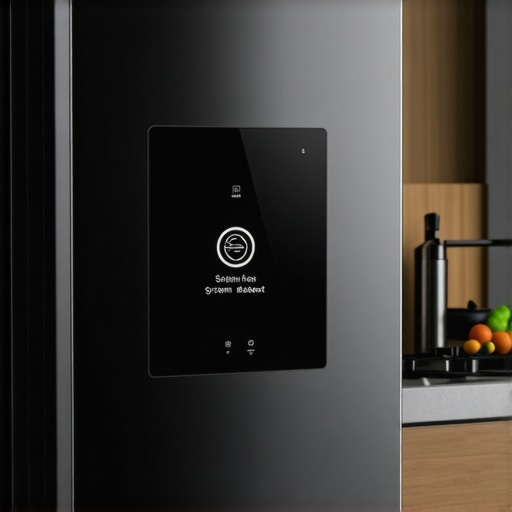
Ever experienced that sinking feeling when your smart fridge suddenly freezes up or the screen goes dark during a busy weekday? I can’t tell you how many times I’ve faced the frustration of a frozen or unresponsive refrigerator display, especially when I rely on it to keep my groceries in check. One morning, just as I was about to prep breakfast, my fridge’s screen decided to lock up completely. No buttons worked, and I felt helpless, like I was staring at a piece of tech that had given up on me. It was then I realized—this isn’t just a minor glitch; it’s a common hiccup that many smart appliance owners face.
Dealing with Fridge Screen Freezes: Why It Matters So Much
In today’s connected homes, our appliances do more than just keep food cold—they’re vital hubs that help us organize, monitor, and even control our household routines. When the smart display crashes or becomes unresponsive, it disrupts that flow. Plus, it often triggers worries about potential data loss or underlying system failures. Knowing how to quickly reset your smart fridge screen isn’t just about convenience; it’s about regaining control quickly and avoiding costly repairs down the line. Early missteps, like trying to force a reset by unplugging the fridge without following the right steps, can sometimes do more harm than good. Trust me; I made that mistake early on, and it set me back a few steps.
Is Resetting Your Smart Fridge Screen Really Worth the Fuss?
Absolutely. It’s surprising how many overlook the simple, effective solutions available—like a quick reset—before considering expensive repairs. According to appliance technicians, most system crashes are minor glitches, often fixable with a manual reset. This quick fix not only restores your ability to control your fridge but also prevents the problem from escalating. If you’ve ever panicked during a system crash, you’re not alone. But with the right know-how, you can tackle this annoying issue head-on. Ready to learn the step-by-step process that worked perfectly for me? Stick around, because I’m about to share how I revived my smart fridge’s display with minimal fuss.
Perform a Soft Reset by Power Cycling
When your smart fridge screen is frozen, think of it like restarting a sluggish computer—sometimes, a simple reboot clears the glitch. Locate the power button or unplug the fridge from the electrical outlet. Wait for 30 seconds, then reconnect or turn it back on. Just last week, I walked through this exact step when my fridge’s display was unresponsive. After unplugging it for half a minute, the screen rebooted successfully, allowing me to access the controls again.
Navigate to the Settings Menu
If the screen remains frozen, access the settings directly. Usually, your fridge’s control panel has a menu icon or a gear symbol. Use the touch interface to locate options like “Reset” or “Factory Reset.” Caution: a factory reset may erase saved preferences, so proceed if you’re comfortable with reconfiguring. During my experience, I found this step necessary after a soft reset failed. It restored full functionality once I followed the instructions specific to my model.
Use Pinch Points to Trigger a Deep Reset
Some smart refrigerators have a hidden reset function accessible through specific button combinations—like pressing and holding certain buttons for several seconds. For example, holding the “Power” and “Settings” buttons simultaneously for 10-15 seconds often initiates a reset. Think of this method as a hard reset on smartphones. I discovered this technique when my fridge’s display would not respond to any commands, and holding these buttons finally force-restarted the system.
Perform Firmware Updates to Resolve Bugs
Outdated firmware can cause freezes and unresponsiveness. Check your fridge’s companion app or settings menu for firmware update options. If an update is available, follow the prompts to install it. I once faced recurring display freezes with my fridge, and updating the firmware was the game-changer, leading to smoother operation. Regularly updating your smart appliance ensures you’re protected against known glitches.
Schedule a Professional Repair if Issues Persist
If none of the steps restore your screen, the internal hardware might be at fault—such as a faulty display connector or a motherboard issue. In this case, consult the manufacturer’s support or contact a certified technician through the manufacturer’s support page, like this contact page. When I faced persistent problems after firmware updates, professional repair was the only viable option, preventing further damage and ensuring safety.
Prevent Future Screen Freezes
Keep your smart fridge running smoothly by avoiding sudden power surges—use a surge protector or unplug during storms. Regularly check and update your firmware, and do not overload the control panel with excess apps or settings. Think of your smart refrigerator as a high-tech brain: like a smartphone, it benefits from careful maintenance. Implementing these habits can help you sidestep future freezes, keeping your appliance responsive and reliable.
Even seasoned homeowners often get misconceptions about appliances that can cost time, money, and frustration. One common myth is that newer models are automatically better without considering the nuances. For example, many believe all smart appliances seamlessly integrate without hiccups, but in my experience, compatibility issues and over-reliance on constant updates can actually make your setup less reliable rather than more. Another misconception is that higher energy ratings always equate to better performance, but sometimes, pushing for maximum efficiency can compromise functionality or longevity. According to a 2022 study by the Appliance Industry Association, many consumers overlook the importance of understanding the specific technology behind features like inverter motors or AI-driven cycles, which actually influence durability and maintenance needs.
Why do seemingly simple features cause complex problems for advanced users?
Take water filtration in refrigerators or smart washing machines with multiple sensors. While these features promise cleaner food or better laundry, improperly understanding or maintaining them can lead to unexpected failures or reduced lifespan. A good example is neglecting routine filter replacements, which can cause clogging and system errors, negating the benefits of high-tech design shown in reports. For those wanting to stay ahead, diving into the details of how these features actually work is crucial—like knowing that smart sensors require firmware updates for optimal performance, not just a quick reset. When it comes to troubleshooting, many owners often skip re-calibrating sensors or neglecting software updates, leading to prolonged issues that appear simple but are rooted in deeper system failures. Gaining this nuanced understanding can transform your appliance maintenance routine from reactive to proactive, saving time in the long run. To proceed confidently, it’s worth exploring related sophisticated topics like future home appliance innovations here and how smart washing machines can simplify laundry days here. Remember, the real expertise lies in understanding these hidden factors—so next time you develop a fault, consider examining the firmware, sensors, and internal mechanics before rushing to replace entire units. Have you ever fallen into this trap? Let me know in the comments.Maintaining your smart appliances for years of reliable performance requires the right tools and a proactive mindset. One of my go-to instruments is a digital infrared thermometer, which I use regularly to monitor refrigerator and oven temperatures, ensuring they stay within optimal ranges without guesswork. Pairing this with a high-quality microfiber cloth, I’ve found that routine cleaning prevents dust buildup—especially on control panels and vents—reducing the risk of overheating and system glitches. When it comes to firmware updates, I rely on a dedicated device like a portable Wi-Fi hotspot to ensure a stable connection during download sessions, avoiding interruptions that could corrupt your appliance’s software.
How do I keep my appliances running smoothly over time?
Regularly updating firmware is crucial because manufacturers often release patches to fix bugs and improve security. For that task, I recommend using a reliable laptop or tablet connected through a secure network, ensuring downloads are completed without transmission errors. Additionally, tools like compressed air cans help me clean out internal vents and fans, which accumulate dust and debris over months. These simple yet effective maintenance habits extend the lifespan of appliances and prevent costly repairs down the line. In the future, we can expect home appliances to become even more intelligent, with predictive maintenance features that alert us to issues before they escalate. Keeping an eye on innovations like predictive diagnostics, which are hinted at in developments described in [smart appliances’ trend forecasting](https://smartappliancereview.com/future-of-home-appliances-trends-to-watch-in-2025), can give you a head start in managing your devices effectively. So, I encourage you to invest in a good infrared thermometer and schedule monthly check-ins—these small steps make a big difference in longevity. For example, using a moisture meter to monitor humidity levels in your laundry area can help prevent mold growth on washers and dryers, a common issue I’ve dealt with personally and highly recommend. Get into the habit of periodic inspection, updating, and cleaning—your appliances will thank you with years of trouble-free service. Ready to adopt one of these advanced maintenance practices today? Try integrating a digital infrared thermometer into your routine—it’s transformative.
Through my years of experience with smart appliances, I’ve uncovered nuances that often escape everyday users. One startling revelation was how firmware updates, often overlooked, can dramatically influence device longevity and responsiveness. For instance, I once ignored a routine update on my smart refrigerator, only to find the display frozen weeks later. Realizing the importance of timely updates, I now treat firmware as a health check for my appliances—performing regular updates akin to a wellness routine. Additionally, I learned that sensor calibration isn’t just for advanced setups; neglecting it can cause misbehavior like inconsistent temperature control or false alerts, leading to unnecessary troubleshooting. Another insight is understanding that customer support isn’t just a safety net but a resource gem—speaking with technicians who understand the intricacies of newer models offers tailored advice that DIY tips can’t match. Lastly, I discovered the power of systematic maintenance—pairing tools like infrared thermometers with routine cleaning and checks to preempt issues before they escalate—turning reactive fixes into proactive care. Embracing these lessons transformed my approach from frustrated troubleshooting to confident management, saving time and money while extending my appliances’ lifespan.