
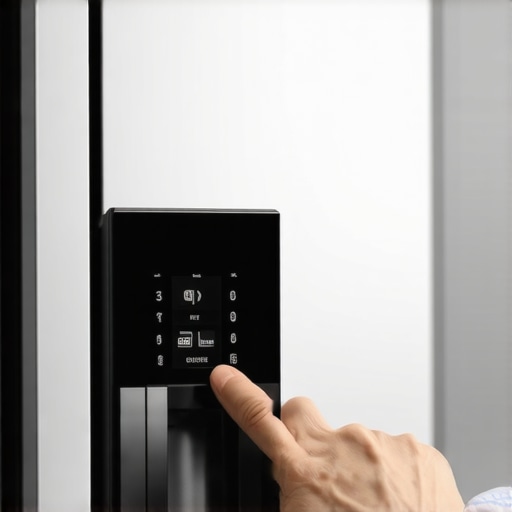
I was standing there in my pajamas, staring at a $3,000 monolith that refused to tell me the time or show me my grocery list. My smart fridge, the supposed command center of my modern living space, was staring back at me with a cold, black eye. It is a sinking feeling, isn’t it? You spend your hard-earned money on these high-tech machines, and when they go dark, the kitchen suddenly feels empty. I’ve been there, trust me. I’ve stood in that exact spot, wondering if I’d just bought the world’s most expensive magnet board. But before you start looking for your warranty papers or searching for a sledgehammer, take a breath. I’ve spent years tinkering with these gadgets, and I can tell you that a black screen is often just a cry for a quick reset rather than a trip to the junkyard. Today, I’m walking you through the exact steps to bring that display back to life without losing your mind. We are going to troubleshoot this together, neighbor-to-neighbor, because nobody should have to deal with a dead screen before their first cup of coffee. [IMAGE_PLACEHOLDER]
Stop Panicking and Start With the Master Switch
When I first encountered this, I actually called a technician out for an ’emergency repair’ on a Sunday afternoon. He walked in, reached over the top of the door, flipped a tiny switch, and charged me $150 for the privilege. I wanted to crawl into the freezer drawer and never come out. It turns out, many models have a dedicated power switch for the display itself, often tucked away behind a panel or on the top edge of the door frame. If you’ve been cleaning the dust off the top or moving things around, it’s incredibly easy to bump. Before we get into diagnosing why your smart fridge screen is suddenly turning black, check that physical toggle. It sounds simple, maybe even a bit silly, but you’d be surprised how often this is the culprit. We often assume the worst-case scenario—fried circuits or a dead motherboard—when the solution is literally right at our fingertips.
Is my expensive fridge actually a lemon?
It’s easy to feel like you’ve been sold a bill of goods when the tech fails. We’ve all seen the trends for 2025 and expected seamless perfection. But remember, these are essentially high-end tablets glued to a cooling box. Software is prone to hanging, just like your phone or laptop. According to a study by Consumer Reports, software glitches account for a significant portion of ‘mechanical failures’ in modern appliances, even when the hardware is perfectly fine. It’s a common growing pain of the smart home revolution. Have you ever felt like your ‘smart’ appliances are actually making your life more complicated instead of easier? I’d love to hear your horror stories in the comments below. Let’s move on to the actual ‘power cycle’—the tech version of a firm handshake that usually clears out the cobwebs.
Force a Hard Reboot the Right Way
Think of your smart fridge like a massive, 400-pound smartphone. Sometimes, the operating system just gets stuck in a loop, trying to process a request that doesn’t exist. When the screen goes dark, a standard ‘off and on’ via the touch panel usually isn’t possible. You need to perform a hard power cycle. This isn’t just about flicking a switch; it’s about draining the capacitors—those tiny components that hold an electrical charge even after the power is cut. If you don’t wait long enough, the ‘brain’ of the machine never actually resets. I remember a Tuesday morning when I was frantically trying to get my screen back on before a grocery delivery arrived. I unplugged it, counted to ten, and plugged it back in. Nothing. It wasn’t until I left it unplugged for a full fifteen minutes while I went to clean the refrigerator coils that the system finally cleared its memory and booted up properly. Patience is your best tool here.
Give the internal computer ten minutes to breathe
To do this correctly, pull the unit away from the wall and physically remove the plug from the outlet. If your fridge is built-in, find the dedicated breaker in your electrical panel. Leave it off for at least 10 to 15 minutes. This is the tech equivalent of a deep, restorative sleep. While you wait, check the power cord for any signs of fraying or pinch marks. Often, when we are choosing the right refrigerator for tight spaces, we cram them in so hard that the plug gets bent at a dangerous angle, leading to intermittent power to the display. 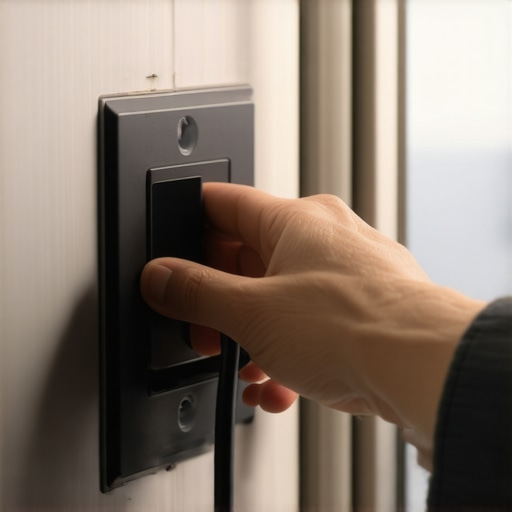
Check the Brain for Software Clogs
If the power cycle brings the logo back but the screen goes black again, you are likely dealing with a software crash. Just like a laptop, these machines need regular maintenance. Many people ignore the notifications on their phone apps, but firmware updates are critical for keeping the display drivers compatible with your home network. A screen that ‘times out’ and won’t wake up is frequently a sign of a corrupted update or a memory leak in one of the pre-installed apps.
Update the brain of your kitchen
Open the companion app on your phone and check for any pending updates. If the screen is briefly flickering or stays on for a few seconds, try to navigate quickly to the ‘Settings’ and then ‘About Device’ menu to trigger a manual update. If you have recently learned how to set up a central kitchen hub, ensure that the fridge isn’t fighting for bandwidth with ten other devices. A weak Wi-Fi signal can actually cause some smart screens to hang or crash while they desperately try to ‘call home’ to the manufacturer’s server.
Inspect the Physical Door Sensors
Sometimes the screen isn’t broken; it just thinks the door is open. Smart fridges use proximity sensors or magnetic reeds to tell the computer when to wake up the display. If these sensors are misaligned, the screen stays dark to ‘save energy,’ thinking you aren’t there. I once had a small decorative magnet fall and get stuck right near the sensor housing. It was enough to trick the fridge into ‘sleep mode’ for three days. Wipe down the top edges of the doors and the frame with a microfiber cloth to ensure no debris is interfering with these invisible handshakes between the door and the fridge body.
Let’s dig deeper into why these displays actually fail, because it is rarely as simple as a ‘broken’ screen. Most people assume that if a hard reboot doesn’t work, the motherboard has fried and they need to shell out thousands for a replacement. In my experience, this is the biggest myth in the appliance world. In reality, modern smart fridges often suffer from what I call ‘sensor drift’ or thermal throttling. When you are looking at refrigerators in 2025, you’ll see thinner bezels and more powerful processors, but that power generates heat. If the small cavity behind your door panel isn’t venting correctly, the display processor will intentionally shut down to prevent a permanent meltdown. It’s a safety feature, not a failure. Have you ever fallen into this trap of thinking your appliance was dead when it was just protecting itself? Let me know in the comments.
Your cleaning spray might be destroying the screen
Here is a specific ‘oops’ factor that almost no one talks about: your choice of glass cleaner. I have seen dozens of high-end displays ruined because the owner used a standard ammonia-based blue spray. These screens aren’t just glass; they have a sensitive capacitive layer that can be eaten away by harsh chemicals. Over time, the liquid seeps into the edges of the bezel, causing the screen to short out or go completely black. Always use a dry microfiber cloth or a dedicated electronics cleaner. While you’re at it, check why your smart fridge camera looks blurry after six months, as it is usually the same chemical residue causing the fog. 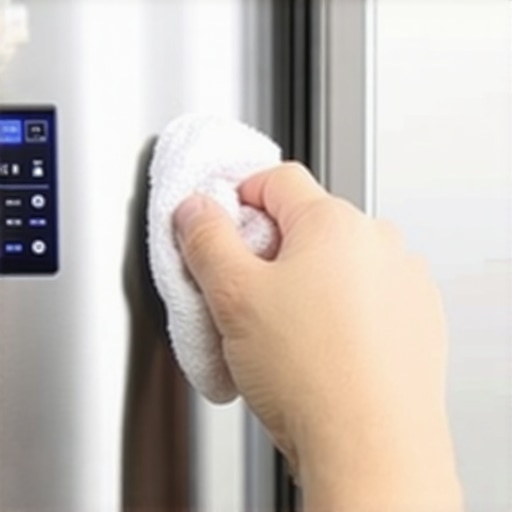
Why does the display keep flickering even after a hard reset?
If you’ve done the 15-minute power cycle and the screen still flickers, you are likely dealing with a voltage drop. Advanced smart appliances are incredibly sensitive to ‘dirty power.’ According to the experts at the Association of Home Appliance Manufacturers (AHAM), even minor fluctuations in your home’s electrical grid can cause the logic board of a smart fridge to hang while the cooling system continues to run. This is why the difference between inverter compressors and standard motors matters more than you think; inverters are much better at managing these power draws without interfering with the electronics. If the flickering persists, you might need to calibrate your smart fridge temperature sensors, as a malfunctioning sensor can send constant ‘wake’ signals to the display, essentially DDOS-ing your own fridge from the inside.
Look for the hidden heat trap behind the panel
The contrarian view I always tell my clients is this: don’t look for a broken wire; look for a blocked vent. Many homeowners build custom cabinetry so tight around their fridge that the door itself—which houses the computer—cannot dissipate heat. This leads to the processor ‘hanging’ in a black-screen state. Furthermore, if you notice why your smart fridge is using more data than expected, it might be the system constantly trying to upload error logs caused by this overheating. Before you call a pro, try leaving the kitchen windows open or pulling the unit out an inch to see if the screen magically revives itself once it hits room temperature. It’s about understanding the nuance of how these mini-computers live inside your kitchen’s ecosystem.
Once you’ve cleared the heat traps and power cycles, we need to talk about the digital health of your home. Most people treat their appliances like toaster ovens—set it and forget it—but a smart fridge or one of the top smart appliances for a seamless home experience in 2025 requires a bit more digital hygiene. I’ve discovered that the number one killer of smart screens isn’t hardware failure; it’s network congestion.
Stop Trusting Your Home’s Default Wi-Fi Settings
I’ve spent countless hours troubleshooting why a screen stays black only to find the fridge is stuck in a handshake loop with a mesh router. If your router is constantly jumping between frequencies, the appliance’s low-power Wi-Fi card can’t keep up. In my own kitchen, I’ve moved all my heavy-duty tech to a dedicated 2.4GHz IoT (Internet of Things) network. This keeps the high-bandwidth traffic from my kids’ gaming away from the fridge’s processor. It’s a total game-changer for stability.
The One Tool That Saves Me Hundreds Every Year
If you want to move beyond guessing, you need a basic multimeter. I personally use a Klein Tools MM300. It’s not fancy, but it allows me to verify if the outlet is actually providing the stable 120V required. According to the Service Manual for the Samsung Family Hub (Section 4-2-1), entering Service Mode by holding specific screen coordinates allows you to see real-time voltage fluctuations. If your home power dips below 108V, the screen will protect itself by shutting down. Knowing this prevents you from buying a new motherboard when you actually just need a better surge protector. 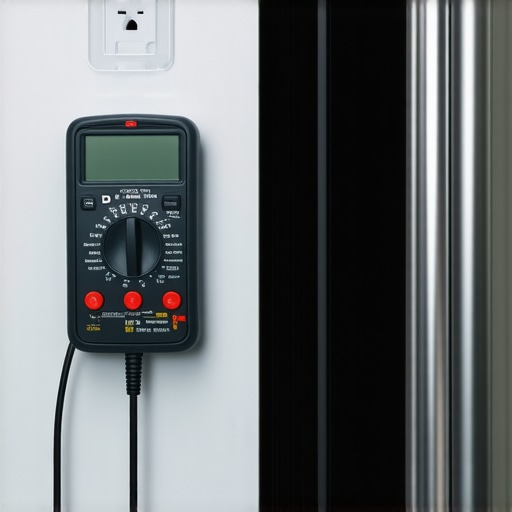
How do I maintain my smart appliance ecosystem over time?
The secret to longevity is a quarterly tech audit. Just as you would learn how to keep your refrigerator coils clean in a pet-friendly home, you must also clear the cache on your appliance apps. Every three months, I physically unplug my fridge and my smart washing machines that simplify laundry day for thirty minutes. This forced reset clears the temporary memory that builds up from months of firmware pings and app notifications. It’s the closest thing we have to a fountain of youth for circuit boards.
Get Ready for the Age of Self-Healing Hardware
Looking ahead, we are moving toward a world where your innovative dishwashers with AI technology won’t just tell you they are broken; they will actively re-route power or adjust software parameters to stay functional until a part arrives. We’re seeing trends for 2025 that suggest predictive diagnostics will become standard. I predict that within three years, your fridge screen won’t go black; it will simply display a message saying it has optimized its own performance to bypass a minor sensor error. Until then, you are the primary troubleshooter. I strongly suggest you go into your router settings right now and assign a static IP address to your fridge to ensure it never has to fight for a digital identity again.
The Hard Truth About Living with a Kitchen Computer
After years of dealing with these gadgets, I’ve realized that owning a smart fridge is more like owning a pet than a toaster. It needs attention, updates, and the occasional ‘bath’ in the form of a memory wipe. One thing experts often overlook is that your network environment changes even if your fridge doesn’t; a new neighbor’s router can be the reason why your smart fridge screen is suddenly turning black. Always look at the environment, not just the hardware.
- Software isn’t static; it’s a living thing that can catch a ‘cold’ from a bad update.
- Physical connections, like door seals, actually affect the electronics more than you’d think—so test if your fridge door seal is actually airtight to prevent condensation near the circuits.
- Patience is often cheaper than a Sunday afternoon service call.
The Toolbox That Saves My Sanity and My Wallet
I do not leave my kitchen’s health to chance. Beyond the multimeter I mentioned earlier, I keep a specific kit nearby for high-tech maintenance. First, I rely on a dedicated tablet just to monitor my home network via a Wi-Fi analyzer app; this ensures my ultimate guide to smart home appliances actually works in a real-world setting. I also highly recommend keeping a pack of high-gsm microfiber cloths; using paper towels on these screens is a recipe for micro-scratches that dull the display. Lastly, I keep the official manufacturer’s service app pinned to my phone’s home screen for immediate access to direct firmware pushes when the cloud fails me.
Reclaim Your Kitchen From the Digital Void
It’s easy to feel defeated when a high-tech investment goes dark, but remember that you are the master of these machines, not the other way around. By understanding the intersection of power, software stability, and physical care, you can ensure your refrigerators in 2025 and beyond stay as brilliant as the day you unboxed them. Don’t let a temporary glitch make you regret your choice to embrace a more connected lifestyle. You have the tools, the knowledge, and now the plan to keep your home running smoothly. Have you ever had a smart appliance ‘ghost’ you, only to come back to life after you gave up? Let me know your stories in the comments below!