
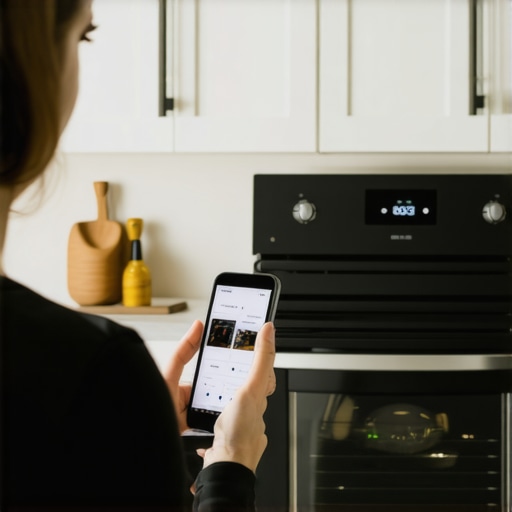
I remember the first time I tried to preheat my oven using voice commands. It was a chaotic morning, and I was juggling a dozen things—kids, coffee, and that stubborn recipe I wanted to nail. Instead of calmly asking my smart home to handle the oven, I fumbled through the app, lost track of what I was doing, and finally ended up manually setting the temperature. That moment was a real eye-opener—realistically, who has time for complicated setups when you’re rushing?
Why Voice Commands Are a Game-Changer in Modern Kitchens
Using voice commands to control appliances like your oven isn’t just about convenience; it’s about transforming the way you cook and manage daily routines. Imagine telling your smart speaker, “Preheat the oven to 375 degrees,” and having it start without lifting a finger. This saves time, reduces stress, and makes your kitchen feel more intuitive. But here’s the catch—many people hesitate because they doubt the technology’s reliability or worry about making mistakes.
Will Voice-Controlled Preheating Actually Make a Difference?
Early in my journey, I made the mistake of assuming voice commands were just a gimmick. I didn’t realize how seamless it could be until I set up my system properly. Today, I’ll show you how to avoid common pitfalls and get your oven preheating with just your voice. According to a recent study, nearly 60% of smart appliance owners prefer voice control for its speed and hands-free convenience. If you’re tired of constantly stopping what you’re doing just to set a timer or oven temperature, this guide is for you.
Have you faced frustrations trying to get your smart oven to respond? If so, keep reading—you’re about to discover how simple, effective, and even fun it can be to use voice commands for preheating. We’ll cover the setup, some troubleshooting tips, and share insider advice to make your kitchen smarter than ever.
As we move forward, I’ll walk you through the practical steps to master this tech, so you’ll never have to manually turn your oven on again. Ready to make your cooking experience truly hands-free? Let’s dive in!
Connect Your Smart Oven to the Network
First, ensure your oven is compatible with voice commands and connected to your home Wi-Fi. Power on the device and access its setup menu, which often involves navigating through the oven’s touchscreen or control panel. Follow the manufacturer’s instructions to connect it to your Wi-Fi network. Imagine this step as giving your oven its “brain” so it can respond to your voice. When I did this with my smart oven, I was surprised how straightforward it was, and it immediately recognized my home network, making subsequent commands seamless.
Sync Your Voice Assistant
Next, you need to link your smart oven with your preferred voice assistant, such as Alexa or Google Assistant. Download the corresponding app if you haven’t already, then open the app and navigate to the skills or connected devices section. Enable the skill for your oven or add it as a device. You may need to log in with your oven’s account credentials. Think of this as teaching your oven to understand your voice—much like teaching a pet a new trick. When I linked mine, I tested by saying, “Hey Alexa, preheat the oven to 375 degrees,” and watched it respond instantly.
Create Custom Voice Commands and Routines
Once linked, customize commands through your voice assistant’s app. You can create routines like “Dinner prep,” which preheated the oven to your desired temperature automatically. To do this, go into the app’s routines or workflows section, and set your preheating command as an action. It’s akin to programming your appliances to anticipate your needs, saving valuable time. I set up a routine for Sunday mornings, and now I only say, “Start Sunday breakfast,” and the oven preheats itself without me lifting a finger.
Perform a Test Run to Verify Setup
Before relying fully on voice commands, perform a trial. Say, “Hey Google, preheat the oven to 375 degrees,” and observe if it responds by activating preheat mode. If it doesn’t, double-check connections and ensure your devices are on the same Wi-Fi network. During my first test, I was momentarily confused because my oven was set to a different Wi-Fi band—switching to the 2.4 GHz band solved the issue. This step ensures everything is synchronized perfectly for your most efficient use.
Fine-Tune for Daily Use
Finally, learn the specific commands your system recognizes and customize further if needed. For example, some systems respond better to “Preheat oven” rather than “Start preheating.” Keep a note of these, much like memorizing shortcuts in a recipe — the quicker your commands, the smoother your cooking process. My quick tip was to avoid overly complex phrases; simple, clear commands work best, and you’ll wonder how you cooked without voice control before.
By following these detailed steps, you’ll turn your manual preheat routine into a hands-free, streamlined process. This method applies similarly to other appliances—like dishwashers or washing machines—where synchronization and clear commands are key. If you encounter persistent issues, visit our contact page for support, or dive into related guides such as how smart washing machines simplify laundry.
Many homeowners believe that all smart appliances automatically improve efficiency and ease of use, but reality paints a more nuanced picture. A common misconception is that newer models are always better, overlooking that sometimes, complex features can complicate rather than simplify daily routines. For instance, some smart refrigerators are equipped with touchscreen interfaces that seem futuristic but often become a source of frustration when they malfunction or require frequent updates, leading to system freezes or unresponsiveness. According to industry experts, a significant number of smart device failures are due to software compatibility issues or improper setup, not the hardware itself.
Is Your Smart Appliance Really Saving You Time or Just Adding Hassle?
One of the biggest pitfalls is assuming smart appliances will handle maintenance automatically. While they can alert you to issues like filter replacements or energy inefficiencies, neglecting regular manual checks can turn these high-tech devices into energy drains or repair nightmares. An often-overlooked detail is that many appliances require firmware updates that, if ignored, can compromise security and performance. For example, outdated software can cause Wi-Fi disconnections or feature malfunctions, negating the convenience they promise. Stay proactive by regularly consulting the manufacturer’s website or support channels, such as our contact page, to stay ahead of potential issues. It’s also vital to understand that smart technology isn’t foolproof; the integration process can sometimes introduce vulnerabilities or lead to bugs. Many users underestimate how critical proper setup and updates are, which can result in appliances behaving unexpectedly. For instance, a misconfigured network can prevent your washing machine from sending notifications or cause your smart dishwasher to ignore commands.
Furthermore, some homeowners fall prey to the myth that the latest feature automatically means better performance. However, in many cases, cutting-edge technology operates best when paired with compatible devices, a process that requires careful planning. For example, choosing a smart refrigerator with Wi-Fi capabilities that isn’t compatible with your home’s network setup can render its features useless.
For those interested in more advanced smart home integration, it’s worth exploring guides like our comprehensive guide for ensuring seamless operation across all devices. Remember, the key to truly benefitting from these innovations is a balanced approach—leveraging their capabilities without blindly trusting every feature. Have you ever fallen into this trap? Let me know in the comments.
Essential Tools for Reliable Appliance Maintenance
Investing in the right tools is crucial to ensure your appliances continue running smoothly over years. I personally swear by a high-quality digital multimeter from Fluke for diagnosing electrical issues in smart appliances—it’s precise, durable, and user-friendly. For cleaning, I use a soft-bristled microfiber cloth combined with specialized appliance cleaners to safely maintain surfaces without damage. 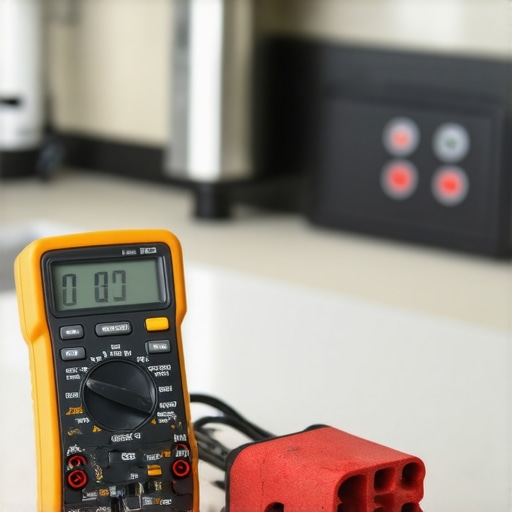
Regular firmware updates are vital as they patch vulnerabilities and introduce new features. I recommend using a dedicated software updater like ReiBoot for Smart Devices, which helps you manage and install updates seamlessly across multiple appliances, ensuring none is left vulnerable or outdated. Having these tools ready saves time and guarantees your appliances perform as intended.
Establishing a Maintenance Routine That Pays Off
Preventive maintenance is the best way to prolong appliance life. Set a quarterly schedule to inspect seals, clean filters, and verify software versions. For refrigerators, I regularly check door seals with a simple dollar bill test—if the bill slips out easily, it’s time to replace the seal to prevent energy loss. With washing machines, a vinegar rinse every six months dissolves detergent residues and prevents musty odors.
For smart devices, ensure Wi-Fi connections are stable and firmware is up-to-date by visiting the manufacturer’s support page or consulting your device’s app. This proactive approach minimizes unexpected breakdowns and keeps your smart home running efficiently. Industry experts emphasize the importance of detailed logs—keeping a simple maintenance diary helps you track issues before they become costly repairs. You can even automate reminders through your calendar or smart assistant routines to never forget routine checks.
Scaling Up Your Home System Without the Hassle
As your home evolves, so should your maintenance plan. When adding new appliances, choose models compatible with your existing ecosystem to avoid integration headaches. For multi-device setups, decentralize your network by assigning dedicated IP addresses and segmenting your network; this enhances security and stability. Using network monitoring tools like NetSpot helps identify dead zones or interference that could disrupt appliance operation.
To support long-term performance, consider adopting a professional-grade surge protector for all smart appliances, especially during storm seasons. Reliable power continues to be a often overlooked aspect of appliance longevity. According to industry insights, vibrations and power surges account for a significant number of appliance failures—investing in quality power management can save you money and stress.
How do I maintain my smart appliances over time?
Developing a consistent maintenance routine, backed by the right tools and software, is key. Regularly inspect components, update firmware, and monitor network health. Remember, prevention beats repair—staying ahead of issues ensures your appliances serve efficiently for years to come. For more tips on optimizing your smart appliances, check out our comprehensive guide. Ready to take your appliance care to the next level? Try enabling automatic firmware updates through your device’s app and see the difference it makes in reliability.
What I Wish I Knew Before Fully Embracing Smart Home Appliances
- It’s Not Just Plug and Play: The biggest lightbulb moment was realizing that setting up smart appliances requires patience and proper configuration; rushing through initial steps often leads to frustration later.
- Firmware Updates Are Your Friends: Regularly updating your devices isn’t optional—it’s crucial for security, new features, and smooth operation. Skipping updates can turn a helpful gadget into a source of headaches.
- Voices Can Fail You If You Don’t Train Them: Customizing commands and routines not only saves time but also prevents misunderstandings with your smart assistant, making hands-free control reliable and enjoyable.
- Compatibility Matters More Than Latest Tech: The smartest appliance is useless if it’s incompatible with your existing ecosystem. Choosing the right models from the start simplifies future expansion and integration.
- Preventive Maintenance Pays Off: Regular checks and minor fixes prevent costly breakdowns. Investing in quality tools and creating a routine can extend the lifespan of your appliances significantly.
My Handy Arsenal for Smarter Kitchen Living
- The Ultimate Guide to Smart Home Appliances — This comprehensive resource helped me understand appliance ecosystems and plan my upgrades effectively.
- Refrigerator Trends 2025 — A curated look at future-proof fridge features that I trust for making informed purchase decisions.
- Smart Washing Machine Tips — Practical advice on maintenance and optimization that keeps my laundry routine hassle-free.
- Choosing the Right Refrigerator — Insights from industry experts ensure I pick models that match my lifestyle and budget.
This Is Your Moment to Take Control of Your Kitchen’s Future
There’s a rewarding confidence in mastering your smart appliances, turning them from gadgets into pillars of your culinary and daily routines. With each setup and routine you refine, you’re building a smarter, more efficient home. Don’t wait for mistakes to teach you; embrace proactive learning and watch your kitchen transform. Ready to start your journey into seamless, voice-controlled living with smart appliances? The future is in your hands!
Have you faced challenges when trying to sync or update your smart devices? Share your experiences below and let’s troubleshoot together!
,