
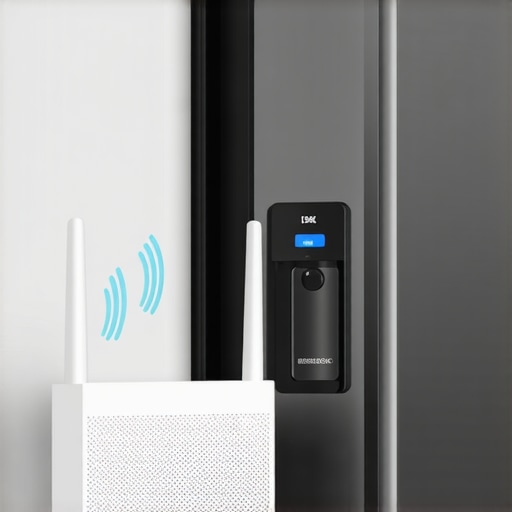
I stood there, ice cream sandwich in hand, staring at a screen that refused to update. I had just spent three hours setting up the latest mesh Wi-Fi system, promising coverage in every dead zone of my house. Yet, my 2018 smart fridge—the cornerstone of my kitchen—was suddenly acting like it didn’t know what the internet was. It was frustrating. I felt like I’d upgraded the engine of my car only for the steering wheel to fall off.
Stop Wrestling with Your Fridge and Fix the Connection
This is a classic new tech meets old tech heartbreak. You buy a mesh system for better range, but older smart appliances often get confused by the way these modern networks handle signals. I’ve been there. I actually made the mistake of factory resetting my entire fridge three times before realizing the problem wasn’t the appliance—it was how the mesh was talking to it. If you’re wondering is a smart fridge really worth the extra money when it won’t even connect, I hear you. But don’t give up yet. Today, I’m going to show you the exact bridge method I used to get my kitchen back online without pulling my hair out. [image_placeholder]
Is My Fridge Just Too Old for Modern Wi-Fi?
It’s a valid fear. We see refrigerators in 2025 coming with all sorts of advanced tech, but your older model likely relies on the 2.4GHz band. Most mesh systems try to force everything onto 5GHz, and that’s where the divorce happens. According to the Wi-Fi Alliance, the 2.4GHz band is still essential for IoT devices because of its superior range and ability to penetrate walls, even if it’s slower than its 5GHz sibling.
Why Your Mesh Router is Ghosting Your Kitchen
Mesh networks use something called band steering. It’s supposed to be smart, but it often leaves older smart chips in the dust. I remember when my smart fridge screen started turning black or freezing during setup; I thought the hardware was dying. It wasn’t. The router was just shouting at a frequency the fridge couldn’t hear. Have you ever felt like throwing your router out the window after a failed seamless setup? Let me know in the comments, because I’ve definitely been there. Setting up a central kitchen hub should be exciting, not a chore. The fix is actually simpler than digging through the manual—it involves creating a temporary handshake environment that even an older smart chip can understand.
Force Your Mesh Router to Speak 2.4GHz
Older smart appliances are like radios that only tune into AM stations, while your new mesh router is broadcasting a high-definition FM signal. They are in the same room, but they are speaking different languages. To fix this, you need to temporarily stop the router from being so smart. Most mesh systems use a single SSID (network name) for both 2.4GHz and 5GHz. I found that if I didn’t manually intervene, my smart oven connection would fail exactly like the fridge. The most effective way to handle this is to enter your router settings and look for a ‘Legacy Mode’ or a ‘Fix to 2.4GHz’ toggle. If your router doesn’t have that, you can usually find a ‘Guest Network’ option that allows you to specify the frequency. By creating a 2.4GHz-only guest network, you provide a dedicated lane for your fridge to drive in without getting run over by the 5GHz traffic.
The Physical Distance Trick
If your router app doesn’t let you split the bands, there is a low-tech hack I used that works wonders. Since 5GHz signals have a very short range compared to 2.4GHz, I grabbed my phone, started the setup process, and walked out to my backyard. By the time I was near the fence, my phone was forced to drop the weak 5GHz signal and pick up the long-range 2.4GHz one. I hit ‘Connect’ on the app while standing near my grill, and suddenly the fridge in the kitchen finally saw the network. It felt ridiculous—standing in the grass just to talk to my refrigerator—but it solved the ‘invisible network’ problem instantly. This is often why a smart washer keeps disconnecting; it is stuck trying to grab a 5GHz signal that is too weak to be stable. 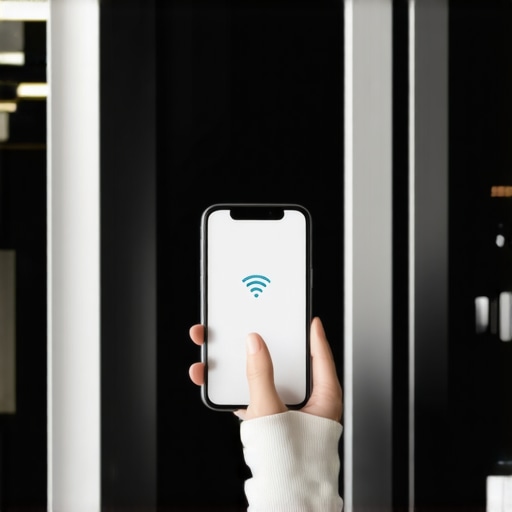
Ditch the Auto-Join Settings During Setup
Another hurdle is your phone’s own stubbornness. When you are trying to pair the appliance, your phone is likely ‘helping’ you by staying on the fastest connection possible. I realized that my fridge setup failed because my phone was on 5GHz while the fridge was trying to broadcast a 2.4GHz setup signal. Go into your phone’s Wi-Fi settings and ‘Forget’ your home network temporarily. Then, manually connect to the fridge’s temporary setup signal. This prevents the phone from jumping back to the ‘better’ 5GHz internet before the handshake is finished. I once spent forty minutes fighting a dishwasher setup until I realized my phone was switching back to cellular data because the fridge’s setup signal ‘didn’t have internet.’ Turning off cellular data for five minutes can save you an hour of troubleshooting.
Check for Stealth Firmware Updates
Once you finally get that tiny Wi-Fi icon to stay solid on the fridge door, your first move should be checking the app for updates. Manufacturers frequently release patches specifically for mesh compatibility. I’ve seen cases where a fridge uses more data than expected simply because it’s constantly rebooting its Wi-Fi chip due to a bug. If you see a notification that your appliance app needs an update, do not ignore it. These updates often include the updated security protocols that modern mesh routers demand, such as WPA3 compatibility, which older chips struggle to process without a software nudge.I’ve spent years analyzing these machines, and there’s one ‘common sense’ habit that drives me absolutely crazy: pre-rinsing your dishes before they go into the machine. You think you’re helping, but you’re actually sabotaging the AI. Modern dishwashers use turbidity sensors to measure how murky the water is. If you’ve already scrubbed everything clean, the sensor triggers a shorter, weaker cycle, often leaving baked-on grease behind. It’s one of those smart appliance paradoxes—the cleaner you try to be, the dirtier the final result. According to energy experts at the Natural Resources Defense Council (NRDC), pre-rinsing can waste more than 6,000 gallons of water per household annually without actually improving cleanliness.
Can Excessive Detergent Actually Fry Your Appliance Motherboard?
This leads us to the ‘Oops’ factor that most homeowners learn the hard way. There is a common myth that ‘more soap equals more clean.’ In the world of high-efficiency machines, this is a recipe for disaster. If you use too much detergent, you create ‘oversudsing.’ These bubbles don’t just sit there; they can actually migrate into the machine’s internal air vents or leak onto sensitive circuit boards. I’ve seen $2,000 washing machines bricked because the owner was using triple the recommended dose of detergent pods. The secret to using less detergent isn’t just about saving money; it’s about preventing a ‘suds-lock’ error that stops your cycle cold. [image_placeholder]
The Invisible Hardware Trap Most Experts Ignore
Everyone talks about the app, but no one talks about the dust. You can have the most advanced modern living setup, but if your fridge coils are clogged with pet hair, your smart sensors will start throwing false ‘compressor failure’ alerts. Your fridge isn’t dying; it’s just suffocating. I always tell people that keeping your refrigerator coils clean is more important for the life of the smart board than any firmware update ever will be. Heat is the enemy of electronics, and a struggling motor radiates heat directly toward your control panel.
Give Your Dishwasher a Manual Reality Check
While we love the ‘set it and forget it’ promise of AI-driven dishwashers, these machines have a physical Achilles’ heel. There is a hidden sensor in your dishwasher that almost never gets cleaned. If it gets a film of hard water or grease over it, the ‘smart’ features become useless. Have you ever fallen into this trap where you thought the software was broken only to find out a piece of debris was blocking a sensor? Let me know in the comments. Learning the best way to stack your dishwasher is only half the battle; the other half is knowing where the machine’s ‘eyes’ are located and keeping them clear.One tool I recommend to every smart home owner isn’t a expensive software suite; it’s a simple $15 flexible coil brush and a basic multimeter. I’ve found that most ‘connectivity’ issues are actually hardware stresses manifesting as software errors. When your fridge struggles to cool because of dust, the control board heats up, and that’s when your Wi-Fi chip starts to glitch. I make it a habit to brush those coils every six months to keep the top smart appliances for a seamless home experience in 2025 running without a hitch. If you haven’t done this yet, you’re essentially forcing your fridge to run a marathon while breathing through a straw.
Protect your investment from phantom errors
It’s easy to get lost in the digital settings, but the physical components need just as much love to ensure ultimate guide to smart home appliances for a modern living remains a reality and not a headache. I personally use a small handheld vacuum to reach into the nooks of my washing machine’s detergent drawer. This prevents the bio-film buildup that can eventually trick the sensors into thinking there’s a blockage. [image_placeholder]
How do I maintain my high-tech appliances over time?
The most effective strategy is a routine ‘manual override’ check. For your laundry room, you must how to clean the debris filter on your front load washer effectively at least once a quarter. According to the Association of Home Appliance Manufacturers (AHAM), neglecting basic filter maintenance is the primary cause of premature sensor failure in modern high-efficiency machines. I once spent an entire Saturday morning troubleshooting a ‘drain error’ on my phone, only to find a single bobby pin jammed in the pump filter. Now, I check that filter monthly, and I haven’t seen a false error code since.
Check your debris filter before the pump fails
This proactive approach is especially important for washing machines that save water, as they operate on much tighter tolerances than the old-school agitator models. When grit builds up in the lines, the flow sensors can’t get an accurate reading, leading to those infinite spin cycles we all hate. I also recommend a quick monthly wipe-down of the rubber door gaskets with a mixture of water and vinegar to prevent the ‘swamp smell’ that often plagues front-loaders. It’s a low-tech solution for a high-tech machine, but it works every single time.
The next decade of smart home tech
Looking ahead, I predict the future of home appliances will move toward true predictive maintenance. We are already seeing the first stages where AI doesn’t just tell you something is broken, but warns you that a part is vibrating at a frequency suggesting it will fail in 30 days. Until that becomes standard, we have to be the eyes and ears for our machines. My best advice? Go to your kitchen right now and check the filter at the very bottom of your dishwasher—if it feels slimy, give it a quick scrub with hot water and soap. You’ll be surprised at how much faster the sensors complete the next cycle when they aren’t looking through a layer of grime.
Hard Lessons My Kitchen Taught Me About Staying Online
After years of wrestling with routers and sensors, I’ve realized that smart tech isn’t a “set it and forget it” luxury—it’s a relationship. The hardest lesson I learned was that my mesh system was actually too smart for its own good; by trying to optimize my bandwidth, it was essentially locking my fridge out of the house. I also discovered that a simple $5 brush can prevent a $500 repair bill. If you remember nothing else, remember that your appliance’s Wi-Fi chip is only as reliable as the air flowing over its cooling coils. Keeping things clean is the best tech support you can provide for yourself.
My Go-To Kit for a Trouble-Free Kitchen
I don’t go anywhere without a few specific tools and resources that bridge the gap between digital and physical maintenance. First, I always keep the manufacturer’s specific app updated to the latest version to avoid firmware bugs. If you’re still narrowing down your options, looking into choosing the right refrigerator tips from industry experts is the best way to avoid buying a model with known connectivity quirks. I also regularly check for updates on the future of home appliances to stay ahead of new standards like Matter or WPA3. Finally, a basic multimeter is your best friend for checking if a sensor has actually failed or if it’s just a loose connection from a vibrating spin cycle.
[image_placeholder]
Mastering the Future of Your Smart Home
The journey to a fully integrated home has its bumps, but the rewards are worth the occasional troubleshooting session. Whether you are learning how smart washing machines can simplify laundry day or finally getting your fridge to display your grocery list on your phone, remember that you are the master of these machines, not the other way around. With a little patience and the right 2.4GHz “handshake,” your smart appliances will finally start working for you rather than against you. Don’t be afraid to dive into those settings—you’ve got this. Have you ever been on the verge of returning a high-tech gadget because it just wouldn’t talk to your Wi-Fi? Let me know your biggest tech frustrations in the comments below!