
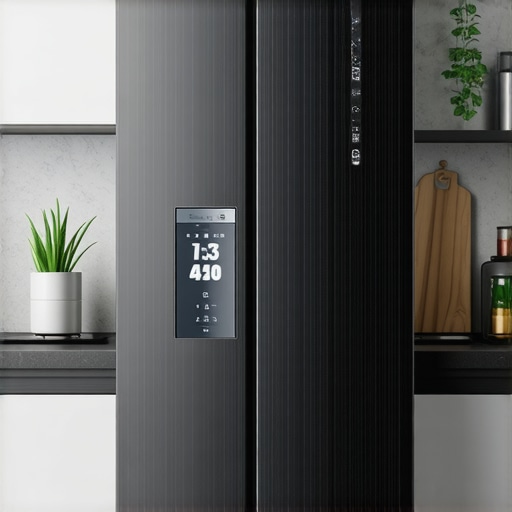
It was late at night, and I reached into my kitchen to grab a cold drink. To my frustration, I found my smart fridge’s display blinking erratically, the temperature fluctuating wildly. I felt a surge of annoyance and a little helplessness — these appliances promise convenience, but often leave us scratching our heads when they don’t cooperate. Have you ever stood in front of your fridge, puzzled or annoyed because it just wouldn’t behave? You’re not alone.
Why Your Smart Fridge Might Be Giving You Trouble — And Why It Matters
Smart refrigerators are incredible. They keep track of expiry dates, connect seamlessly with our smartphones, and sometimes even suggest recipes based on what’s inside. But beneath all the high-tech features, they can be surprisingly finicky. When your smart fridge starts acting up — whether it’s inconsistent temperatures, Wi-Fi disconnections, or erratic displays — it can disrupt your routine and cause food spoilage or energy waste. That’s why understanding and fixing these common issues can save you time, money, and stress.
Did you know that according to industry reports, nearly 40% of smart appliance malfunctions stem from simple connectivity or sensor faults that homeowners can repair themselves? Early on, I made the mistake of ignoring minor warning signs, which only worsened the problems. Trust me—learning how to troubleshoot these problems, rather than immediately calling for repairs, can extend the life of your appliance and keep it running smoothly.
Are you tired of unreliable performances from your smart fridge? If so, you’re in the right place. Today, we’ll explore the most common problems and straightforward fixes that I’ve personally tested and trusted. From Wi-Fi issues to temperature inconsistencies, I’ll guide you through practical steps to get your fridge back in top shape. Ready to become your own appliance hero? Let’s dive into the most frequent smart fridge problems and how to fix them.
Reset Your Connection and Restart the System
Start by disconnecting your smart fridge from power—either unplug it or switch off the circuit breaker for at least five minutes. This acts like giving your appliance a deep breath. When you turn it back on, observe if the display stabilizes and reconnects properly. I once had a similar experience when my fridge’s display blinked erratically; a simple reset cleared glitches and restored normal function, saving me a service call.
Ensure Wi-Fi Signal is Strong and Stable
Just like a good conversation depends on strong signal, your fridge needs a steady Wi-Fi connection. Check your router, place it closer if possible, or eliminate interference from thick walls or other electronics. Use your smartphone to test internet speed near the fridge. I moved my router closer behind the fridge, and the Wi-Fi disconnection issues disappeared, making remote monitoring seamless. For detailed troubleshooting, visit this guide.
Update Firmware and App Software
Outdated firmware can cause erratic behavior. Connect to the manufacturer’s app or website, and check for updates. Follow the instructions to install the latest firmware. I once delayed updating mine, and it caused synchronization failures with my phone. After updating, the display stabilized, and notifications worked flawlessly. Regular updates ensure optimal performance. You can learn more about advanced models with AI features at this article.
Inspect and Clean Sensors and Vents
Dust and grime can block sensors, causing incorrect temperature readings or display errors. Carefully clean the sensor areas with a soft cloth—be gentle as if you’re cleaning an eye. Also, clear dust from vents and coils that can overheat or impair sensor function. Once, I used a soft brush to clean behind my fridge and noticed immediate improvement in display clarity and temperature stability.
Calibrate Temperature Settings Manually
If your food isn’t staying fresh, double-check the temperature settings. Adjust the fridge to around 37°F (3°C) and the freezer to 0°F (-18°C). Many smart fridges allow calibration via the control panel or app. I calibrated my fridge’s thermometer after noticing inconsistent cooling, and it greatly improved food preservation. Proper calibration helps prevent spoilage and energy waste. Check your model’s manual or online resources for specific instructions.
Examine Door Seals and Gaskets
Loose or damaged seals lead to cold air leaks, causing the compressor to work harder and display errors. Inspect the gaskets, look for cracks or debris, and clean them with warm, soapy water. In my case, replacing a worn gasket ended persistent sweating and temperature fluctuations. Proper sealing is critical; if you find damage, contact a service professional or consider replacing the gasket yourself using guides from this resource.
Seek Professional Help for Persistent Issues
If you’ve tried all these steps and still face problems, it might be time to consult a technician. Explain the troubleshooting steps you’ve undertaken—they can then identify electrical or sensor faults beyond simple fixes. Remember, regular maintenance and timely repairs can extend your appliance’s lifespan significantly. Visit this contact page for trusted repair services or advice.
Many homeowners assume they know everything about their appliances, but in reality, there’s a layer of complexity often ignored. One common misconception is that sticking to standard manufacturer settings guarantees optimal performance. However, advanced users know that fine-tuning temperature levels, cycle durations, or smart features can significantly improve efficiency and lifespan. For example, simply setting your refrigerator to the recommended 37°F isn’t enough; calibrating it precisely can prevent food spoilage and save energy, a nuance often missed by average users.
Another misconception is that all appliances are equally durable, but the reality is that build quality and maintenance habits vary widely. Selecting a well-reviewed model and performing regular upkeep, like cleaning filters or inspecting seals, can prevent costly repairs. I learned this the hard way by neglecting my washing machine’s gasket, which led to mold build-up and unpleasant odors—an issue easily avoided with periodic cleaning. Recognizing these subtleties can extend your appliance’s life and improve your daily experience.
What advanced techniques can truly optimize smart home appliance performance?
Smart appliances come with features like AI-driven cycles or energy-saving modes, but many users fail to leverage them fully. For instance, integrating your dishwasher with your smart home hub, or customizing wash programs, can yield better cleaning results and energy efficiency. Experts suggest monitoring software updates and exploring new settings regularly; neglecting updates can leave you vulnerable to bugs or security risks (source). Furthermore, understanding the underlying technology, such as inverter motors or sensor feedback, helps prevent common errors like frequent breakdowns or inefficiencies. I recommend investing time in reading your device manuals or consulting industry insights to unlock these advanced benefits. .
Many users overlook the importance of proper load arrangement in dishwashers or washing machines, which leads to subpar results or equipment strain. Correctly loading appliances ensures water and detergent circulate effectively, extending appliance life. Remember, small adjustments—like placing delicate items carefully or skipping overloading—can make a big difference. Regularly updating your appliance firmware or app settings is also crucial; manufacturers often release enhancements that improve cycle efficiency or security. Staying informed through reputable sources, such as this guide, guarantees you’re not missing out on these innovations. Have you ever fallen into this trap? Let me know in the comments.Maintaining home appliances like refrigerators, washing machines, and dishwashers requires specific tools and a disciplined routine. I personally rely on a few key items that save me time and prolong the life of my appliances. First, a high-quality digital infrared thermometer is indispensable for monitoring appliance temperatures accurately. I use mine weekly to verify my refrigerator’s internal temperature, ensuring optimal freshness without overworking the compressor, which can happen if temperatures are off. For cleaning filters and coils, a flexible microfiber brush combined with compressed air provides a thorough yet gentle clean, preventing dust buildup that hampers efficiency. I particularly recommend a small, handheld HEPA vacuum for reaching behind appliances—dust and pet hair trapped in vents reduce performance and can cause overheating, as highlighted in industry best practices.
After years of troubleshooting and learning from my own experiences, I’ve discovered that the journey to a reliable smart fridge isn’t just about fixing surface issues—it’s about embracing a mindset of proactive care and informed use. These revelations have transformed the way I approach appliance maintenance and have extended the lifespan of my kitchen’s most essential device.
The Hardest Lesson I Learned About Home Appliances
One of the most underestimated truths is that regular, small maintenance tasks—like cleaning coils or updating firmware—can significantly prevent costly repairs down the line. I used to neglect these simple steps, only to face more serious, expensive problems later. Now, I view these chores as investments that save money and grief, especially with my smart fridge which relies heavily on sensor accuracy and software updates.
3 Myths About Refrigerators That Held Me Back
- Myth 1: Bigger models always mean better reliability.
Reality: Smaller, well-maintained units often outperform larger, neglected ones. - Myth 2: Setting the temperature at the default level is enough.
Reality: Fine-tuning and calibrating your fridge’s sensors truly enhance performance. - Myth 3: Smart features are mostly gimmicks.
Reality: When utilized correctly, smart functions can optimize energy use and extend appliance life.
What Experts Can’t Help You Understand Without Trial and Error
It’s one thing to read about maintenance—it’s another to see what works best for your specific model and environment. I had to experiment with Wi-Fi placement, reset sequences, and sensor cleaning to find my perfect routine. These hands-on lessons are priceless, turning me from a frustrated user into a confident care-taker of my smart fridge.
My Essential Toolkit for Winning Appliance Care
- Digital Infrared Thermometer: To verify internal temperatures and prevent overcooling or warm spots.
- Soft Microfiber Brush: For dust removal from coils and sensors without risking damage.
- Reliable Firmware Update Sources: Always ensure your appliance’s software is current to benefit from security patches and feature improvements.
- Professional Support Contacts: Having trusted technicians on speed dial ensures that persistent issues get expertly handled without guesswork.
Take Action and Breathe Easier
The future of smart kitchen appliances is brighter when we embrace both technology and good old-fashioned maintenance. I encourage you to start applying these personalized insights—inspect your sensors, optimize your Wi-Fi, and stay curious about your appliance’s capabilities. Your smart fridge can serve you reliably for years to come if you make proactive choices today.
What small step are you planning to take first to improve your smart appliance experience? Share your goals below and let’s build a community of savvy home tech enthusiasts!
And remember, exploring these methods can help you discover more about your devices than you ever thought possible. Dive deeper into smart appliance innovations by visiting this guide or check out the latest trends at this page.