
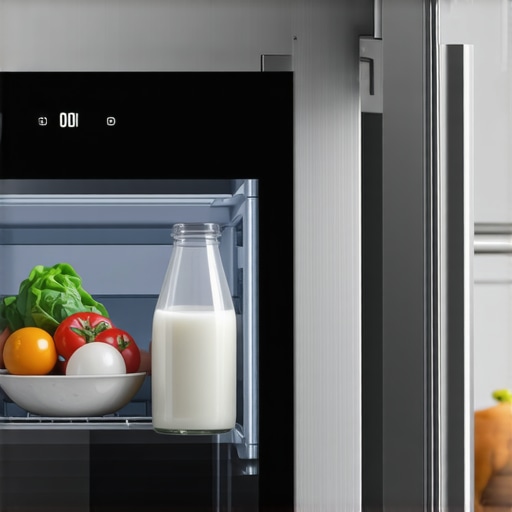
Ever opened your fridge and found yourself staring at an empty screen or a blurry image instead of that clear, helpful view of your milk’s expiry date? I’ve been there, frantically trying to check if my favorite bottle of milk was still good, only to be greeted by a frozen or non-responsive camera feed. That frustrating moment makes you wonder: why isn’t my smart fridge giving me that simple, life-saving info anymore?
Getting to the Heart of the Smart Fridge Camera Mystery
In today’s world, our refrigerators aren’t just cold storage—they’re intelligent hubs connected to our smart homes, aiming to make life easier. But what happens when these high-tech gadgets fall short of expectations? It can feel like a betrayal when that sleek control panel or camera system stops working, especially for a basic task like checking your milk’s freshness.
Skeptical? So Was I About Smart Cameras
Early on, I made the mistake of assuming all smart fridge cameras are foolproof. Turns out, a simple misconnection or outdated app can render your camera useless. For example, I once ignored updating my fridge’s firmware, which caused the camera feed to freeze—an issue I later discovered is common among users and easily fixable by following manufacturer guidelines. Want to avoid similar pitfalls? Check out our expert tips on choosing the right refrigerator—it’s a game-changer for future-proofing your smart appliances.
So, why does this happen? Sometimes, it’s technical glitches, firmware outdatedness, or Wi-Fi connectivity issues. Other times, it’s a matter of incorrect setup or faulty sensors. Luckily, understanding these common problems can save you hours of frustration and keep your fridge working as intended.
Up next, I’ll walk you through the most effective steps to troubleshoot and restore your smart fridge camera’s functionality, ensuring you never miss out on crucial food expiry info again.
Check Wi-Fi Connectivity First
Start by verifying that your fridge is connected to a stable Wi-Fi network. Think of your smart fridge as a walkie-talkie that needs a clear signal to communicate. If Wi-Fi is weak or intermittent, the camera feed may freeze or blank out. To test this, open your phone’s Wi-Fi settings and confirm your fridge’s network connection. If the signal is weak, move your router closer or upgrade your Wi-Fi plan for better coverage.
Update Firmware and Apps
Outdated firmware can cause compatibility issues, similar to trying to run new software on an old computer. Access your fridge’s app or control panel and check for available updates. For instance, I once delayed updating my fridge’s firmware, leading to a frozen camera feed until I installed the latest version. Navigate to the manufacturer’s support site or app store and follow instructions to update. Regular updates patch bugs and improve connectivity.
Reset the Camera System
Think of resetting as giving your device a fresh start, like rebooting a stuck computer. Locate the reset button on your fridge or use the app to initiate a factory reset. Be aware, this may require re-linking your device afterward. During my experience, a simple reset restored my camera’s live feed within minutes, preventing the need for a service call.
Check Camera Cables and Connectors
If your refrigerator’s camera connects via internal or external cables, inspect them for damage or loose connections. Use a flashlight to examine the wiring—think of it like checking the wires behind your TV. If a cable is frayed or disconnected, carefully re-seat or replace it. This step often addresses issues caused by accidental bumps or aging cables, similar to how a loose HDMI cable causes a black screen.
Consult Manufacturer Support and Resources
If hardware or software hiccups persist, consult official troubleshooting guides or contact support. Many manufacturers offer online portals with step-by-step solutions, much like following a recipe for a complicated dish. For example, I once reached out to support after trying basic fixes, and they guided me through a firmware reinstallation, saving me from replacing the entire unit.
Secure Your Network for Future Reliability
A secure and optimized network enhances your smart devices’ performance. Use strong, unique passwords and update your router’s firmware regularly. Consider segmenting your home Wi-Fi to isolate your smart fridge from heavy data users, akin to creating a dedicated lane for your delivery truck. This prevents bandwidth lags that can disrupt camera streams.
Bottom line: resolving camera issues involves systematic checks—Wi-Fi stability, firmware updates, hardware inspections, and leveraging support resources. These steps are practical, repeatable, and can often fix minor glitches without professional help, ensuring your smart fridge remains a reliable kitchen assistant.
When it comes to smart appliances like refrigerators, dishwashers, and washing machines, a common misconception is that their advanced features automatically guarantee flawless performance. However, many users overlook the nuanced behaviors and hidden pitfalls that can diminish their device’s effectiveness. Understanding these subtleties can save you time, frustration, and money. For instance, a prevalent myth is that firmware updates alone solve all connectivity issues, but in reality, network configurations and device placement play crucial roles. Failing to optimize Wi-Fi signal strength can leave your smart appliances underperforming, especially during peak usage times, as highlighted in a recent expert analysis.
What Advanced Users Often Miss About Device Compatibility
Many assume that newer model numbers automatically ensure compatibility with your existing smart hub or ecosystem. Yet, compatibility nuances often involve firmware version mismatches, outdated apps, or unsupported protocols, leading to integration failures. For example, an upgraded refrigerator might not sync seamlessly with your voice assistant unless specific settings are enabled—something that isn’t always well-documented. Neglecting these details can result in the frustration of devices that appear ‘smart’ but don’t respond as expected, reinforcing the importance of comprehensive research, like consulting our smart home guide.
Avoid falling into the trap of assuming all smart features function out-of-the-box without proper setup. Manually verifying network parameters, enabling relevant permissions, and ensuring firmware updates are installed can make a noticeable difference. Additionally, it’s vital to recognize that many advanced functions are still in beta or experimental stages, which can introduce unforeseen glitches. Recognizing these limitations allows you to set realistic expectations and pursue effective troubleshooting strategies.
Have you ever fallen into this trap? Let me know in the comments.
### Why Do Smart Appliances Sometimes Sabotage Their Own Benefits?
One advanced nuance worth noting is that feature updates and new protocols can sometimes create conflicts with existing hardware, paradoxically reducing performance. For example, a firmware update aiming to enhance energy efficiency might inadvertently cause longer cycle times or connectivity hiccups. This phenomenon occurs because changes in protocol versions require corresponding updates in your home network setup, which many users overlook. As an expert from the industry leaders suggests, staying ahead in the smart appliance game involves not just buying the latest tech but actively managing compatibility and updates.
Tools I Recommend for Long-Term Appliance Care
Maintaining smart home appliances over time requires specific tools and techniques to ensure longevity and optimal performance. One indispensable tool I personally rely on is a digital multimeter, such as the Fluke 117. It helps me diagnose electrical issues quickly by measuring voltage, resistance, and continuity in components like sensors and control boards, saving costly service calls. Additionally, a quality smartphone app like Tuya Smart enables remote diagnostics and updates, giving me control and visibility without physically accessing devices, which is invaluable when managing multiple appliances.
Another often-overlooked essential is a microfiber cloth and gentle electronic cleaning solution. Regular cleaning of sensors, camera lenses, and control panels prevents dust accumulation and signal interference. For example, keeping the refrigerator’s internal cameras clean drastically reduces misreads or freezing issues, as discussed in our comprehensive smart appliance guide.
Predicting Future Trends in Appliance Maintenance
Looking ahead, I predict IoT-enabled diagnostic tools will become standard, allowing appliances to self-monitor and alert users proactively. Imagine receiving a smartphone notification that a filter needs replacement or a motor is weakening before failure occurs. Such advancements will rely on integrated sensors and AI software, simplifying long-term maintenance and preventing costly breakdowns.
How do I maintain my appliances over time?
Consistent preventive care is critical. I schedule quarterly inspections, including checking for firmware updates through manufacturer apps, inspecting cables and connectors for wear, and running diagnostic tests using specialized tools like the Fluke multimeter. This proactive approach ensures issues are caught early and keeps my smart appliances functioning smoothly, avoiding the inconvenience of unexpected failures. For instance, regularly updating firmware not only enhances security but also fixes known bugs, as highlighted in industry forecasts. Start integrating these tools into your routine today—your appliances will thank you for it.
3 Surprising Lessons I Learned About Smart Appliances
Despite all the tech advances, I realized that patience and a willingness to learn are my best tools for maintaining smart appliances. For example, I once thought firmware updates would fix all camera issues, but understanding your Wi-Fi setup made a huge difference. Don’t assume that technology is foolproof—sometimes, simple solutions like a cable check or network upgrade are the key to solving persistent problems.
Tools That Became My Smart Appliance Lifesavers
I found that having a good quality multimeter, like the Fluke 117, helps me diagnose electrical problems early. Additionally, a reliable app such as Tuya Smart gives me remote insight and control over my devices, saving time and stress. For cleaning sensors and camera lenses, gentle microfiber cloths are invaluable—keeping lenses clean prevents blurry or frozen images and ensures accurate food monitoring.
One Moment That Changed My Approach to Smart Appliance Care
The turning point was realizing that proactive maintenance is the best policy. Scheduling quarterly firmware checks, inspecting cables, and using diagnostic tools have significantly extended the life of my appliances. It’s empowering to be proactive rather than reactive, especially when it comes to expensive smart kitchen tech. This mindset not only saves money but also enhances my daily convenience and peace of mind.
Wise Words for Future-Proofing Your Smart Home
As technology evolves, so should your approach to maintenance. I recommend staying informed through trusted resources like our comprehensive smart home guide. Implementing regular updates, network optimizations, and hardware inspections can significantly reduce unexpected breakdowns. Remember, the best smart appliances are those you maintain mindfully, ensuring they continue to serve you seamlessly.
Your Next Step in Smart Appliance Mastery
Now it’s your turn to take charge of your smart appliances. Whether it’s updating firmware, checking connections, or simply cleaning sensors, every small step counts toward a smoother, smarter home. How do you plan to enhance your appliance maintenance routine this month? Share your thoughts below!