
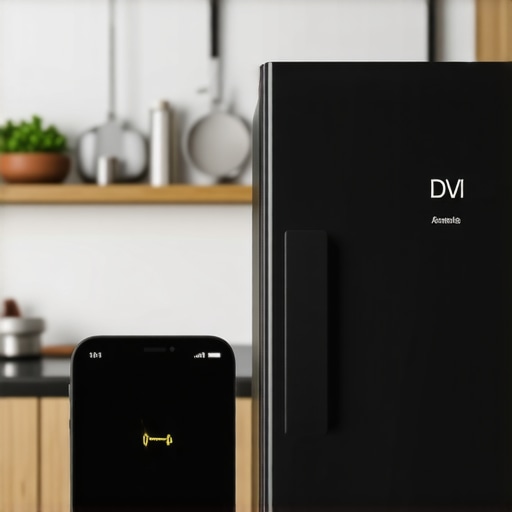
Ever experienced that frustrating moment when you’re eager to check the contents of your fridge on your phone, only to find that the connection has dropped again? I remember the first time it happened to me—standing in my kitchen, phone in hand, staring at a frozen screen of my smart fridge. It was a lightbulb moment, realizing how much I relied on these gadgets and how disruptive a simple disconnect could be.
Let’s Tackle Smart Fridge Disconnections Together
I want to help you understand why this happens so you can enjoy the convenience without the constant hassle. Today, we’ll dive into the common reasons your smart fridge might keep disconnecting from your phone and, more importantly, how to resolve these issues effectively. My own experience included a lot of trial and error, but once I figured out the real cause, my frustration disappeared—and so did the repeated disconnections.
Is Your Smart Fridge Actually Worth the Hype?
Initially, I thought all these disconnects were just annoying glitches. Turns out, many are preventable with a few simple troubleshooting steps. I made the mistake early on of assuming my Wi-Fi was too weak or my phone’s settings were at fault. But after some research—learning that frequent disconnects can often be traced back to outdated firmware or network interference—I managed to fix the problem myself. If you’re skeptical about whether these high-tech appliances are more hassle than help, you’re not alone. Many homeowners question if investing in smart fridges is truly worth it.
Let’s explore the main reasons behind these disconnects and see how you can turn your smart appliance into a reliable part of your home setup.
Check Your Wi-Fi Signal Strength
If your smart fridge keeps disconnecting, the first step is to evaluate the Wi-Fi signal where your fridge is located. Think of your Wi-Fi like a water pipe—if there’s a kink or blockage, the flow slows or stops. I once experienced persistent disconnects because my fridge was tucked in a corner far from the router. Moving the router closer or using a Wi-Fi range extender immediately improved stability and prevented dropouts.
Update Your Firmware Regularly
Outdated firmware can cause communication breakdowns, much like an old software version on your phone causes glitches. Access your fridge’s settings menu—usually via the touchscreen or companion app—and check for updates. I once overlooked this step and continued to have disconnections until I manually updated the firmware, which resolved the issue. Regular updates patch bugs and enhance compatibility with your network.
How to Update Firmware on Your Fridge
Navigate to settings, select ‘Software Update,’ and follow prompts. Automate this process if your model supports it. Visit the manufacturer’s support site for detailed instructions specific to your model. Remember, a well-updated appliance talks smoothly with your phone and Wi-Fi router.
Secure and Stabilize Your Network
Network interference is like static noise on a radio—it disrupts the connection. Devices like microwaves, cordless phones, and neighboring Wi-Fi networks can interfere. Reduce congestion by switching your Wi-Fi to a less crowded channel—most routers have this option in advanced settings. I once changed to a 5 GHz band, which allowed my fridge to stay connected consistently, unlike on the overcrowded 2.4 GHz band.
Optimize Your Router Placement
Place your router centrally in your home, elevated on a shelf, away from metal objects and electronics. This positioning maximizes signal reach. I learned this the hard way when my fridge was in the basement, far from my router—moving the router upstairs with a longer Ethernet cable made a remarkable difference.
Reboot and Reset for Fresh Connections
Sometimes, a simple reboot is all it takes—like turning a computer off and on to clear glitches. Power cycle your router and fridge by unplugging them for 30 seconds, then plugging back in. If disconnections persist, perform a factory reset on your fridge—this acts like a soft reboot, wiping minor bugs. I once reset my fridge after a firmware update caused persistent disconnects, and it was back to reliable operation after that.
Contact Support When All Else Fails
If you’ve tried all steps and still face issues, reaching out to technical support is your best move. They can guide you through advanced troubleshooting or claim warranty services if needed. You can find contact details at our contact page. Remember, sometimes the problem is on their end, and professional assistance can save frustration.
Prevent Future Disconnection Problems
To keep your smart fridge connected seamlessly, schedule regular firmware updates, optimize your network environment, and keep the router firmware current. Monitoring your network’s health ensures your appliance stays as smart as it promises, saving you from future disconnect headaches and keeping your kitchen digitally fluent.
When it comes to home appliances like dishwashers, washing machines, or refrigerators, many homeowners operate under common misconceptions that can sabotage their efficiency and lifespan. One widespread mistake is assuming that newer models are automatically smarter or more reliable. In reality, advanced features often introduce new vulnerabilities—like software bugs or compatibility issues—that require diligent maintenance and understanding. For example, many believe that Wi-Fi connectivity issues in smart appliances are solely due to poor internet—yet, firmware glitches or insecure network configurations frequently play a bigger role. As experts suggest, keeping firmware updated not only improves performance but also fortifies security, which is often overlooked by casual users.
What Do We Miss About Appliance Maintenance That Can Cause Big Problems?
Interestingly, many users neglect basic upkeep tasks, like cleaning filters or vents, assuming modern units are nearly maintenance-free. This oversight can cause appliances to overwork, leading to premature failure. Plus, there’s a myth that energy efficiency always correlates with newer technology, but in practice, improper use—like overloading a washing machine or setting the fridge temperature too low—can negate those benefits. A study by the Department of Energy highlights that user habits significantly impact appliance longevity and energy consumption, meaning understanding advanced features and correct usage is crucial. To truly optimize your appliances, it’s vital to go beyond the surface—embrace both routine maintenance and a deeper understanding of their technological nuances. Curious about how to harness your appliance’s full potential? Check out our comprehensive guide on smart home appliances and avoid these typical pitfalls. Have you ever fallen into this trap? Let me know in the comments! Remember, mastering your appliances involves more than just pressing buttons—it’s about understanding their inner workings and maintenance needs for a truly seamless home experience.
Maintaining Home Appliances for Longevity
To ensure your appliances like dishwashers, washing machines, and refrigerators serve you well over the years, investing in the right tools and implementing consistent maintenance routines is crucial. Regular upkeep not only extends the lifespan of your devices but also keeps them operating efficiently, saving you money and hassle in the long run.
Upgrading Your Maintenance Toolkit
Personally, I rely on a few specialized tools that make maintenance tasks more manageable. A high-quality digital multimeter, for instance, is indispensable for diagnosing electrical issues in appliances. I use a Fluke 115 multimeter because of its durability and precise readings, which help me verify power supply stability and detect wiring faults efficiently. Additionally, a reliable sensor calibration kit, such as the Klein Tools Electronic Calibration Kit, ensures that smart appliance sensors remain accurate, preventing issues like inaccurate temperature readings or faulty smart diagnostics.
Using Software for Preventive Care
Beyond hardware tools, leveraging software solutions is a game-changer. I recommend installing manufacturer-specific diagnostic apps on your smartphone, such as Samsung’s SmartThings or LG’s ThinQ app. These apps provide real-time alerts for firmware updates, system errors, or maintenance reminders. For example, regular firmware updates can significantly improve appliance performance and security. According to industry experts, staying up-to-date with software patches reduces the likelihood of malfunctions and prolongs device life, which is why I schedule quarterly checks for updates on all my smart appliances.
Scheduled Maintenance and Monitoring
Consistency in inspection routines is vital. Set a calendar reminder every three to six months to clean filters, check for worn belts, and calibrate sensors. For refrigerators, routine cleaning of coils and vents, like I do with a soft brush and compressed air, can prevent overheating and temperature inconsistencies. When it comes to washing machines, inspecting and cleaning debris filters ensures smooth operation and prevents odor issues. For information on how to refresh your machine’s performance, consult our guide on how smart washing machines help simplify laundry.
Long-Term Support and Professional Checks
While DIY maintenance is essential, professional inspections should not be neglected. Certified technicians can identify subtle issues before they escalate, especially in complex systems like HVAC-integrated smart appliances. Establishing a relationship with a trusted technician ensures your appliances remain in optimal condition. Also, periodically reviewing your appliance’s warranty and service history helps plan for future upgrades or replacements without unexpected costs.
Future Trends in Appliance Maintenance
The industry is heading toward more integrated AI-driven diagnostics, which will enable appliances to proactively alert you about potential failures—think of smart devices that notify you before a component fails, saving time and avoiding costly repairs. To prepare, consider investing in models that support remote diagnostics and software updates, like the latest from home appliance trends 2025. Embracing these innovations now can simplify maintenance and ensure your appliances stay reliable longer.
How Do I Maintain Appliances Over Time?
Consistent cleaning, timely firmware updates, using proper tools like a multimeter and sensor calibration kits, and scheduling professional inspections are the pillars of long-term appliance care. Remember, a proactive approach minimizes unexpected breakdowns and keeps your devices running efficiently well into the future. For detailed guidance, explore our comprehensive guide on smart home appliances.
To take your appliance maintenance to the next level, try incorporating a calibration routine using a sensor calibration kit. It’s a small step that yields big improvements in accuracy and performance, especially for appliances like smart refrigerators and washing machines. Regular calibration can prevent issues like temperature inaccuracies or inefficient water usage, ensuring your devices operate at peak efficiency. Don’t wait—set a reminder today to calibrate your smart appliances and experience the difference firsthand!
Three Hidden Truths About Smart Appliance Connectivity
My biggest breakthrough came when I realized that firmware updates are more than just software patches—they’re the secret to long-term reliability. Ignoring these updates is like ignoring regular oil changes for your car; it might run fine for a while, but problems will eventually surface. I once skipped a firmware update for my smart fridge, and it started disconnecting constantly. After I finally updated, everything improved—proof that staying current is essential.
Another lesson I learned is that placement truly matters. I used to keep my Wi-Fi router in a closet, thinking it wouldn’t matter—it does. Moving it to a central, elevated location, free from obstructions, dramatically stabilized my smart appliances’ connections and prevented frustrating disconnects. It’s a simple step, but one that can save hours of troubleshooting.
Finally, embracing proactive maintenance has transformed my experience. Regularly checking and calibrating sensors, cleaning filters, and scheduling professional inspections has kept my appliances running smoothly. It’s tempting to think modern devices are maintenance-free, but routine care keeps them at peak performance, extending their lifespan and reducing unexpected failures.
Tools and Tips I Swear By
I trust the Ultimate Guide to Smart Home Appliances for comprehensive advice that keeps me ahead of potential issues. For diagnostics, a quality digital multimeter like the top-rated multimeter helps me detect electrical anomalies early. Also, manufacturer apps such as Samsung’s SmartThings or LG’s ThinQ provide real-time alerts, which are invaluable for preventive care. These tools empower me to troubleshoot confidently and avoid costly repairs.
Planning regular calibration routines using sensor kits ensures my smart fridge and washer maintain their accuracy—delivering optimal energy efficiency and performance. Investing in these practical tools has genuinely transformed my maintenance approach—from reactive fixes to proactive prevention.
You Hold the Power to Transform Your Home
With a little knowledge and consistent effort, you can turn your smart appliances into reliable partners that simplify your life. Embracing proper placement, routine updates, and proactive maintenance means fewer disconnections and more peace of mind. Start small; focus on firmware updates or router placement, and you’ll see immediate benefits. Your smart home deserves it—invest in its health today, and enjoy seamless connectivity and functionality tomorrow.
Now, I’d love to hear from you: Have you ever struggled with connecting your smart fridge or washing machine? What steps made the biggest difference for you? Share your experiences below!