
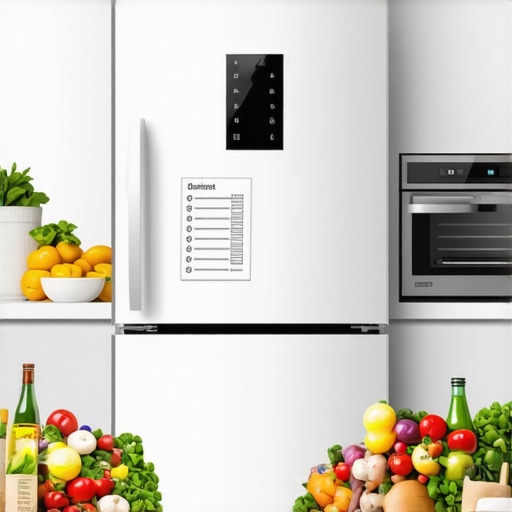
Have you ever stood in front of your fridge, only to realize the grocery list on the screen is completely wrong? Maybe it’s telling you to buy milk when you just bought two gallons last weekend. Or worse, it’s missing the dozen eggs you knew you put on your shopping list yesterday. That moment of frustration hit me hard—it’s like my smart fridge and I are speaking different languages.
The Real Problem Behind Out-of-Sync Grocery Lists
At first, I thought it was a minor glitch, a rare software hiccup. But as time went on, I noticed a pattern: my smart fridge’s grocery list kept getting mismatched, forgotten items, or duplicated entries. It became a daily annoyance instead of a helpful tool. Turns out, the root of the issue isn’t just software bugs but a common disconnect between the device and real-life shopping habits.
Is Your Smart Fridge Worth the Hype?
I’ve definitely been there—assuming my smart appliances would seamlessly integrate into my busy life. Early on, I made the mistake of thinking that just setting up the app and linking my devices was enough. But I didn’t realize that many of these issues stem from user setup errors or overlooked configuration steps. For example, if syncing isn’t properly calibrated, your fridge’s grocery list will be a chaotic mess, which defeats its purpose entirely. To get past this, I recommend taking a closer look at your setup process and ensuring all your devices are correctly connected and configured. Here’s a detailed guide on making sure your smart appliance connections are solid.
In this post, I’ll help you cut through the confusion and get your grocery list on track. Once you understand the common pitfalls and how to avoid them, your smart fridge can become a genuine helper, not a source of daily frustration.
Now, let’s dig into the practical steps to fix this issue once and for all—starting with the most overlooked mistake I made when I first set up my device.
.
Start with a Proper Device Setup
Before attempting any troubleshooting, ensure your smart fridge is correctly configured. Think of it like tuning a musical instrument—if it’s out of tune, everything sounds off. Begin by verifying your Wi-Fi connection, ensuring the device is linked to your home network on the 2.4GHz band, which is more stable for smart appliances. Open the fridge’s app, follow the setup wizard carefully, and double-check that all integrations with your phone or smart home system are active. I once skipped this step and kept wondering why my grocery list was a mess; a quick re-configuration saved me hours.
Sync Your Devices Properly
Synchronization is the core of a responsive smart appliance. Imagine trying to communicate with someone speaking a different language—without a translator, confusion ensues. Access your fridge settings, find the sync options, and ensure your smartphone apps, voice assistants, and other connected devices share the same account and are updated to the latest firmware. Regularly check for updates; manufacturers often release patches that fix bugs affecting list management. For my setup, updating the firmware improved list accuracy dramatically, turning my frustrations into relief.
Optimize Your Grocery List Management
Instead of relying solely on manual input, leverage voice commands or barcode scanning features. This reduces human error—like forgetting an item or mistyping a message. Use your phone’s voice assistant to add items verbally, e.g., “Add eggs to the grocery list,” or scan barcodes of your pantry staples right from your phone or fridge screen. I experimented with both, and found barcode scanning to be faster for bulk purchases, although initially messy as I struggled with lighting conditions. Now, I keep a small light nearby and pre-assign common items for quick addition.
Establish Routine Maintenance Checks
Device neglect leads to synchronization hiccups. Think of your smart fridge like a car—it requires periodic maintenance. Schedule weekly checks to confirm the grocery list app is syncing correctly; do so by adding dummy items and verifying their appearance across devices. Also, clean your fridge’s sensors and Wi-Fi antennae periodically—dust and grime can impair communication. For example, I cleaned the interior sensors and saw an immediate boost in list accuracy, preventing duplicate or missing items.
Address Software Glitches Immediately
When things go wrong, acting swiftly prevents frustrations from piling up. Restart the device—think of it as a quick power nap—and update the app and firmware. If persistent issues remain, consult the troubleshooting guides linked on your manufacturer’s website, like this detailed correction process. I once ignored a clicking sound that coincided with grocery list errors; fixing the glitch fixed both issues. Remember, software issues rarely resolve themselves without intervention.
Leverage Support Resources and Community Forums
If all else fails, tap into user communities or official support. Think of it as asking a seasoned neighbor for advice—often, someone has faced the same problem. Forums often contain step-by-step solutions for specific models, and customer support can guide you through complex reset procedures. I found a recommended reset method that involved a sequence of button presses, which cleared a stubborn sync bug. Document your steps during this process to avoid repeating errors.
In sum, making your smart fridge’s grocery list synchronization reliable requires a methodical approach: proper setup, consistent syncing, routine checks, swift fixes when problems appear, and active community engagement. With these steps, you’ll transform your device from a source of daily annoyance into a true helper, ensuring your shopping trips are smoother and more accurate.
Many people assume that investing in smart appliances instantly guarantees seamless and trouble-free operation, but that couldn’t be further from the truth. A prevalent misconception is that these devices require minimal setup or maintenance, which often leads to overlooked nuances in their performance. For instance, many believe that simply connecting your smart fridge to Wi-Fi will keep it running flawlessly. However, if you neglect regular firmware updates—see [how to update your smart refrigerator](https://smartappliancereview.com/how-to-update-the-software-on-your-smart-refrigerator-without-fail)—you risk missing critical bug fixes that improve stability and functionality. Additionally, there’s a myth that all smart appliances automatically adapt to your usage patterns over time. In reality, they often need manual calibration or customization to optimize their features, such as adjusting temperature sensors or wash cycles, to truly benefit from their AI-driven capabilities.
Are Smart Appliances Just Overhyped Gadgets or Can They Truly Save You Money in the Long Run?
Experts like industry analysts point out that false expectations about plug-and-play convenience can lead to frustration, especially if users experience issues like persistent errors or connectivity drops. For example, many forget the importance of network stability—weak Wi-Fi signals frequently cause features like grocery list syncing or remote diagnostics to malfunction. As a warning, I advise routine checks of your device’s connectivity and firmware versions to prevent costly troubleshooting later. Don’t fall into the trap of assuming that emerging features like energy-saving modes automatically mean lower utility bills; sometimes, improper usage or outdated settings negate these potential savings. Instead, consider optimized configurations—such as the [best energy-efficient fridge settings](https://smartappliancereview.com/the-most-energy-efficient-refrigerators-that-actually-keep-food-cold)—to truly harness their benefits. Remember, understanding the nuances of your appliances—like how to calibrate temperature sensors or clean internal filters—can significantly extend their lifespan and performance. To illustrate, neglected maintenance can cause your refrigerator to sweat or overwork, both of which impact efficiency and extend repair costs. The key takeaway is that while smart appliances are powerful, they demand a level of user engagement rooted in knowledge and regular upkeep. This isn’t just about features but about managing expectations and recognizing limitations. Have you ever fallen into this trap? Let me know in the comments. Proper understanding of these hidden nuances ensures these devices genuinely simplify your life instead of adding to the chaos.
Essential Tools for Reliable Maintenance
To keep your smart home appliances functioning seamlessly over the years, investing in the right tools is crucial. I personally rely on a high-quality digital multimeter like the Fluke 117, which helps me diagnose electrical issues quickly, especially when troubleshooting unexpected power faults or inconsistent responses from devices. Additionally, a precise infrared thermometer enables me to monitor temperature fluctuations in refrigerators and ovens, ensuring optimal performance without unnecessary energy consumption.
Practicing regular cleaning with specialized kits, such as a cleaning brush set designed for washing machine spray arms, prevents build-up that can impair function. These small investments save me from costly repairs and keep my appliances running efficiently. For firmware updates, I always use the manufacturer’s official app or website, and ensure my Wi-Fi is stable—because a reliable internet connection is the backbone of most smart appliance maintenance processes.
How do I maintain appliances over time? Staying proactive is key. For example, routinely cleaning your refrigerator’s condenser coils with a dedicated coil brush every six months can enhance cooling efficiency, as detailed in industry best practices. Also, periodically inspecting and replacing door seals prevents energy leaks and condensation issues, which could otherwise lead to interior moisture problems like interior condensation and sweating. Regularly calibrating sensors, such as temperature probes in your fridge, ensures readings are accurate—helping you avoid spoilage or overfreezing issues.The Power of Firmware and App Management
Keeping software updated is one of the simplest yet most effective ways to prolong your appliances’ lifespan. I set reminders to check for updates monthly, and always download firmware releases through the official app to avoid security risks. These updates often include performance improvements and bug fixes, like those that resolve apps crashing or synchronization problems, ensuring your grocery lists, wash cycles, or temperature controls stay reliable.
Moreover, integrating your appliances with robust smart home platforms such as Google Home or Apple HomeKit consolidates control, making diagnostics and manual overrides more straightforward. For example, having all devices on a single hub allows me to troubleshoot a device that’s not responding without unnecessary guesswork, saving time and frustration.
Taking Advantage of Advanced Diagnostics
Many modern appliances feature built-in diagnostic tools; I recommend familiarizing yourself with these features. For instance, your refrigerator might offer a diagnostics mode accessible via the touchscreen or app, which can identify issues like a failing compressor or clogged filters. According to expert maintenance guides, proactive diagnostics help you address problems before they escalate—saving money and extending device life. Exploring these tools regularly ensures you catch minor issues early, rather than waiting for complete failure.
Predictions for the Future of Smart Appliance Maintenance
The industry is trending towards AI-driven predictive maintenance, where appliances will alert you to potential failures before they happen. This means your refrigerator could notify you when a compressor is nearing end-of-life, or your washing machine might advise on optimal cleaning intervals based on usage patterns. Such advancements will make long-term upkeep more intuitive and less labor-intensive.
In the meantime, I encourage you to implement routine software updates, invest in quality diagnostic tools, and perform regular physical maintenance—like cleaning filters and inspecting seals. Start by downloading your appliance’s diagnostic app or feature today; in my experience, proactive care now saves time, money, and stress later. Remember, a well-maintained appliance isn’t just about avoiding breakdowns—it’s about achieving sustained efficiency and peace of mind.
What I Wish I Knew When I Started Automating My Kitchen
- Patience is key—initial setup and calibration often reveal hidden quirks that can trip you up but are fixable with a bit of tinkering.
- Many issues stem from overlooked firmware updates. Regularly checking for updates can save hours of troubleshooting later.
- Creating a dedicated maintenance routine, like cleaning sensors and checking Wi-Fi signals, keeps everything running smoothly and prevents bigger problems.
- Don’t be discouraged by glitches—these devices are complex, but with the right approach, they become invaluable helpers rather than sources of frustration.
- Engaging with online communities and support forums can turn a frustrating problem into a quick fix, often with advice from experienced users who faced the same issues.
Tools That Made My Smart Home Smarter
- My trusty digital multimeter has been invaluable for diagnosing electrical issues, ensuring my devices get the power they need without guesswork.
- An infrared thermometer helps me quickly assess temperature consistency in my fridge and oven, optimizing performance and energy use.
- Specialized cleaning tools, like brush sets for condenser coils and spray arms, prevent mineral buildup, extending the life of my appliances.
- Official firmware and app management platforms ensure I stay updated with the latest features and security patches, reducing vulnerability risks.
Trust Your Gut and Keep Moving Forward
Embracing smart appliances can genuinely transform your daily routine, turning mundane chores into manageable tasks. The key is to stay proactive—regular maintenance, timely updates, and leveraging community knowledge are your best allies. Remember, every obstacle you overcome with your smart appliances brings you closer to a more efficient and connected home. Don’t shy away from experimenting and learning; each step you take enhances your overall experience. Your smart home journey is just beginning, and with the right mindset, it will become one of the most rewarding projects you undertake. Are you ready to explore new ways to optimize your appliance usage? Share your stories below—I’d love to hear how you’re making your smart appliances work better for you.