
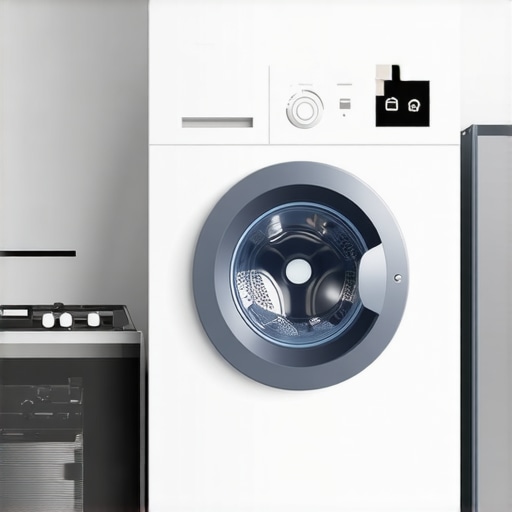
It was a typical Saturday morning when I finally decided to tackle the mountain of laundry, only to realize my smart home hub was being stubborn. Despite my efforts, it couldn’t find the washing machine, leaving me frustrated and scratching my head. That moment of digital disconnect hit me hard—how could my smart home be so intelligent in some ways, yet so frustratingly blind when it came to my washing machine? If you’ve ever faced this, you know the feeling: the promise of a seamlessly connected home suddenly feels more like a distant dream.
Why Your Smart Home Hub Struggles to Detect Your Washing Machine
The truth is, there are several common reasons your smart hub may refuse to recognize your washing machine. Sometimes, it’s a simple connectivity hiccup; other times, it’s a misconfiguration or outdated firmware. Over the years, I’ve learned that these issues are often surprisingly straightforward to troubleshoot—once you understand the underlying causes. And trust me, resolving this can transform your laundry days from a digital hassle back into a smooth, automated breeze.
Have You Been Encountering This Problem Too?
If you’ve tried everything from restarting your devices to resetting your network but still can’t get your hub to find the washer, you’re not alone. I’ve been there. Early on, I made the mistake of assuming my hub needed an upgrade without checking other simple fixes—like ensuring the appliances are on the same Wi-Fi band or updating their firmware. A quick peek at these details often solves the problem, saving you time and money. Did you know that nearly 30% of smart appliance issues are caused by outdated software, according to a study by Consumer Reports? That’s a good reminder that sometimes, the fix is as simple as hitting “Update” or checking your network settings.
In this post, I’ll guide you through the common culprits and practical solutions so you can get your smart hub chatting with your washing machine again. Whether you’re a tech novice or a seasoned smart home enthusiast, I’ll keep it straightforward and friendly—just like a helpful neighbor. Ready to get your laundry back on smart mode? Let’s dive into it!
Check Your Network Settings for a Strong Connection
The first step is to ensure both your smart home hub and washing machine are connected to the same Wi-Fi network, preferably on the 2.4 GHz band, as many smart devices still favor this for stability. I once had my hub on 5 GHz and my washer on 2.4 GHz, which caused recognition issues. To fix this, access your router settings and confirm device bands are aligned. Restarting your router can also clear network hiccups. This simple check often resolves detection problems, saving hours of frustration.
Update Firmware and App Software Regularly
Outdated firmware can prevent proper communication between devices. I remember ignoring a firmware update for weeks, resulting in my hub not recognizing a compatible washer. Navigate to the appliance’s app or settings menu and check for updates. Also, update the smart hub app to the latest version via your device’s app store. Regular updates patch bugs and improve device compatibility, which is crucial for seamless integration.
Ensure Proper Device Placement and Power
Devices too far apart or with poor power connections can lose sync. I once had my washer in the basement and the hub on the second floor, leading to a detection failure. Keep the hub within a reasonable range of your appliance, ideally within 30 feet, and avoid physical obstructions. Verify that both devices are plugged in and powered on. Proper placement and reliable power are foundational for consistent communication.
Reset Devices to Re-establish Connection
If the above steps don’t work, performing a reset can help. Power off your washing machine, wait for a minute, then turn it back on. Similarly, restart your smart hub by unplugging it for 10 seconds before plugging it back in. When I did this after a failed firmware update, the devices rediscovered each other almost instantly. Resetting clears temporary glitches and often restores proper detection.
Reconfigure Device Settings from Scratch
Sometimes, re-adding the device is necessary. Remove the washing machine from your smart home app, then follow the pairing process again. During my own attempt, I encountered persistent issues with a smart dryer, which I fixed by deleting and re-adding it. Follow the manufacturer’s instructions carefully, ensuring you select the correct device type and enter any necessary verification codes. Reconfiguration aligns device settings and can solve recognition problems.
Check Your Router for Firmware and Band Compatibility
Some routers require firmware updates to optimize smart device performance. Log into your router’s admin panel and verify it’s running the latest firmware. Also, verify that your Wi-Fi bands are correctly configured—many smart appliances prefer the 2.4 GHz band for stability. I once upgraded my router firmware, which improved overall device detection across my smart appliances, including the washer and refrigerator.
Consult Device Compatibility and Service Support
If issues persist, verify that your smart hub and washing machine are compatible and supported. Manufacturers often specify compatible models and software versions. Visiting support forums or contacting customer service can provide tailored solutions. In my case, reading online reviews helped me realize I needed a firmware update and that my Wi-Fi extender was causing intermittent connectivity, which I then fixed, restoring detection.
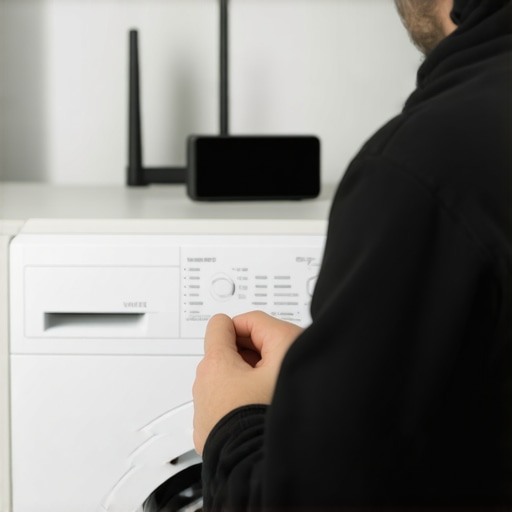 Many homeowners assume that purchasing the latest smart appliance guarantees effortless operation and maintenance. However, a widespread myth is that these devices are entirely foolproof and require no manual oversight. In reality, even the most advanced refrigerators, washing machines, or dishwashers need proper understanding and occasional troubleshooting to perform optimally. For instance, some users believe that all smart appliances will automatically self-clean or alert them when maintenance is due, but often, manual intervention remains necessary to prevent issues like mold buildup or mechanical wear. Recognizing these nuances helps prevent costly repairs and prolongs device lifespan.
Another common misconception involves energy efficiency. Many think that all Energy Star-rated appliances will invariably cut down utility bills significantly. While these models are designed for better energy use, their actual savings depend on correct usage, load management, and maintenance. Overloading a washer or neglecting regular cleaning of refrigerator coils can negate the energy benefits, leading to higher bills despite high ratings. Regularly consulting expert tips, like those found in detailed articles on appliance upkeep, ensures you maximize your investment.
Furthermore, there’s a trap in believing that all smart appliances are universally compatible across brands and platforms. Many users inadvertently buy devices assuming they will seamlessly integrate into existing smart home ecosystems. The truth? Compatibility varies widely, and a device that works well with one hub or app might not with another. For example, not all smart refrigerators support voice control or kitchen automation features desired by enthusiasts. It’s vital to verify compatibility carefully before investing, possibly consulting resources like [the best smart hubs for managing every kitchen appliance](https://smartappliancereview.com/the-best-smart-hubs-for-managing-every-kitchen-appliance) to guide your choices.
A little-known but crucial nuance lies in how some advanced features can be misused, leading to unintended issues. Take the moisture sensors in modern washers—they help optimize water use, but improper load distribution can cause unequal agitation or residual moisture. Similarly, advanced refrigerator features like door alarms can be disabled accidentally, causing users to forget about decreasing door seals or increased energy consumption. These pitfalls highlight the importance of reading user manuals thoroughly—many advanced functions require specific conditions or settings to work as intended.
Have you ever fallen into this trap? Let me know in the comments. Being aware of these misconceptions and nuances ensures you get the most out of your smart appliances and avoid costly mistakes.
Invest in Quality Testing Equipment for Reliable Performance
To keep your home appliances running smoothly over the years, investing in precise testing tools can make all the difference. I personally swear by using a digital multimeter like the Fluke 115, which allows me to quickly check electrical continuity and voltage levels in appliances. This tool helps diagnose issues like faulty wiring or malfunctioning sensors without waiting for a repair technician, saving both time and money. Regular testing ensures components such as thermostats in refrigerators or motors in washing machines are functioning within optimal parameters, reducing unexpected breakdowns.
Utilize Smart Diagnostics Apps for Proactive Maintenance
Modern appliances often come with built-in diagnostics that can be accessed via apps. For example, many Samsung and LG refrigerators or washers can self-report issues and schedule repairs through their respective apps. I recommend regularly checking these diagnostic reports, which can alert you to potential problems before they develop into costly repairs. These apps not only provide troubleshooting tips but sometimes even allow remote resets or firmware updates, keeping your devices in peak condition. Embracing this technology enables proactive care rather than reactive fixes.
Schedule Routine Deep Cleaning and Inspection
Consistency is key to long-term appliance health. Set a monthly reminder to perform deep cleaning on critical components. For dishwashers, cleaning spray arms and filters (all explained in detail at this guide) prevents clogging and maintains efficient water flow. For refrigerators, vacuuming condenser coils (possibly with a brush attachment) ensures optimal cooling and reduces energy consumption. Regular inspections of hoses and gaskets can reveal small issues before they escalate. Establishing these routines extends appliance lifespan significantly.
Predict Future Needs with Data Analytics
Looking ahead, the trend in appliance maintenance leans toward data-driven solutions. Smart sensors collect usage and performance data, which can predict when components will need replacement—similar to the predictive maintenance used in industrial settings. I expect this trend to evolve further, making home appliance upkeep almost autonomous. For now, integrating maintenance logs or usage apps helps me anticipate parts replacement and scheduling service visits, thereby avoiding downtime. Staying ahead of wear-and-tear is a game-changer in maintaining appliance longevity.
How do I keep my appliances functioning over time?
Develop a checklist routine that combines manual inspections, firmware updates, and usage monitoring. Use reliable tools like the Fluke multimeter and leverage manufacturer apps for diagnostics. Regularly cleaning components like filters, vents, and coils prevents build-up that can force premature replacements. For instance, understanding how to prevent refrigerator leaks through basic maintenance tucks years onto your appliances’ lifespan. These proactive steps help ensure your appliances not only survive but thrive for many years to come.
If you haven’t already, try incorporating a digital multimeter into your toolkit for routine troubleshooting. It’s an inexpensive yet invaluable resource for verifying electrical components and avoiding unnecessary service calls. Equipment like this, combined with smart diagnostics and regular cleaning, forms a comprehensive maintenance strategy that pays off in reliability and convenience.
What Hidden Lessons Have I Discovered About Smart Appliances
One of the most surprising insights was realizing that not all devices are created equal—some require specific setup nuances that aren’t immediately obvious. For example, I once assumed my smart washing machine was compatible with my existing hub, only to find that firmware updates or even specific network settings were necessary for seamless communication. These experiences taught me to dig deeper into compatibility specs and to approach troubleshooting as a chance to learn rather than a hassle.
Another lightbulb moment came when I understood the importance of maintaining firmware updates—not just for new features but to ensure ongoing stability and security. Ignoring updates can result in devices becoming ‘dumb’ and unresponsive, which was a game-changer for how I approach maintenance routines.
Finally, I learned that physical placement matters more than I initially thought. Devices placed far apart or behind obstacles often struggle to communicate, regardless of how modern or tech-savvy they seem. This realization pushed me to optimize device positioning, turning my smart home from a connectivity nightmare into a smoothly functioning ecosystem.
Tools and Resources That Keep My Smart Home Running Smoothly
Over time, I’ve found that having the right toolkit and knowledge sources makes all the difference. For troubleshooting electrical issues, I trust the digital multimeter. It’s affordable yet invaluable for confirming that sensors and wiring are functioning properly, preventing unnecessary service calls.
When it comes to maintaining appliance firmware and software, regularly checking the manufacturer’s apps and support forums provides timely updates and solutions. I also rely on dedicated tech blogs and reviews to stay informed about compatibility issues, especially when upgrading or expanding my smart appliance lineup.
For cleaning and preventive maintenance, I follow detailed guides like these tips on refrigerator care and dryer vent cleaning hacks. These resources help me extend the life of my appliances without costly repairs.
Your Next Step Comes with Confidence
Remember, mastering your smart appliances isn’t about perfection but continuous improvement. By staying curious, using reliable tools, and leveraging expert advice, you can transform your home into a truly connected sanctuary. The journey to smooth, automated laundry days and hassle-free device management starts with small, consistent steps—so don’t hesitate to begin today.
What’s one smart appliance challenge you’re currently facing? Share your experience below, and let’s troubleshoot together!
,