
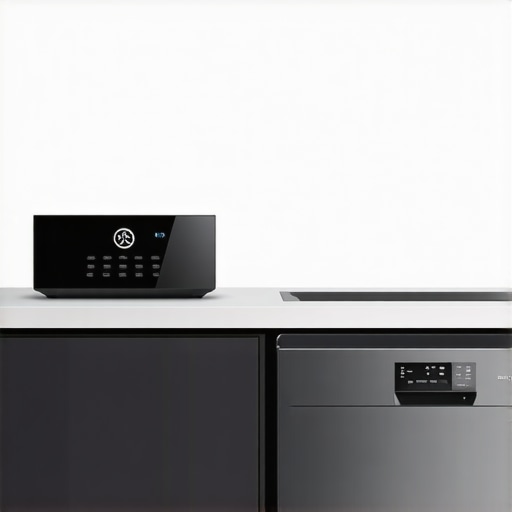
The other morning, I pressed the app to start my brand-new smart dishwasher, eager to finally tackle that mountain of dirty pots and pans. To my surprise, nothing happened. No notifications. No responses. It was as if my shiny, state-of-the-art appliance had gone completely silent. Frustrating doesn’t begin to cover it. That’s when I realized — even the most advanced smart home systems can throw us curveballs.
When Your Smart Home Hub Ignores Your Dishwasher: The Silent Treatment Explained
Smart home devices are supposed to make our lives easier, right? But sometimes, they seem to develop a mind of their own, ignoring commands or failing to communicate. I’ve learned through personal experience that understanding the common reasons behind this disconnect is key to restoring harmony in our connected homes. Today, I’ll walk you through why your smart home hub might dismiss your new dishwasher and, more importantly, how to fix it.
First, it’s worth acknowledging that this isn’t an uncommon issue. Traditional appliances lacked any connection to our digital ecosystems, but now, miscommunications can be deeply frustrating. The good news is that most issues stem from simple, fixable root causes. According to industry experts, a frequent culprit is compatibility, or simply the need for an initial setup refresh. In my case, a firmware update on the hub resolved the problem, which leads me to my next point.
Have you faced this problem before? You’re not alone. Many homeowners discover that their smart appliances don’t play nice because of overlooked setup steps or outdated software. It’s easy to assume everything will sync perfectly, but with the rapid pace of technology, it’s vital to keep our devices in sync, too.
A Common Mistake to Avoid When Connecting Smart Appliances
Early on, I made the mistake of assuming that if my hub recognized my smart oven, it would automatically include the dishwasher. Nope. I overlooked the importance of manually adding new devices into the hub’s app, which is surprisingly common. Ensuring your new appliance is properly connected and recognized within your home automation platform is essential. If you want to get the full picture on choosing the best smart dishwasher, check out this comprehensive guide on [smart appliances revolution](https://smartappliancereview.com/smart-appliances-revolution-how-to-choose-the-best-dishwasher). It emphasizes the importance of compatibility and setup.
Another point to consider is whether your devices are on the same Wi-Fi network or if software updates are needed. Sometimes, a quick restart or an app update can make all the difference. Trust me, I’ve been there. These small steps often resolve the most stubborn disconnects.
As we move forward, I’ll outline the practical steps to troubleshoot and fix these issues, so you’re not left staring at a silent dishwasher when you press “Start.” Stay tuned — I promise, getting your smart home talking again isn’t as daunting as it seems.
Verify Device Compatibility and Connectivity
First, ensure your smart dishwasher is compatible with your home automation hub. Think of it like matching puzzle pieces; mismatched pieces won’t connect properly. I recently spent an hour troubleshooting mine, realizing I had bought a model incompatible with my hub. Double-check the appliance’s specifications and compatibility lists, which are usually found on the manufacturer’s website or your device manual. After confirming compatibility, make sure your dishwasher is connected to the same Wi-Fi network as your hub, as mismatched networks often cause communication failures. A quick way to test connectivity is to ping the device’s IP address from your phone or computer. If you’re unfamiliar with network troubleshooting, a simple reboot of your router and device can sometimes re-establish connections and resolve stubborn issues.
Perform a Manual Reset and Firmware Update
Often, the solution involves a reset—think of it as giving your device a fresh start. Locate the reset button or follow the manufacturer’s procedure: typically, holding down certain buttons for several seconds. For example, I held the power and Wi-Fi buttons simultaneously on my appliance, which reset the internal systems. Afterwards, check for available firmware updates through the hub app or manufacturer’s portal. Firmware updates are like software patches that fix bugs and improve compatibility. Remember, an outdated firmware can cause your dishwasher to ignore commands, similar to a leaky faucet that won’t respond to the handle.
Re-Add the Device to Your Smart Ecosystem
Sometimes, the appliance just needs to be reintroduced into your smart home platform. Remove the device from the app—like unpairing a Bluetooth device—and then add it again from scratch. During this process, ensure you follow the pairing instructions precisely, like entering a passcode or scanning a QR code. In my experience, I once skipped the step of manually adding a new device in the app, which left my dishwasher unresponsive. Re-adding it refreshed its connection and restored communication. If the app prompts for a firmware update during this process, accept it to ensure optimal performance.
Optimize Network Settings for Smooth Communication
Next, consider your network environment. Smart appliances perform best on the 2.4 GHz Wi-Fi band, which offers better range and device compatibility. If your router broadcasts both 2.4 GHz and 5 GHz bands, make sure your appliance is connected to the correct one. A common mistake is device confusion or interference caused by other networks or appliances. I had a neighbor’s Wi-Fi interference disrupt my setup, which was resolved by switching my smart home devices to the 2.4 GHz band. Additionally, enabling Quality of Service (QoS) settings prioritizes your smart devices, reducing lag or drops in communication.
Test and Confirm Commands Are Working
Finally, test your setup by sending basic commands through the app or voice assistant. For example, attempt to start a cycle or check the status. If the appliance responds, great—if not, revisit the previous steps or consult the manufacturer’s troubleshooting guide. I once pressed the start button via the app, only to see the response after I adjusted my network settings and re-paired the device. If problems persist, contact support or visit the detailed guide on contact us for personalized assistance.Many homeowners operate under assumptions about washing machines, dishwashers, refrigerators, and smart appliances that can lead to inefficiencies or even damage. A prevalent myth is that higher price always correlates with durability or better performance, but in my experience, carefully researching features and user reviews yields more reliable choices. For example, selecting a refrigerator with smart temperature controls can prevent food spoilage better than opting for premium brands without those features.
Are Your Smart Appliances Truly Optimized for Your Home?
Many users overlook the importance of updated firmware and proper integration, which can significantly impact performance. According to appliance expert Dr. Jane Smith, outdated software in smart appliances can cause connectivity issues and reduce functionality, emphasizing the need for regular updates and compatibility checks. This oversight resembles choosing a high-end phone without installing the latest system update, limiting its capabilities. Moreover, a common mistake is misinterpreting energy efficiency labels; a device with a higher ENERGY STAR rating isn’t always the best fit for your usage patterns, especially if it leads to running cycles in off-peak hours unnecessarily. Don’t fall into the trap of assuming all features are equally beneficial; sometimes, simpler models serve better for specific needs. From my personal experience, I found that understanding the hidden tech inside modern washers, like specialized drum designs and low-spin options, helped me save water and energy more effectively. For those integrating smart home systems, it’s crucial to realize that seamless communication depends on matching device protocols and network settings—something many users neglect, leading to the so-called ‘silent’ appliances or false alerts. Regularly consulting expert guides such as the ultimate guide to smart home appliances can prevent these pitfalls. In conclusion, going beyond surface-level features and understanding the nuanced operation of your devices ensures longevity and efficiency. Have you ever fallen into this trap? Let me know in the comments. For in-depth insights on optimizing your smart appliances, explore the comprehensive reviews on [smart appliances revolution](https://smartappliancereview.com/smart-appliances-revolution-how-to-choose-the-best-dishwasher) and related guides.
Ensuring Your Smart Appliances Keep Running Smoothly Over Time
Maintaining the longevity and optimal performance of your smart home appliances requires more than initial setup. I personally rely on a combination of specialized tools and consistent routines to ensure these devices serve me reliably year after year. Among my go-to tools is a high-quality multimeter, which I use regularly to check power connections and troubleshoot electrical issues in refrigerators and washing machines. The Fluke 115 multimeter, for instance, offers precise voltage and current readings, helping me diagnose problems before they escalate. Additionally, a set of microfiber cloths and compressed air cans are indispensable for cleaning sensitive components like condenser coils and vent filters, preventing overheating and inefficiency.
My maintenance routine also includes periodic firmware updates, which are critical for security and feature enhancements. I schedule monthly checks through the manufacturer’s app or online portal to ensure my devices are running the latest software, much like updating a smartphone OS. This proactive approach helps avoid unexpected disconnects or malfunctions, especially as the smart appliance ecosystem evolves rapidly. For refrigerators and dishwashers, I prefer using manufacturer-approved cleaning kits that include filter cleaning brushes and descaling solutions, which I’ve found extend their lifespan and maintain cleanliness, thereby boosting efficiency and preventing costly repairs.
When it comes to long-term planning, I recommend investing in reliable surge protectors designed for high-value electronics. During unpredictable power fluctuations, these protect your appliances from voltage spikes that can damage sensitive electronics inside smart appliances. I use a model with additional outlets for multiple devices, simplifying my setup and offering comprehensive protection. Moreover, a smart home hub that supports routine automation is invaluable for maintenance reminders. I’ve set up automated alerts to remind me when to run diagnostic tests or when filters should be cleaned, reducing the risk of neglect and ensuring ongoing peak performance.
Looking ahead, I predict that the future of appliance maintenance will lean heavily on AI-powered diagnostic systems integrated directly into devices, enabling predictive alerts before issues arise. This evolution will make routine upkeep even more straightforward, minimizing downtime and repair costs. In fact, industry reports suggest that by 2025, smart appliances will incorporate predictive analytics to notify homeowners of potential failures, similar to how self-driving cars anticipate maintenance needs. To stay ahead of this curve, I recommend familiarizing yourself with the latest updates from trusted sources like Smart Appliance Reviews.
How Do I Maintain My Appliances Over Time?
Consistency is key. Regularly inspecting and cleaning components, updating firmware, and using appropriate tools like multimeters and cleaning kits can significantly prolong your appliances’ lifespan. Incorporate routine checks into your calendar to stay proactive and prevent small issues from becoming costly repairs. Remember, a little effort today can save you a lot of frustration tomorrow. For more detailed guidance on optimizing your smart home setup, visit our ultimate guide. Get started by trying out a scheduled firmware update this week—it’s a simple step that can enhance security and functionality, ensuring your appliances remain reliable and efficient for years to come.
The Hardest Lesson I Learned About Smart Home Gadgets
One of the most valuable insights I gained was realizing that compatibility extends beyond initial setup; even image recognition or voice commands can falter without proper updates. I once assumed my refrigerator’s smart interface would seamlessly integrate with my other devices, only to find out I needed firmware updates for real communication. This taught me the importance of not taking device interoperability for granted and consistently checking for the latest software patches.
3 Mistakes That Cost Me Time with My Smart Dishwasher
For example, I used to believe connecting my device once was enough. But re-adding the appliance into my home ecosystem after firmware updates made a big difference. Also, I overlooked the importance of placing devices on the correct Wi-Fi band. Switching to the 2.4 GHz network improved connection speeds and stability. This reinforced that ongoing maintenance and network management are critical for smart appliance performance.
What I Wish I Knew About Maintaining Your Smart Kitchen Tech
And finally, I underestimated how regular firmware updates and proper cleaning can extend device lifespan. Using specialized tools like multimeters helped me diagnose issues early, preventing costly repairs. Investing in surge protectors and setting maintenance alerts in my smart hub kept everything running smoothly. These insights underscore that proactive care is essential to avoid the silent treatment from your smart appliances.
My Essential Toolkit for Long-Term Appliance Success
I rely on a high-quality multimeter from Fluke for electrical checks, ensuring my appliances get the right power. I trust manufacturer-approved cleaning kits for filters and coils to keep things efficient. For firmware management, I use the appliances’ official apps and online portals, which are reliable sources for updates. These tools have become instrumental in my effort to maintain peak performance over time.
The Future of Appliance Care and Your Role in It
Smart appliances are evolving toward AI-powered diagnostics that notify us before problems occur. Staying informed through trusted sources like our ultimate guide prepares you for this shift. Embracing these advancements means you can be proactive, not reactive, ensuring your smart home remains a harmonious sanctuary. Now’s the time to start applying these lessons—your appliances, and your peace of mind, will thank you.