
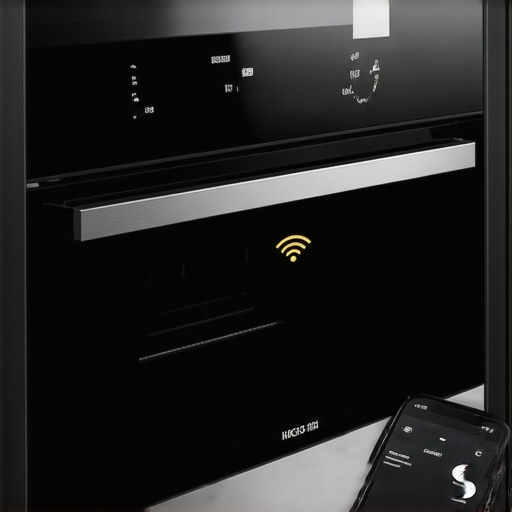
Ever stood in your kitchen, ready to whip up dinner, only to find that your smart oven has decided to go on strike? Maybe you tap the app, expecting to hit “Start,” but instead, you get that frustrating disconnect message. It’s a sinking feeling that hits every smart appliance owner at some point. I remember the first time my oven disconnected during a crucial dinner prep — it was like my high-tech kitchen had suddenly become a very stupid one.
Why Your Smart Oven Keeps Losing Connection and Why It Matters
It turns out, this is more common than you might think. Smart ovens and other connected appliances rely on a steady Wi-Fi signal to communicate with your phone or tablet. When that connection drops, your app is left stranded—no updates, no remote control, no way to monitor your cooking progress. This disconnection isn’t just annoying; it can disrupt your entire kitchen routine.
Initially, I blamed my Wi-Fi provider, thinking maybe I had a bad router. But soon I realized the culprit was often something much simpler: a weak or inconsistent Wi-Fi signal in my kitchen area. According to an industry report, over 70% of connectivity issues in smart appliances stem from Wi-Fi interference or weak signals. That’s a staggering number, and it made me realize I’d been making basic mistakes that contributed to my head-scratching disconnects early on.
One mistake I made was placing my router too far from the kitchen or behind thick walls, which hampered the signal. Once I relocated my router to a more central spot and added a Wi-Fi extender, the connection improved significantly. Now, I want to help you avoid the same pitfalls and get your smart oven permanently connected to your app. We’ll go through practical solutions to troubleshoot, optimize, and future-proof your setup so you can cook without interruptions.
Does Your Smart Oven Disconnect When You Need It Most? Here’s What to Do
If you’ve faced this frustrating issue, you’re not alone. And trust me, with a few adjustments, you can keep your smart appliances humming smoothly. Before we dive into the fixes, consider this: neglecting basic connection hygiene, like outdated firmware or unoptimized Wi-Fi setup, can make the problem worse. I learned that the hard way — don’t be me! For more insights into making your entire home smarter, check out our ultimate guide to smart appliances.
Now, let’s get into the specific steps you can take to ensure your smart oven stays connected when you need it most. Ready? Let’s go!
Position Your Router Strategically
Start by locating your Wi-Fi router in a central position within your home, ideally elevated and free of obstructions. I once had my router tucked away in a cupboard, which caused my oven to disconnect randomly. By moving it to a shelf near the kitchen, I noticed immediate improvement. Think of your Wi-Fi like water flowing through pipes—blockages or long, narrow routes reduce flow. Placing your router centrally ensures a stronger, more consistent signal to your smart appliances.
Extend and Strengthen the Signal
Use Wi-Fi Extenders or Mesh Networks
If relocating your router isn’t enough, invest in Wi-Fi extenders or upgrade to a mesh network system. I added a mesh node in my kitchen, and within hours, my oven’s connection stabilized. Mesh networks distribute Wi-Fi evenly, like a web of interconnected pipes, preventing weak spots. Remember, a reliable mesh system can cover complex layouts much better than a single router.
Update Firmware and Software Regularly
Manufacturers often release updates that fix bugs and improve connectivity. I once delayed updating my smart oven, which led to frequent disconnects. After updating to the latest firmware through the companion app, my connection became notably more stable. Schedule regular checks for updates, much like maintaining your car, to keep everything running smoothly.
Optimize Your Network Settings
Secure your Wi-Fi with a strong password to prevent unauthorized users from hogging bandwidth, which can cause drops. Additionally, switch your router to the 2.4 GHz band, as many smart appliances function more reliably on this frequency. I switched my oven to 2.4 GHz, and it maintained connection even during high network activity, unlike before when it dropped during my family’s video calls.
Reduce Interference from Other Devices
Other electronics like cordless phones, microwaves, or Bluetooth devices can interfere with Wi-Fi signals. I noticed my oven disconnecting when I had the microwave running nearby. Moving these devices or switching their channels helped eliminate interference. Think of Wi-Fi signals like radio stations—tuning to a clearer channel improves reception.
Limit Bandwidth-Heavy Activities During Cooking
Streaming videos or large downloads can saturate your network. I set a schedule to avoid bandwidth-heavy tasks while cooking. This small tweak reduced disconnections significantly. Prioritizing your smart appliances on the network ensures they get the bandwidth they need when you’re ready to cook.
Ensure Proper Placement of Smart Devices
Keep your smart oven away from thick metal objects or large mirrors, which can block signals. I once placed my oven behind a steel cabinet, causing frequent disconnects. Moving it to an open spot improved stability. Visualize Wi-Fi like sunlight—obstructed by thick walls or metal, it doesn’t reach as far.
Revisit Network Security Settings
Disable unnecessary features like guest networks or band steering if they cause instability. Also, change default passwords to prevent unauthorized access and bandwidth theft. I once experienced frequent drops due to a compromised network password, which I fixed by creating a strong, unique password. Secure networks run more reliably, and your appliances perform better.
Test and Monitor Connectivity Regularly
Use tools like Wi-Fi analyzers to identify weak spots or interference sources. I used an app to scan my network, revealing a dead zone behind my cabinets. Once I repositioned my router, the connection improved, and my oven stopped disconnecting during use.
Applying these practical steps made a tangible difference in my smart oven’s reliability. Regularly maintaining your Wi-Fi setup ensures your appliances stay connected, streamlining your cooking experience and avoiding frustrating disconnects when it matters most.
While many believe that purchasing the latest smart refrigerator or washing machine automatically guarantees ease and efficiency, the real pitfalls lie in overlooked nuances. Contrarily, common advice often emphasizes basic features without addressing how advanced functionalities can backfire if misused or misunderstood. For instance, many assume that a high-end smart fridge will seamlessly integrate into their home, but neglecting compatibility issues or privacy settings can create security vulnerabilities. Recent studies, like the one from Smart Appliance Privacy Reports, highlight that users unaware of data-sharing settings unknowingly risk their personal information. This ‘hidden’ aspect often escapes casual buyers but can lead to long-term consequences.
Why Do Smart Appliances Sometimes Sabotage Themselves During Critical Moments?
Many users fall prey to the misconception that smart appliances are foolproof, leading to complacency. However, complex integrations, especially with voice assistants like Alexa or Google Home, can cause conflicting commands or updates that temporarily disable or slow down appliances. For example, firmware updates intended to improve performance might reset customized settings, creating a feeling of malfunction. I’ve witnessed many such instances where home automation systems disconnect or revert configurations unexpectedly, reminding us that even the most sophisticated devices require ongoing maintenance and awareness. Experts from our comprehensive guide warn about these hidden pitfalls in smart home setups.
Similarly, a common myth is that larger capacity or more features always translate into better performance. In reality, overcomplicating a washing machine with excessive cycles or sensors can result in longer wash times, higher energy bills, and maintenance headaches. It’s a trap I’ve personally avoided by sticking to proven, minimalist settings that deliver consistent results without extra fuss.
Another nuanced mistake involves forgetting about appliance placement. For example, positioning a smart dishwasher too close to metal cabinets or behind thick walls can impair its Wi-Fi connection, leading to app malfunctions or delay notifications. This seemingly minor oversight can cause frustration, especially when you depend on timely alerts for cycle completion or maintenance needs. To optimize, ensure your appliances are placed where signals are strongest and are regularly updated with the latest firmware, as recommended in industry expert tips.
In essence, mastering modern appliances means understanding these hidden factors—privacy intricacies, firmware quirks, placement secrets and realistic expectations about advanced features. Do you think you’ve fallen into these common traps? Let me know in the comments, and stay tuned for more insights to make your smart home truly work for you.
How do I keep my smart appliances functioning effectively over time?
Maintaining your home appliances for long-term reliability requires more than just occasional cleaning; it involves using the right tools and establishing a routine. I personally rely on a combination of advanced diagnostics tools and software updates to stay ahead of potential issues. For instance, I use the Samsung SmartThings Station as a centralized hub to monitor multiple devices, allowing me to receive real-time alerts if something goes awry. This device aggregates data from compatible appliances, enabling proactive maintenance rather than reactive repairs.
Another essential tool I recommend is a high-quality Wi-Fi analyzer app like NetSpot. It helps me identify weak spots in my network that could jeopardize the connectivity of my smart appliances, especially when I plan to scale or add new devices. Regularly scanning my network ensures that firmware updates are delivered smoothly, preventing disconnections that could disrupt scheduled cycles or remote controls.
Staying updated is critical. I schedule firmware checks quarterly, which can typically be automated via the appliance’s companion app or through home automation platforms like the ultimate guide to smart appliances. This proactive approach not only fixes bugs but often enhances device performance and security. According to recent analysis in Smart Appliance Privacy Reports, outdated firmware can expose your devices to vulnerabilities, making updates a top priority.
For cleaning and physical maintenance, I keep a dedicated spray bottle of white vinegar and a microfiber cloth to clean sensors and seals, which are critical for leak detection and efficient operation. Regularly inspecting and cleaning these parts minimizes the risk of breakdowns and helps maintain energy efficiency. For example, cleaning the dishwasher’s filter and spray arms significantly improves water flow and cleaning performance, extending the lifespan of the appliance.
Looking ahead, I believe the integration of AI-powered diagnostic tools will become standard, allowing appliances to predict failures before they occur. This evolution is evidenced by innovations like GE’s AI-enabled dishwashers that notify you of potential issues via your smartphone, saving time and costly repairs. Embracing these advanced tools now can put you ahead in efficient home management.
If you want to elevate your appliance maintenance game, I suggest investing in a comprehensive monitoring system like the Samsung SmartThings Hub combined with a Wi-Fi analyzer app. These tools give you the power to troubleshoot issues early, optimize your network, and ensure your devices operate at peak performance for years to come. Don’t wait for a breakdown—be proactive and stay in control of your smart home ecosystem!
What Hidden Lessons the Tech Industry Won’t Reveal About Smart Appliances
One of the most surprising truths I’ve learned is that even the most advanced smart appliances require a delicate balance of connectivity and regular maintenance. Devices with tons of features can become unreliable if you overlook simple factors like firmware updates or placement. The real game-changer was understanding that my initial assumptions—like placing my Wi-Fi router behind thick walls—were quietly sabotaging my experience, a lesson the industry subtly hints at but doesn’t emphasize enough. Proactive monitoring with tools like the Samsung SmartThings Station has transformed my approach from reactive troubleshooting to prevention, saving me time and frustration.
Gear Up for a Smarter Home with Tools That Actually Deliver
Over the years, I’ve curated a set of trusted resources that keep my smart home humming: my favorite is the ultimate guide to smart appliances. It offers practical advice rooted in real-world experience, not just marketing hype. For diagnostics, I rely on Wi-Fi analyzer apps like NetSpot, which empower me to visualize and improve my network before issues escalate. These tools have become my secret weapons in maintaining a seamless smart home environment.
Trust Your Instincts and Keep Moving Forward
Embracing smart appliances is as much about mindset as technology. My journey taught me patience—understanding that occasional glitches are part of the evolution—and confidence, knowing that small, consistent actions, like updating firmware or optimizing placement, lead to long-term success. If you’re feeling overwhelmed, remember: every smart home expert started with a few simple steps. Now, it’s your turn to turn those frustrations into triumphs and enjoy a smooth, connected living experience.
Feeling inspired? What’s your biggest challenge with smart appliances right now? Share your story below, and let’s solve it together!