
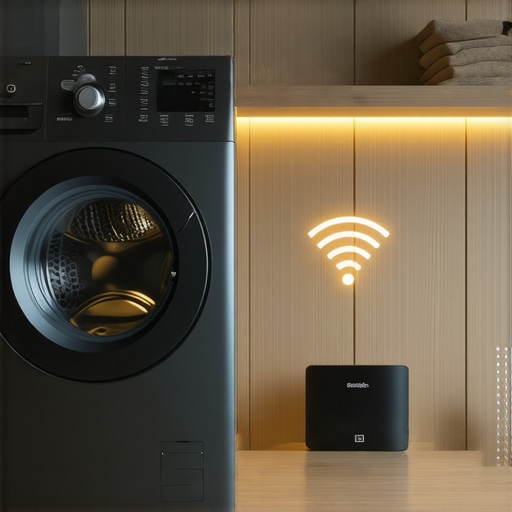
I was standing in my laundry room at 10:00 PM, piles of dirty soccer uniforms at my feet, and I was genuinely losing my mind. My phone was inches away from the control panel, but that spinning ‘connecting’ icon on the app just mocked me. My router is a top-of-the-line, lightning-fast 5GHz beast, yet my brand-new machine acted like I was trying to talk to it in a dead language. It is the ultimate irony: we buy these machines to save time, yet we spend our entire evening troubleshooting a signal we cannot even see.
Your High-Speed Router is Speaking a Different Language
I have spent years looking at how smart washing machines can simplify laundry day, but this specific hurdle—the 5GHz versus 2.4GHz divide—stops more homeowners in their tracks than almost any other setup issue. Most of us assume that a faster band equals a better connection, but in the world of home appliances, that speed is actually a barrier. When you are trying to fix a smart washer that refuses to start from the app, you are not fighting the machine; you are fighting physics.
Is this smart home stuff actually worth the constant hassle?
I hear this from my neighbors all the time. When you are stuck in a loop of ‘connection failed’ messages, it feels like we have traded a simple, reliable knob for a complex digital headache. But once you finally connect your smart washer to your home network without the lag, those remote starts and diagnostic alerts really do become a game changer. I will be the first to admit that I made a huge mistake early on: I thought I could outsmart the hardware. I spent three hours trying to ‘force’ my 5GHz band onto a device that physically was not built to receive that frequency, thinking my tech-savvy would override the manufacturer’s specs. According to experts at the Wi-Fi Alliance, the 2.4 GHz band is the industry standard for IoT devices because it offers superior range and better penetration through the thick walls and cabinets that usually surround your laundry room. Have you ever found yourself crouching on the floor, shouting at your router while the washer just sits there blinking at you? If that sounds familiar, you are in the right place because I am going to show you exactly how to bridge that gap without calling an IT professional.
Split Your Wi-Fi Bands Right Now
The single biggest reason your laundry room setup is failing is a feature called “Smart Connect” or “Band Steering.” Your router tries to be helpful by merging the 2.4GHz and 5GHz signals into one name. For your laptop, this is great. For a smart washer, it is a nightmare. Most smart appliances only have the hardware to see the 2.4GHz band. When your router tries to “steer” the washer toward the faster 5GHz frequency, the connection simply drops. You need to log into your router settings—usually by typing an IP address like 192.168.1.1 into your browser—and give each band a unique name, like “Home_Wifi_2G” and “Home_Wifi_5G.” This simple act of separation is usually the “magic fix” that explains why your smart washer keeps disconnecting from the home network despite having a full signal. Once you have two distinct names, your washer won’t get confused by the high-speed band it cannot use anyway.
Stop Your Phone from Defaulting to 5GHz
During the initial handshake, your smartphone acts as the bridge. If your phone is sitting on the 5GHz band while you are trying to tell the washer to join the 2.4GHz band, they won’t talk. I learned this the hard way last summer. I spent forty minutes sweating in my basement, resetting my washer five times, only to realize my iPhone had hopped back onto the “fast” network automatically. Once I manually forced my phone to the 2G network in my Wi-Fi settings, the washer connected in ten seconds. It felt like I had spent an hour trying to open a door that was already unlocked; I just had to turn the handle the right way. Your phone and your appliance must be on the exact same frequency during that first crucial minute of pairing. 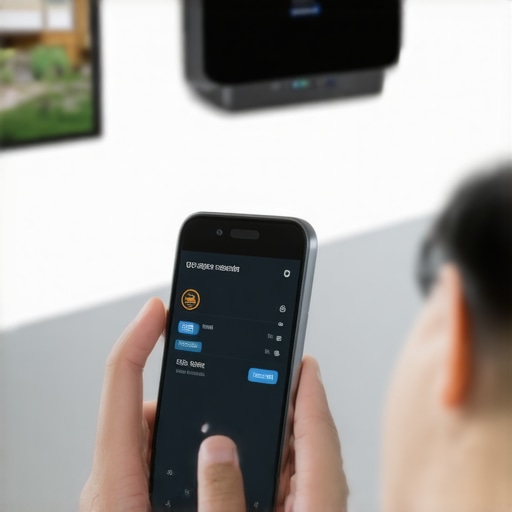
Clear the Physical Path for Your Signal
Think of the 5GHz signal as a high-speed sports car. It is incredibly fast on a smooth, open highway, but it crashes the moment it hits a speed bump. The 2.4GHz signal is more like a rugged tractor; it is slower, but it can plow through walls, cabinets, and appliances without breaking a sweat. If your router is hidden inside a media console or behind a thick stack of books, your washer stands no chance. Metal pipes, large mirrors, and heavy ceramic floor tiles act as shields that deflect these waves. You should also be aware of how to keep your smart home hub from interfering with appliance signals, as crowded frequencies from other devices can cause your washer to time out during a cycle.
Know When to Start Over from Scratch
If you have changed your settings and the app still won’t see the machine, you might have a cached error in the appliance’s memory. This is common if you have recently had a flicker in your power or a temporary internet outage. Knowing how to reset your smart appliance after a major power surge can clear out the “junk data” preventing a fresh handshake. If you are truly fed up and just want to do a load of laundry without the digital drama, you can always learn how to bypass the smart features on your appliance for manual use until you have the patience to dive back into the router settings. I’ve had those Tuesday nights where I just give up on the app and hit the physical “Start” button because, at the end of the day, clean socks are more important than a smartphone notification.Once you move past the Wi-Fi setup phase, the real learning curve begins. I see so many homeowners buy a top-tier machine and then run it into the ground by trying to be too green. Everyone tells you to use Eco Mode for every load to save pennies, but in my experience, that is a shortcut to a repair bill. If you never run a hot cycle, you get a nasty buildup of undissolved fats and minerals. It is exactly why your dishwasher is leaving a gritty white film on your plates. Experts at the Association of Home Appliance Manufacturers (AHAM) point out that modern detergents and enzymes require specific temperature windows to activate fully. If you are always in the Eco basement, you are basically just circulating lukewarm grease around your dishes.
Stop Using So Much Detergent in Your HE Washer
One of the biggest advanced mistakes I see involves the detergent drawer. We have been conditioned for decades to think that more bubbles mean a better clean. This is a total myth. If you are seeing why your high-efficiency washer leaves white streaks on dark clothes, you are likely over-pouring. High-efficiency machines use so little water that even an extra tablespoon of soap can stay trapped in the fibers of your clothes or, worse, inside the machine’s drum where it breeds mold. I found the secret to using less detergent in your high-efficiency washer is to ignore the lines on the cap and look at the machine’s internal sensors instead.
Does AI technology actually help your dishwasher clean better?
Many manufacturers now market innovative dishwashers with AI technology that claim to sense soil levels. The hidden nuance here is that these sensors are often located in the drain path. If you pre-rinse your dishes until they are spotless, the sensors assume the load is clean and shorten the cycle, which can actually leave your cookware sanitized but still covered in a thin layer of soap residue. The trap is being too helpful; your smart machine needs a little bit of dirt to know it has a job to do. When you are looking at the ultimate guide to smart home appliances for a modern living, remember that the software is only as good as the data it receives. If you feed it false information by pre-washing every plate, you are actually sabotaging the algorithm. Have you ever fallen into this trap of over-cleaning or over-soaping and ended up with a smelly washer? Let me know in the comments.
The Myth of the Lifetime Filter
Finally, let’s talk about the silent killer of smart appliances: the forgotten filter. Most people think their smart app will tell them when every single part needs cleaning. That is not true. There are manual screens in your dishwasher and tiny debris traps in your front-loader that do not have sensors. If these get clogged, your machine will work twice as hard, drawing more power and wearing out the motor. I learned this the hard way after my own ‘high-tech’ washer started vibrating like a jet engine simply because a stray coin was wedged in a manual trap that no app could see. Don’t let the digital screen make you lazy about physical maintenance.
Flush Out the Gunk Before it Kills the Pump
Even the most advanced AI can’t reach into its own plumbing to pull out a wad of hair or a stray toothpick. I learned this the hard way when my machine stopped mid-cycle with a vague error code. I now swear by the secret to cleaning a front-load washer’s hidden filter every four weeks. If you ignore this, the drainage pump works harder, the electronics overheat, and suddenly you are looking at a $400 repair for a part that costs $20. I personally use a small dental mirror and a flashlight to check the impeller housing because even a tiny bit of debris can cause a balance error that the software translates as a ‘critical hardware failure.’ Don’t let the shiny screen fool you into thinking the physical rules of plumbing no longer apply to your home.
Fix Your Connection Gaps with a Cheap Mesh Node
If your kitchen or laundry room is on the opposite side of the house from your router, you are asking for frustration. I stopped fighting my signal dead zones by installing a dedicated mesh node specifically for my appliances. This is the easiest way to connect an older smart fridge to a new mesh network without having to reset your entire home ecosystem. By placing a node within ten feet of the washer, you eliminate the packet loss that causes those ‘device offline’ notifications. According to technical documentation from the IEEE (Institute of Electrical and Electronics Engineers), consistent signal strength is vital for IoT devices because even a 2% packet loss can cause a firmware update to fail, potentially bricking your expensive control board.
How do I maintain these complex machines over time?
Consistency is the only way to avoid a digital meltdown. Beyond the physical filters, you must manage the ‘brain’ of the machine. I make it a habit to manually check for firmware updates once a quarter. While most machines claim to auto-update, they often stall if the server times out. Learning how to update your smart fridge software without crashing the system is an essential skill for the modern homeowner. Looking at the future of home appliances trends to watch in 2025, we are moving toward ‘self-healing’ software, but until then, you are the chief technician of your own home. I also recommend a yearly ‘hard reboot’—unplugging the machine for ten full minutes—to clear the volatile memory and reset the logic controllers. This simple reset often fixes the ‘phantom errors’ that plague high-end dishwashers and washing machines that save water. If you want to stay ahead of the curve, stop trusting the ‘Auto’ settings for everything and take five minutes to verify your network stability and filter cleanliness today. Check your router’s device list right now; if your washer is showing ‘weak’ signal, move that mesh node tonight.
The Bitter Truth About My Laundry Room Meltdowns
I have learned that even the most expensive Wi-Fi card in the world cannot fix a basic plumbing or frequency issue. My first big realization was that the 2.4GHz band is your best friend for a reason; it is the only frequency that can actually punch through the heavy steel of your machine and the thick drywall of your laundry room. Another lightbulb moment came when I stopped trusting the ‘max’ line on the detergent cup. In these high-efficiency machines, less soap actually means cleaner clothes and a much longer lifespan for your internal sensors. Finally, once you get everything running, don’t forget to disable the annoying chimes on your smart appliances if you want to keep your sanity during a late-night cycle.
Tools That Actually Fixed My Digital Headaches
I swear by a simple Wi-Fi Analyzer app on my phone to check signal strength before I ever push a heavy washer into its final nook. I also keep the ultimate guide to smart home appliances for a modern living bookmarked for those moments when I need to troubleshoot a specific sensor error. For those looking to expand their ecosystem, I recommend reviewing the top smart appliances for a seamless home experience in 2025, as newer models are finally integrating better dual-band chips to solve these connectivity hurdles.
Take Back Control of Your Smart Kitchen
Embracing smart appliances should not feel like a part-time job or a source of household stress. By implementing these simple network tweaks and staying on top of physical maintenance, you can stop fighting the hardware and start enjoying the actual convenience you paid for. The future of home appliances trends to watch in 2025 suggest even easier integration is on the horizon, but for today, you already have the tools to master your setup. Have you ever had your smart washer refuse to connect even when you were standing right next to it? Share your router horror stories or your best troubleshooting fixes in the comments below!