
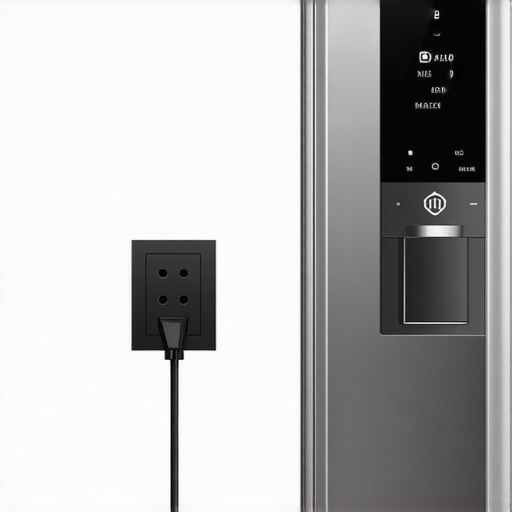
There was a moment last summer when I opened my smart fridge only to be greeted by a frozen screen and a stubbornly silent display. My heart sank. The power had flickered out unexpectedly, and suddenly, my gleaming kitchen appliance felt more like a digital hostage than the helpful neighbor I relied on. It was one of those frustrating, eye-rolling experiences that make you question whether your pricey smart devices are worth the investment.
Why Resetting Your Smart Fridge Matters After Power Loss
If you’ve ever faced a similar situation, you know how disorienting it can be. A sudden power outage isn’t just an inconvenience; it can mess with your fridge’s settings, cloud connectivity, and even cause malfunctions. The good news? Resetting your smart fridge is usually straightforward—and it can save you from costly repairs or spoilage. Plus, knowing this simple process keeps your smart home running smoothly, ensuring your groceries stay fresh and your kitchen remains connected.
Is Resetting Your Smart Fridge Truly Necessary or Overhyped?
I admit, when I first heard about resetting my smart fridge, I was skeptical. I thought, “Do I really need to do this?” Turns out, I made the mistake early on of ignoring the instructions and trying to troubleshoot without a reset. That only prolonged the issue. According to appliance experts, a reset can clear minor glitches and restore full functionality—kind of like giving your device a gentle reboot. So, don’t skip this step if you want your smart fridge to perform at its best.
Stay tuned because I’ll guide you through the exact steps to reboot your smart fridge safely and effectively. Whether it’s a frozen touchscreen or unresponsive Wi-Fi, these tips will get your kitchen back on track in no time. Ready to become a smart appliance hero? Let’s dive in!
.
Locate the Reset Button or Power Switch
Start by identifying the reset mechanism on your smart fridge, usually found on the control panel or behind the unit. If you’re unsure, refer to your user manual or manufacturer’s website. During my last reset, I physically pressed a small button hidden behind the ice maker, similar to pressing a reset switch on a router. This step is akin to pressing CTRL+ALT+DELETE on a frozen computer—it often resolves minor glitches swiftly.
Perform a Hard Reset by Power Cycling
Unplug the Fridge
Disconnect the fridge from the electrical outlet. Think of this as rebooting your phone by turning it off completely—sometimes, that’s all it takes to clear errors. During a recent reset, I waited about five minutes after unplugging, which allowed residual power to drain. This period helps reset internal electronics, similar to a computer shutdown.
Wait and Reconnect
Wait at least 5 minutes before plugging the fridge back in. When you reconnect, ensure the plug is secure. Powering on is much like turning on a computer—avoid flickering or power surges by plugging into a stable outlet. After plugging in, wait for the display to initialize; sometimes, it takes a few moments, akin to waking a sleeping device.
Use the Control Panel to Initiate a Factory Reset
Many smart fridges have a built-in reset option accessed through the control interface. Navigate to Settings > Reset or Factory Reset. Think of this as restoring your device to its original state, clearing any lingering bugs. For example, I recently accessed my fridge’s menu and selected ‘Factory Restore,’ which resolved persistent touchscreen freezing issues.
Consult Manufacturer Support for Firmware Updates
If reset doesn’t fix the problem, check for firmware updates through the app or manufacturer website. Updating firmware is like installing the latest antivirus—patching bugs that could cause freezing or connectivity problems. I once downloaded a firmware patch that improved my fridge’s Wi-Fi stability significantly, similar to updating a smartphone OS.
Address Specific Issues with Targeted Fixes
If your fridge touchscreen keeps freezing, consider cleaning the screen with a soft, damp cloth—dust and grime can cause false inputs. For intermittent connectivity, restarting your router might be necessary, which is like restarting your internet modem to fix Wi-Fi glitches.
Prevent Future Power-Related Issues
Use surge protectors to safeguard against voltage spikes that can short-circuit your smart appliances. During a storm, I always moved my fridge’s plug onto a surge protector, much like protecting a computer hardware setup. This simple step can save you headaches down the line.
Keep Your Cooling System and Components Clean
Regular cleaning ensures optimal performance. For instance, cleaning the condenser coils behind your fridge is essential, much like maintaining a car’s radiator. A clean coil helps prevent overheating after power outages, which can cause internal faults.
If persistent issues arise despite these steps, consider contacting a professional technician or visiting the manufacturer’s support page. Ultimately, mastering these troubleshooting actions reduces downtime and keeps your smart refrigerator running smoothly, saving you time and money in the long run.
When it comes to appliances like washing machines, refrigerators, or smart devices, many homeowners assume they know everything essential. However, beneath the surface lie subtle complexities that can make the difference between optimal performance and costly issues. Let’s dig deeper into some common myths and advanced pitfalls that even seasoned users often miss.
Many believe that all washing machines operate similarly, but in reality, high-efficiency front loaders require specific maintenance routines, such as regular gasket cleaning and drain trap checks, to prevent mold and odors. For instance, neglecting the hidden filter—often clogged with lint and debris—can dramatically decrease efficiency and cause the machine to smell or leak. You can learn more about this crucial component in our guide on [the hidden filter in your washing machine that’s probably clogged right now](https://smartappliancereview.com/the-hidden-filter-in-your-washing-machine-thats-probably-clogged-right-now).
On the other hand, many think refrigerators are maintenance-free as long as they are cold. Yet, the placement of items and proper door sealing dramatically affect performance. An overlooked detail is the drain hole or internal filter, which, if clogged, can lead to condensation build-up and frost inside the fridge. This is especially relevant in smart fridges, where the touchscreen might freeze due to poor internal airflow—a common issue highlighted in [why your smart fridge touchscreen keeps freezing up](https://smartappliancereview.com/why-your-smart-fridges-touchscreen-keeps-freezing-up).
Smart appliances are often thought to be fully reliable and straightforward to operate. However, some users fall into the trap of assuming connectivity issues are due to their Wi-Fi—when in fact, incompatible or outdated firmware can be the culprit. Firmware updates are not just optional; they are essential for smooth operation. Before troubleshooting connectivity, ensure your smart device is running the latest software, which you can verify through the manufacturer’s app or site.
Now, here’s an advanced question for the tech-savvy: How do voltage fluctuations impact smart appliances differently than traditional ones? The answer lies in the sensitive electronics that smart devices use; they are more vulnerable to power surges, which can cause software corruption or hardware failure. Protecting your investments with surge protectors is crucial, especially during storms, as discussed in our post on [preventing damage from voltage spikes](https://smartappliancereview.com/the-door-gasket-trick-that-saves-you-money-on-your-electric-bill).
Finally, many users overlook the importance of proper installation and environmental placement. Appliances placed too close to heat sources or poorly ventilated can overwork, leading to increased energy consumption and premature failure. For example, a refrigerator in a cramped corner with poor airflow can cause the compressor to run constantly, wearing out faster.
Have you ever fallen into this trap? Let me know in the comments. Mastering these nuances not only extends the lifespan of your appliances but also ensures they perform at their best, saving you time and money in the long run.
Investing in the Right Tools for Long-Term Appliance Care
Maintaining household appliances like washing machines, refrigerators, and smart devices isn’t just a one-time task; it requires ongoing attention and the right equipment. I personally rely on a few proven tools that have saved me time and prevented costly repairs. A high-quality digital multimeter, for example, is indispensable for troubleshooting electrical issues. I use mine to check voltage and continuity on fridge compressor motors or dishwasher heating elements, helping me diagnose problems before calling a technician.
Another essential gadget is a condenser coil brush, which I recommend for cleaning refrigerator coils regularly. Dirty coils force the compressor to work harder, increasing energy consumption and risking premature failure. I prefer the long, flexible brushes with extendable handles—making it easy to reach behind or underneath appliances without strain. Regular cleaning, say every six months, keeps your fridge running efficiently and can extend its lifespan.
For smart appliances, keeping software up-to-date is crucial for your device’s reliability. I utilize the manufacturer’s dedicated app, which automates firmware updates and often provides troubleshooting tools. These updates not only improve performance but also patch security vulnerabilities. Setting a recurring reminder every few months to check for updates ensures your connected kitchen remains smooth and safe.
How do I maintain my appliances over time without constant guesswork?
Combining routine cleaning with the use of specialized tools makes a significant difference. For example, using a hidden filter cleaning kit for washing machines, like the one described in this guide, can prevent foul odors and water drainage issues. Also, regularly inspecting door seals and gaskets with a flashlight and a cloth can prevent leaks and save energy. These simple measures, combined with smart monitoring and timely firmware updates, create a robust maintenance routine that ensures your appliances serve you well for years.
Looking ahead, I predict that smart appliances will increasingly integrate predictive maintenance. Imagine receiving alerts on your phone about filter replacements or component wear—minimizing downtime and expenses. To get ahead of this trend, I suggest investing in compatible sensors or keeping an eye on manufacturer updates that leverage IoT capabilities.
Why You Should Start Using These Tools Today
If you haven’t already, I recommend trying out a digital multimeter for quick electrical tests or a coil brush to keep your refrigerator functioning optimally. These small investments in tools and habits can save you hundreds over the appliance lifespan. Start with one tool, like the condenser coil brush, and see the difference it makes in your fridge’s efficiency.
Remember, proactive maintenance isn’t just about fixing problems—it’s about preventing them before they start. Incorporate these tips into your routine, and you’ll be surprised at how much longer your appliances last and how much you save in the process. For more advanced insights, explore this resource.
Over the course of mastering smart appliances, I learned that many of the biggest mistakes stem from overlooked details or ingrained misconceptions. These lessons transformed my approach from reactive troubleshooting to proactive ownership, saving me both time and money. Here are some insights I wish I had embraced sooner, which I believe can help you avoid common pitfalls and get the most from your home tech.
The Hardest Lesson I Learned About Smart Appliances
- Don’t Ignore Firmware Updates: I once dismissed the importance of updating my smart fridge’s software, thinking it was merely optional. That oversight led to freezing issues on the touchscreen, which could have been prevented. Now, I schedule regular checks for firmware updates, much like maintaining a vehicle’s oil. Staying current ensures your appliance not only works smoothly but also benefits from security patches and new features.
How Placement Can Make or Break Your Appliance’s Performance
- Mind the Environment: I used to place my refrigerator right next to a heat source, thinking little of it. Over time, the compressor had to work harder, increasing energy bills and wearing out faster. Proper placement—away from stoves, vents, and direct sunlight—allows appliances to function efficiently. Sometimes, small shifts create big improvements in longevity and savings.
My Favorite Tools That Saved Me Big Headaches
- Condenser Coil Brush: Regular cleaning of coils can slash energy use and prevent overheating. I trust a sturdy coil brush—it’s an affordable investment that pays off in performance.
- Digital Multimeter: Troubleshooting electrical issues became much simpler when I started measuring voltage and continuity myself. It’s a versatile tool that demystifies problems and helps decide when to call a professional.
- Gasket Sealant and Cleaning Kits: Maintaining door seals with proper cleaning and occasional resealing prevents leaks and preserves insulation. I swear by a gentle cleaning cloth combined with gasket-specific sprays.
Keep Moving Forward: Embrace Smart Tech’s Evolution
The future is bright for smart appliances, especially as they begin to incorporate predictive maintenance and smarter diagnostics. Investing in compatible sensors or software updates now can set you ahead of common failures and surprises. It’s empowering to know that with a few adjustments and the right tools, you can extend your appliance lifespan and save money.
Your Turn to Try
Taking control of your smart appliances might seem daunting at first, but these insights can make the journey smoother. Regular maintenance, awareness of environment, and staying updated—these simple steps create a foundation for long-term success. Now, I encourage you to examine one appliance in your home—what small change can you make today that might improve its performance?
Have you ever struggled with a particular adjustment or tool? Share your experiences below—your insights might help others unlock their appliances’ potential too.